While at work today, debugging a weird edge-case where some emails to Outlook have some unexpected padding, I learned something weird: Microsoft Outlook still (kinda) supports WordArt.
Wait, what’s WordArt?
If you’re too young to remember: when Microsoft Office ’97 came out, it shipped with a feature called WordArt. Basically, these were a somewhat-customisable set of on-demand clip-art-esque text styles that you could apply to your own text.
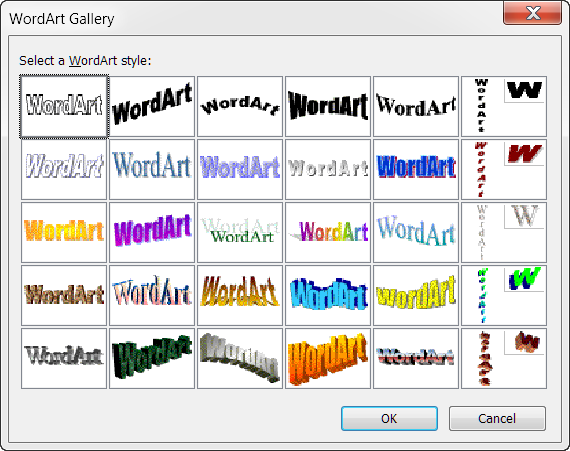
The ease with which you could make use of these wacky designs meant that, for a while during the late 1990s, you wouldn’t see a poster advertising a school disco nor the front page of a GCSE essay that didn’t feature at least one1 of these colourful eccentricities.
They gradually got phased-out and replaced with more-tasteful tools, but if you used them back in the day then images like the one above are sure to evoke a feeling of nostalgia.
Outlook’s evolution
Even as Microsoft adopted the Web as a platform, they were half-hearted about it. While HTML rapidly became used for things like styling emails as well as Web pages, Microsoft resisted the change, instead favouring two of their own standards in their own email clients. Outlook Express preferred to do “formatted” email using RTF, the format underpinning Microsoft Write, while fully-fledged Outlook effectively used Microsoft Word as its formatting engine2.
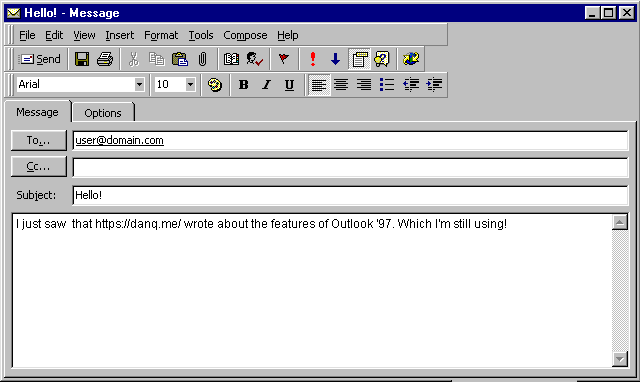
You can still use RTF in some modern versions of Outlook (but you shouldn’t). But nowadays if you’re typing formatted text in Outlook, you’re almost-certainly creating HTML (albeit probably still using Microsoft Word3).
But this introduced a problem with backwards-compatibility. If Outlook switched to HTML as its default rendering format, what would happen to all the old WordArt? I’m confident that somebody asked this in a meeting at Microsoft in around 2007.
Backwards compatibility
It turns out that Microsoft implemented a whole stack of custom CSS
directives, just to support WordArt in Outlook4.
For real! You can use CSS like mso-effects-shadow-angledirection: 5400000;5
to put a text-shadow directly below your text or mso-style-textoutline-outlinestyle-dash: longdashdotdotgel; to outline it with a mixture of dots and dashes. And
it only works in Outlook. These form part of a translation layer for converting WordArt to and from a HTML-like format6.
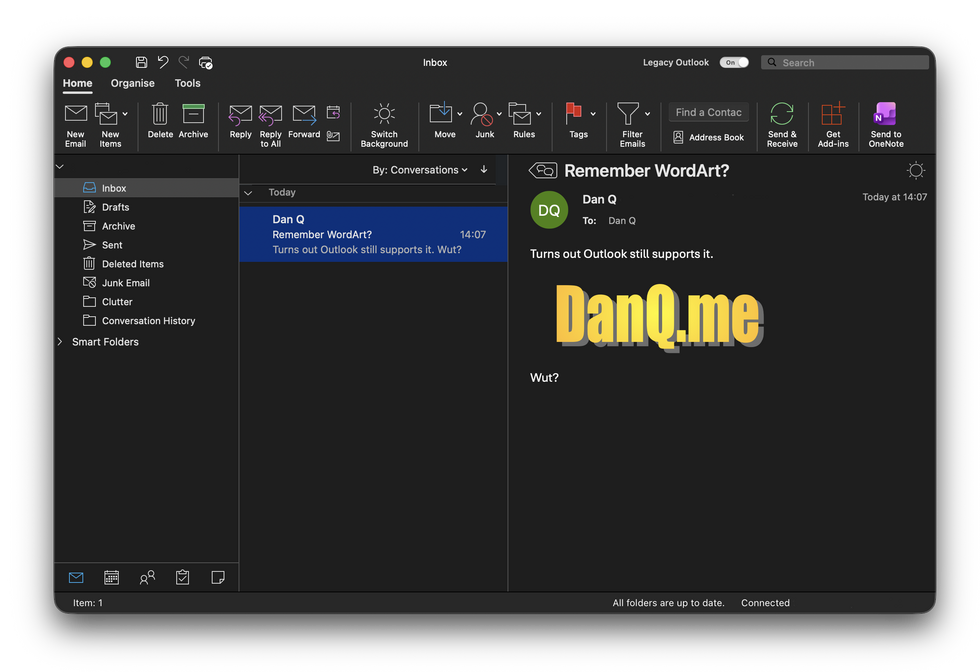
So yeah: you can send an email containing classic WordArt to a modern Outlook installation and it still looks as horrible as it always did:
An unanswered question
But you know what I find myself wondering? How do Microsoft’s new, Web-based Office Suite apps handle this?
I assume that if you send them “classic” WordArt from e.g. Outlook ’97, then they render it correctly. But to do that, they’re presumably…
- Receiving the original WordArt in whatever proprietary format Word ’97+ used to put these graphics into emails.
- Converting the WordArt to
mso-prefixed CSS directives that Outlook 365 can understand. - Converting those custom CSS directives into standards-compliant modern CSS directives that your browser can understand.
- Rendering that to the page you see the WordArt in all its… “glory”.
That seems like an insane amount of work, but it might not be far from reality. The (horrifying) alternative would be that Microsoft maintain a cluster of virtual machines running old versions of Windows, Office, and Internet Explorer, used just to convert WordArt into static images!
Or maybe Outlook 365 for Web finally killed off WordArt for email? I haven’t tested. But if it did… then it was probably about time!
In any case, this was a fun and unanticipated discovery of some long-maintained backwards-compatibility. It brought a smile to my face during the otherwise-tedious task of regression-testing blind-coded changes against a variety of versions of Microsoft Outlook!
Thanks for reading!
Footnotes
1 More-likely, you’re remembering a document that had a stylistically-conflicting pair of WordArts, and that’s why it burned itself into your memory so-well.
2 It’s actually all much more-complicated than that, because of course it is, but it’s close-enough to the truth.
3 This is the source of the problem I’m working on right now: I have an email that looks fine in every other HTML-compliant email client… but Outlook – and, specifically, only Outlook on Windows – mangles a tiny bit of the formatting. Now personally I think that shouldn’t be a problem: HTML was never supposed to be a pixel-precise rendering medium and a little wiggle room should be expected to come as standard (also, most emails ought to be plain text in the first place!): but we’ve a client who’s pickier than that, and they’re the one paying the bills, so I’d better get to looking into this!
4 You’d be forgiven for asking whether they might have instead chosen to spend that time and energy implementing better CSS support in general into their software, instead of making sure that old emails containing WordArt can still be enjoyed in their full graphical glory decades after they were originally sent. But what would I know?
5 Why 5400000, you ask? Well the mso- prefixed CSS directives for Outlook
turn out not to use normal-person units like degrees or even radians to measure angles, instead using an unnamed unit representing a sixty-thousandth of a degree each. Presumably for
backwards-compatibility reasons. Similarly, opacity is measured in thousandths of a percent, without mentioning the unit. A lot of this stuff is undocumented and nerds are still
trying to reverse-engineer it all.
6 This isn’t how I created the headings in this blog post… those were made with the help of some a Codepen by Katherine Kato. If you’re looking for something just as nostalgic but easier to use, Make Wordart is a cool tool!
Almost a perfect Dan Q post ❤️