Most of the traffic I get on this site is bots – it isn’t even close. And, for whatever reason, almost all of the bots are using HTTP1.1 while virtually all human traffic is using
later protocols.
I have decided to block v1.1 traffic on an experimental basis. This is a heavy-handed measure and I will probably modify my approach as I see the results.
…
# Return an error for clients using http1.1 or below - these are assumed to be bots@http-too-old{notprotocolhttp/2+notpath/rss.xml/atom.xml# allow feeds}respond@http-too-old400{body"Due to stupid bots I have disabled http1.1. Use more modern software to access this site"close}
This is quick, dirty, and will certainly need tweaking but I think it is a good enough start to see what effects it will have on my traffic.
…
A really interesting experiment by Andrew Stephens! And love that he shared the relevant parts of his Caddyfile: nice to see how elegantly this can be achieved.
I decided to probe his server with cURL:
~ curl --http0.9 -sI https://sheep.horse/ | head -n1


              HTTP/2 200


              ~ curl --http1.0 -sI https://sheep.horse/ | head -n1


              HTTP/1.0 400 Bad Request


              ~ curl --http1.1 -sI https://sheep.horse/ | head -n1


              HTTP/1.1 400 Bad Request


              ~ curl --http2 -sI https://sheep.horse/ | head -n1


              HTTP/2 200
Curiously, while his configuration blocks both HTTP/1.1 and HTTP/1.0, it doesn’t seem to block HTTP/0.9! Whaaa?
It took me a while to work out why this was. It turns out that cURL won’t do HTTP/0.9 over https:// connections. Interesting! Though it presumably wouldn’t have worked
anyway – HTTP/1.1 requires (and HTTP/1.0 permits) the Host: header, but HTTP/0.9 doesn’t IIRC, and sheep.horse definitely does require the Host: header (I tested!).
I also tested that my RSS reader FreshRSS was still able to fetch his content. I have it configured to pull not only the RSS feed, which is specifically allowed to bypass his
restriction, but – because his feed contains only summary content – I also have it fetch the linked page too in order to get the full content. It looks like FreshRSS is using HTTP/2 or
higher, because the content fetcher still behaves properly.
Andrew’s approach definitely excludes Lynx, which is a bit annoying and would make this idea a non-starter for any of my own websites. But it’s still an interesting experiment.
He observes that the design of feed readers – which still lean on the design of the earliest feed readers, which adopted the design of email software to minimise the learning
curve – makes us feel obligated to stay on top of all our incoming content with its “unread counts”.
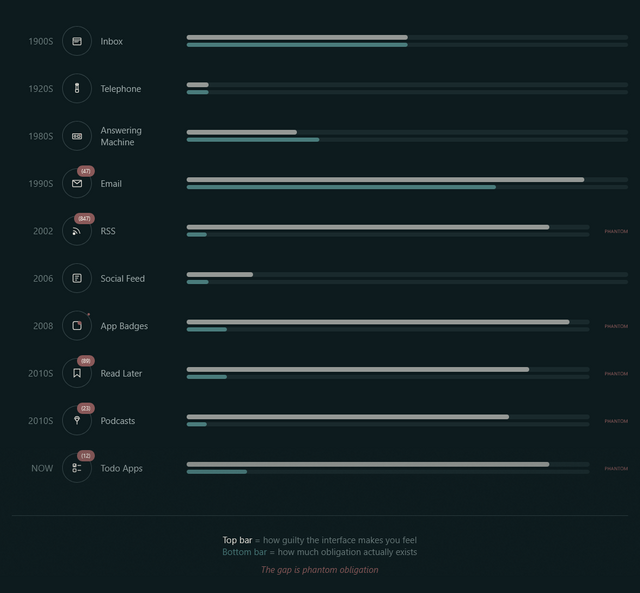
Phantom obligation
Email’s unread count means something specific: these are messages from real people who wrote to you and are, in some cases, actively waiting for your response. The number isn’t
neutral information. It’s a measure of social debt.
But when we applied that same visual language to RSS (the unread counts, the bold text for new items, the sense of a backlog accumulating) we imported the anxiety without the cause.
…
RSS isn’t people writing to you. It’s people writing, period. You opted to be notified of their existence. The interface implied debt where none existed. The
obligation became phantom.
I use FreshRSS as my feed reader, and I love it. But here’s the thing: I use the same application
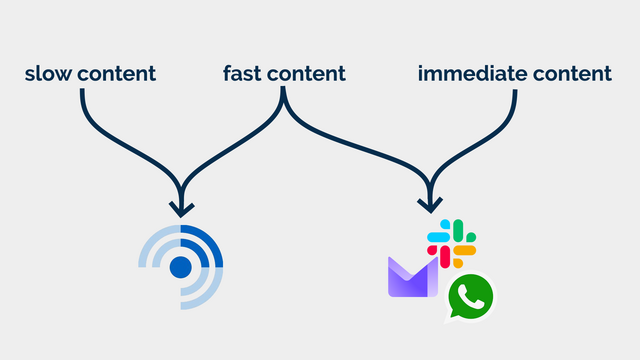
for two different kinds of feeds. I call them slow content and fast content.2
It’s an idealised interpretation of how I subscribe to different kinds of incoming messages, but it works for me. The lesson is that slowing down your consumption is not
an antifeature, it’s a deliberate choice about how you prioritise your life. For me: humans come first – what about you?
Slow content
Blogs, news, podcasts, webcomics, vlogs, etc. I want to know that there is unread content, but I don’t need to know howmuch.
In some cases, I configure my reader to throw away stuff that’s gotten old and stale; in other cases, I want it to retain it indefinitely so that I can dip in when I want to.
There are some categories in which I’ll achieve “inbox zero” most days3…
but many more categories where the purpose of my feed reader is to gather and retain a library of things I’m likely to be interested in, so that I can enjoy them at my leisure.
Some of the things I subscribe to, though, I do want to know about. Not necessarily immediately, but “same day” for sure! This includes things like when it’s a friend’s
birthday (via the Abnib Birthdays feed) or when there’s an important update to some software I selfhost.
This is… things I want to know about promptly, but that I don’t want to be interrupted for! I appreciate that this kind of subscription isn’t an ideal use for a feed reader… but I use
my feed reader with an appropriate frequency that it’s the best way for me to put these notifications in front of my eyeballs.
I agree with Terry that unread counts and notification badges are generally a UX antipattern in feed readers… but I’d like to keep them for some purposes.
So that’s exactly what I do.
How I use FreshRSS (to differentiate slow and fast content)
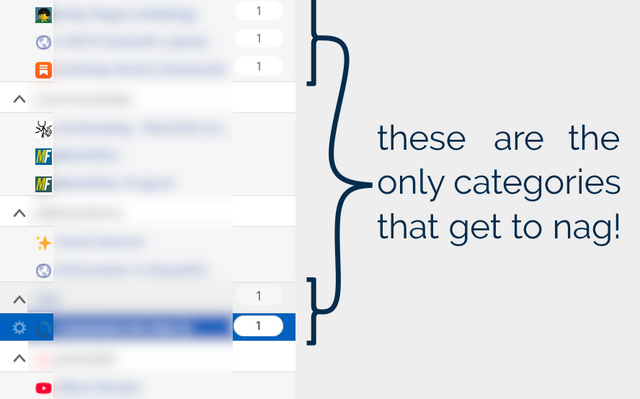
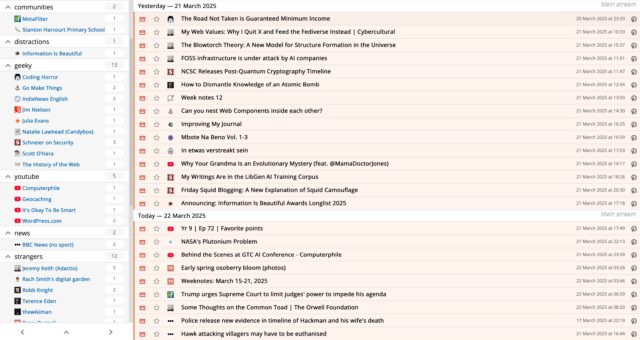
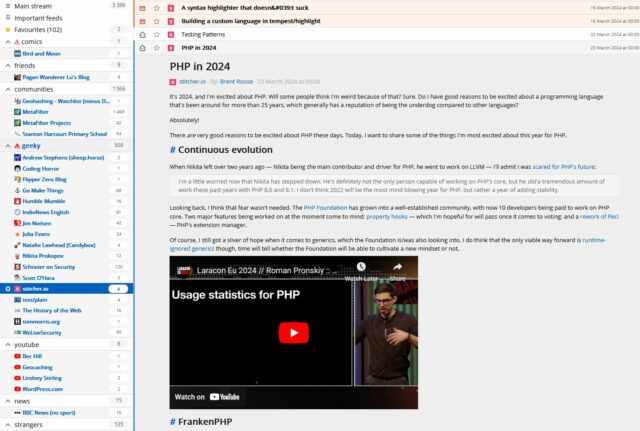
FreshRSS already provides categories. But what I do is simply… not show unread counts except for designated feeds and categories. To do that, I use the CustomCSS extension for FreshRSS (which nowadays comes as-standard!), giving it the following code
(note that I want to retain unread count badges only for feed #1 and categories #6 and #8 and their feeds):
.aside.aside_feed{
/* Hide all 'unread counts' */.category,.feed{
.title:not([data-unread="0"])::after,.item-title:not([data-unread="0"])::after{
display:none;}
}
/* Re-show unread counts only within: * - certain numbered feeds (#f_*) and * - categories (#c_*) */#f_1,#c_6,#c_8{
&,.feed{
.title:not([data-unread="0"])::after,.item-title:not([data-unread="0"])::after{
display:block;}
}
}
That’s how I, personally, make my feed reader feel less like an inbox and more like a… I don’t know… a little like a library, a little like a newsstand, a little like a calendar… and a
lot like a tool that serves me, instead of another oppressive “unread” count.
I just wish I could persuade my mobile reader Capyreader to follow suit.
Maybe it’ll help you too.
Footnotes
1 Or whenever you like. It’s ‘slow content’. I’m not the boss of you.
2 A third category, immediate content, is stuff where I might need to
take action as soon as I see it, usually because there’s another human involved – things like this come to me by email, Slack, WhatsApp, or similar. It doesn’t belong in a feed
reader.
3 It’s still slow content even if I inbox-zero it most days…
because I don’t inbox-zero it every day! I don’t feel bad ignoring or skipping it if I’m, for example, not feeling the politics news right now (and can you blame me?). This
is fundamentally different than ignoring an incoming phone call or a knock at the door (although you’re absolutely within your rights to do that too, if you don’t have the spoons for
it).
4 I’m yet to see a mailing list that wouldn’t be better as either a blog (for few-to-many
communication) or a forum (for many-to-many communication), frankly. But some people are very wedded to their email accounts as “the way” to communicate!
RSS readers rock. Having a single place you connect for a low-bandwidth bundle of everything you might want to read means it doesn’t matter how slow the WiFi is on your aeroplane, you
can get all the text content in one tap.
(I’m using Capy Reader to connect to FreshRSS, by the way.)
This has been doing the rounds; I last saw it on Kev’s blog. I like that the social blogosphere’s doing this kind
of fun activity again, these days1.
1. Do you floss your teeth?
Umm… sometimes? Not as often as I should. Don’t tell my dentist!
Usually at least once a month, never more than once a week. I really took to heart some advice that if you’re using a fluoridated mouthwash then you shouldn’t do it close to when you
brush your teeth (or you counteract the benefits), so my routine is that… when I remember and can be bothered to floss… I’ll floss and mouthwash, but like in the middle of the day.
And since I moved my bedroom (and bathroom) one floor further up our house, it’s harder to find the motivation to do so! So I’m probably flossing less. The unanticipated knock-on effect
of extending your house!
2. Tea, coffee, or water?
I love a coffee to start a workday, but I have to be careful how much I consume because caffeine hits me pretty hard, even after a concentrated effort over the last 10 years or so to
gradually increase my tolerance. I can manage a couple of mugs in the morning and be fine, now, but three coffees… or any in the mid-afternoon onwards… and I’m at risk of
throwing off my ability to sleep later2.
I wear holes in footwear (and everything else I wear) faster than anybody I know, so nowadays I go for good-value comfort over any other considerations when buying shoes.
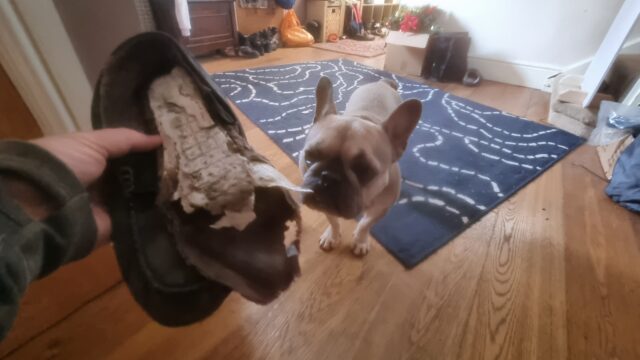
One time it was the dog’s fault that my footwear fell apart, but usually they do so by themselves.
4. Favourite dessert?
Varies, but if we’re eating out, I’m probably going to be ordering the most-chocolatey dessert on the menu.
5. The first thing you do when you wake up?
The very first thing I do when I wake up is check how long it is before I need to get up, and make a decision about when I’m going to do so. I almost never need my alarm
to wake me: I routinely wake up half an hour or so before my alarm would go off, most mornings. But exactly how early I wake directly impacts what I do next. If I’m
well-rested and it’s early enough, I’ll plan on getting up and doing something productive: an early start to work, or some voluntary work for Three Rings, or some correspondence. If it’s close to the time I need to get up I’ll more-often just stay in bed and spend longer doing
the actual answer I should give…
…because the “real” answer is probably: pick up my phone, and open up FreshRSS – almost always the
first and last thing I do online in a day! I’ll skim the news and blogosphere and “set aside” for later anything I’d like to re-read or look at later on.
6. Age you’d like to stick at?
Honestly, I’m good where I am, thanks.
Sure, I was fitter and healthier in my 20s, and I had more free time in my early 30s… and there are certainly things I miss and get nostalgic about in any era of my life. But
conversely: it took me a long, long time to “get my shit together” to the level I have now, and I wouldn’t want to have to go through all of the various bits of
self-growth, therapy, etc. all over again!
So… sure, I’d be happy to transplant my intellect into 20-year-old me and take advantage of my higher energy level of the time for an extra decade or so3. But I wouldn’t go back even a
decade if it meant that I had to go relearn and go through everything from that decade another time, no thanks!
7. How many hats do you own?
Four. Ish.
They are:
A bandana. Actually, I own maybe half a dozen bandanas, mostly in Pride rainbow colours. Bandanas are amazingly versatile: they fold small which suits my love of travelling light these last few years, they can function as headgear, dust mask, neckerchief,
flannel, etc.4, and they do a pretty good job of
keeping my head cool and protecting my growing bald spot from the fierce rays of the summer sun.
A “geek” hat. Okay, I’ve actually got three of these, too, in slightly different designs. When they first started appearing at Oxford Geek Nights, I just kept winning them! I’m not a huge fan of caps, so mostly the kids wear them… although
I do put one on when I’m collecting takeaway food so I can get away with just putting e.g. “geek hat” in the “name” field, rather than my name5.
A warm hat that comes out only when the weather is incredibly cold, or when I’m skiing. As I was reminded while skiing on my recent trip to Finland, I should probably switch to wearing a helmet when I ski, but I’ve been skiing for three to four decades without one
and I find the habit hard to break.6
A wooly hat that I was given by a previous employer at a meetup in Mexico last year. I wore it a couple of times last winter
but it’s otherwise not seen much use.
8. Describe the last photo you took?
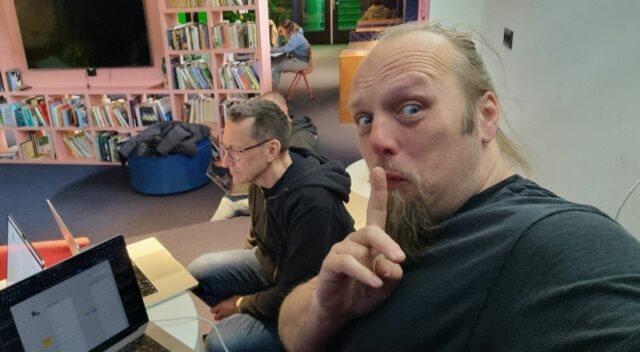
The last photo I took was of myself wearing a “geek” hat. You’ve seen it, it’s above!
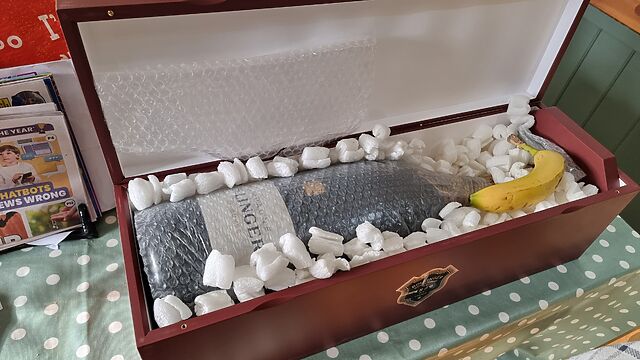
But the one before that was this picture of an extremely large bottle of champagne, with a banana for scale, that was delivered to my house earlier today:
A 6-litre champagne bottle is properly-termed a Methuselah, after Noah’s grandad I guess.
Ruth and JTA celebrate their anniversary every few years with the “next size up” of champagne bottle, and this is the one they’re up to. This
year, merely asking me to help them drink it probably won’t be sufficient (that’d still be two litres each!) so we’re probably going to have to get some friends over.
I took the photo to send to Ruth to reassure her that the bottle had arrived safely, after the previous attempt went… less well. I added the banana “for scale” before sharing the photo with some other friends, too.
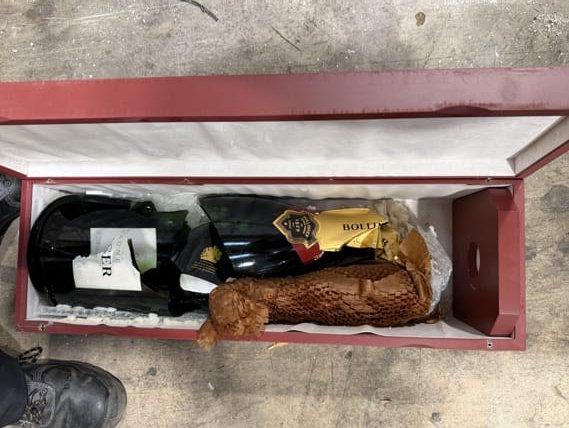
The previous delivery… didn’t go so well. 😱
9. Worst TV show?
PAW Patrol. No doubt.
You know all those 1980s kids TV shows that basically existed for no other purpose than as a marketing vehicle for a range of toys? I’m talking He-Man (and
She-Ra), Transformers, G.I. Joe, Care Bears, M.A.S.K., Rainbow Brite, and My Little Pony. Well,
those shows look good compared to PAW Patrol.
Six pups, each endowed with exactly one personality trait7
but a plethora of accessories and vehicles which expands every season so that no matter how many toys you’ve got, y0u’re always behind the curve.
10. As a child, what was your aspiration for adulthood?
This is the single most-boring thing about me, and I’ve doubtless talked about it before. At some point between the age of about six and eight years old, I decided that I
wanted to grow up and become… a computer programmer.
And then I designed the entirety of the rest of my education around that goal. I learned a variety of languages and paradigms under my own steam while setting myself up for a GCSE in
IT, and then A-Levels in Maths and Computing, and then a Degree in Computer Science, and by the time I’d done all of that I was already working in the industry: self-actualised by 21.
Like I said: boring!
Your turn!
You should give this pointless quiz a go too. Ping/Webmention me if you do (or comment below, I suppose); I’d love to read what you write.
Footnotes
1 They’re internet memes, in the traditional sense, but sadly people usually use
“meme” nowadays exclusively to describe image memes, and not other kinds of memetic Internet content. Just another example of our changing
Internet language, which I’ve written about before. Sometimes they were silly quizzes (wanna know what Meat Loaf song I
am?); sometimes they were about you and your friends. But images, they weren’t: that came later.
2 Or else I’ll get a proper jittery heart-flutter going!
3 I wouldn’t necessarily even miss the always-on, in-your-pocket, high-speed Internet of
today: the Internet was pretty great back then, too!
4 Obviously an intergalactic hitch-hiker should include a bandana, perhaps as
well as an equally-versatile towel, in their toolkit.
5 It’s not about privacy, although that’s a fringe benefit I suppose: mostly it’s about
getting my food quicker! If I walk into Dominos wearing a geek hat and they’ve got pizza on the counter with a label on it that says it’s for “geek hat”, they’ll just hand it over, no
questions, and I’m in-and-out in seconds.
6JTA observed that similar excuses
were used by people who resisted the rollout of mandatory seatbelt usage in cars, so possibly I’m the “bad guy” here.
7 From left to right, the single personality traits for each of the pups are (a) doesn’t
like water, (b) is female, (c) likes naps, (d) is allergic to cats, (e) is clumsy, and (f) is completely fucking pointless.
The news has, in general, been pretty terrible lately.
Like many folks, I’ve worked to narrow the focus of the things that I’m willing to care deeply about, because caring about many things is just too difficult when, y’know, nazis
are trying to destroy them all.
I’ve got friends who’ve stopped consuming news media entirely. I’ve not felt the need to go so far, and I think the reason is that I already have a moderately-disciplined
relationship with news. It’s relatively easy for me to regulate how much I’m exposed to all the crap news in the world and stay focussed and forward-looking.
The secret is that I get virtually all of my news… through my feed reader (some of it pre-filtered, e.g. my de-crappified BBC News feeds).
I use FreshRSS and I love it. But really: any feed reader can improve your relationship with
the Web.
Without a feed reader, I can see how I might feel the need to “check the news” several times a day. Pick up my phone to check the time… glance at the news while I’m there… you know how
to play that game, right?
But with a feed reader, I can treat my different groups of feeds like… periodicals. The news media I subscribe to get collated in my feed reader and I can read them once, maybe twice
per day, just like a daily newspaper. If an article remains unread for several days then, unless I say otherwise, it’s configured to be quietly archived.
My current events are less like a firehose (or sewage pipe), and more like a bottle of (filtered) water.
Categorising my feeds means that I can see what my friends are doing almost-immediately, but I don’t have to be disturbed by anything else unless I want to be. Try getting that
from a siloed social network!
Maybe sometimes I see a new breaking news story… perhaps 12 hours after you do. Is that such a big deal? In exchange, I get to apply filters of any kind I like to the news I read, and I
get to read it as a “bundle”, missing (or not missing) as much or as little as I like.
On a scale from “healthy media consumption” to “endless doomscrolling”, proper use of a feed reader is way towards the healthy end.
If you stopped using feeds when Google tried to kill them, maybe it’s time to think again. The ecosystem’s alive and well, and having a one-stop place where you can
enjoy the parts of the Web that are most-important to you, personally, in an ad-free, tracker-free, algorithmic-filtering-free space that you can make your very own… brings a
special kind of peace that I can highly recommend.
Setting up and debugging your FreshRSS XPath Scraper
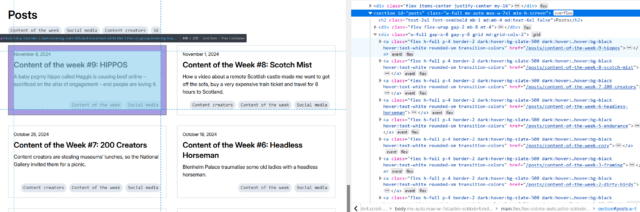
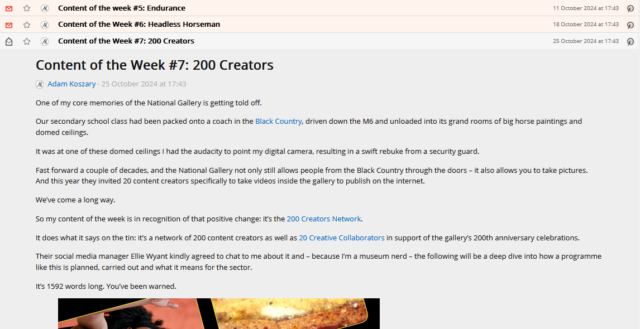
Okay, so here’s Adam’s blog. I’ve checked, and there’s no RSS feed1, so it’s time to start planning my XPath Scraper. The first thing I want to do is to find some way of identifying the “posts” on the page. Sometimes people use
solid, logical id="..." and class="..." attributes, but I’m going to need to use my browser’s “Inspect Element” tool to check:
If you’re really lucky, the site you’re scraping uses an established microformat like h-feed. No such luck here, though…
The next thing that’s worth checking is that the content you’re inspecting is delivered with the page, and not loaded later using JavaScript. FreshRSS’s XPath Scraper works with the raw
HTML/XML that’s delivered to it; it doesn’t execute any JavaScript2,
so I use “View Source” and quickly search to see that the content I’m looking for is there, too.
New developers are sometimes surprised to see how different View Source and Inspect Element’s output can be3.
This looks pretty promising, though.
Now it’s time to try and write some XPath queries. Luckily, your browser is here to help! If you pop up your debug console, you’ll discover that you’re probably got a predefined
function, $x(...), to which you can path a string containing an XPath query and get back a NodeList of the element.
First, I’ll try getting all of the links inside the #posts section by running $x( '//*[@id="posts"]//a' ) –
Once you’ve run a query, you can expand the resulting array and hover over any element in it to see it highlighted on the page. This can be used to help check that you’ve found what
you’re looking for (and nothing else).
In my first attempt, I discovered that I got not only all the posts… but also the “tags” at the top. That’s no good. Inspecting the URLs of each, I noticed that the post URLs all
contained /posts/, so I filtered my query down to $x( '//*[@id="posts"]//a[contains(@href, "/posts/")]' ) which gave me the
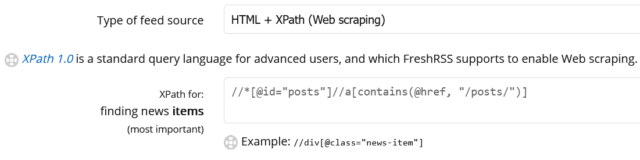
expected number of results. That gives me //*[@id="posts"]//a[contains(@href, "/posts/")]
as the XPath query for “news items”:
I like to add the rules I’ve learned to my FreshRSS configuration as I go along, to remind me what I still need to find.
Obviously, this link points to the full post, so that tells me I can put ./@href as the “item link” attribute in FreshRSS.
Next, it’s time to see what other metadata I can extract from each post to help FreshRSS along:
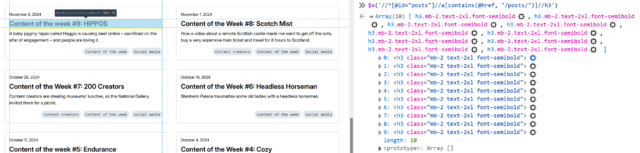
Inspecting the post titles shows that they’re <h3>s. Running $x( '//*[@id="posts"]//a[contains(@href, "/posts/")]//h3' ) gets them.
Within FreshRSS, everything “within” a post is referenced relative to the post, so I convert this to descendant::h3 for my “XPath (relative to item) for Item
Title:” attribute.
I was pleased to see that Adam’s using a good accessible heading cascade. This also makes my XPathing easier!
Inspecting within the post summary content, it’s… not great for scraping. The elements class names don’t correspond to what the content is4: it looks like Adam’s using a utility class library5.
Everything within the <a> that we’ve found is wrapped in a <div class="flex-grow">. But within that, I can see that the date is
directly inside a <p>, whereas the summary content is inside a <p>within a<div class="mb-2">. I don’t want my code to
be too fragile, and I think it’s more-likely that Adam will change the class names than the structure, so I’ll tie my queries to the structure. That gives me
descendant::div/p for the date and descendant::div/div/p for the “content”. All that remains is to tell FreshRSS that Adam’s using F j, Y as his
date format (long month name, space, short day number, comma, space, long year number) so it knows how to parse those dates, and the feed’s good.
If it’s wrong and I need to change anything in FreshRSS, the “Reload Articles” button can be used to force it to re-load the most-recent X posts. Useful if you need to tweak things. In
my case, I’ve also set the “Article CSS selector on original website” field to article so that the full post text can be pulled into my reader rather than having to visit
the actual site. Then I’m done!
Yet another blog I can read entirely from my feed reader, despite the fact that it doesn’t offer a “feed”.
Takeaways
Use Inspect Element to find the elements you want to scrape for.
Use $x( ... ) to test your XPath expressions.
Remember that most of FreshRSS’s fields ask for expressions relative to the news item and adapt accordingly.
If you make a mistake, use “Reload Articles” to pull them again.
2 If you need a scraper than executes JavaScript, you need something more-sophisticated. I
used to use my very own RSSey for this purpose but nowadays XPath Scraping is sufficient so I don’t bother any more, but RSSey might be a
good starting point for you if you really need that kind of power!
3 If you’ve not had the chance to think about it before: View Source shows you the actual
HTML code that was delivered from the web server to your browser. This then gets interpreted by the browser to generate the DOM, which might result in changes to it: for example,
invalid elements might be removed, ambiguous markup will have an interpretation applied, and so on. The DOM might further change as a result of JavaScript code, browser plugins, and
whatever else. When you Inspect Element, you’re looking at the DOM (represented “as if” it were HTML), not the actual underlying HTML
4 The date isn’t in a <time> element nor does it have a class like
.post--date or similar.
5 I’ll spare you my thoughts on utility class libraries for now, but they’re… not
positive. I can see why people use them, and I’ve even used them myself before… but I don’t think they’re a good thing.
tl;dr: I’m tidying up and consolidating my personal hosting; I’ve made a little progress, but I’ve got a way to go – fortunately I’ve got a sabbatical coming up at
work!
At the weekend, I kicked-off what will doubtless be a multi-week process of gradually tidying and consolidating some of the disparate digital things I run, around the Internet.
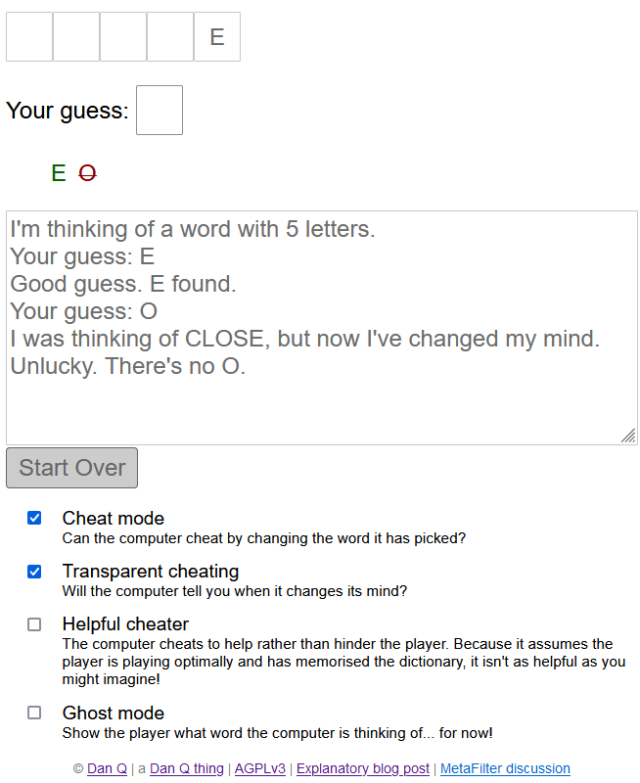
I’ve a long-standing habit of having an idea (e.g. gamebook-making tool Twinebook, lockpicking puzzle game Break Into Us, my Cheating Hangman game, and even FreeDeedPoll.org.uk!),
deploying it to one of several servers I run, and then finding it a huge headache when I inevitably need to upgrade or move said server because there’s such an insane diversity of
different things that need testing!
DNDle, my Wordle-clone where you have to guess the Dungeons & Dragons 5e monster’s stat block, is now hosted by GitHub Pages. Also, I
fixed an issue reported a month ago that meant that I was reporting Giant Scorpions as having a WIS of 19 instead of 9.
Abnib, which mostly reminds people of upcoming birthdays and serves as a dumping ground for any Abnib-related shit I produce, is now hosted by
GitHub Pages.
RockMonkey.org.uk, which doesn’t really do much any more, is now hosted by GitHub Pages.
Sour Grapes, the single-page promo for a (remote) murder mystery party I hosted during a COVID lockdown, is now hosted by GitHub
Pages.
A convenience-page for giving lost people directions to my house is now hosted by GitHub Pages.
Dan Q’s Things is now automatically built on a schedule and hosted by GitHub Pages.
Robin’s Improbable Blog, which spun out from 52 Reflect, wasn’t getting enough traffic to justify
“proper” hosting so now it sits in a Docker container on my NAS.
My μlogger server, which records my location based on pings from my phone, has also moved to my NAS. This has broken
Find Dan Q, but I’m not sure if I’ll continue with that in its current form anyway.
All of my various domain/subdomain redirects have been consolidated on, or are in the process of moving to, to a tinyLinode/Akamai
instance. It’s a super simple plain Nginx server that does virtually nothing except redirect people – this is where I’ll park the domains I register but haven’t found a use for yet, in
future.
I was pretty proud of EGXchange.org, but I’ll be first to admit that it’s among the stupider of my throwaway domains.
It turns out GitHub pages is a fine place to host simple, static websites that were open-source already. I’ve been working on improving my understanding of GitHub Actions
anyway as part of what I’ve been doing while wearing my work, volunteering, and personal hats, so switching some static build processes like DNDle’s to GitHub
Actions was a useful exercise.
Stuff I’m still to tidy…
There’s still a few things I need to tidy up to bring my personal hosting situation under control:
DanQ.me
You’re looking at it. But later this year, you might be looking at it… elsewhere?
This is the big one, because it’s not just a WordPress blog: it’s also a Gemini, Spartan, and Gopher server (thanks CapsulePress!), a Finger server, a general-purpose host to a stack of complex stuff only some of which is powered by Bloq (my WordPress/PHP integrations): e.g.
code to generate the maps that appear on my geopositioned posts, code to integrate with the Fediverse, a whole stack of configuration to make my caching work the way I want, etc.
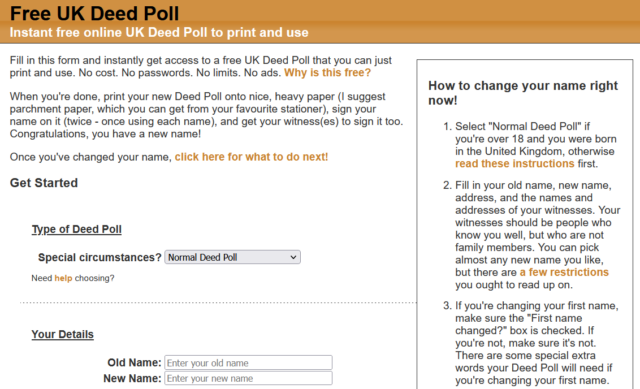
FreeDeedPoll.org.uk
Right now this is a Ruby/Sinatra application, but I’ve got a (long-running) development branch that will make it run completely in the browser, which will further improve privacy, allow
it to run entirely-offline (with a service worker), and provide a basis for new features I’d like to provide down the line. I’m hoping to get to finishing this during my Automattic
sabbatical this winter.
The website’s basically unchanged for most of a decade and a half, and… umm… it looks it!
A secondary benefit of it becoming browser-based, of course, is that it can be hosted as a static site, which will allow me to move it to GitHub Pages too.
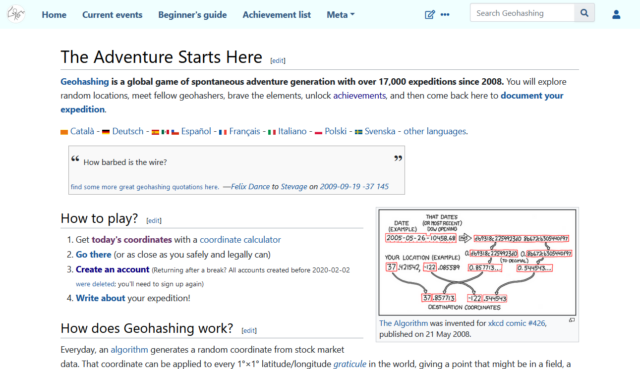
When I took over running the world’s geohashing hub from xkcd‘s Randall Munroe (and davean), I flung the site together on whatever hosting I had sitting
around at the time, but that’s given me some headaches. The outbound email transfer agent is a pain, for example, and it’s a hard host on which to apply upgrades. So I want to get that
moved somewhere better this winter too. It’s actually the last site left running on its current host, so it’ll save me a little money to get it moved, too!
Geohashing’s one of the strangest communities I’m honoured to be a part of. So it’d be nice to treat their primary website to a little more respect and attention.
Right now I run this on my NAS, but that turns out to be a pain sometimes because it means that if my home Internet goes down (e.g. thanks to a power cut, which we have from time to time), I lose access to the first and last place I
go on the Internet! So I’d quite like to move that to somewhere on the open Internet. Haven’t worked out where yet.
Next steps
It’s felt good so far to consolidate and tidy-up my personal web hosting (and to rediscover some old projects I’d forgotten about). There’s work still to do, but I’m expecting to spend
a few months not-doing-my-day-job very soon, so I’m hoping to find the opportunity to finish it then!
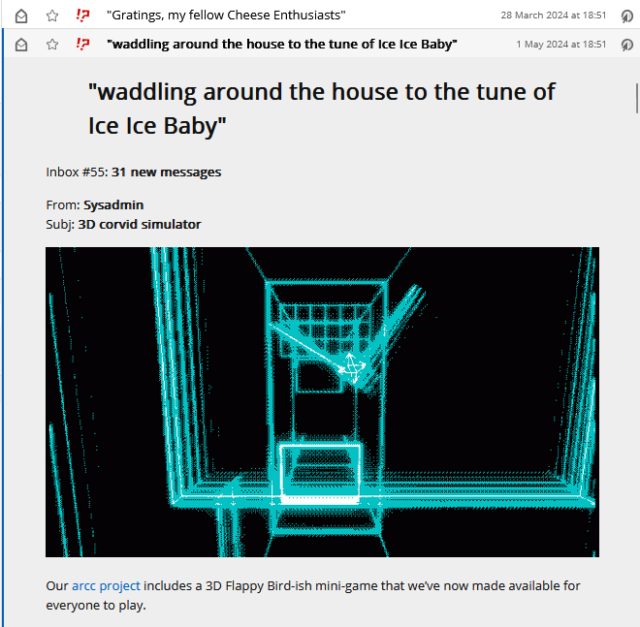
Vmail is cool. It’s vole.wtf’s (of ARCC etc. fame) community
newsletter, and it’s as batshit crazy as you’d expect if you were to get the kinds of people who enjoy that site and asked them all to chip in on a newsletter.
Totes bonkers.
But email’s not how I like to consume this kind of media. So obviously, I scraped it.
I’m not a monster: I want Vmail’s stats to be accurate. So I signed up with an unmonitored OpenTrashMail account as well. I just don’t read it (except for the confirmation link
email). It actually took me a few attempts because there seems to be some kind of arbitrary maximum length validation on the signup form. But I got there in the end.
Recipe
Want to subscribe to Vmail using your own copy of FreshRSS? Here’s the settings you’re looking for –
Type of feed source:HTML + XPath (Web scraping)
XPath for finding news items://table/tbody/tr
It’s just a table with each row being a newsletter; simple!
XPath for item title:descendant::a
XPath for item content:.
XPath for item link (URL):descendant::a/@href
XPath for item date:descendant::td[1]
Custom date/time format:d M *y
The dates are in a format that’s like 01 May ’24 – two-digit days with leading zeros, three-letter months, and a two-digit year preceded by a curly quote, separated by spaces. That
curl quote screws up PHP’s date parser, so we have to give it a hint.
XPath for unique item ID:descendant::th
Optional, but each issue’s got its own unique ID already anyway; we might as well use it!
Article CSS selector on original website:#vmail
Optional, but recommended: this option lets you read the entire content of each newsletter without leaving FreshRSS.
So yeah, FreshRSS continues to be amazing. And lately it’s helped me keep on top of the amazing/crazy of vole.wtf too.
I’ve got a (now four-year-old) Unraid NAS called Fox and I’m a huge fan. I particularly love the fact that Unraid can work not only as a NAS, but also as a fully-fledged Docker appliance, enabling me to easily install and maintain all manner of applications.
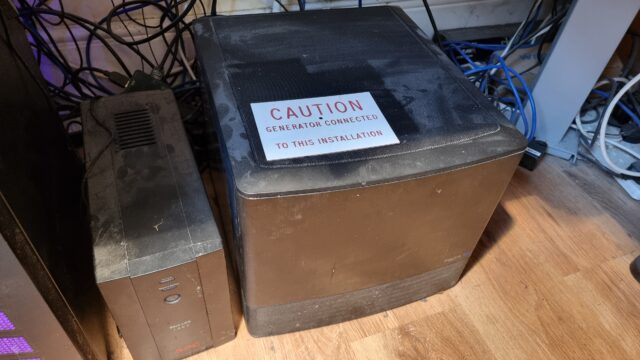
There isn’t really a generator attached to Fox, just a UPS battery backup. The sign was liberated from our shonky home electrical system.
I was chatting this week to a colleague who was considering getting a similar setup, and he seemed to be taking notes of things he might like to install, once he’s got one. So I figured
I’d round up five of my favourite things to install on an Unraid NAS that:
Don’t require any third-party accounts (low dependencies),
Don’t need any kind of high-powered hardware (low specs), and
Provide value with very little set up (low learning curve).
It’d have been cooler if I’d have secretly written this blog post while sitting alongside said colleague (shh!). But sadly it had to wait until I was home.
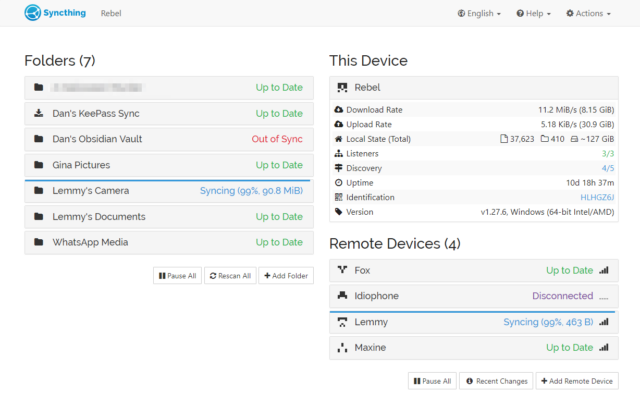
Syncthing’s just an awesome piece of set-and-forget software that facilitates file synchronisation between all of your devices and can also form part of a backup strategy.
Here’s the skinny: you install Syncthing on several devices, then give each the identification key of another to pair them. Now you can add folders on each and “share” them with the
others, and the two are kept in-sync. There’s lots of options for power users, but just as a starting point you can use this to:
Manage the photos on your phone and push copies to your desktop whenever you’re home (like your favourite cloud photo sync service, but selfhosted).
Keep your Obsidian notes in-sync between all your devices (normally costs $4/month).1
Get a copy of the documents from all your devices onto your NAS, for backup purposes (note that sync’ing alone, even with
versioning enabled, is not a good backup: the idea is that you run an actual backup from your NAS!).
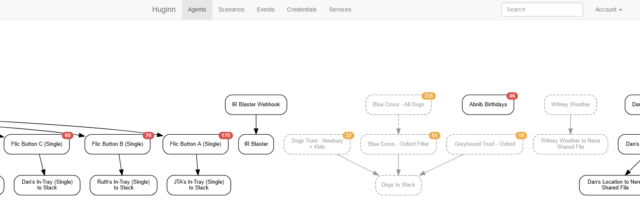
You know IFTTT? Zapier? Services that help you to “automate” things based on inputs and outputs. Huginn’s like that, but selfhosted.
Also: more-powerful.
When we first started looking for a dog to adopt (y’know, before we got this derper), I set up Huginn watchers to monitor the websites of several
rescue centres, filter them by some of our criteria, and push the results to us in real-time on Slack, giving us an edge over other prospective puppy-parents.
The learning curve is steeper than anything else on this list, and I almost didn’t include it for that reason alone. But once you’ve learned your way around its idiosyncrasies and
dipped your toe into the more-advanced Javascript-powered magic it can do, you really begin to unlock its potential.
It couples well with Home Assistant, if that’s your jam. But even without it, you can find yourself automating things you never expected to.
Many of these suggested apps benefit well from you exposing them to the open Web rather than just running them on your LAN,
and an RSS reader is probably the best example (you want to read your news feeds when you’re out and about, right?). What you
need for that is a reverse proxy, and there are lots of guides to doing it super-easily, even if you’re not on a static IP
address.2.
Alternatively you can just VPN in to your home: your router might be able to arrange this, or else Unraid can do it for you!
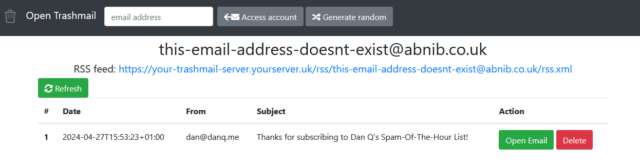
You know how sometimes you need to give somebody your email address but you don’t actually want to. Like: sure, I’d like you to email me a verification code for this download, but I
don’t trust you not to spam me later! What you need is a disposable email address.3
How do you feel about having infinite email addresses that you can make up on-demand (without even having access to a computer), subscribe to by RSS, and never have to see unless you specifically want to.
You just need to install Open Trashmail, point the MX records of a few domain names or subdomains (you’ve got some spare domain names
lying around, right? if not; they’re pretty cheap…) at it, and it will now accept email to any address on those domains. You can make up addresses off the top of your head,
even away from an Internet connection when using a paper-based form, and they work. You can check them later if you want to… or ignore them forever.
Couple it with an RSS reader, or Huginn, or Slack, and you can get a notification or take some action when an email arrives!
Need to give that escape room your email address to get a copy of your “team photo”? Give them a throwaway, pick up the picture when you get home, and then forget you ever gave it
to them.
Company give you a freebie on your birthday if you sign up their mailing list? Sign up 366 times with them and write a Huginn workflow that puts “today’s” promo code into your
Obsidian notetaking app (Sync’d over Syncthing) but filters out everything else.
Suspect some organisation is selling your email address on to third parties? Give them a unique email address that you only give to them and catch them in a honeypot.
It isn’t pretty, but… it doesn’t need to be! Nobody actually sees the admin interface except you anyway.
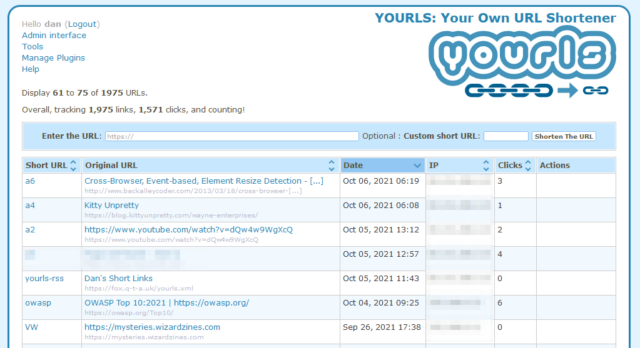
Plus, it’s just kinda cool to be able to brand your shortlinks with your own name, right? If you follow only one link from this post, let it be to watch this video
that helps explain why this is important: danq.link/url-shortener-highlights.
I run many, many other Docker containers and virtual machines on my NAS. These five aren’t even the “top five” that I
use… they’re just five that are great starters because they’re easy and pack a lot of joy into their learning curve.
And if your NAS can’t do all the above… consider Unraid for your next NAS!
Footnotes
1 I wrote the beginnings of this post on my phone while in the Channel Tunnel and then
carried on using my desktop computer once I was home. Sync is magic.
2 I can’t share or recommend one reverse proxy guide in particular because I set my own up
because I can configure Nginx in my sleep, but I did a quick search and found several that all look good so I imagine you can do the same. You don’t have to do it on day one, though!
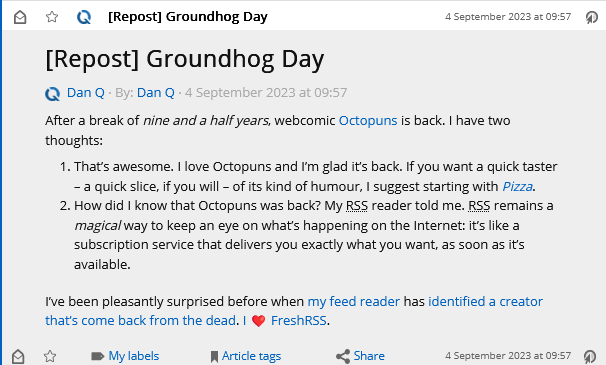
It turns out that by default, WordPress replaces emoji in its feeds (and when sending email) with images of those emoji, using the Tweemoji set, and with the alt-text set to the original emoji. These images are hosted at https://s.w.org/images/core/emoji/…-based
URLs.
I can see why this functionality was added: what if the feed reader didn’t support Unicode or didn’t have a font capable of showing the appropriate emoji?
But I can also see reasons why it might not be desirable to everybody. For example:
Downloading an image will always be slower than rendering an emoji.
The code to include an image is always more-verbose than simply including an emoji.
As seen above: a feed reader which imposes a minimum size on embedded images might well render one “wrong”.
It’s marginally more-verbose for screen reader users to say “Image: heart emoji” than just “heart emoji”, I imagine.
Serving an third-party image when a feed item is viewed has potential privacy implications that I try hard to avoid.
Replacing emoji with images is probably unnecessary for modern feed readers anyway.
That’s all there is to it. Now, my feed reader shows my system’s emoji instead of a huge image:
I’m always grateful to discover that a piece of WordPress functionality, whether core or in an extension, makes proper use of hooks so that its functionality can be changed, extended,
or disabled. One of the single best things about the WordPress open-source ecosystem is that you almost never have to edit somebody else’s code (and remember to re-edit it
every time you install an update).
The week before last, Katie shared with me that article from last month, Who killed Google Reader? I’d read it before so I
didn’t bother clicking through again, but we did end up chatting about RSS a bit1.
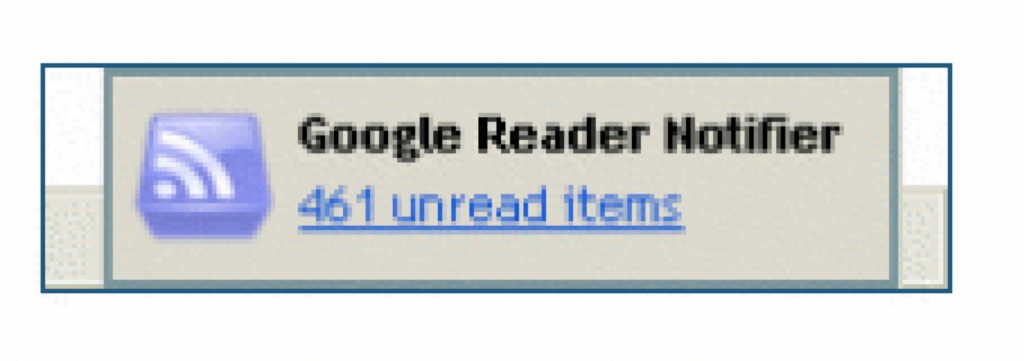
I ditched Google Reader several years before its untimely demise, but I can confirm “461 unread items” was a believable message.
Katie “abandoned feeds a few years ago” because they were “regularly ending up with 200+ unread items that felt overwhelming”.
Conversely: I think that dropping your feed reader because there’s too much to read is… solving the wrong problem.
About half way through editing this image I completely forgot what message I was trying to convey, but I figured I’d keep it anyway and let you come up with your own
interpretation.
I think that he, like Katie, might be looking at his reader in a different way than I do mine.
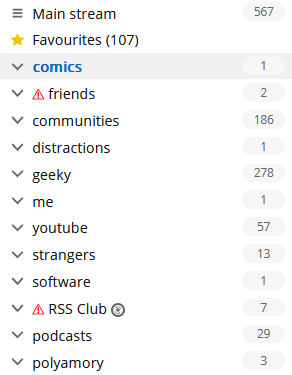
At time of writing, I’ve got 567 unread items. And that’s fine.
RSS is not email!
I’ve been in the position that Katie and David describe: of feeling overwhelmed by the sheer volume of unread items. And I know others have, too. So let me share something I’ve learned
sooner:
There’s nothing special about reaching Inbox Zero in your feed reader.
It’s not noble nor enlightened to get to the bottom of your “unread” list.
Your 👏 feed 👏 reader 👏 is 👏 not 👏 an 👏 email 👏 client. 👏
The idea of Inbox Zero as applied to your email inbox is about productivity. Any message in your email might be something that requires urgent action, and you
won’t know until you filter through and categorise .
But your RSS reader doesn’t (shouldn’t?) be there to add to your to-do list. Your RSS reader is a list of things you might like to read. In an ideal world, reaching “RSS Zero” would mean that you’ve seen everything on the Internet that you might
enjoy. That’s not enlightened; that’s sad!
Google Reader understood this, although the word “congratulations” was misplaced.
Use RSS for joy
My RSS reader is a place of joy, never of stress. I’ve tried to boil down the principles that makes it so, and here they are:
Zero is not the target.
The numbers are to inspire about how much there is “out there” for you, not to enumerate how much work need have to do.
Group your feeds by importance.
Your feed reader probably lets you group (folder, tag…) your feeds, so you can easily check-in on what you care about and leave other feeds for a rainy day.2 This is good.
Don’t read every article.
Your feed reader gives you the convenience of keeping content in one place, but you’re not obligated to read every single one. If something doesn’t interest you, mark it
as read and move on. No judgement.
Keep things for later.
Something you want to read, but not now? Find a way to “save for later” to get it out of your main feed so you. Don’t have to scroll past it every day! Star it or tag
it3 or push it to your link-saving or note-taking app. I use a
link shortener which then feeds back into my feed reader into a “for later” group!
Let topical content expire.
Have topical/time-dependent feeds (general news media, some social media etc.)? Have reader “purge” unread articles after a time. I have my subscription to BBC News headlines expire after 5 days: if I’ve taken that long to
read a headline, it might as well disappear.4
Use your feed reader deliberately.
You don’t need popup notifications (a new article’s probably already up to an hour stale by the time it hits your reader). We’re all already slaves to
notifications! Visit your reader when it suits you. I start and end every day in mine; most days I hit it again a couple
of other times. I don’t need a notification: there’s always new content. The reader keeps track of what I’ve not looked at.
It’s not just about text.
Don’t limit your feed reader to just text. Podcasts are nothing more than RSS feeds with
attached audio files; you can keep track in your reader if you like. Most video platforms let you subscribe to a feed of new videos on a channel or playlist basis, so you can e.g.
get notified about YouTube channel updates without having to fight with The
Algorithm. Features like XPath Scraping in FreshRSS let you subscribe to services that
don’t even have feeds: to watch the listings of dogs on local shelter websites when you’re looking to adopt, for example.
Do your reading in your reader.
Your reader respects your preferences: colour scheme, font size, article ordering, etc. It doesn’t nag you with newsletter signup popups, cookie notices, or ads. Make
the most of that. Some RSS feeds try to disincentivise this by providing only summary content, but a good feed reader can
work around this for you, fetching actual content in the background.5
Use offline time to catch up on your reading.
Some of the best readers support offline mode. I find this fantastic when I’m on an aeroplane, because I can catch up on all of the interesting articles I’d not
had time to yet while grounded, and my reading will get synchronised when I touch down and disable flight mode.
Make your reader work foryou.
A feed reader is a tool that works for you. If it’s causing you pain, switch to a different tool6,
or reconfigure the one you’ve got. And if the way you find joy from RSS is different from me, that’s fine: this is
a personal tool, and we don’t have to have the same answer.
2 If your feed reader doesn’t support any kind of grouping, get a better reader.
3 If your feed reader doesn’t support any kind of marking/favouriting/tagging of articles,
get a better reader.
4 If your feed reader doesn’t support customisable expiry times… well that’s not too
unusual, but you might want to consider getting a better reader.
5 FreshRSS calls the feature that fetches actual post content from the resulting page
“Article CSS selector on original website”, which is a bit of a mouthful, but you can see what it’s doing. If your feed reader doesn’t support fetching full content… well, it’s
probably not that big a deal, but it’s a good nice-to-have if you’re shopping around for a reader, in my opinion.
6 There’s so much choice in feed readers, and migrating between them is (usually)
very easy, so everybody can find the best choice for them. Feedly, Inoreader, and The Old Reader are popular, free, and easy-to-use if you’re looking to get started. I prefer a selfhosted tool so I use the amazing FreshRSS (having migrated from Tiny Tiny RSS). Here’s some more tips on getting started. You might prefer a desktop or mobile tool, or even something
exotic: part of the beauty of RSS feeds is they’re open and interoperable, so if for example you love using Slack, you can use Slack to push feed updates to you and get almost all the features you need to do everything in my list,
including grouping (using channels) and saving for later (using Slackbot/”remind me about this”). Slack’s a perfectly acceptable feed reader for some people!
Wait, there’s new Far Side content? Yup: it turns out Gary Larson’s dusted off his pen
and started drawing again. That’s awesome! But the last thing I want is to have to go to the website once every few… what: days? weeks? months? He’s not syndicated any more so
he’s not got a deadline to work to! If only there were some way to have my feed reader, y’know, do it for me and let me know whenever he draws something new.
It turns out, there is.
Here’s my setup for getting Larson’s new funnies right where I want them:
Feed URL:https://www.thefarside.com/new-stuff/1
This isn’t a valid address for any of the new stuff, but always seems to redirect to somewhere that is, so that’s nice.
XPath for finding news items://div[@class="swiper-slide"]
Turns out all the “recent” new stuff gets loaded in the HTML and then JavaScript turns it into a slider etc.; some of the
CSS classes change when the JavaScript runs so I needed to View Source rather than use my browser’s inspector to find
everything.
Item title:concat("Far Side #", descendant::button[@aria-label="Share"]/@data-shareable-item)
Ugh. The easiest place I could find a “clean” comic ID number was in a data- attribute of the “share” button, where it’s presumably used for engagement tracking. Still,
whatever works right?
Item content:descendant::figcaption
When Larson captions a comic, the caption is important.
Item link (URL) and item unique ID: concat("https://www.thefarside.com",
./@data-path)
The URLs work as direct links to the content, and because they’re unique, they make a reasonable unique ID too (so long as
their numbering scheme is internally-consistent, this should stop a re-run of new content popping up in your feed reader if the same comic comes around again).
Item thumbnail:concat("https://fox.q-t-a.uk/referer-faker.php?pw=YOUR-SECRET-PASSWORD-GOES-HERE&referer=https://www.thefarside.com/&url=",
descendant::img[@data-src]/@data-src)
The Far Side uses Referer: headers as an anti-hotlinking measure, which prevents us easily loading the images directly in an RSS reader. I use this tiny PHP script as a proxy to
mitigate that. If you don’t have such a proxy set up, you could simply omit the “Item thumbnail” and “Item content” fields and click the link to go to the original page.
Item date:normalize-space(descendant::div[@class="tfs-comic-new__meta"]/*[1])
The date is spread through two separate text nodes, so we get the content of their wrapper and use normalize-space to tidy the whitespace up. The date format then looks
like “Wednesday, March 29, 2023”, which we can parse using a custom date/time format string:
Custom date/time format:l, F j, Y
I promise I’ll stop writing about how awesome FreshRSS + XPath is someday. Today isn’t that day.
Meanwhile: if you used to use a feed reader but gave up when the Web started to become hostile to them and big social media systems started to wall you in, you should really consider
picking one up again. The stuff I write about is complex edge-cases that most folks don’t need to think about in order to benefit from RSS… but it’s super convenient to have the things you care about online (news, blogs, social media, videos, newsletters, comics, search trends…)
collated and sorted for you… without interference from algorithms that want to push “sticky” content, without invasive tracking or advertisements (or cookie banners or privacy popups),
without something “disappearing” simply because you put off reading it for a few days.
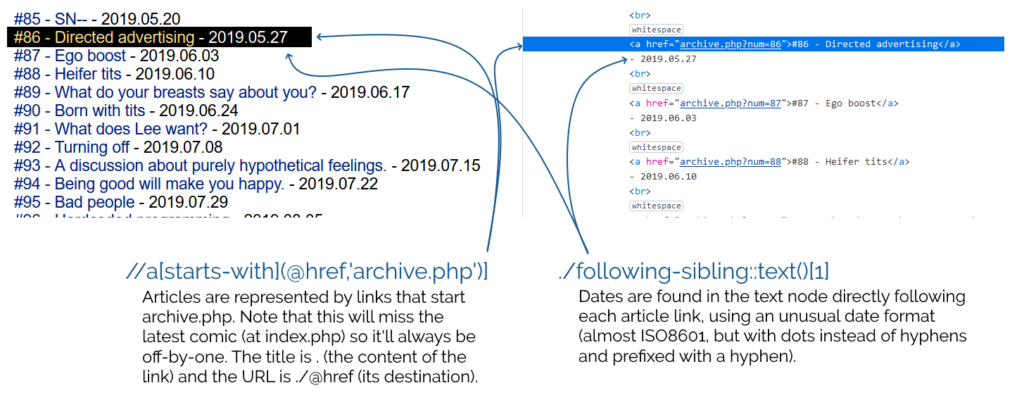
The goal: date-ordered, numbered, titled episodes of Forward in my feed reader.
Here’s the settings I came up with –
Feed URL:http://forwardcomic.com/list.php
Type of feed source:HTML + XPath (Web scraping)
XPath for finding news items://a[starts-with(@href,'archive.php')]
Item title:.
Item link (URL):./@href
Item date:./following-sibling::text()[1]
Custom date/time format:- Y.m.d
The comic pages themselves do a great thing for accessibility by including a complete transcript of each. But the listing page, which is basically a series of <a>s
separated by <br>s rather than a <ul> and <li>s, for example, leaves something to be desired (and makes it harder to scrape,
too!).
I continue to love this “killer feature” of FreshRSS, but I’m beginning to see how it could go further – I wish I had the free time to contribute to its development!
I’d love to see a mechanism for exporting/importing feed configurations like this so that I could share them more-easily, for example. I’d also be delighted if I could expand on my
XPath rules to load pages referenced by the results and get data from them, too, e.g. so I could use an image found by XPath on the “item link” page as the thumbnail
image! These are things RSSey could do for me, but FreshRSS can’t… yet!



![A browser's debug console executes $x('//*[@id="posts"]//a') , and gets 14 results.](https://bcdn.danq.me/_q23u/2024/11/adam-k-xpath-1-640x188.png)





 here’s an RSS feed containing (only) these RSS tips