
I love that my tool for making BBC News RSS feeds "better" continues to help people1. But I also enjoy that as a platform, it's still got room to grow.
For instance, at the start of the weekend I received an email from somebody called Phil, who asked:
Could you possibly have an alternative 'HQ' version of your feeds which replaces standard/240 with standard/1200 in the URL for each article in the XML?
I am obviously pretty desperate for this feature, hence me reaching out.
Phil's right. The BBC News RSS feeds contain thumbnail images that look like this:
<media:thumbnail width="240"
                height="135"
                   url="https://ichef.bbci.co.uk/ace/standard/240/cpsprodpb/623a/live/5f8c30c0-3d7f-11f1-ac78-2112837ce2aa.jpg"
/>
You see the /240/ in that URL? If you change it to /1200/ then, as Phil observes, you get a much-higher resolution thumbnail. Naturally you ought
to correct the width and height attributes accordingly, too.
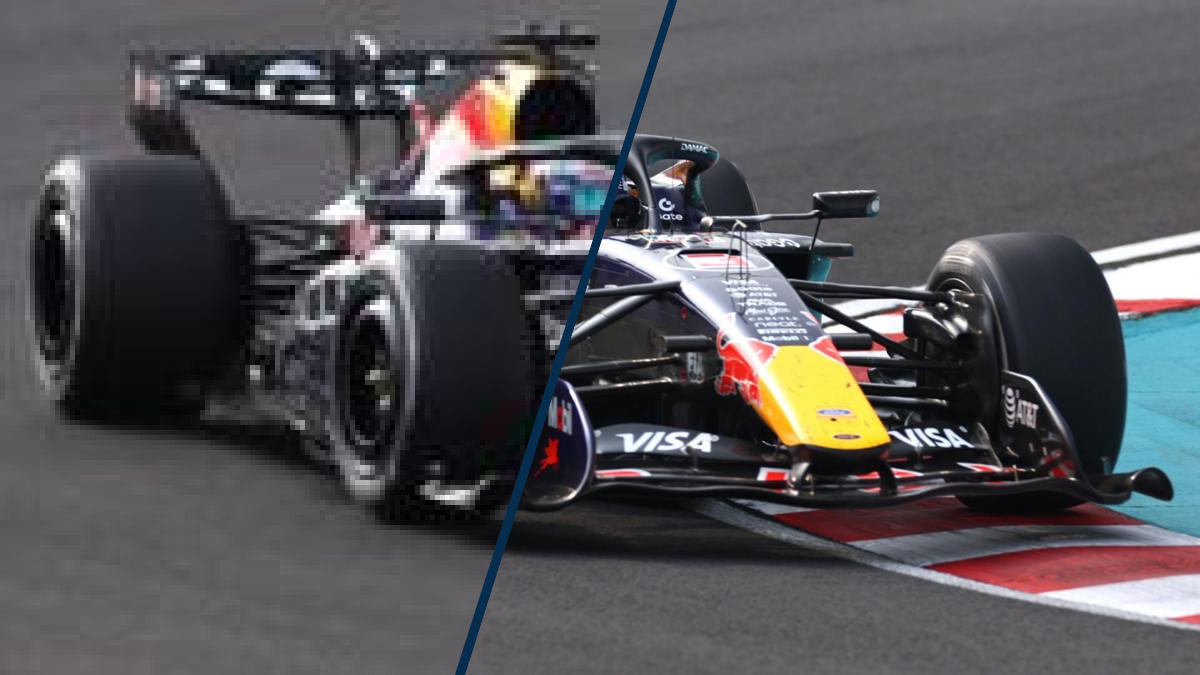
The difference is pretty significant. See:
Alt
Image of an F1 car, half in a low, blocky resolution; half in full resolution.
So I raised Phil's request as a GitHub issue, like a good maintainer, before realising that - hang on - this would be a really easy improvement and I should just... do it.
My BBC feeds "improver" leverages one of my very favourite RubyGems, Nokogiri, to perform XML parsing and modification. The code you need to tweak these URLs is super simple:
# Iterate through each <media:thumbnail> element in the RSS feed:
rss.xpath('//media:thumbnail').each do |thumb|
  # Skip any that don't start the way we expect:
  next unless thumb['url'] =~ /^https:\/\/ichef.bbci.co.uk\/ace\/(standard|ws)\/240\//
  # Swap the 240 for 1200 in the url="..." attribute:
  thumb['url'] = thumb['url'].gsub(/\/ace\/(standard|ws)\/240\//, "/ace/\\1/1200/")
  # Set width="1200":
  thumb['width'] = "1200"
  # Set the height="..." proportionally (they're not always the same!):
  thumb['height'] = (thumb['height'].to_f / 240 * 1200).round.to_s
end
240 and 1200 are constants, of course.
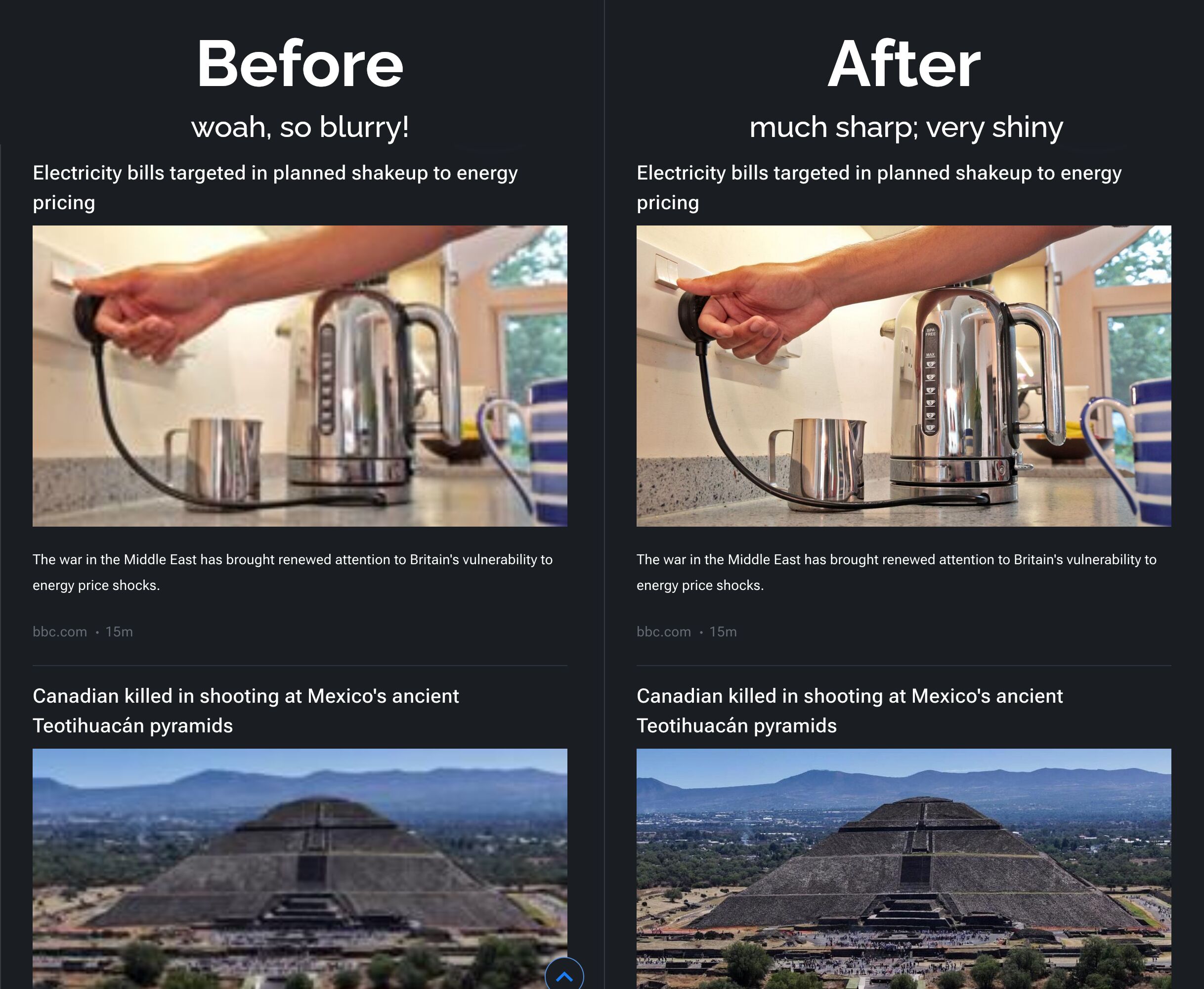
That really is all there is to it, but look at what a difference it makes in an RSS reader:
Alt
Before and after screenshots of an RSS reader showing BBC news stories. The thumbnails in the "after" side are visibly higher-resolution.
I got that merged and the GitHub action that makes the magic happen got started on its usual 20-minute schedule soon afterwards. I didn't even have to finish waiting for my lunchtime ramen to cool down before the change was out there and, hopefully, helping people. Phil emailed me again soon afterwards:
You managed to fix something in your lunch break that has been bugging me for well over a decade. The difference in quality is night and day.
Anyway: it pleased me to discover that my software is out there, helping people.
As with most of my open source work, I put little to no effort into tracking any kind of metrics of usage, which means I only get to find out if I've done good in the world when people reach out and tell me. So I was delighted to hear from Phil (as well as to take his suggestion and improve the tool for everybody!).
Footnotes
1 Specifically, the code I've written makes a few improvements to the BBC News RSS feeds: (1) removing duplicate news, (2) removing non-news content such as "nudges" towards the app or to iPlayer content, and (3) optionally removing sports news. If that sounds like a better version of the BBC News RSS feeds, you should take a look!
0 comments