Modern CSS is freakin’ amazing. Widespread support for nesting, variables, :has, and :not has unlocked so much potential. But I don’t yet see it used widely
enough.
Suppose I have a form where I’m expecting, but not requiring, a user to choose an option from each of several drop-downs. I want to make it more visually-obvious which drop-downs haven’t yet had an option selected. Something like this:
<select name="guess[69427976b65e3]">
  <option></option>
  <option value="1">First answer</option>
  <option value="2">Second answer</option>
  <option value="3">Third answer</option>
</select>
Suppose I want to style that <select> when the first, default, “empty” option is selected.
That could be as simple as this:
select:has(option:not([value]):checked) {
  outline: 6px dotted red;
}
What that’s saying is:
- a
<select>- that contains an
<option>- where that
<option>does not have avalue="..." -
and that
<option>is currently selected
- where that
- that contains an
- gains a dotted red outline around it
Or in short: if the default option is selected, highlight it so the user knows they haven’t chosen a value yet. Sweet!
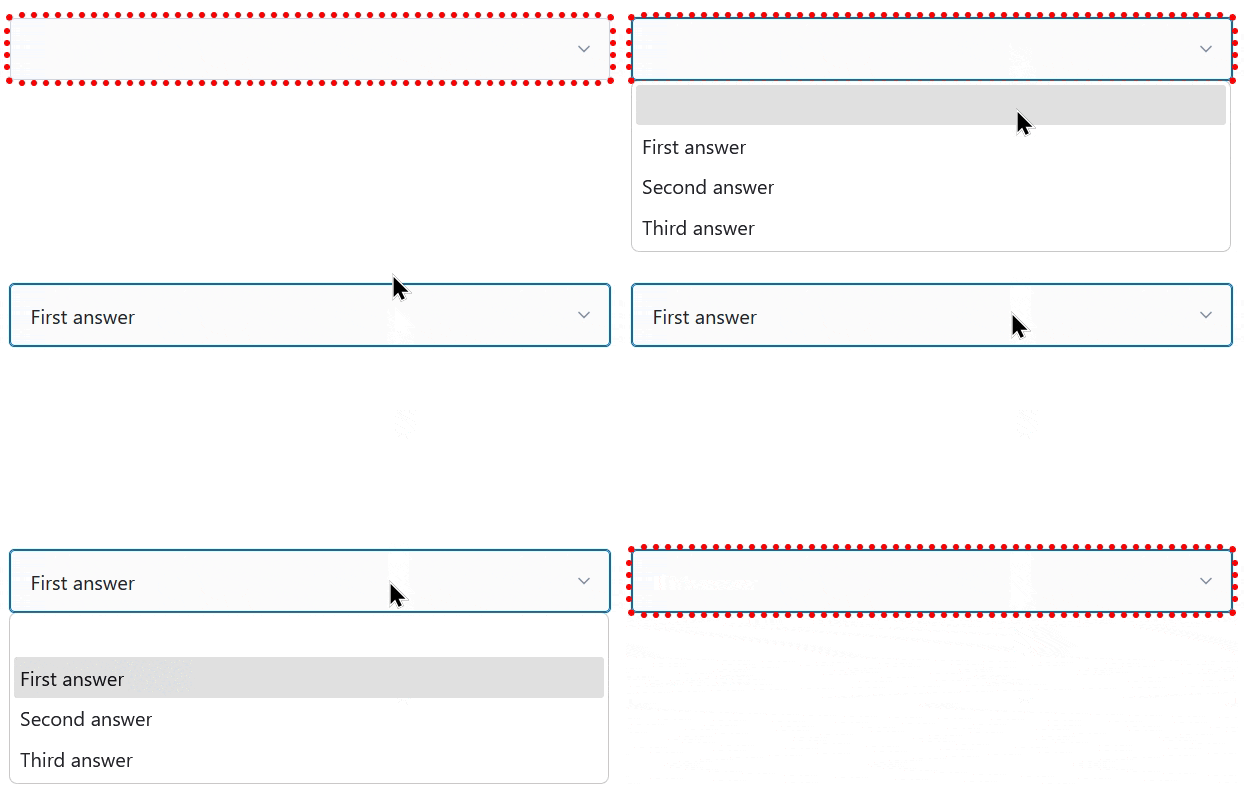
I can’t understate how valuable it is that we can do this in CSS, nowadays. Compared to doing it in JavaScript… CSS gives better performance and reliability and is much easier to implement in a progressively-enhanced manner.
Here’s another example, this time using a fun “dress-up Dan” feature I from a redesign of my blog theme that I’m hoping to launch in the New Year:
Every single bit of interactivity shown in the video above… from the “waving” Dan to the popup menu to the emoji-styled checkboxes to the changes to t-shirt and hair colours… is implemented in CSS.
The underlying HTML is all semantic, e.g. the drop-down menu is a <details>/<summary> pair (with thanks to Eevee for
the inspiration); its contents are checkbox and radiobutton <input>es; the images are SVGs that use CSS variables (another killer feature these years!) to specify
colours (among other things), and virtually everything else… is CSS.
Consider this:
:root {
  /* Default values for Dan's t-shirt, hair, and beard colours used throughout the site: */
  --dan-tshirt: #c3d4d7;
  --dan-hair: #3b6f8f;
  --dan-beard: #896a51;

  /* ...more variables... */
}

/* When the page contains a "checked" checkbox, update some variables: */
:root:has(#dan-tshirt-color-white:checked)  { --dan-tshirt: #c3d4d7; }
:root:has(#dan-tshirt-color-purple:checked) { --dan-tshirt: #7429a8; }
/* ... */
:root:has(#dan-hair-color-natural:checked)  {   --dan-hair: #896a51; }
:root:has(#dan-hair-color-blue:checked)     {   --dan-hair: #3b6f8f; }

/* When "dye beard" is checked, copy the hair colour: */
:root:has(#dan-dye-beard-toggle:checked)    {  --dan-beard: var(--dan-hair); }
:root CSS variables, based on the status of user-controlled elements like checkboxes within the document, unlocks amazing options for interactivity. It
also works in smaller scopes like HTML Web Components, of course, for encapsulated functionality.
If you’re still using JavaScript for things like this, perhaps it’s time you looked at how much CSS has grown up this last decade or so. CSS gives you performance benefits, less fragility, and makes it easier for you to meet your accessibility and usability goals.
You can still enrich what you create with JavaScript if you like (I’ve got a few lines of JS that save those checkbox states to localStorage so they persist
through page loads, for example).
But a CSS-based approach moves more of your functionality from the “nice to have” to “core” column. And that’s something we can all get behind, right?
Love :has and :not – so useful. There’s probably more I could do with them but it’s good to know they’re available.
That dress-up feature is great 😆