A Weekend Of Lockpicking

Following up the arrival of my new lockpicks, I’ve spent the weekend picking pretty much every lock I’ve come across (and helping to teach JTA and Bryn how to do it for themselves). The result: six of nine attempted locks picked, feeling significantly more well-practiced, and very, very sore fingers. I need to get some rubber sleeves or something for these picks, ‘cos holding them for several hours in a day actually begins to bruise.

In other good news, I’m aware that there’s a planned RockMonkey social in which RockMonkey people will go out for drinks and take photos of the various locations featured in TromaNightAdventure. Sounds like a giggle to me, if ever I heard one.

I Can Still Do It

My new lockpick set arrived today. I haven’t played with picks in years and years, and so, when I started clumsily fooling around inside a chunky padlock that Claire found behind some furniture yesterday, it felt like I was about to have another half-hour of footing around before I could even count the number of pins it had. And then it all came back. 30 seconds later, the lock was open.

Nothing to all of you guys, but it elated me for a moment to find that lockpicking, too, is just like riding a bicycle.

The Revenge Of Zanatoth

The Revenge Of Zanatoth is a new WikiGame on the RockMonkey wiki. And for those of you who remember me publicising TromaNightAdventure, my first adventure-based WikiGame… well: The Revenge Of Zanatoth kicks it’s arse. It’s a wonderful little (heh) WikiGame that sends you on a quest to save Peter Hain from Zanatoth. During your travels, you’ll imitate oral sex in a gay bar, try to knit with goat’s wool, swap random items for all kinds of crap (hmm… very “Union Roof Scene” from TromaNightAdventure, there…) with Paul, buy beer from pet shop owners, eat fig rolls… the list goes on.

It’s an epic quest from the fevered imagination of Andy R. Go play it (you’ll need a [free] RockMonkey account – register here).

Strokey Adam

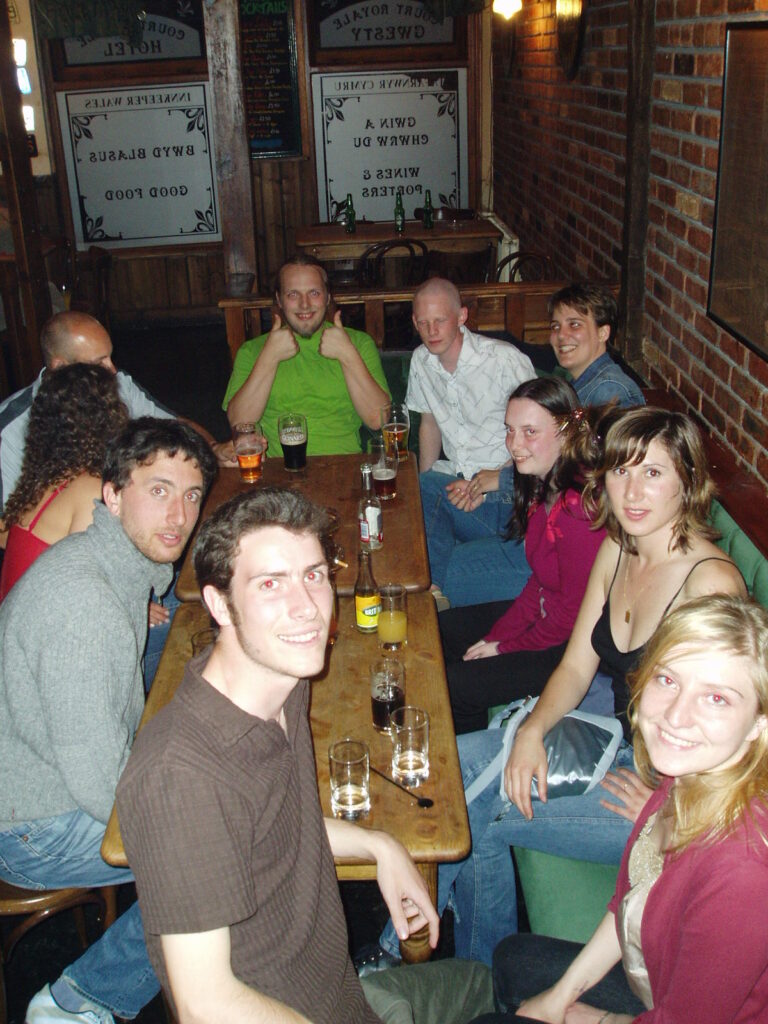
As Andy reported, we spent the evening with Adam (from Daventry… the planet Daventry…) last night. What Andy didn’t mention were the photos

For the benefit of everybody-but-Strokey (who won’t be able to see them until he gets back), here they are (click for larger versions):

|

Paul – Prepare To Drool

Back in 1979, Atari came up with a design for a next-generation console called the “Cosmos” (you’ll find it on this list of handheld games consoles. This remarkable device, planned for release in the early 80’s, would have used holographic games in order to give an illusion of 3D, all in a hand-held unit.

In any case; only five prototypes were ever built (and only two of those ever had their electronics put in)… but one of “the three” has come up for sale on eBay on Buy It Now. I kid you not. Price is just short of £10,000. Don’t you just want one?

80’s Estonian TV Commercial

  1. Have a spare pair of underpants ready. Do not be eating anything.
  2. Be sure that you are not under the influence of any hallucinogens. Put that pint down, too.
  3. Take a deep breath. Remind yourself that you are in a safe place, and you can turn off your computer at any time.
  4. Watch this 80’s Estonian TV ad (about 5.3MB). I think it’s supposed to be shot from the perspective of a chicken on a bad LSD trip.

There Goes Your Data Now…

Database copy progress dialog with an animation of an arrow getting mangled by some cogs.

Is it just me, or does this dialog box, which appears when using a particular part of Microsoft SQL Server 2000, present a very bad metaphor? One that says, “this arrow represents your data, and here it is being minced by some cogs”. Or maybe it’s just me that thinks that, and winces a little every time another animated grey arrow goes through the mangle.

Just a thought.

×

Firefox Finally Appeals

As you may all know, I’m a die-hard supporter of the Opera web browser, despite many of my friends now claiming that Firefox is superior. I’ve been following the Mozilla project for a long while (haven’t we all), and on the many occasions I’ve tried Firefox (and it’s grandparents) I’ve always been unimpressed. It’s always been the little things that Opera did that kept me coming back to it, time and time again.

With the full release of Firefox 1.0 (download Firefox here), there’s been an explosion in the number of Firefox extensions that have become available, so I decided to try to find a combination of extensions that would at long last give Firefox the capabilities that always kept me coming back to Opera. The theory is – if I can find enough extensions to give me the functionality I need in a web browser (which Opera very-nearly perfectly provides) in Firefox, it’ll make a convert out of me. Here goes –

    • Mouse Gestures 1.0 – One of the great things about Opera is that it really pioneered mouse gestures (waving your cursor in strange patterns in order to facilitate shortcuts), and led the way for years thereafter. Mouse gestures are infectious – once you’ve used them and you get the hang of “doing things faster” (particularly mouse-intensive activities like web browsing), you end up trying to do it elsewhere – I’ve frequently used friends computers (with Internet Exploder, or similar) and tried to do a gesture before remembering that I can’t.The Mouse Gestures extension for Firefox is fully-featured and highly-configurable. I found the original settings a little unresponsive, and had to increase the “diagonal tolerance” (slippage permitted in a non-cardinal direction) to bring it back in line with the speed at which I execute gestures, and of course I’ve customised some of my own gestures. Apart from that, it’s wonderful.

Firefox Downloads Window In Sidebar

    • Download Manager Tweak 0.6.3 – One thing I loved about my customised Opera configuration was that pretty much everything not directly related to browsing – my RSS-feed subscriptions (that let me keep an eye on all my friends’ weblogs in realtime), my downloads, etc. – were set up to all appear in the wonderful “sidebar”: a non-invasive way of keeping information “to hand”. Firefox’s download windows are chunky and ugly, only a little better than the hideous ones provided by Internet Exploder. This plugin allows you to move the download window to the sidebar – a far more sensible place for it – and manage all your transfers from there.
    • Web Developer 0.8 and Nuke Anything 0.2 – As a web developer, I love the web developer tools in Opera. The ability to switch stylesheets, emulate other browsers, change and test content on the fly, and manipulate cookies is invaluable when debugging large, complex web projects. Combining these two excellent extensions gives me all of this, and more. The Web Developer tools can do things like manipulate form data on the fly, edit offline HTML and CSS on-the-fly, simulate different screen resolutions, and validate source code – it’s fantastic. Nuke Anything allows content to be ‘removed’ from the page: a great way of digging through complicated source code to find how a particular trick is being achieved.

Sage Extension For Firefox

  • Sage 1.3 – Now here’s a stunning piece of software. Thanks to Jon for suggesting this one.A great feature of Opera is it’s use as an RSS reader. RSS is a wonderful way to “subscribe” to news sources, weblogs, and the like, and be notified when they’re updated or even have the new content delivered directly to your desktop. It’s so good, that I rarely use Abnib or my friends page any more. Opera makes it easy to set up and manage your subscriptions, and delivers them in the way that suits you best.Now Firefox does natively support syndication, but it doesn’t do a very good job of it. It’s system – “Active Bookmarks”, relies on use of it’s bookmarks list, lots of scrolling, etc. Plus – and here’s the big problem – it doesn’t pass your browser cookies when picking up the feeds – this means that you can’t have it, for example, pick up restricted “friends only” feeds from your friends’ weblogs. Without this feature, there was no way I’d be leaving Opera behind.But Sage pulls it off. It pulls in the feeds and presents them in a brilliant way. It’s default options are a little weird, and it doesn’t support automatic “timed” feed collection, but it still does a great job of this newsfeed lark. I think everybody with Firefox should install Sage.
  • Session Saver – Simply put, this allows Firefox to remember what tabs you had open when it was last closed (even if it crashed or there was a power cut), and re-open them when you run it again, in a very Opera-esque way.
  • MiniT 0.4 – A pet annoyance, but one that would have really annoyed me, is the inability to re-order the tabs while using Firefox’s tabbed browsing. I mean: why wasn’t this included with the program? Most other programs that use the dynamic “document” tab metaphor allow the user to click-drag-reorder them, including my beloved Opera. But no, you need a plug-in like MiniT to do this. It’s good: not as “fluid” as Opera, but quite satisfactory.
  • TabBrowser Preferences 1.1.1 – It didn’t take long of playing with Firefox, particularly on the EasyNews web site, to find another thing which, to me, is a big problem. When people (very rudely) make hyperlinks that request to be opened in “a new window”, Firefox does exactly that: opens them in a new window, rather than in a new tab in the current window (fitting with the tabbed browsing metaphor). I tried a couple of plug-ins to prevent this from happening, but none of them worked consistently (for example, catching JavaScript pop-up windows and tabbing them, for example), as Opera does, until I found this lovely little extension. TabBrowser Preferences has all kind of options I don’t use, but for this one, which I do, it’s wonderful.
  • LastTab 1.1 – By this point, I had very few quirks left unsatisfied on my “web browser wish list”. One was that, in Opera, pressing CTRL-TAB takes you first to your most-recently used other tab, and then (if you keep pressing tab) through the others you have open. This makes sense to me, because you can then use CTRL-TAB as a two-tab “flicker” (like the “last channel” button on a TV remote): perfect for use as a “boss key” (if you don’t know, you don’t need to know). Satisfied.

This only leave one “big” niggle that still pisses me off – I can’t find a plug-in that will allow me to hold down a particular key (e.g. shift) and click on a tab, to close it (really useful for closing multiple tabs at once, after running and completing a multi-tab information seek). If anybody can suggest an extension that does this, let me know!

So; I guess I’m a Firefox convert. I knew it would happen someday, but I’m just surprised it happened so soon.

The Subtle Art Of Beer Snobbery

Thanks to Jon for showing me The Subtle Art Of Beer Snobbery. Can’t help but feel that our favourite TastyLager guzzler is trying to make a point, hmm?

Went out few a few last night with Andy R, Claire, and Bryn to welcome Strokey Adam and Emma into town (they’re visiting this week – but not staying for Troma Night <shocker>). It was great to be able tp tag-team with Andy in an effort to make Adam laugh so hard that he wet himself. We didn’t quite manage, but we came pretty close.

Poor Strokey. He’s no less terrified of me than he ever was.

I Don’t Think This Will Work

I received this e-mail from a co-worker this morning. I don’t think it will work, so I’d like to do a test – Jon is particularly good at locking his keys in his car (he managed to do so on Saturday, while driving it, which is quite impressive), so perhaps he’d try this out for me:

> Apparently this works. Good to remember
>
> This only works if your car has remote controlled locks. Also
> you need a CELL PHONE handy at your car.
> Ever lock your keys in the car? If you lock your keys in the
> car and the spare keys (remote) are home, call someone at home on
> your
> cell phone.
> Hold your cell phone about a foot from your car door and have
> the other person at your home press the unlock button on the remote,
> holding it near the phone on their end.
> Your car will unlock. Saves someone from having to drive your
> keys to you. Distance is no object. You could be hundreds of miles
> away,
> you can reach someone who has the other “remote” for your car,
> you can unlock the doors (or the trunk!)
>
> Editor’s Note: * It works fine! We tried it out and it
> unlocked our car over a cell phone!)

I think this is a hoax – as I understand it, these remote central locking devices send a radio signal, not an audio signal (capable of being carried over a telephone). And before anybody suggests ultrasonic, remember that telephones – and particularly mobile telephones – have a low dynamic range, designed to cater for the human voice (ever noticed how shit music sounds over a mobile phone): this is the same reason that conventional modems can’t be used on a mobile. But now I’m curious, so somebody try it and tell me what happens.

Bryn’s Challenge – Looking Back

Well; today, Bryn’s Challenge came to an end – so those of us who were participating (and didn’t give up along the way) can go back to our regular amount of fast food once more. I, for one, will be enjoying a Tex Mex burger at Burger King this evening (you’re all welcome to join me) before the Pagan Wanderer Lu gig at The Bay.

I’d like to say that Bryn had given us some kind of life-changing challenge, but he hasn’t. I saved a little money, I partially (I hope) eased Claire off her Burger King addiction, and it was fun: it actually gave me an excuse to be bothered to try things out and come up with a few new recipes where I might not otherwise have.

It looks like it’s going to be a busy weekend for me. I’m helping out with training some students to do volunteer work, Troma Night promises all kinds of fun with the themed “Is this post-modern genius, or just really, really stupid?” night, Geek Night as usual (perhaps we’ll actually play a board game this week!)… plus I’ve got a heap of code I’d like to write for about a dozen little ongoing projects. Busy, busy, busy.

On the up-side, it turns out that I have enough overtime banked that I could actually take a week off as flexi-leave. That’s crazy! Now all I need is there to be little enough that needs doing that I can actually take the time off without feeling guilty!

By the way; I texted AQA (who’ve re-vamped their web site, I see) the other day:

Me: Other than “Day Of The Triffids“, what film has walking plants in it? (Audrey II from “Little Shop Of Horrors” doesn’t walk, it hops)

Several hours later.

Them: AQA: Sorry for the delay. The AQA service is dealing with your question and you should receive an answer shortly.

Later still.

Them: AQA: AQA could not find any other films with walking plants in. Steve Sekely, director of Triffids, also directed Lady in the Death House and Amazon Quest.

If they were going to go for a cop-out answer, they should have gone for Poison Ivy (played by Uma Thurman) in Batman and Robin. Ah well.

Card Protector

Feel free to put this ad banner on your own web site or weblog. And make sure you take advantage of this great service, yourself, too. (by the way, you can’t see this post on Abnib, you’ll have to click here to see it).

The content of this post depended upon Flash, a now-obsolete technology. The joke was that it was a “banner ad” style form advertising a service that checked if your credit card details had been stolen online; all you have to do is enter your card details into this strange suspicious form and it’ll tell you whether your card details have been stolen!

So I’m Sat At Work…

…minding my own business, and some random guy walks in through the office door, looking lost. Nobody seems to get up to see to him, so I – in my new desk, which is quite close to the door – go over to greet him. “Is there;” he begins, sounding a little unsure of himself, “Is there a ‘Scatman’ here?”

Oh; fucking hell, I think. For some reason, I’m reminded of the last time somebody wandered up and confirmed my identity by addressing me by my “blog name”, and it turned out to be a scary stalker type. I try to think back about what libellous thing I might have said this week.

“Hi; I’m from Unigryw (another company in the Technium),” he begins, “I was looking at your web site -“

Scatmania.org,” I reply, pronouncing the hyperlink with surprising clarity.

“Yes,” he continues, “I was hoping I could use your review of Nice ‘N’ Naughty on LocalTVi.”

So, I let him. Pretty much all the original content on my weblog is covered by a creative commons license anyway, but I just told him he could do whatever he liked with it. And if only LocalTVi had an RSS feed, I’d keep an eye out for my review appearing on it, too. I thought everything had an RSS feed, these days. Ah well.

Thai-Style Turkey & Rice

I’ve always been drawn to trying to prepare a fried-rice dish, but I’ve always been put off by the risk of burning it (I’d have imagined that it would be difficult to prevent rice from over-cooking and sticking to the pan, which would make for far-from delightful cleaning, later). But having watched Ken Hom preparing some egg-fried rice on a TV show earlier this week (he made it look so easy), I thought I’d have a go at concocting a Thai-style fried rice dish.

It was absolutely wonderful, by the way – if you only ever follow one of the recipes I’ve put on my blog, make it this one.

Thai-Style Turkey & Rice
Serves 2/3
Ingredients
3 portions boiled rice (can be ‘leftovers’, or whatever – sorry I can’t give you a real measurement; I always measure rice by guesswork)
300g turkey breast, cut into bite-size chunks (or any other white meat)
~10 medium-sized closed-cup mushrooms, quartered
3 eggs, beaten
1 onion, diced
1 red pepper (I used a ramiro pepper, ‘cos they taste great), diced
1 medium-sized red chilli pepper, thinly sliced and de-seeded
2 tablespoons nam pla (or substitute: soy sauce will do)
Hot red chilli powder
Dried ginger
Dried garlic (would have loved to have used fresh garlic and ginger, but couldn’t be bothered)
Dried lemongrass and kaffir (lime leaves) or generic Thai 7-Spice (or similar pre-mixed spice)

Method
Liberally oil a wok or frying pan and fry the turkey pieces, mushroom, and onion (and garlic and ginger, if using fresh rather than dried) and fry until the turkey is cooked (white all over). Add the pepper and chilli pepper and stir rapidly, while adding dried ingredients (chilli powder, ginger, garlic, lemongrass, kaffir) and nam pla to taste. Don’t be afraid to add more oil if you need to (as the rice will gobble it up when you add it, in a moment).

Reduce the heat and add the rice to the pan, covering all of the other ingredients. Push down firmly upon the rice with the back of a wooden spoon, to force it in among the meat and vegetables. After a few minutes, when the rice has begun to re-heat, pour the eggs over the entire mixture and increase the temperature. As the egg begins to cook (looks like scrambled egg), break it apart with the spoon and stir into the rest of the mixture, mixing all of the ingredients together.

Heat through, and serve.

Flipping marvellous.