
Tarpitting SSH with Endlessh
I had a smug moment when I saw security researcher Rob Ricci and friends' paper empirically analysing brute-force attacks against SSH "in the wild".1 It turns out that putting all your SSH servers on "weird" port numbers - which I've routinely done for over a decade - remains a pretty-effective way to stop all that unwanted traffic2, whether or not you decide to enhance that with some fail2ban magic.
But then I saw a comment about Endlessh. Endlessh3 acts like an SSH server but then basically reverse-Slow-Loris's the connecting client, very gradually feeding it an infinitely-long SSH banner and hanging it for... well, maybe 15 seconds or so but possibly up to a week.
Installing an Endlessh tarpit on Debian 12
I was just setting up a new Debian 12 server when I learned about this. I'd already moved the SSH server port away from the default 224, so I figured I'd launch Endlessh on port 22 to slow down and annoy scanners.
Installation wasn't as easy as I'd hoped considering there's a package. Here's what I needed to do:
- Move any existing SSH server to a different port, if you haven't already, e.g. as shown in the footnotes.
- Install the package, e.g.:
sudo apt update && sudo apt install -y endlessh - Permit Endlessh to run on port 22:
sudo setcap 'cap_net_bind_service=+ep' /usr/bin/endlessh - Modify
/etc/systemd/system/multi-user.target.wants/endlessh.servicein the following ways:- uncomment
AmbientCapabilities=CAP_NET_BIND_SERVICE - comment
PrivateUsers=true - change
InaccessiblePaths=/run /varintoInaccessiblePaths=/var
- uncomment
- Reload the modified service:
sudo systemctl daemon-reload - Configure Endlessh to run on port 22 rather than its default of 2222:
echo "Port 22" | sudo tee /etc/endlessh/config - Start Endlessh:
sudo service endlessh start
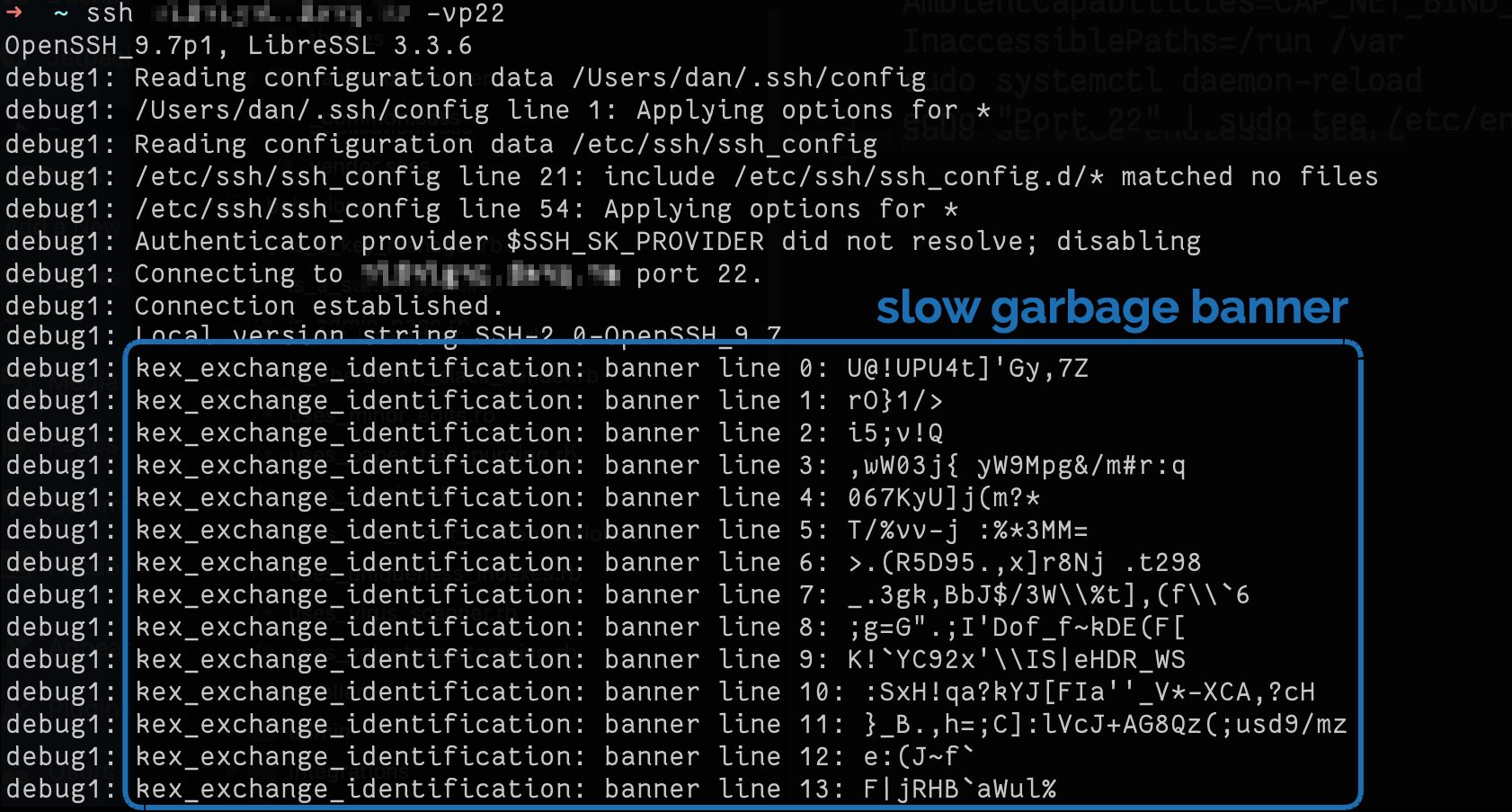
To test if it's working, connect to your SSH server on port 22 with your client in verbose mode, e.g. ssh -vp22 example.com and look for banner lines full of random garbage
appearing at 10 second intervals.
Alt
Screenshot showing SSH connection being established to an Endlessh server, which is returning line after line of randomly-generated text as a banner.
It doesn't provide a significant security, but you get to enjoy the self-satisfied feeling that you're trolling dozens of opportunistic script kiddies a day.
Footnotes
1 It's a good paper in general, if that's your jam.
2 Obviously you gain very little security by moving to
an unusual port number, given that you're already running your servers in "keys-only" (PasswordAuthentication no) configuration mode already, right? Right!? But it's nice
to avoid all the unnecessary logging that wave after wave of brute-force attempts produce.
3 Which I can only assume is pronounced endle-S-S-H, but regardless of how it's said out loud I appreciate the wordplay of its name.
4 To move your SSH port, you might run something like
echo "Port 12345" | sudo tee /etc/ssh/sshd_config.d/unusual-port.conf and restart the service, of course.
0 comments