
I use a tool called Sonarr to, uhh1, keep track of when new episodes of television shows are released, regardless of what platform they're on (Netflix, Prime, iPlayer, whatever) and notify me so I remember to watch it.
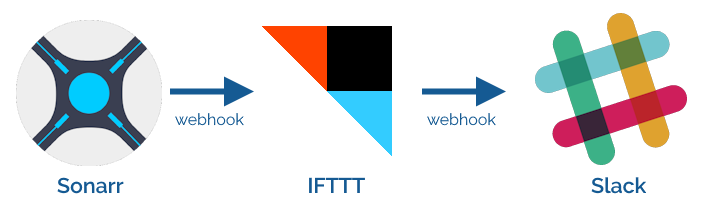
For several years, I've used IFTTT as the intermediary, receiving webhooks from Sonarr and translating them for Slack:
Alt
A series of webhooks sent from Sonarr to IFTTT to Slack.
IFTTT's move to kill its Legacy Pro plan2 - which I was on - gave me reason to re-assess this configuration. It turns that the only Pro feature I was using was an IFTTT "filter" to convert the Sonarr webhooks to a Slack-friendly-format.
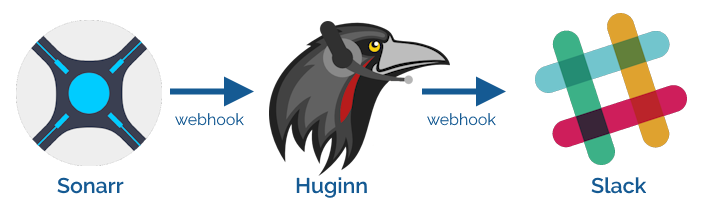
Given that I'm running an installation of Huginn on my home network anyway, I resolved to re-implement this flow in Huginn and cancel my IFTTT subscription.
Alt
A series of webhooks sent from Sonarr to Huginn to Slack.
This turned out to be so easy I wonder why I never did it before.
First, I created a Webhook Agent and gave the URL to Sonarr.
Then I connected that to a Slack Agent with the following configuration:
{
  "webhook_url": "https://hooks.slack.com/services/...",
  "channel": "#sonarr",
  "username": "Sonarr",
  "message": "*<https://thetvdb.com/?tab=series&id={{series.tvdbId}}|{{series.title}}>*\nNew episodes:{% for episode in episodes %}\n• S{{episode.seasonNumber}}E{{episode.episodeNumber}} {{episode.title}}{% endfor %}",
  "icon": ":tv:"
}
pluralize filter to
work so it'd say "episode" or "episodes" as appropriate before realising I didn't care enough and gave up.
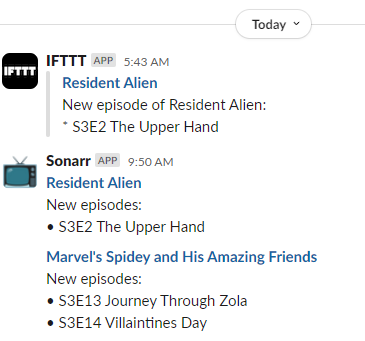
Then all I needed to do was re-emit some of the previous webhooks to test it:
Alt
Slack chat window showing notifications: (1) a new episode of Resident Alien, announced by IFTTT, (b) the same episode, announced by "Sonarr", (c) two episodes of Marvel's Spidey and His Amazing Friends, also announced by "Sonarr".
:tv: icon and added the "Sonarr" username, as shown in my code sample.
Now I'll continue to know when there's new television to watch3!
I love the power and flexibility that Huginn provides to help automate your life. It does many of the things that I used to do with a handful of cron jobs and shell scripts, but all in one convenient place.
Footnotes
1 I've heard there are other uses for the tool. Your mileage may vary. Don't forget to pay for your content, if possible.
2 Like many others, I originally signed up to the plan under the promise that the price would be honoured forever. Turns out "forever" means "three years": who knew?
3 It's especially useful when you're between seasons or a show is on hiatus to be reminded that it's back and I should go and watch it. Hey, there's a thought: I wonder if I can extract the subtitles from shows and run them through a summarising LLM to give me a couple of paragraphs reminding me "what happened last series" if the show's been on a long break?
0 comments