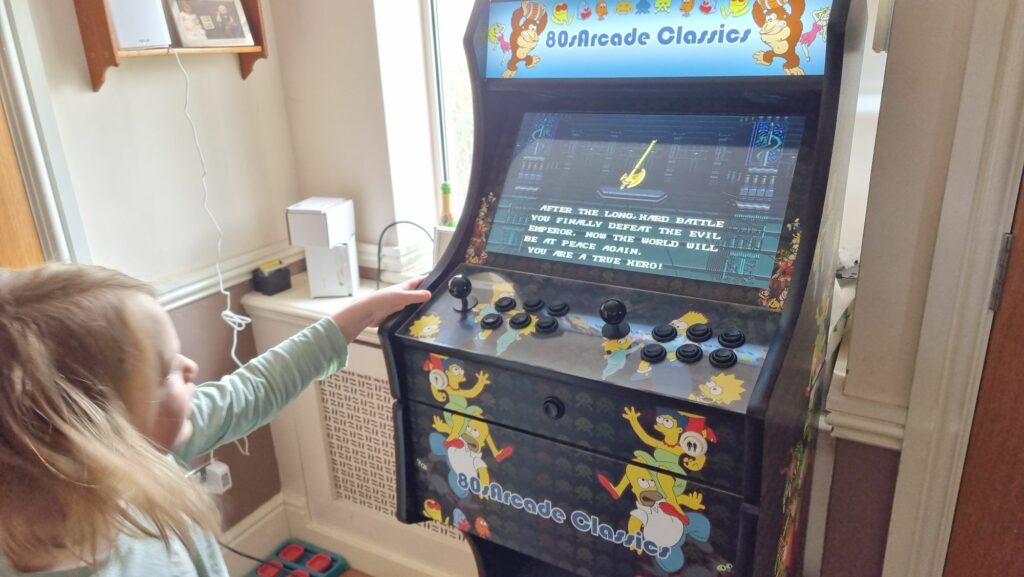
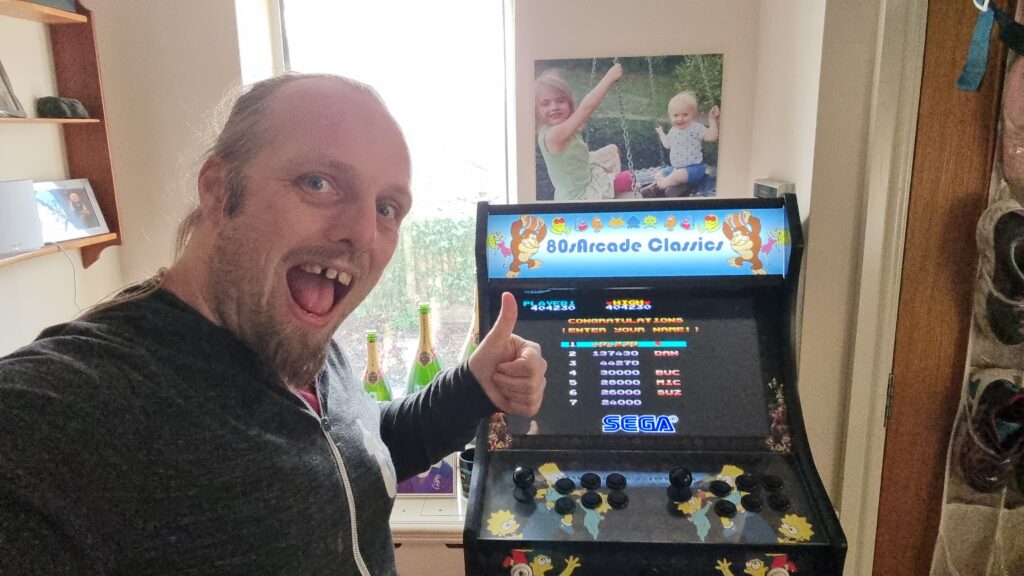
Do you play in your daily life? What says “playtime” to you?
How do I play? Let me count the ways!
RPGs
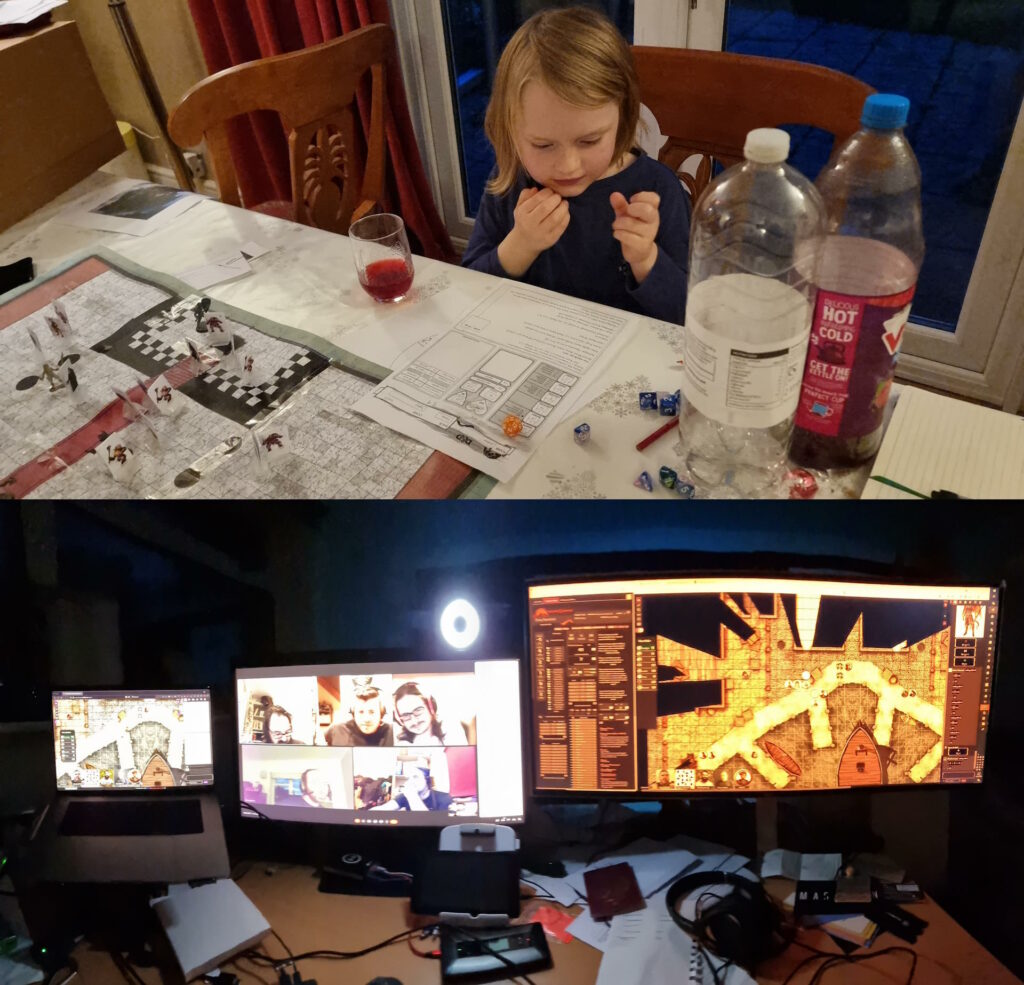
I’m involved in no fewer than three different RPG campaigns (DMing the one for
The Levellers) right now, plus periodic one-shots. I love a good roleplaying game, especially one that puts character-building and storytelling
above rules-lawyering and munchkinery, specifically because that kind of collaborative, imaginative experience feels more like the kind of thing we call “play” when
done it’s done by children!
Family D&D and Abnib D&D might have a distinctly different tone, but they’re still both playtime activities.
Videogames
I don’t feel like I get remotely as much videogaming time as I used to, and in theory I’ve become more-selective about exactly what I spend my time on1.
Similarly, I don’t feel like I get as much time to grind through my oversized board games collection as I used to2,
but that’s improving as the kids get older and can be roped-into a wider diversity of games3.
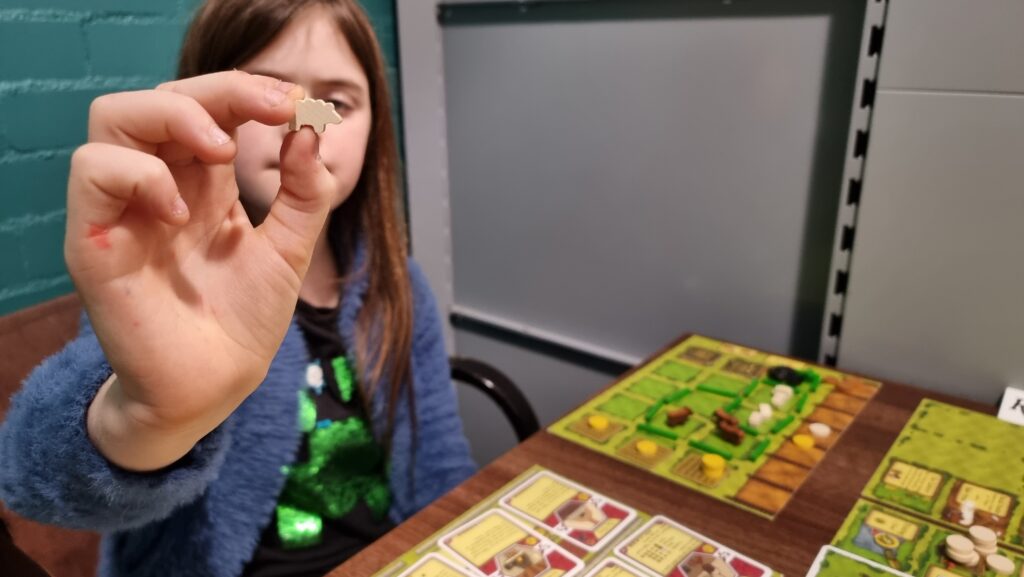
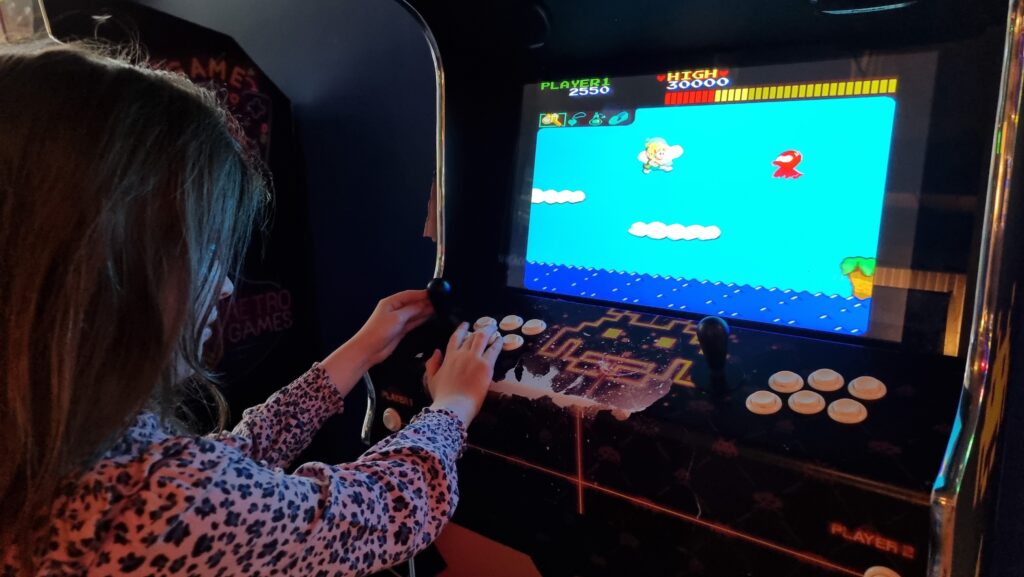
Our youngest wakes early on weekend mornings and asks to kick off his day with board games. Our eldest, pictured, has grown to the point where she’s working her way through all of the
animal-themed games at our local board games cafe.
Escape Rooms
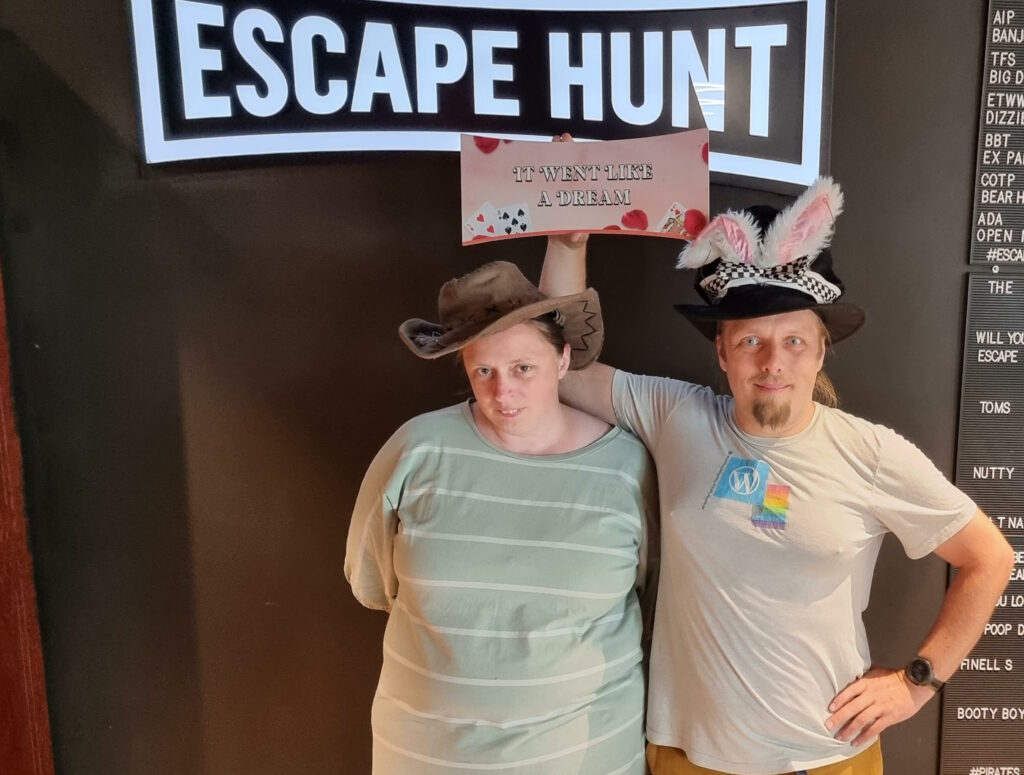
I love a good escape room, and I can’t wait until the kids are old enough for (more of) them too so I’ve an excuse to do more of them. When we’re not playing conventional escape rooms,
Ruth and I can sometimes be found playing board game-style boxed “kit” ones (which have very variable quality, in my experience) and we’ve
recently tried a little Escape Academy.
Ruth and I make a great duo when we remember to communicate early-and-often and to tag-team puzzles by swapping what we’re focussing on when we get stuck.
They’re not the only satnav-based activities I do at least partially “for fun” though! I contribute to OpenStreetMap, often through the
“gamified” experience of the StreetComplete app, and I’m very slowly creeping up the leader board at OpenBenches. Are these “play”? Sure, maybe.
And all of the above is merely the structured kinds of play I engage in. Playing “let’s pretend”-style games with the kids (even when they make it really, really weird) adds a whole extra
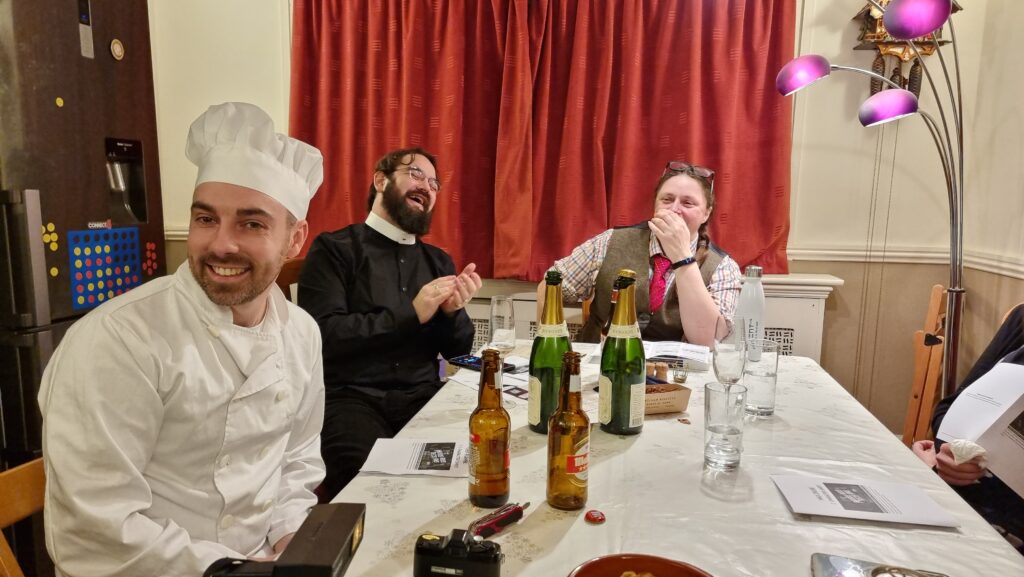
aspect. Also there’s the increasingly-rare murder mystery parties we sometimes hold: does that count as roleplaying, or some other kind of play?
A chef, a priest, and a librarian walk into a party… stop me if you’ve heard this one.
Suffice to say, there’s plenty of play in my life, it’s quite varied and diverse, and there is, if anything, not enough of it!
Footnotes
1 I say that, and yet somehow Steam tells me that one of my most-played games this year
was Starfield, which was… meh? Apparently compelling enough
that I’ve “ascended” twice, but in hindsight I wish I hadn’t bothered.
2 Someday my group and I will finish Pandemic Legacy: Season 2 so we can get
started on Season 0 which has sat
unplayed on my shelves since I got it… oooh… two or three years ago‽
3 This Christmas, I got each of them their first “legacy” game: Zombie Kids for the younger one, My City for the elder. They both seem pretty good.
4Geocaching is where you use military satellite networks to find lost tupperware. Geohashing uses the same technology but what you find is a whole lot of nothing. I don’t think I
can explain why I find the latter more-compelling.
There are video games that I’ve spent
many years playing (sometimes on-and-off) before finally beating them for the first time. I spent three years playing Dune II before I finally beat it as every house. It took twice that to reach the end of Ultima Underworld II.
But today, I can add a new contender1 to that list.
Today, over thirty-five years after I first played it, I finally completed Wonder Boy.
My first experience of the game, in the 1980s, was on a coin-op machine where I’d discovered I could get away with trading the 20p piece I’d been given by my parents to use as a deposit
on a locker that week for two games on the machine. I wasn’t very good at it, but something about the cutesy graphics and catchy chip-tune music grabbed my attention and it became my
favourite arcade game.
Of all the video games about skateboarding cavemen I’ve ever played, it’s my favourite.
I played it once or twice more when I found it in arcades, as an older child. I played various console ports of it and found them disappointing. I tried it a couple of times in MAME. But I didn’t really put any effort into it until a hotel we stayed at during a family holiday to Paris in October had a bank of free-to-play arcade machines
rigged with Pandora’s Box clones so they could be used to play a few thousand different arcade classics. Including Wonder Boy.
Our eldest was particularly taken with Wonder Boy, and by the time we set off for home at the end of our holiday she’d gotten further than I ever had at it (all
without spending a single tenpence).
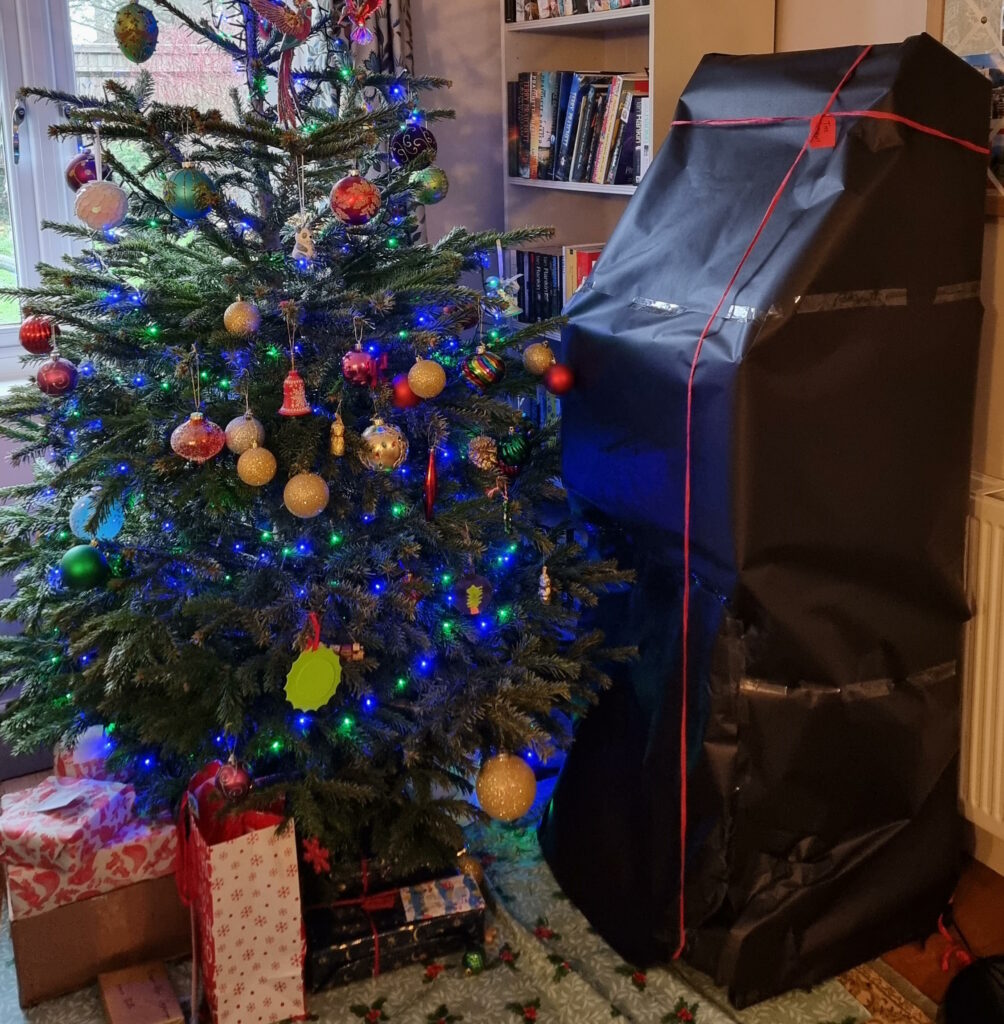
Off the back of all the fun the kids had, it’s perhaps no surprise that I arranged for a similar machine to be delivered to us as a gift “to the family”2
this Christmas.
If you look carefully, you can work out which present it it, despite the wrapping.
And so my interest in the game was awakened and I threw easily a hundred pounds worth of free-play games of Wonder Boy3 over the last few days. Until…
…today, I finally defeated the seventh ogre4,
saved Tina5, saved the kingdom, etc. It was a hell of a battle. I can’t count how many times I pressed the “insert coin” button on
that final section, how many little axes I’d throw into the beast’s head while dodging his fireballs, etc.
So yeah, that’s done, now. I guess I can get back to finishing Wonder Boy: The Dragon’s Trap, the 2017 remake of a 1989 game I
adored!6
It’s aged amazingly well!
Footnotes
1 This may be the final record for time spent playing a video game before beating it,
unless someday I ever achieve a (non-cheating) NetHack ascension.
2 The kids have had plenty of enjoyment out of it so far, but their time on the machine is
somewhat eclipsed by Owen playing Street Fighter II Turbo and Streets of Rage on it and, of course, by my rediscovered obsession with Wonder Boy.
3 The arcade cabinet still hasn’t quite paid for itself in tenpences-saved,
despite my grinding of Wonder Boy. Yet.
4 I took to calling the end-of-world bosses “ogres” when my friends and I swapped tips for
the game back in the late 80s, and I refuse to learn any different name for them.
5 Apparently the love interest has a name. Who knew?
6 I completed the original Wonder Boy III: The Dragon’s Trap on a Sega Master
System borrowed from my friend Daniel back in around 1990, so it’s not a contender for the list either.
Foundry is a wonderful virtual tabletop tool well-suited to playing tabletop roleplaying games with your friends, no
matter how far away they are. It compares very favourably to the market leader Roll20, once you get past some of the initial set-up
challenges and a moderate learning curve.
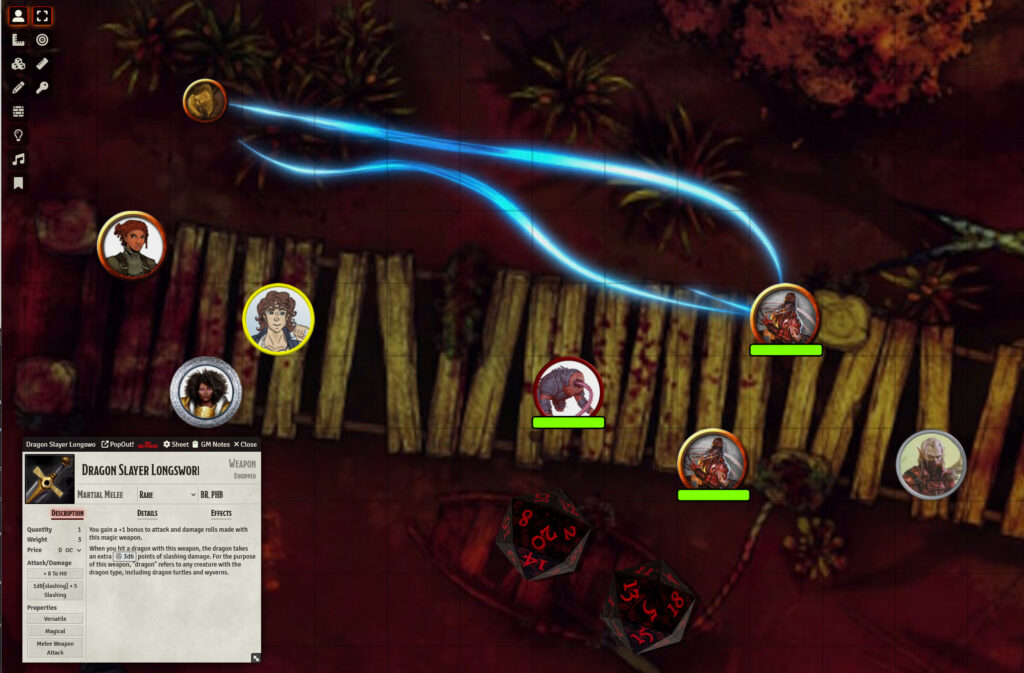
The party of adventurers I’ve been DMing
for since last summer use Foundry to simulate a tabletop
(alongside a conventional video chat tool to let us see and hear one another).
You can run it on your own computer and let your friends “connect in” to it, so long as you’re able to reconfigure your router a little, but you’ll be limited by the speed of your home
Internet connection and people won’t be able to drop in and e.g. tweak their character sheet except when you’ve specifically got the application running.
A generally better option is to host your Foundry server in the cloud. For most of its history, I’ve run mine on Fox, my NAS, but I’ve recently set one up on a more-conventional cloud
virtual machine too. A couple of friends have asked me about how to set up their own, so here’s a quick guide:
I used Linode to spin up a server because I still had a stack of free credits following a recent
project. The instructions will work on any cloud host where you can spin up a Debian 12 virtual machine, and can be adapted for other distributions of Linux.
You will need…
A Foundry license ($50 USD / £48 GBP, one-off payment1)
A domain name for which you control the DNS records; you’ll need to point a domain, like “danq.me” (or a subdomain of it, e.g.
“vtt.danq.me”), at an IP address you’ll get later by creating an “A” record: your domain name registrar can probably help with this –
I mostly use Gandi and, ignoring my frustration with recent changes to their email
services, I think they’re great
An account with a cloud hosting provider: this example uses Linode but you can adapt for any of them
A basic level of comfort with the command-line
1. Spin up a server
Getting a virtual server is really easy nowadays.
Click, click, click, and you’ve got yourself a server.
You’ll need:
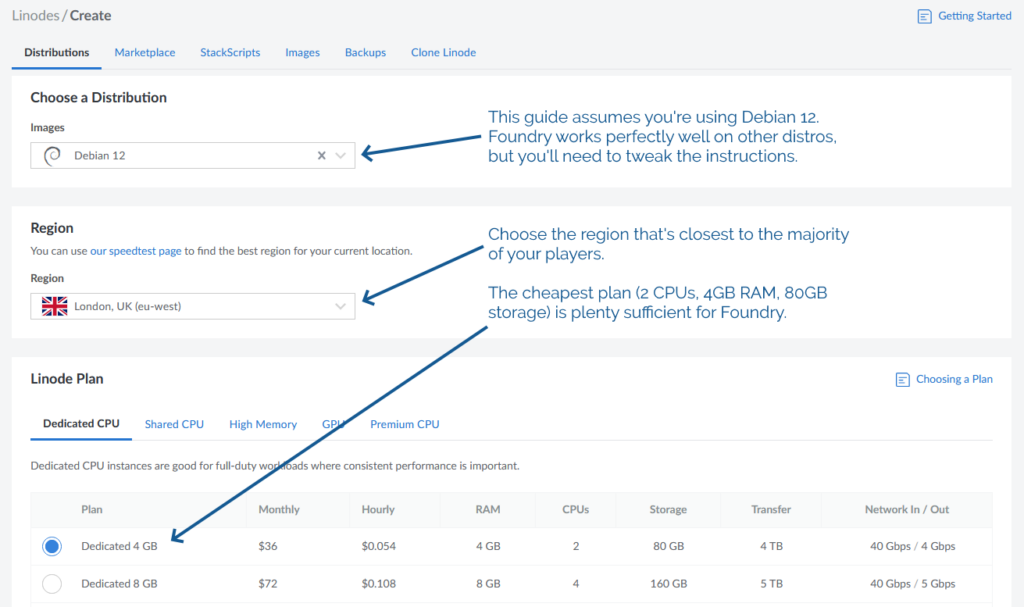
The operating system to be Debian 12 (or else you’ll need to adapt the instructions below)
The location to be somewhere convenient for your players: pick a server location that’s relatively-local to the majority of them to optimise for connection speeds
An absolute minimum of 1GB of storage space, I’d recommend plenty more: The Levellers’ campaign currently uses about 10GB for all of its various maps, art, videos,
and game data, so give yourself some breathing room (space is pretty cheap) – I’ve gone with 80GB for this example, because that’s what comes as standard with the 2
CPU/4GB RAM server that Linode offer
Choose a root password when you set up your server. If you’re a confident SSH user, add your public key so you can log in easily (and then
disable password authentication
entirely!).
For laziness, this guide has you run Foundry as root on your new server. Ensure you understand the implications of this.2
2. Point your (sub)domain at it
DNS propogation can be pretty fast, but… sometimes it isn’t. So get this step underway before you need it.
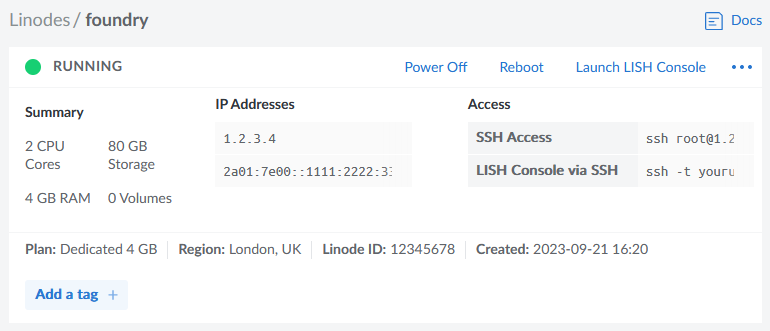
Your newly-created server will have an IP address, and you’ll be told what it is. Put that IP address into an A-record for your domain.
The interface for adding a new DNS record in Gandi is pretty simple – record type, time to live, name, address – but it’s rarely
more complicated that this with any registrar that provides DNS services.
3. Configure your server
In my examples, my domain name is vtt.danq.me and my server is at 1.2.3.4. Yours will be different!
Connect to your new server using SSH. Your host might even provide a web interface if you don’t have an SSH client installed: e.g. Linode’s “Launch LISH Console” button will do pretty-much exactly that for you. Log in as root using the password you chose
when you set up the server (or your SSH private key, if that’s your preference). Then, run each of the commands below in order (the full script is available as a single file if you
prefer).
3.1. Install prerequisites
You’ll need unzip (to decompress Foundry), nodejs (to run Foundry), ufw (a firewall, to prevent unexpected surprises), nginx (a
webserver, to act as a reverse proxy to Foundry), certbot (to provide a free SSL certificate for Nginx),
nvm (to install pm2) and pm2 (to keep Foundry running in the background). You can install them all like this:
By default, Foundry runs on port 30000. If we don’t configure it carefully, it can be accessed directly, which isn’t what we intend: we want connections to go through the webserver
(over https, with http redirecting to https). So we configure our firewall to allow only these ports to be accessed. You’ll also want ssh enabled so we can remotely connect into the
server, unless you’re exclusively using an emergency console like LISH for this purpose:
Putting the domain name we’re using into a variable for the remainder of the instructions saves us from typing it out again and again. Make sure you type your domain name (that
you pointed to your server in step 2), not mine (vtt.danq.me):
DOMAIN=vtt.danq.me
3.4. Get an SSL certificate with automatic renewal
So long as the DNS change you made has propogated, this should Just Work. If it doesn’t, you might need to wait for a bit then try
again.
3.5. Configure Nginx to act as a reverse proxy for Foundry
You can, of course, manually write the Nginx configuration file: just remove the > /etc/nginx/sites-available/foundry from the end of the printf line to see
the configuration it would write and then use/adapt to your satisfaction.
set +H
printf "server {\n listen 80;\n listen [::]:80;\n server_name $DOMAIN;\n\n # Redirect everything except /.well-known/* (used for ACME) to HTTPS\n root /var/www/html/;\n if (\$request_uri !~ \"^/.well-known/\") {\n return 301 https://\$host\$request_uri;\n }\n}\n\nserver {\n listen 443 ssl http2;\n listen [::]:443 ssl http2;\n server_name $DOMAIN;\n\n ssl_certificate /etc/letsencrypt/live/$DOMAIN/fullchain.pem;\n ssl_certificate_key /etc/letsencrypt/live/$DOMAIN/privkey.pem;\n\n client_max_body_size 300M;\n\n location / {\n # Set proxy headers\n proxy_set_header Host \$host;\n proxy_set_header X-Forwarded-For \$proxy_add_x_forwarded_for;\n proxy_set_header X-Forwarded-Proto \$scheme;\n\n # These are important to support WebSockets\n proxy_set_header Upgrade \$http_upgrade;\n proxy_set_header Connection \"Upgrade\";\n\n proxy_pass http://127.0.0.1:30000/;\n }\n}\n" > /etc/nginx/sites-available/foundry
ln -sf /etc/nginx/sites-available/foundry /etc/nginx/sites-enabled/foundry
service nginx restart
3.6. Install Foundry
3.6.1. Create a place for Foundry to live
mkdir {vtt,data}
cd vtt
3.6.2. Download and decompress it
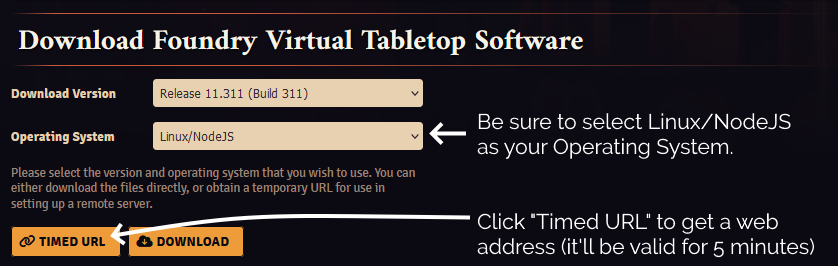
For this step, you’ll need to get a Timed URL from the Purchased Licenses page on your FoundryVTT account.
Substitute in your Timed URL in place of <url from website> (keep the quotation marks – " –
though!):
wget -O foundryvtt.zip "<url from website>"
unzip foundryvtt.zip
rm foundryvtt.zip
3.6.3. Configure PM2 to run Foundry and keep it running
Now you’re finally ready to launch Foundry! We’ll use PM2 to get it to run automatically in the background and keep running:
You can watch the logs for Foundry with PM2, too. It’s a good idea to take a quick peep at them to check it launched okay (press CTRL-C to exit):
pm2 logs 0
4. Start adventuring!
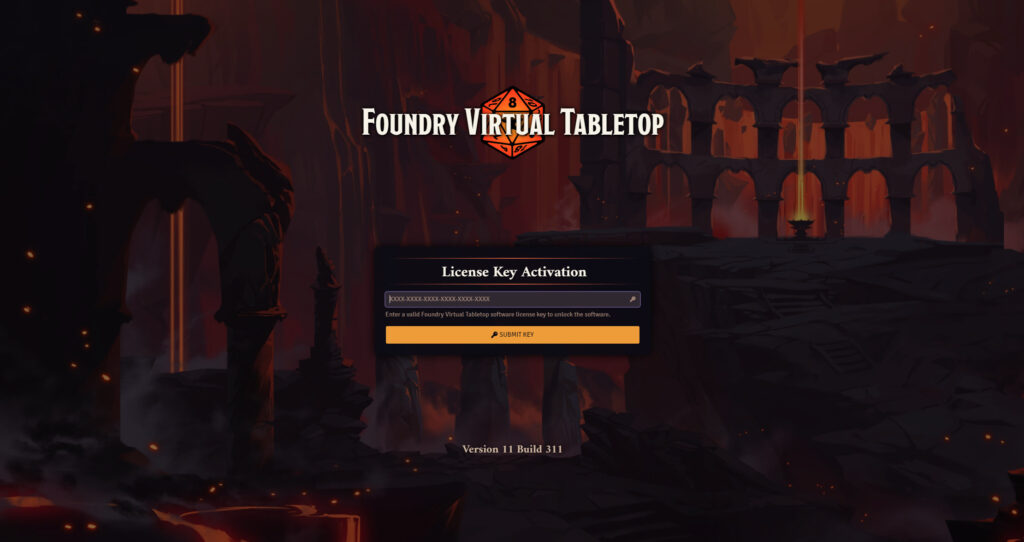
Point your web browser at your domain name (e.g. I might go to https://vtt.danq.me) and you should see Foundry’s first-load page, asking for your license key.
Provide your license key to get started, and then immediately change the default password: a new instance of Foundry has a blank default password, which means that
anybody on Earth can administer your server: get that changed to something secure!
Now you’re running on Foundry!
Footnotes
1Which currency you pay in, and therefore how much you pay, for a Foundry license depends on where in the world you are where
your VPN endpoint says you are. You might like to plan accordingly.
2 Running Foundry as root is dangerous, and you should consider the risks for yourself.
Adding a new user is relatively simple, but for a throwaway server used for a single game session and then destroyed, I wouldn’t bother. Specifically, the risk is that a vulnerability
in Foundry, if exploited, could allow an attacker to reconfigure any part of your new server, e.g. to host content of their choice or to relay spam emails. Running as a non-root user
means that an attacker who finds such a vulnerability can only trash your Foundry instance.
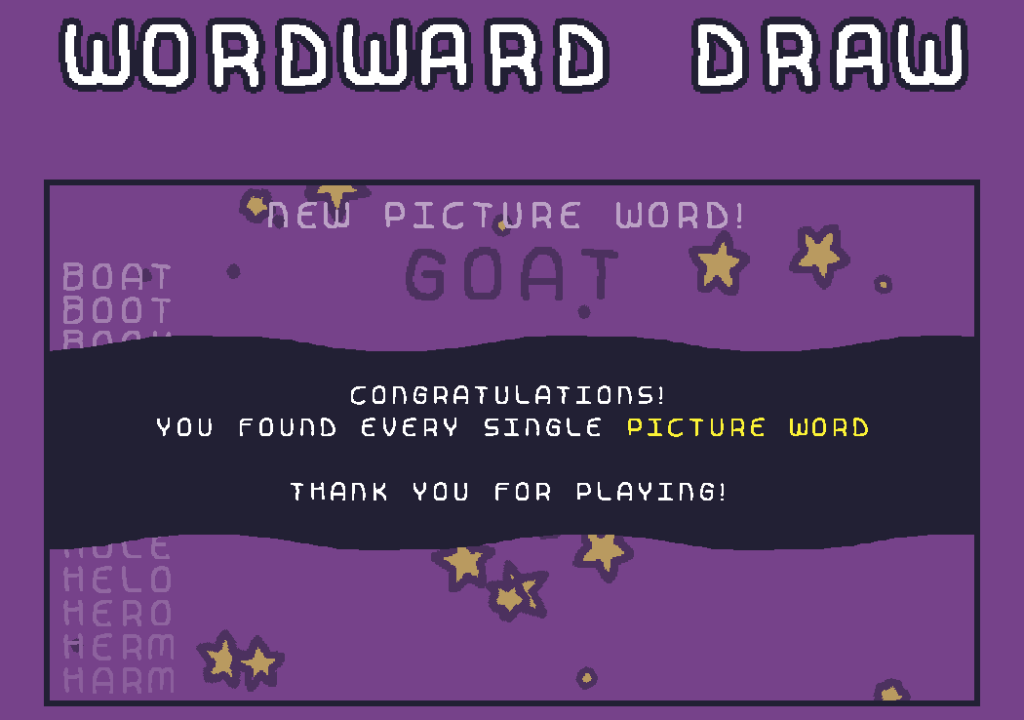
Woodward Draw by Daniel Linssen is the kind of game that my inner
Scrabble player both loves and hates. I’ve been playing on and off for the last three days to complete it, and it’s been great. While not perfectly polished1 and with a few rough
edges2, it’s still a great example of
what one developer can do with a little time.
It deserves a hat tip of respect, but I hope you’ll give it more than that by going and playing it (it’s free, and you can play online or download a copy3). I should probably check
out their other games!
Footnotes
1 At one point the background colour, in order to match a picture word, changed to almost
the same colour as the text of the three words to find!
2 The tutorial-like beginning is a bit confusing until you realise that you have to play
the turn you’re told to, to begin with, for example.
Known Leaders is an open-source
program that combines WikiData with a random generator to come up with almost-invariably inaccurate but sometimes hilarious facts. Jim Kang came up with it during Recurse Center‘s Never Graduate Week. Go have a play, or read more about how and why he made it.
I just spent a lightweight week in Rome with fellow members of Automattic‘s Team Fire.
Among our goals for the week was an attempt to strengthen the definition of who are team are, what we work on, and how and why we do so. That’s
basically a team-level identity, mission, vision, and values, right?
We were missing two members of our team, but one was able to remote-in (the other’s on parental leave!).
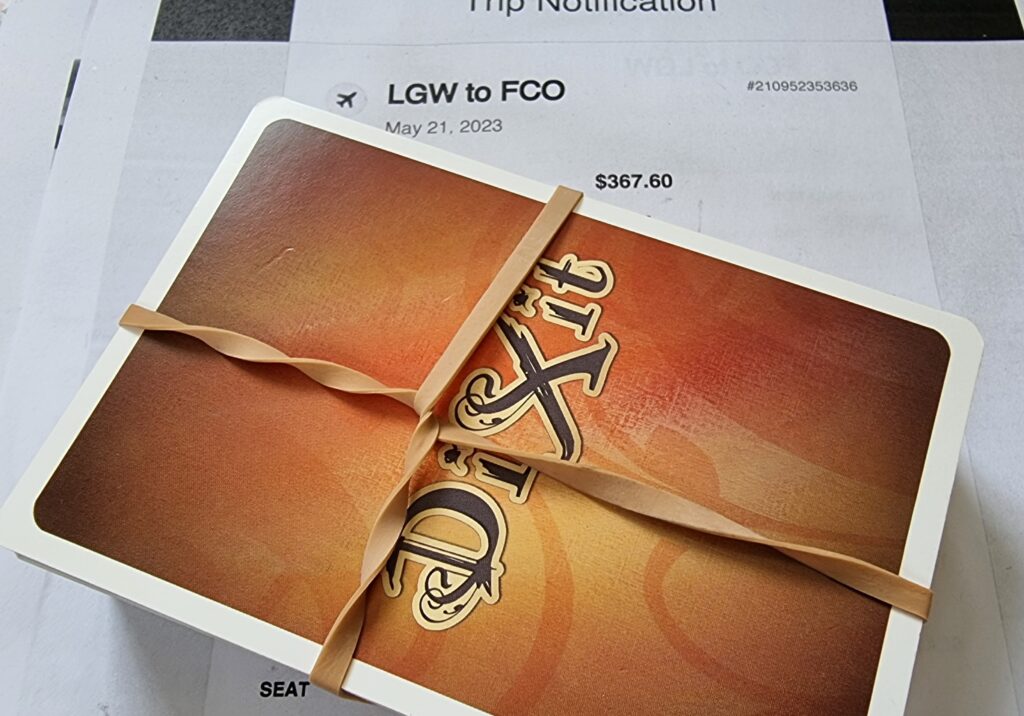
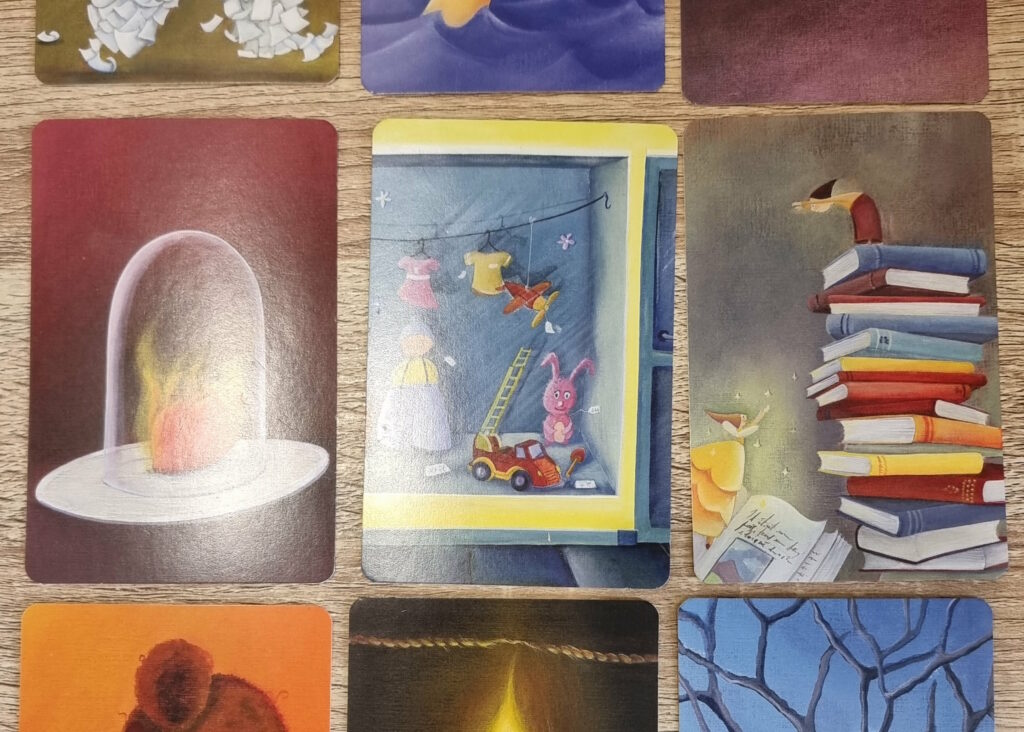
The cards sat on my ‘plane tickets for a fortnight because it was just about the only way I’d remember to pack them.
Normally when you play Dixit, you select a card from your hand – each shows a unique piece of artwork – and try to describe it in a way that’s precise enough that some
of the other players will later be able to pick it out of a line-up, but ambiguous enough that not all the other players will. It’s a delicate balancing act. Even when our old
Geek Night was in full swing we didn’t used to play it often because our well-established group’s cornucopia of in-jokes and references made it trivially easy to “target”
your descriptions at specific players1, but it’s still a solid icebreaker activity.
Can you see your team’s values symbolised in any Dixit cards?
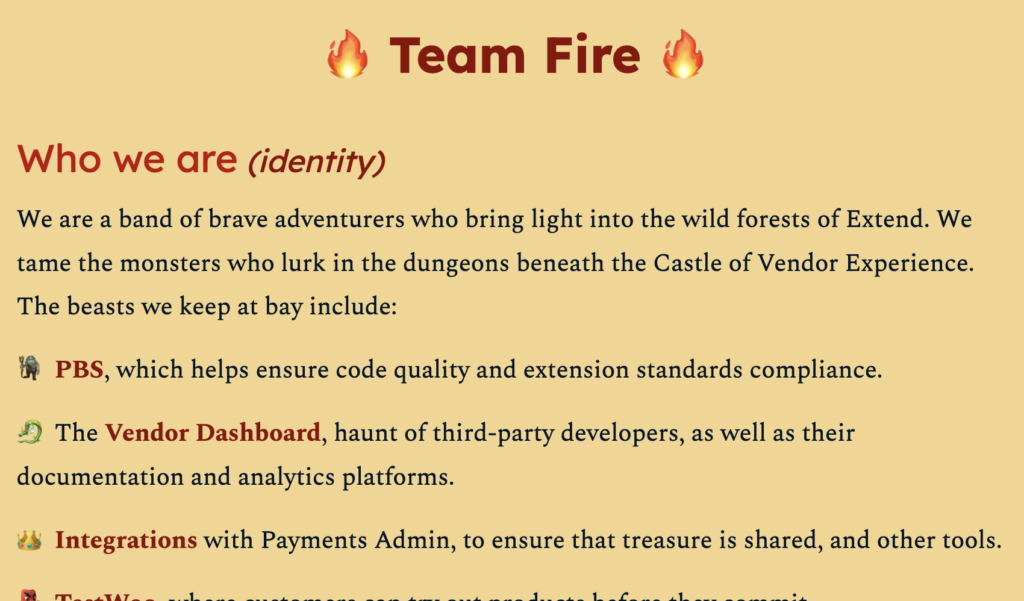
Perhaps it was the fantasy artwork that inspired us or maybe it just says something about how my team sees themselves, but what we came up with had a certain… swords-and-sorcery… even
Dungeons & Dragons… feel to it.
The projects my team are responsible for aren’t actually monsters, but they can be complex, multifaceted, and unintuitive. And have a high AC.
Ou team’s new identity isn’t finalised, but I love the fact that we’ve been able to inject a bit of fun and whimsy into it. At our last draft, my team looks to be defined as comprising:
Gareth, level 62 Pathfinder, leading the way through the wilds
Bero, Level 5 Battlesmith, currently lost in the void
Dan (me!), Level 5 Arcane Trickster, breaking locks and stealing treasure
Cem, Level 4 Dragonslayer, smashing doors and bugs alike
Lae, Level 7 Pirate, seabound rogue with eyes on the horizon
Kyle, Level 5 Apprentice Bard, master of words and magic
Simran, Level 6 Apprentice Code Witch, weaving spells from nature
I think that’s pretty awesome.
Footnotes
1 Also: I don’t own any of the expansion packs and playing with the same cards over and
over again gets a bit samey.
2 The “levels” are simply the number of years each teammate has been an Automattician,
plus one.
Last night I had a nightmare about Dungeons & Dragons. Specifically, about the group I DM for on alternate Fridays.
In their last session the
party – somewhat uncharacteristically – latched onto a new primary plot hook rightaway. Instead of rushing off onto some random side quest threw themselves directly into this new
mission.
They flung themselves not only figuratively but also literally into their new quest, leaping from the side of a floating city.
This effectively kicked off a new chapter of their story, so I’ve been doing some prep-work this last week or so. Y’know: making battlemaps, stocking treasure chests with mysterious and
powerful magical artefacts, and inventing a plethora of characters for the party to either befriend or kill (or, knowing this party: both).
I also put together a “cut scene”
video welcoming the party into this new chapter of their adventure.
Anyway: in the dream, I sat down to complete the prep-work I want to get done before this week’s play session. I re-checked my notes about what the adventurers had gotten up to
last time around, and… panicked! I was wrong, they hadn’t thrown themselves off the side of a city floating above the first layer of Hell at all! I’d mis-remembered completely
and they’d actually just ventured into a haunted dungeon. I’d been preparing all the wrong things and now there wasn’t time to correct my mistakes!
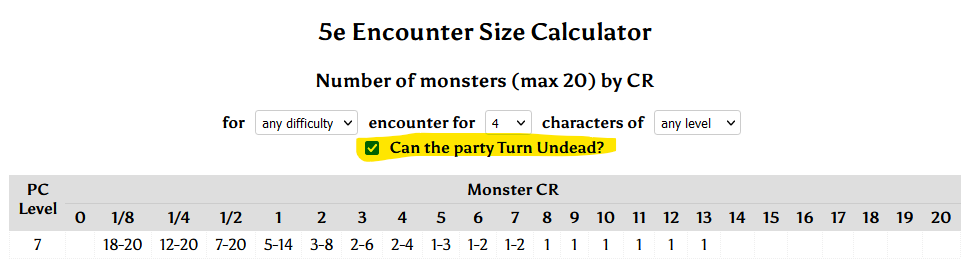
Also in my dream – conveniently for my new “haunted dungeon” environment – my favourite encounter size calculator included a tool to compensate for a player character who can cast Turn Undead, when
making an undead encounter.
This is, of course, an example of the “didn’t prepare for the test” trope of dreams. Clearly I’m still feeling underprepared for this week’s game! But probably a bigger reason for the
dream, and remembering it, was that I’ve had a cold and kept waking up to cough.
This was a delightful vlog. It really adds personality to what might otherwise have been a story only about technology and history.
I subscribed to Codex’s vlog like… four years ago? He went dark soon afterwards, but thanks to the magic of RSS, I got
notified as soon as he came back from his hiatus.
I swear that I used to be good at Mastermind when I was a kid. But now, when it’s my turn to break
the code that one of our kids has chosen, I fail more often than I succeed. That’s no good!
If you didn’t have me pegged as a board gamer… where the hell have you been?
Mastermind and me
Maybe it’s because I’m distracted; multitasking doesn’t help problem-solving. Or it’s because we’re “Super” Mastermind, which differs from the one I had as a child in that
eight (not six) peg colours are available and secret codes are permitted to have duplicate peg colours. These changes increase the possible permutations from 360 to 4,096, but the
number of guesses allowed only goes up from 8 to 10. That’s hard.
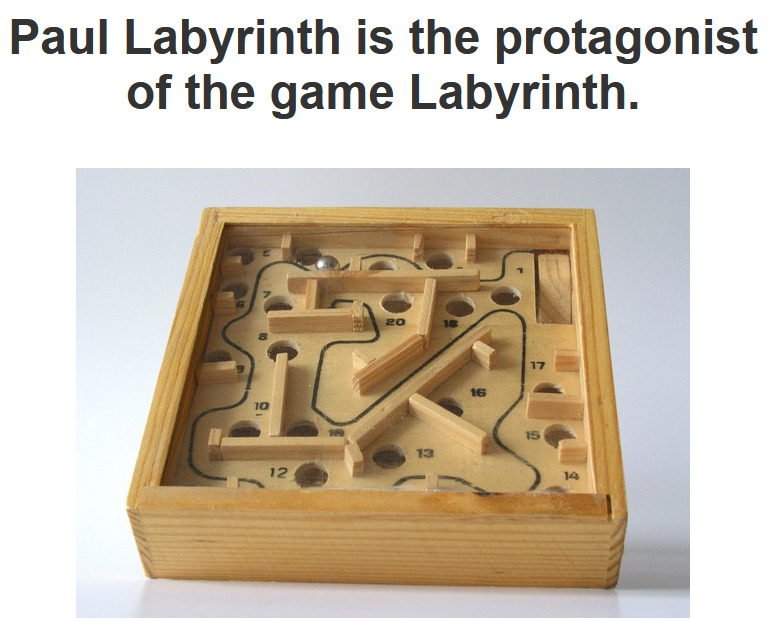
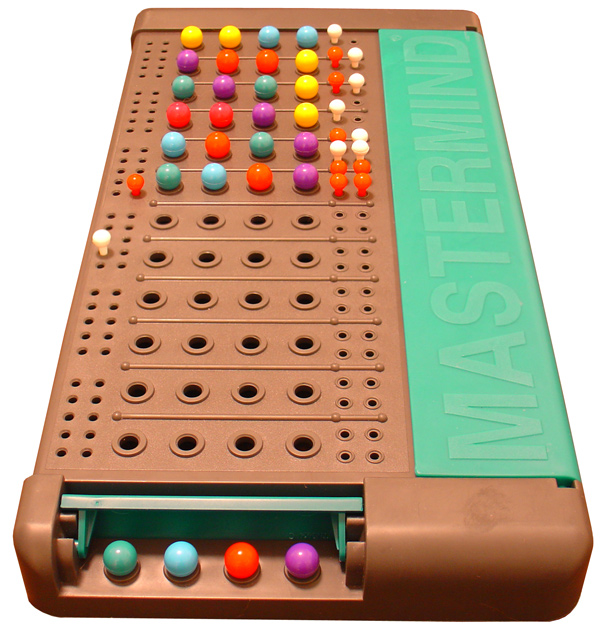
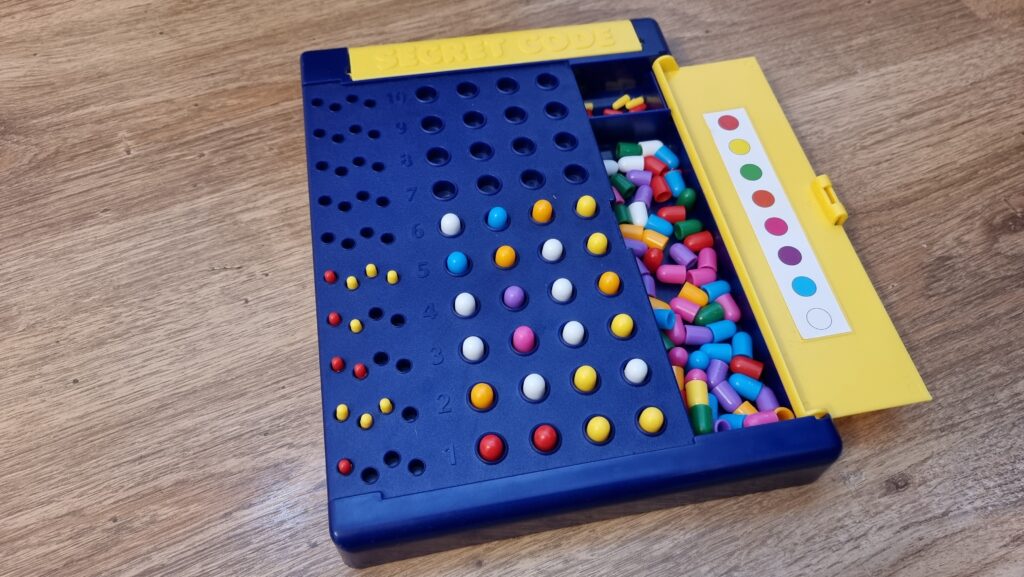
The set I had as a kid was like this, I think. Photo courtesy ZeroOne; CC-BY-SA license.
Hey, that’s an idea. Let’s crack the code… by writing some code!
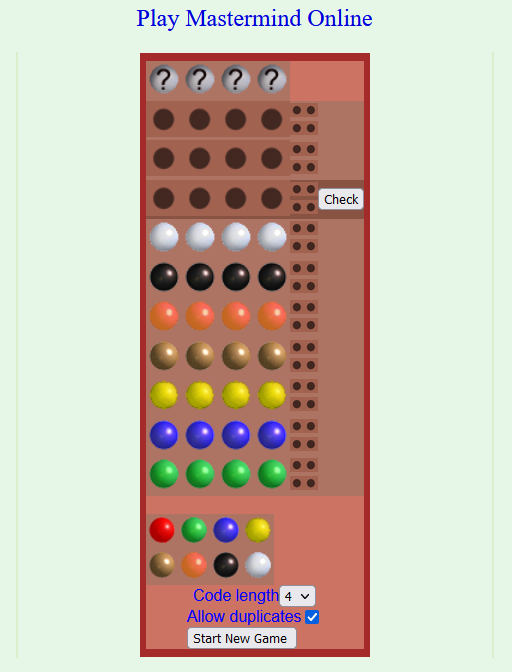
This online edition plays a lot like the version our kids play, although the peg colours are different. Next guess should be an
easy solve!
Representing a search space
The search space for Super Mastermind isn’t enormous, and it lends itself to some highly-efficient computerised storage.
There are 8 different colours of peg. We can express these colours as a number between 0 and 7, in three bits of binary, like this:
Decimal
Binary
Colour
0
000
Red
1
001
Orange
2
010
Yellow
3
011
Green
4
100
Blue
5
101
Pink
6
110
Purple
7
111
White
There are four pegs in a row, so we can express any given combination of coloured pegs as a 12-bit binary number. E.g. 100 110 111 010 would represent the
permutation blue (100), purple (110), white (111), yellow (010). The total search space, therefore, is the range of numbers from
000000000000 through 111111111111… that is: decimal 0 through 4,095:
Decimal
Binary
Colours
0
000000000000
Red, red, red, red
1
000000000001
Red, red, red, orange
2
000000000010
Red, red, red, yellow
…………
4092
111111111100
White, white, white, blue
4093
111111111101
White, white, white, pink
4094
111111111110
White, white, white, purple
4095
111111111111
White, white, white, white
Whenever we make a guess, we get feedback in the form of two variables: each peg that is in the right place is a bull; each that represents a peg in the secret code but
isn’t in the right place is a cow (the names come from Mastermind’s precursor, Bulls & Cows). Four bulls
would be an immediate win (lucky!), any other combination of bulls and cows is still valuable information. Even a zero-score guess is valuable- potentially very valuable! – because it
tells the player that none of the pegs they’ve guessed appear in the secret code.
If one of Wordle‘s parents was Scrabble, then this was the other. Just ask its Auntie Twitter.
Solving with Javascript
The latest versions of Javascript support binary literals and bitwise operations, so we can encode and decode between arrays of four coloured pegs (numbers 0-7) and the number 0-4,095
representing the guess as shown below. Decoding uses an AND bitmask to filter to the requisite digits then divides by the order of magnitude. Encoding is just a reduce
function that bitshift-concatenates the numbers together.
/** * Decode a candidate into four peg values by using binary bitwise operations. */function decodeCandidate(candidate){
return [
(candidate &0b111000000000) /0b001000000000,
(candidate &0b000111000000) /0b000001000000,
(candidate &0b000000111000) /0b000000001000,
(candidate &0b000000000111) /0b000000000001
];
}
/** * Given an array of four integers (0-7) to represent the pegs, in order, returns a single-number * candidate representation. */function encodeCandidate(pegs) {
return pegs.reduce((a, b)=>(a <<3) + b);
}
With this, we can simply:
Produce a list of candidate solutions (an array containing numbers 0 through 4,095).
Choose one candidate, use it as a guess, and ask the code-maker how it scores.
Eliminate from the candidate solutions list all solutions that would not score the same number of bulls and cows for the guess that was made.
Repeat from step #2 until you win.
Step 3’s the most important one there. Given a function getScore( solution, guess ) which returns an array of [ bulls, cows ] a given guess would
score if faced with a specific solution, that code would look like this (I’m convined there must be a more-performant way to eliminate candidates from the list with XOR
bitmasks, but I haven’t worked out what it is yet):
/** * Given a guess (array of four integers from 0-7 to represent the pegs, in order) and the number * of bulls (number of pegs in the guess that are in the right place) and cows (number of pegs in the * guess that are correct but in the wrong place), eliminates from the candidates array all guesses * invalidated by this result. Return true if successful, false otherwise. */function eliminateCandidates(guess, bulls, cows){
const newCandidatesList = data.candidates.filter(candidate=>{
const score = getScore(candidate, guess);
return (score[0] == bulls) && (score[1] == cows);
});
if(newCandidatesList.length ==0) {
alert('That response would reduce the candidate list to zero.');
returnfalse;
}
data.candidates = newCandidatesList;
chooseNextGuess();
returntrue;
}
I continued in this fashion to write a full solution (source code). It uses ReefJS for
component rendering and state management, and you can try it for yourself right in your web browser. If you
play against the online version I mentioned you’ll need to transpose the colours in your head: the physical version I play with the
kids has pink and purple pegs, but the online one replaces these with brown and black.
Testing the solution
Let’s try it out against the online version:
As expected, my code works well-enough to win the game every time I’ve tried, both against computerised and in-person opponents. So – unless you’ve been actively thinking about the
specifics of the algorithm I’ve employed – it might surprise you to discover that… my solution is very-much a suboptimal one!
My code has only failed to win a single game… and that turned out to because my opponent, playing overexcitedly, cheated in the third turn. To be fair, my code didn’t lose
either, though: it identified that a mistake must have been made and we declared the round void when we identified the problem.
My solution is suboptimal
A couple of games in, the suboptimality of my solution became pretty visible. Sure, it still won every game, but it was a blunt instrument, and anybody who’s seriously thought about
games like this can tell you why. You know how when you play e.g. Wordle (but not in “hard mode”) you sometimes want to type in a word that can’t possibly be the
solution because it’s the best way to rule in (or out) certain key letters? This kind of strategic search space bisection reduces the mean number of guesses you need to solve the
puzzle, and the same’s true in Mastermind. But because my solver will only propose guesses from the list of candidate solutions, it can’t make this kind of improvement.
My blog post about Break Into Us used a series of visual metaphors to show search space dissection, including this one. If you missed
it, it might be worth reading.
Search space bisection is also used in my adverserial hangman game, but in this case the aim is to split the search space in such a way that no
matter what guess a player makes, they always find themselves in the larger remaining portion of the search space, to maximise the number of guesses they have to make. Y’know, because
it’s evil.
A great first guess, assuming you’re playing against a random code and your rules permit the code to have repeated colours, is a “1122” pattern.
There are mathematically-derived heuristics to optimise Mastermind strategy. The first
of these came from none other than Donald Knuth (legend of computer science, mathematics, and pipe organs) back in 1977. His solution,
published at probably the height of the game’s popularity in the amazingly-named Journal of Recreational Mathematics, guarantees a solution to the six-colour version of the
game within five guesses. Ville [2013] solved an
optimal solution for a seven-colour variant, but demonstrated how rapidly the tree of possible moves grows and the need for early pruning – even with powerful modern computers – to
conserve memory. It’s a very enjoyable and readable paper.
But for my purposes, it’s unnecessary. My solver routinely wins within six, maybe seven guesses, and by nonchalantly glancing at my phone in-between my guesses I can now reliably guess
our children’s codes quickly and easily. In the end, that’s what this was all about.
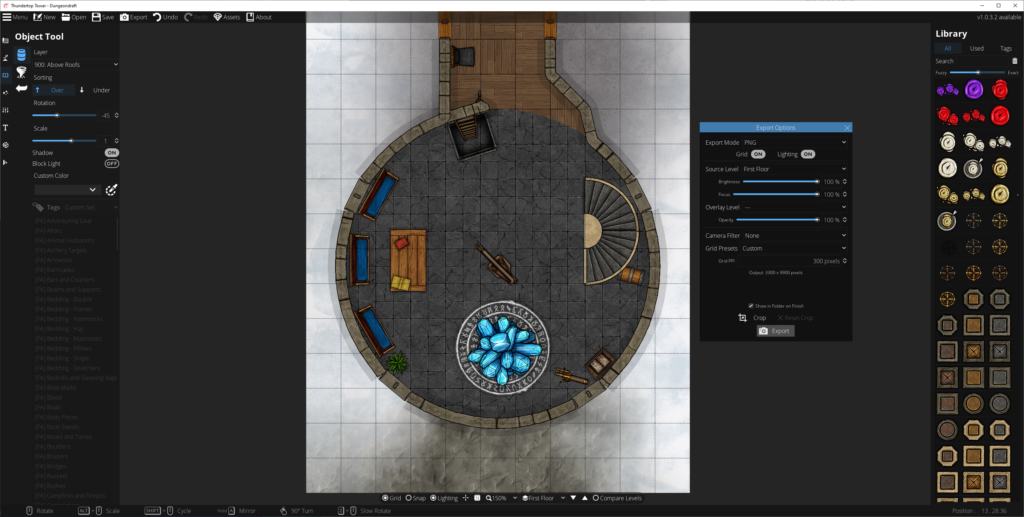
I really love Dungeondraft, an RPG battle map generator. It’s got great compatibility with
online platforms like Foundry VTT and Roll20, but if you’re looking to make maps for tabletop play,
there’s a few tips I can share:
Tabletop players can’t zoom in and will appreciate you printing with good contrast.
Planning and designing
Dungeondraft has (or can be extended with) features to support light levels and shadow-casting obstructions, openable doors and windows, line-of sight etc… great to have when you’re
building for Internet-enabled tabletops, but pointless when you’re planning to print out your map! Instead:
Think about scale: I’m printing to A4 sheets and using inch-size squares, so every 11 x 8 squares equates to one sheet of paper. Knowing this, I can multiply-up to a
whole number of sheets of paper and this informs my decisions about how to best make use of the maps (and what will and won’t fit on my dining table!).
Focus on legibility: Your printer probably won’t have the same kind of resolution as your screen, and your players can’t “zoom in” to get details. Play with the grid
styles (under Map Settings) to find what works best for you, and try not to clash with your floor patterns. If you’re printing in monochrome, use the “Printer-Friendly” camera filter
(also under Map Settings, or in the Export Options dialog) to convert to gorgeous line-art. Make sure critical elements have sufficient contrast that they’ll stand out when printed or
your players might walk right over that chest, campfire, or bookshelf.
Think about exposure: You don’t get digital “fog of war” on the tabletop! Think about how you’re going to reveal the map to your players: plan to print in multiple
sections to put together, jigsaw style, or have card to “cover” bits of the map. Think about how the tool can help you here: e.g. if you’ve got multiple buildings the players can
explore, use a higher “level” or roof layer to put roofs on your buildings, then print the relevant parts of that level separately: now you’ve got a thematic cover-up that you can
remove to show the insides of the building. Go the other way around for secret doors: print the empty wall on your main map (so players can’t infer the location of the secret door by
the inclusion of a cover-up) and the secret door/passage on the overlay, so you can stick it onto the map when they find it.
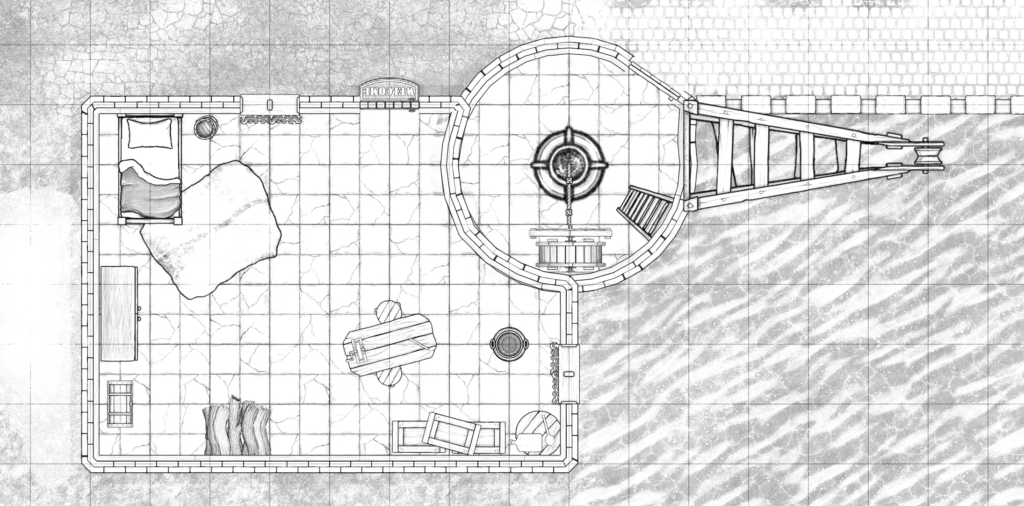
If you’re printing in black and white, line art can be a gorgeous look.
Printing it out
There’s no “print” option in Dungeondraft, so – especially if your map spans multiple “pages” – you’ll need a multi-step process to printing it out. With a little practice, it’s not too
hard or time-consuming, though:
Gimp makes light work of converting a PNG into a PDF.
Export your map (level by level) from Dungeondraft as PNG files. The default settings are fine, but pay attention to the
“Overlay level” setting if you’re using smart or complex cover-ups as described above.
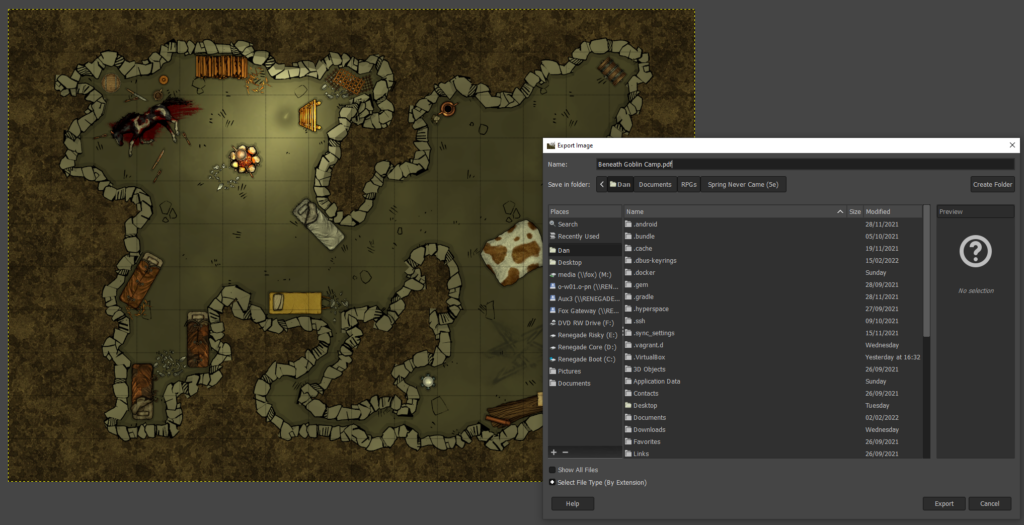
To easily spread your map across multiple pages, you’ll need to convert it to a PDF. I’m using Gimp to do this. Simply open the PNG in Gimp, make any post-processing/last minute changes that you couldn’t manage in Dungeondraft, then click File >
Export As… and change the filename to have a .pdf extension. You could print directly from Gimp, but in my experience PDF reader software does a much better job at multi-page printing.
Check the print preview before you click the button!
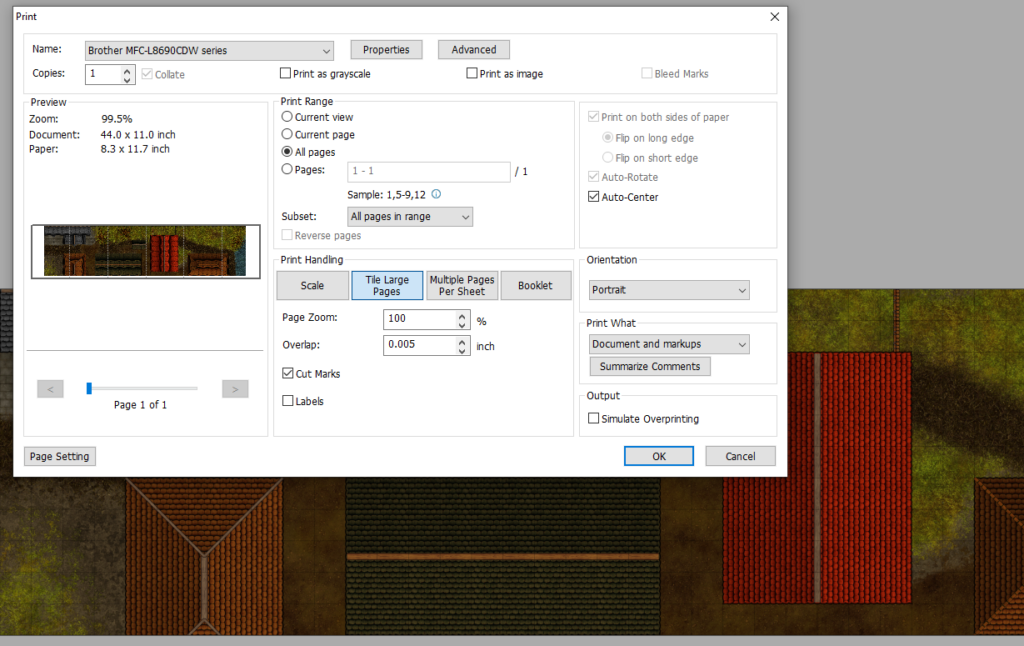
Open your PDF in an appropriate reader application with good print management. I’m using Foxit, which is… okay? Print it, selecting “tile large pages” to tell it to print across multiple sheets. Assuming you’ve produced a map an appropriate size
for your printer’s margins, your preview should be perfect. If not, you can get away with reducing the zoom level by up to a percent or two without causing trouble for your miniatures.
If you’d like the page breaks to occur at specific places (for exposure/reveal reasons), go back to Gimp and pad one side of the image by increasing the canvas size.
Check the level of “overlap” specified: I like to keep mine low and use the print margins as the overlapping part of my maps when I tape them together, but you’ll want to see how your
printer behaves and adapt accordingly.
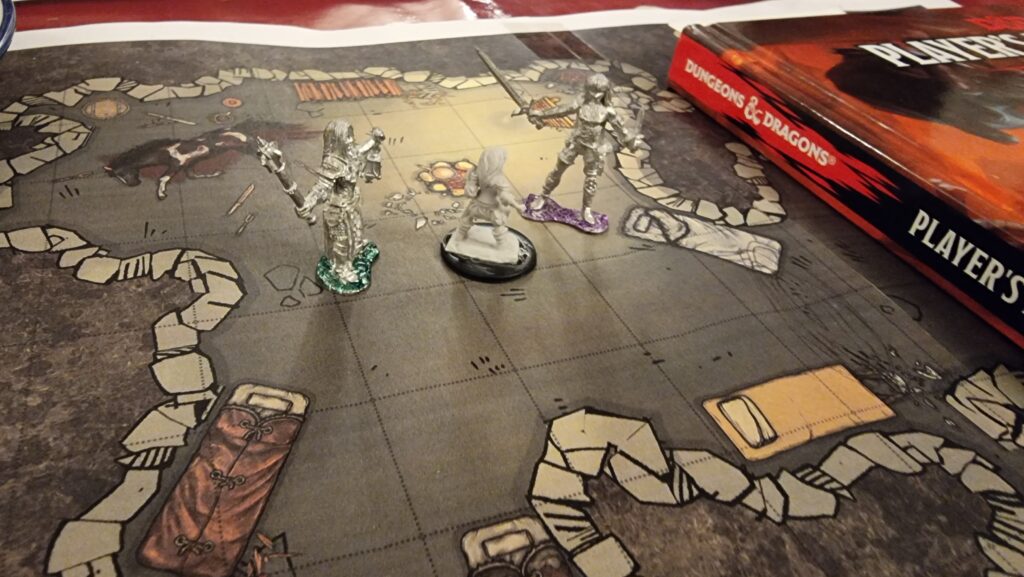
The overlap provides stability, rigidity, and an explanation as to exactly what that character tripped over when they rolled a critical fail on a DEX check.
If you’re sticking together multiple pages to make a single large map, trim off the bottom and right margins of each page: if you printed with cut marks, this is easy enough even
without a guillotine. Then tape them together on the underside, taking care to line-up the features on the map (it’s not just your players who’ll appreciate a good, visible grid: it’s
useful when lining-up your printouts to stick, too!).
I keep my maps rolled-up in a box. If you do this too, just be ready with some paperweights to keep the edges from curling when you unfurl them across your gaming table. Or cut into
separate rooms and mount to stiff card for that “jigsaw” effect! Whatever works best for you!
Any hefty tome, e.g. the 5e Player’s Handbook, can act as a paperweight.
Different games in the same style (absurdle plays adversarially like my cheating hangman
game, crosswordle involves reverse-engineering a wordle colour grid into a crossword, heardle
is like Wordle but sounding out words using the IPA…)
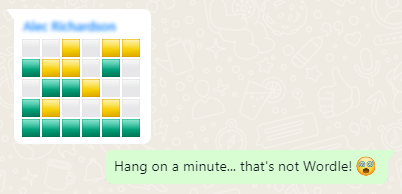
I’m sure that by now all your social feeds are full of people playing Wordle. But the cool nerds are playing something new…
Now, a Wordle clone for D&D players!
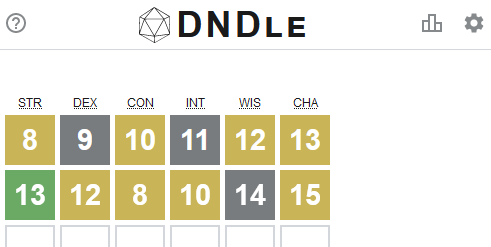
But you know what hasn’t been seen before today? A Wordle clone where you have to guess a creature from the Dungeons & Dragons (5e) Monster Manual by putting numeric values into a
character sheet (STR, DEX, CON, INT, WIS, CHA):
Just because nobody’s asking for a game doesn’t mean you shouldn’t make it anyway.
What are you waiting for: go give DNDle a try (I pronounce it “dindle”, but you can pronounce it however you like). A new monster
appears at 10:00 UTC each day.
And because it’s me, of course it’s open source and works offline.
The boring techy bit
Like Wordle, everything happens in your browser: this is a “backendless” web application.
I’ve used ReefJS for state management, because I wanted something I could throw together quickly but I didn’t want to drown myself (or my players)
in a heavyweight monster library. If you’ve not used Reef before, you should give it a go: it’s basically like React but a tenth of the footprint.
A cache-first/background-updating service worker means that it can run completely offline: you can install it to your homescreen in the
same way as Wordle, but once you’ve visited it once it can work indefinitely even if you never go online again.
I don’t like to use a buildchain that’s any more-complicated than is absolutely necessary, so the only development dependency is rollup. It
resolves my import statements and bundles a single JS file for the browser.
A love a good Jackbox Game. There’s nothing quite like sitting around the living room playing Drawful, Champ’d Up, Job
Job, Trivia MurderParty, or Patently Stupid. But nowadays getting together in the same place isn’t as easy as it used to be, and as often as not I find
my Jackbox gaming with friends or coworkers takes place over Zoom, Around, Google Meet or Discord.
There’s lots of guides to doing this – even an official one! – but they all miss a
few pro tips that I think can turn a good party into a great party. Get all of this set up before your guests are due to arrive to make yourself look like a super-prepared
digital party master.
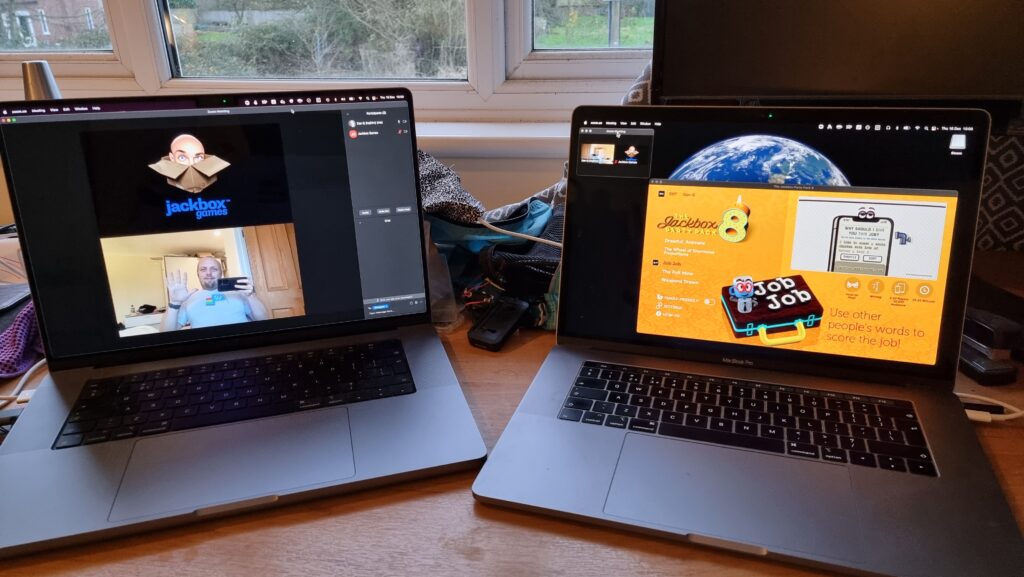
1. Use two computers!
You can use more than two, but two should be considered the minimum for the host.
Using one computer for your video call and a second one to host the game (in addition to the device you’re using to play the games, which could be your phone) is really helpful
for several reasons:
You can keep your video chat full-screen without the game window getting in the way, letting you spend more time focussed on your friends.
Your view of the main screen can be through the same screen-share that everybody else sees, helping you diagnose problems. It also means you experience similar video lag to
everybody else, keeping things fair!
You can shunt the second computer into a breakout room, giving your guests the freedom to hop in and out of a “social” space and a “gaming” space at will. (You can even set up
further computers and have multiple different “game rooms” running at the same time!)
2. Check the volume
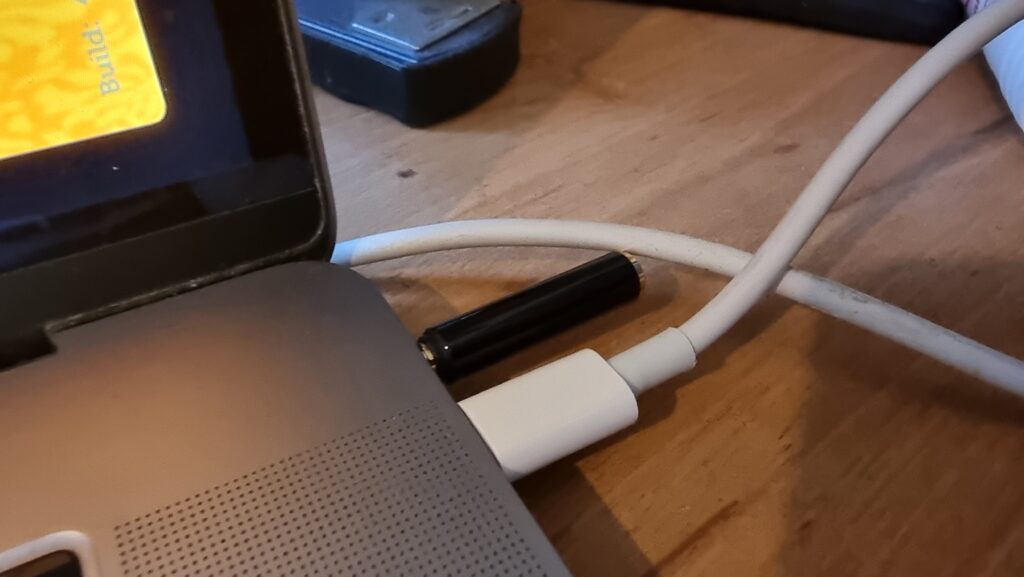
Plugging an adapter into the headphone port tricks the computer into thinking some headphones are plugged in without actually needing the headphones quietly buzzing away on your desk.
Connect some headphones to the computer that’s running the game (or set up a virtual audio output device if you’re feeling more technical). This means you can still have the game
play sounds and transmit them over Zoom, but you’ll only hear the sounds that come through the screen share, not the sounds that come through the second computer too.
That’s helpful, because (a) it means you don’t get feedback or have to put up with an echo at your end, and (b) it means you’ll be hearing the game exactly the same as your guests hear
it, allowing you to easily tweak the volume to a level that allows for conversation over it.
3. Optimise the game settings
Jackbox games were designed first and foremost for sofa gaming, and playing with friends over the Internet benefits from a couple of changes to the default settings.
Sometimes the settings can be found in the main menu of a party pack, and sometimes they’re buried in the game itself, so do your research and know your way around before your party
starts.
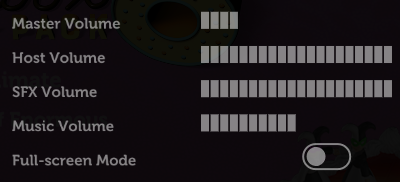
Turn the volume down, especially the volume of the music, so you can have a conversation over the game. I’d also recommend disabling Full-screen Mode: this reduces the resolution of the
game, meaning there’s less data for your video-conferencing software to stream, and makes it easier to set up screen sharing without switching back and forth between your applications
(see below).
Turning on the Motion Sensitivity or Reduce Background Animations option if your game has it means there’ll be less movement in the background of the game. This can really help with the
video compression used in videoconferencing software, meaning players on lower-speed connections are less-likely to experience lag or “blockiness” in busy scenes.
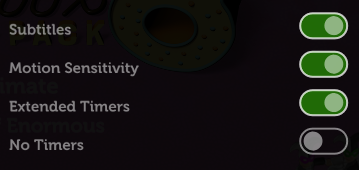
It’s worth considering turning Subtitles on so that guests can work out what word they missed (which for the trivia games can be a big deal). Depending on your group, Extended Timers is
worth considering too: the lag introduced by videoconferencing can frustrate players who submit answers at the last second only to discover that – after transmission delays – they
missed the window! Extended Timers don’t solve that, but they do mean that such players are less-likely to end up waiting to the last second in the first place.
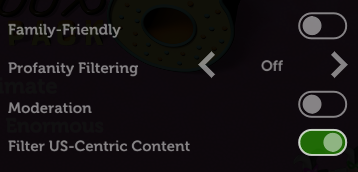
Finally: unless the vast majority or all of your guests are in the USA, you might like to flip the Filter US-Centric Content
switch so that you don’t get a bunch of people scratching their heads over a cultural reference that they just don’t get.
By the way, you can use your cursor keys and enter to operate Jackbox games menus, which is usually easier than fiddling with a mouse.
4. Optimise Zoom’s settings
A few quick tweaks to your settings can make all the difference to how great the game looks.
Whatever videoconferencing platform you’re using, the settings for screen sharing are usually broadly similar. I suggest:
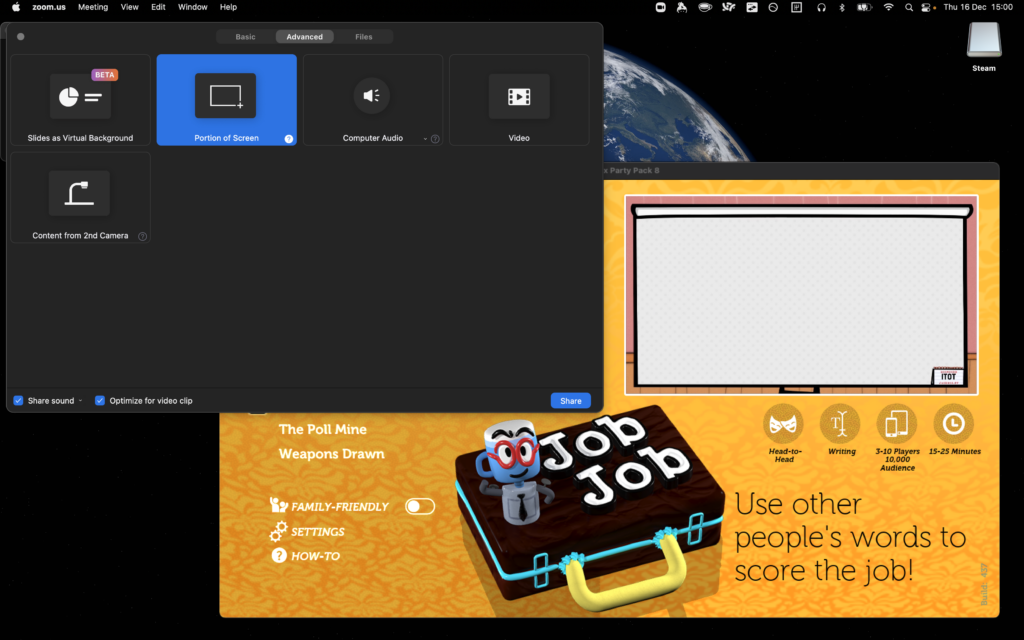
Make sure you’ve ticked “Share sound” or a similar setting that broadcasts the game’s audio: in some games, this is crucial; in others, it’s nice-to-have. Use your other computer to
test how it sounds and tweak the volume accordingly.
Check “Optimize for video clip”; this hints to your videoconferencing software that all parts of the content could be moving at once so it can use the same kind of codec it would
for sending video of your face. The alternative assumes that most of the screen will stay static (because it’s the desktop, the background of your slides, or whatever), which works
better with a different kind of codec.
Use “Portion of Screen” sharing rather than selecting the application. This ensures that you can select just the parts of the application that have content in, and not “black bars”,
window chrome and the like, which looks more-professional as well as sending less data over the connection.
If your platform allows it, consider making the mouse cursor invisible in the shared content: this means that you won’t end up with an annoying cursor sitting in the middle of the
screen and getting in the way of text, and makes menu operation look slicker if you end up using the mouse instead of the keyboard for some reason.
Don’t forget to shut down any software that might “pop up” notifications: chat applications, your email client, etc.: the last thing you want is somebody to send you a naughty picture
over WhatsApp and the desktop client to show it to everybody else in your party!
Looking for something with an “escape room” vibe for our date night this week, Ruth and I tried Tick Tock: A Tale for Two, a multiplayer simultaneous cooperative play game for two people, produced by Other Tales Interactive. It was amazing and I’d highly recommend it.
If you enjoyed the puzzles of Myst but you only want to spend about an hour, not the rest of your life, solving then, this
might be the game for you.
The game’s available on a variety of platforms: Windows, Mac, Android, iOS, and Nintendo Switch. We opted for the Android version because, thanks to Google Play Family Library, this meant we only had to buy one
copy (you need it installed on both devices you’re playing it on, although both devices don’t have to be of the same type: you could use an iPhone and a Nintendo Switch for
example).
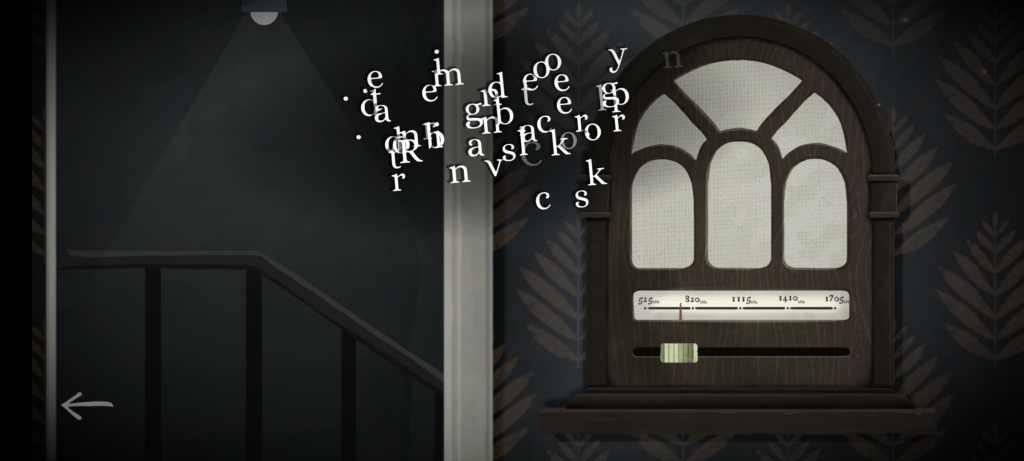
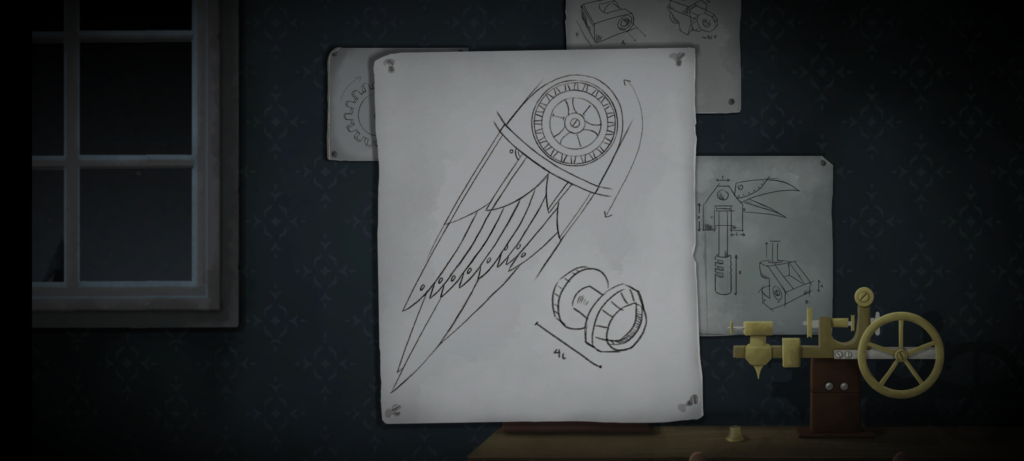
I can’t read that text. But if I could, it still wouldn’t make much sense without my partner’s input.
The really clever bit from a technical perspective is that the two devices don’t communicate with one another. You could put your devices in flight mode and this game would
still work just fine! Instead, the gameplay functions by, at any given time, giving you either (a) a puzzle for which the other person’s device will provide the solution, or (b) a
puzzle that you both share, but for which each device only gives you half of the clues you need. By working as a team and communicating effectively (think Keep Talking and Nobody Explodes but without the time pressure), you and your partner will solve the puzzles and progress the plot.
(We’re purists for this kind of puzzle game so we didn’t look at one another’s screens, but I can see how it’d be tempting to “cheat” in this way, especially given that even the guys in
the trailer do so!)
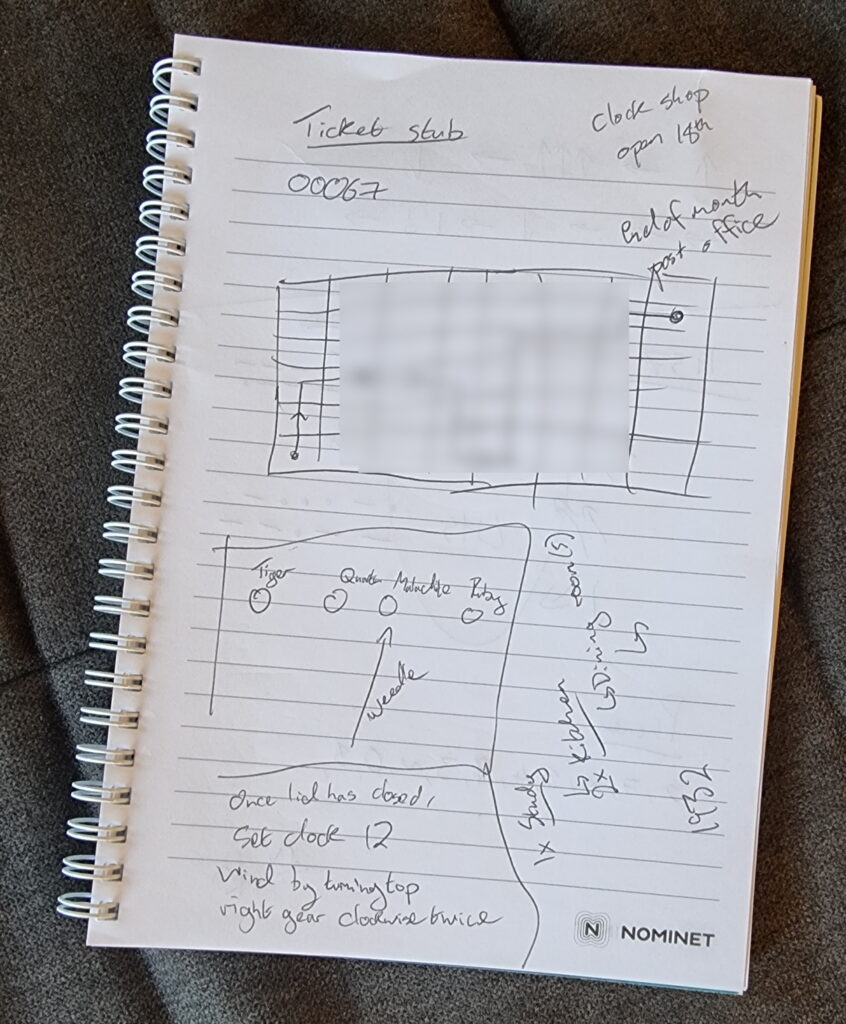
You could probably play successfully without keeping notes, but we opted to grab a pad and pen at one point.
The puzzles start easy enough, to the extent that we were worried that the entire experience might not be challenging for us. But the second of the three acts proved us wrong and we had
to step up our communication and coordination, and the final act had one puzzle that had us scratching our heads for some time! Quite an enjoyable difficulty curve, but still balanced
to make sure that we got to a solution, together, in the end. That’s a hard thing to achieve in a game, and deserves praise.
The art style and user interface is simple and intuitive, leaving you to focus on the puzzles.
The plot is a little abstract at times and it’s hard to work out exactly what role we, the protagonists, play until right at the end. That’s a bit of a shame, but not in itself a reason
to reject this wonderful gem of a game. We spent 72 minutes playing it, although that includes a break in the middle to eat a delivery curry.
If you’re looking for something a bit different for a quiet night in with somebody special, it’s well worth a look.