
A Selfhosted Static Site Editor

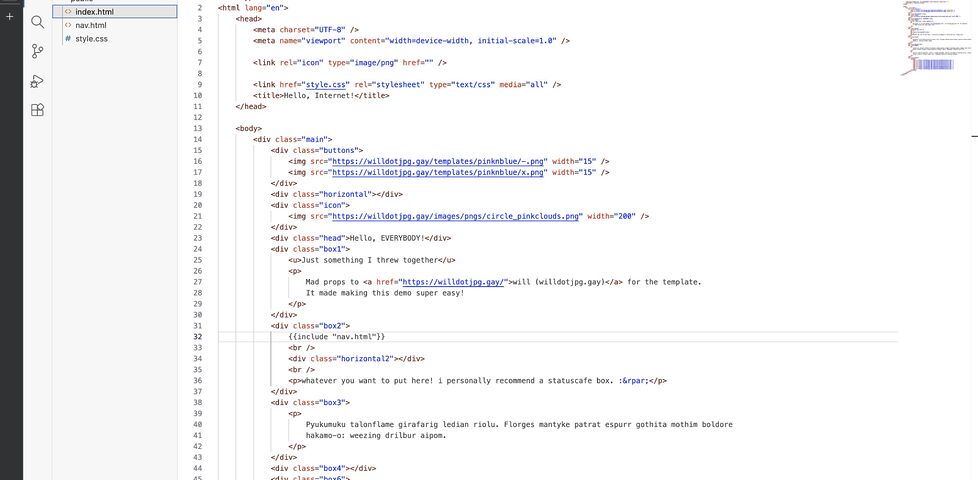
My 12-year-old was interested in learning some HTML and CSS and making her own website. If she were anybody else I’d point her at something like Nekoweb as a starter host because their web-based (VSCode-based) “Nekode” text editor makes writing your first static site simple.

But I’ve got a NAS sitting at home on a fibre connection, so I figured: I might as well just host something similar here.

Here’s how I did it:

1. DNS

I pointed her domain at my static IP, plus a subdomain for the “backend” interface. Suppose her site would be at example.net (and www.example.net) with the admin interface at admin.example.net: my DNS configuration might look like this:

@     10800 IN     A 172.66.147.243
www   10800 IN CNAME example.net.
admin 10800 IN CNAME example.net.

2. Caddy

I’ve got a Caddy webserver acting as a static server and a reverse proxy already, so I just added a new static site with a configuration like this:

example.net, www.example.net {
  root /volumes/example.net/public
  encode gzip
  templates
  file_server
}
The templates directive means that, if/when she wants to, she could use Caddy’s built-in SSI-like features. Or if she decides someday she’d prefer a static site generator then I can sort her out with shell access or something.

It probably wouldn’t be much harder to set up something like this from scratch on e.g. a Raspberry Pi: Caddy’s fast and easy to get set up.

3. Editor

I used the OpenVSCode Server Docker image to provide a browser-based VSCode interface in which she could edit HTML, CSS and JavaScript and drag-drop files from her local machine. I’m using Unraid on my NAS so I didn’t have to think much about running a new Docker container, but I guess that if I did then I’d have typed something like:

docker run -d \
  # 7890 is the port on my NAS that I'll proxy Caddy to:
  -p 7890:3000
  # /mnt/user/example.net is the path on my NAS;
  # /example.net is where it'll appear within VSCode:
  -v "/mnt/user/example.net:/example.net" \
  # this tells OpenVSCode-Server to mount the directory to begin with:
  -e OPENVSCODE_SERVER_ROOT=/example.net \
  gitpod/openvscode-server

Now all I needed to do was point Caddy at it. For the time being I simply restricted access to only “computers on my local LAN”, but it’d be easy enough to add authentication using basic auth and/or client certificates if she wanted to be able to work on her site from elsewhere:

admin.example.net {
  # Restrict access to 192.168.* LAN:
  @allowed {
    remote_ip 192.168.0.0/16
  }
  # Proxy permitted folks to the container:
  handle @allowed {
    reverse_proxy http://nas:7890
  }
  # Block everybody else:
  handle {
    abort
  }
}

That’s literally all it took to put together a web-based editing environment that publishes directly to a static website. And because it’s on my own infrastructure, it’d be trivially easy to modify it in the future if she decided to go in a different direction, e.g. a PHP site, or continuous deployment from a repo, or static site generation from a shell.

That’s all!

Here’s a test site I threw together using exactly this stack, demonstrating the entirely browser-based editing workflow (not shown is drag-and-drop to upload, but I promise that works too!):

Roman Bingo

If the Romans played bingo, do you think the callers would have used ‘bingo lingo’?

  • Legs two
  • Growing up the wall, four
  • Seagull in flight, five
  • Long-nosed dead man, nineteen
  • Pornography, thirty
  • Use your tongue, fifty-nine
  • Smiling in a blindfold, a hundred and one
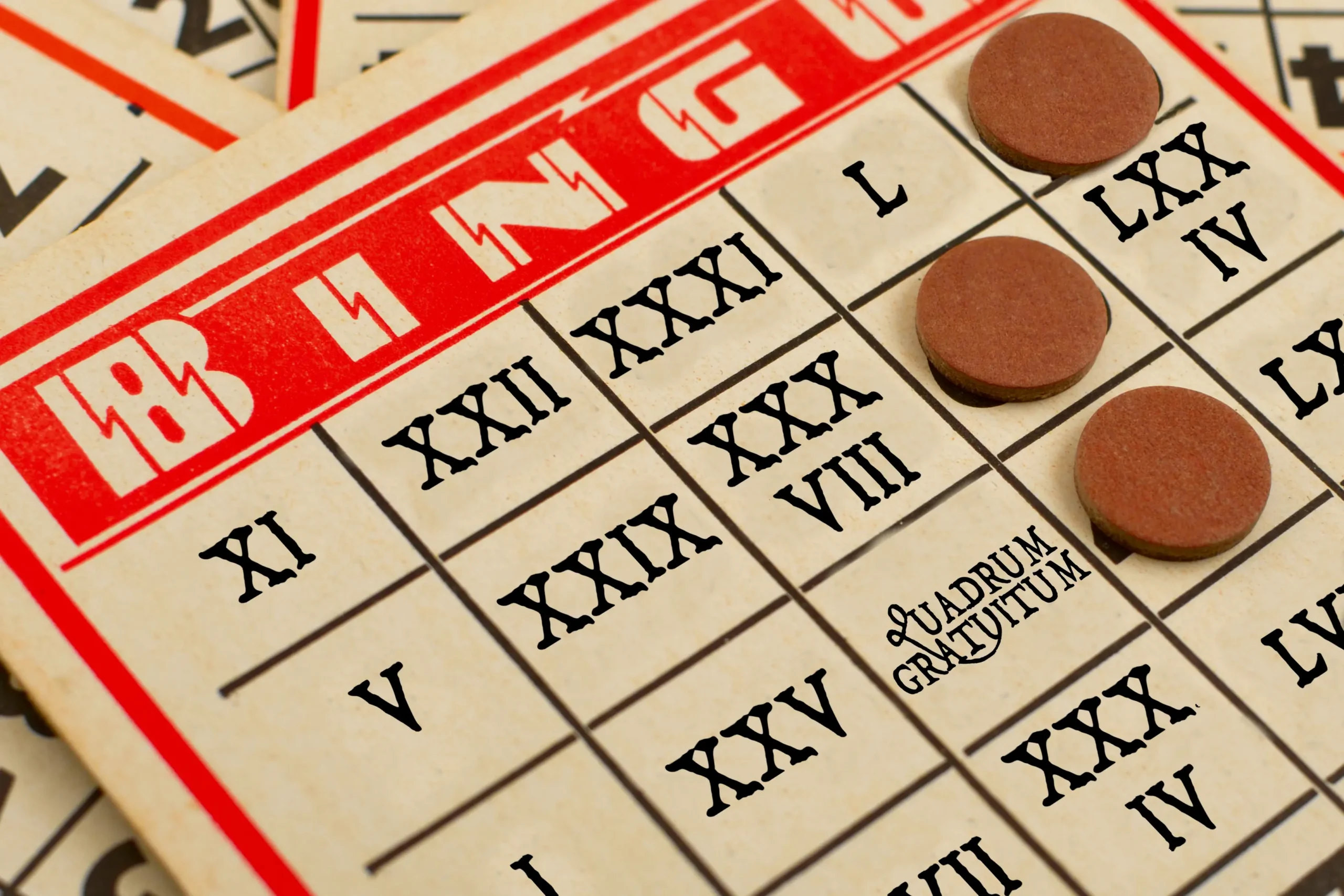
An American-style bingo card with Roman numerals in place of the numbers and 'quadrum gratuitum' in place of the free space. Based on an original photo by Oeil De Vautour / Edwin Torres, used under a Creative Commons Attribution 2.0 Generic license.

×

Wikipedia @ 25: Jim Marshall

Today‘s random Wikipedia article was Jim Marshall (photographer). I enjoyed reading about him and even looked up some of the many photographs that he took of musicians in the 60s and 70s, but decided that because I was literally just writing about a photographer that I learned-about on Wikipedia, it probably wasn’t the time to write about another!

But here’s a fact for you: Jim Marshall was the official photographer for the Beatles‘ final concert in San Francisco’s Candlestick Park, and he was head photographer at Woodstock. There we go; that’s my Wikipedia article of the day!