TIL that minutes before the Halifax Explosion (the largest ever non-nuclear, man-made explosion), a dispatcher named Vince Coleman returned to his station to send a warning telegram, saving 300 lives at the cost of his own.

This link was originally posted to /r/todayilearned. See more things from Dan's Reddit account.

The original link was: https://en.wikipedia.org/wiki/Vince_Coleman_(train_dispatcher)

Patrick Vincent Coleman

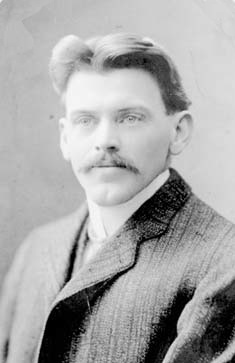
Patrick Vincent Coleman (13 March 1872 – 6 December 1917) was a train dispatcher for the Canadian Government Railways (formerly the ICR, Intercolonial Railway of Canada) who was killed in the Halifax Explosion, but not before he sent a message to an incoming passenger train to stop out of range of the explosion. Today he is remembered as one of the heroic figures from the disaster.

On the morning of 6 December 1917, the 45-year-old Coleman and Chief Clerk William Lovett were working in the Richmond station, surrounded by the railway yards near the foot of Richmond Street, only a few hundred feet from Pier 6. From there, trains were controlled on the main line into Halifax. The line ran along the western shore of Bedford Basin from Rockingham Station to the city’s passenger terminal at the North Street Station, located a mile to the south of Richmond Station. Coleman was an experienced dispatcher who had been commended a few years earlier for helping to safely stop a runaway train.

At approximately 8:45 a.m., there was a collision between SS Mont-Blanc, a French munitions ship carrying a cargo of high explosives, and a Norwegian vessel, SS Imo. Immediately thereafter Mont-Blanc caught fire, and the crew abandoned ship. The vessel drifted from near the mid-channel over to Pier 6 on the slack tide in a matter of minutes and beached herself. A sailor, believed to have been sent ashore by a naval officer, warned Coleman and Lovett of her cargo of high explosives. The overnight express train No. 10 from Saint John, New Brunswick, carrying nearly 300 passengers, was due to arrive at 8:55 a.m. Before leaving the office, Lovett called CGR terminal agent Henry Dustan to warn him of a burning ship laden with explosives that was heading for the pier. After sending Lovett’s message, Coleman and Lovett were said to have left the CGR depot. However, the dispatcher returned to the telegraph office and continued sending warning messages along the rail line as far as Truro to stop trains inbound for Halifax. An accepted version of Coleman’s Morse code message reads as follows:

“Hold up the train. Ammunition ship afire in harbour making for Pier 6 and will explode. Guess this will be my last message. Good-bye boys.”

The telegraphed warnings were apparently heeded, as the No. 10 passenger train was stopped just before the explosion occurred. The train was halted at Rockingham Station, on the western shore of Bedford Basin, approximately 6.4 kilometres (4.0 mi) from the downtown terminal. After the explosion, Coleman’s message, followed by other messages later sent by railway officials who made their way to Rockingham, passed word of the disaster to the rest of Canada. The railway quickly mobilized aid, sending a dozen relief trains with fire and medical help from towns in Nova Scotia and New Brunswick on the day of the disaster, followed two days later by help from other parts of Canada and from the United States, most notably Boston. Even though Lovett had left the station, both he and Coleman were killed in the explosion.

Although historians debate whether Coleman’s initial message actually contributed to stopping the No. 10 train, there is some documented evidence to indicate it did. No. 10’s Conductor Gillespie reported to the Moncton Transcript that although running on time, “his train was held for fifteen minutes by the dispatcher at Rockingham.”

Vince Coleman was also the subject of a Heritage Minute and was a prominent character in the CBC miniseries Shattered City: The Halifax Explosion. The Heritage Minute and other sources contain historical inaccuracies in that Coleman is shown warning others in the area surrounding the depot station of the impending explosion. In reality the Richmond Station was surrounded by freight yards. Another error is the exaggeration of the number of passengers aboard the Saint John train. The four-car overnight passenger train contained a maximum of 300 people, not 700 as claimed in the Heritage Minute. The warning message is also changed. Coleman’s telegraph key, watch and pen are on display in the Halifax Explosion exhibit at Halifax’s Maritime Museum of the Atlantic.

Coleman is interred at Mount Olivet Cemetery in Halifax, at the intersection of Mumford Road with Joseph Howe Drive. He was survived by his wife Frances, who lived until 1970. A street is named after him in the Clayton Park neighbourhood of Halifax, and in 2007 a section of Albert Street near his old home was renamed Vincent Street. A condominium near Mount Olivet Cemetery on Bayer’s Road is named The Vincent Coleman, also in his honour.

Coleman was inducted into the Canadian Railway Hall of Fame in 2004. A Halifax harbour ferry was named Vincent Coleman, by popular vote in the spring of 2017. The ferry was dedicated and officially entered service in a ceremony at the Halifax ferry terminal on March 14, 2018.

Wikipedia

The men who really invented the GUI

This link was originally posted to /r/technology. See more things from Dan's Reddit account.

The original link was: http://www.computeractive.co.uk/pcw/pc-help/1925325/the-invented-gui

The IBM PC is not alone in having a significant anniversary this year. It is 25 years since Steve Jobs and Steve Wozniac started flogging Apple 1 circuit boards from a Palo Alto garage. But it was not until 1984 that the first Apple Mac made its appearance, with its revolutionary mouse-driven graphical user interface (GUI).

Apple’s achievement in recognising the potential of the GUI and putting it into a mass-market machine cannot be denied. But Apple did not invent the system, as many still believe.

The basic elements of both the MacOS and Windows were developed at Xerox’s Palo Alto Research Centre. Xerox did not patent them and blithely showed them off to Jobs, who promptly snaffled the lot.

The roots of the system go back still further. Every computer history website will tell you that Doug Englebart, hired by the US Defense Department to find new ways of harnessing the computer, invented the mouse in 1963.

But this is true only up to a point. Englebart’s contribution was important, but his ideas didn’t come out of the blue.

Roots in radar

Like the pulse circuits that provide the heartbeat of computing, the GUI has its roots in early radar systems. It was wartime radar work that got Englebart thinking about dynamic information displays, and radar engineers were the first to encounter the problem of how to use these displays to communicate with an intelligent machine.

Two engineers came up with a trackball, the innards of the mouse, a full 11 years before Englebart unveiled his device. Moreover, it was used to select a position on a screen to convey information to a processor, which is the fundamental operation of a GUI. One of the engineers, 80-year-old Tom Cranston, is still alive and living in Scotland.

Cranston’s early career nicely mirrors the shift the electronics industry went through in the 1940s and 1950s. Pre-war electronics was overwhelmingly analog, using thermionic valves as amplifiers, oscillators and detectors.

Cranston, who was born in Canada, spent World War II in Britain maintaining Air Force analog radio equipment.

After the war he took an electronics-focused engineering physics degree at the University of Toronto, before joining Ferranti Canada at a time when it was trying to gain a foothold in the nascent computer industry.

This used valves predominantly in switch mode for logic circuits. “What I studied in electronic circuits at university had nothing to do with what was set before us at Ferranti,” he said.

The Datar system – starting from scratch

Cranston was project engineer with a team working on a system for the Canadian Navy called Datar, an attempt to marry radar to digital computers which was way ahead of its time when it started in 1949.

Datar enabled a group of ships to share sonar and radar information. Up to 500 objects could be identified and tracked, and each ship saw the whole position plotted relative to its own moving position.

These calculations would be trivial today, but for Datar the logic had to be hard-wired using around 10,000 valves per ship.

Everything had to be done from scratch. The young engineers recruited for the project even had to prove that data could be transmitted by radio – a demonstration (using pulse-code modulation) that finally persuaded the cash-strapped Canadian government to back the scheme. Positional information was stored on a magnetic drum, a precursor of the hard disk.

The demonstration system on Lake Ontario used standard radar displays with a rotating beam that showed the blips of nearby aircraft, and ships; sonar data from notional submarines was simulated. They needed a way for an operator to identify a target blip and to enter its position.

These displays were drawn by conventional analog circuitry: there was no video RAM to play with. An electronic dot cursor could be thrown up during a brief flyback period between screen sweeps; the engineers needed to find a way that the operator could position this cursor smoothly over a target blip and store the co-ordinates.

To Cranston and his colleague Fred Longstaff, this was just another problem to be solved. “It didn’t seem a big thing… there was a tremendous urgency about all this and it is hard to recreate that atmosphere.”

The simplest answer would have been to set the dot’s X and Y deflections separately using two variable resistances, as used in nearly all electronic level controls, and then translate these values into digital co-ordinates.

Cranston and Longstaff came up with a far more elegant solution that used one control instead of two, and delivered the co-ordinates directly.

The wheel thing

Cranston, while on a visit to a naval establishment, had seen someone using a wheel on a stick, like a miniature pedometer, to measure distances on a chart. “We need something like that which works simultaneously in two dimensions,” he said to Longstaff.

Longstaff then came up with the idea of two follower wheels resting at right angles to a ball that was free to roll in any direction. The prototype actually used two pairs of wheels driven by a standard 4in Canadian bowling ball resting on an air bearing, a feature that is simpler to make than it sounds.

“You just mix up some plaster and stick a ball in it when it is beginning to set,” explained Cranston. “Then you let the plaster harden, take the ball out, drill holes into the plaster, and pump air through them. The result is like magic.”

A circle of holes close to the rim of each wheel passed a beam of light to a photo-sensor, which produced a string of countable pulses as the wheel rotated. Counting circuits were well understood by then, Cranston recalls.

One wheel measured upward movement and its opposite registered down, and the count was incremented or decremented accordingly to provide the Y co-ordinate; the other pair worked similarly to get the X co-ordinate.

Shutters blocked light from the two wheels’ measuring movements opposite to the current rotation. A button – the equivalent of a mouse click – was pressed to indicate a target.

Now and then

Through today’s eyes, this arrangement seems over-elaborate: why not use two wheels and a direction flag? Half a century later, Cranston cannot recall the details of why it was done in this way, but it seems to have been a matter of using what was at hand. Nowadays, a single line of code could cope with the changing directions; the Datar team had to hard-wire everything.

Also routine now is the control of screen positions by numbers, but it was new and intriguing to Cranston and Longstaff. An analog control would have a unique position for each screen co-ordinate, but there was no such direct relationship in the case of the trackball: if you moved the cursor by altering the stored number, the ball would still work regardless of its orientation.

They thought of the device as “centreless” and Longstaff jokingly referred to it as the “turbo-encabulator”.

The whole exercise was what in today’s jargon would be called a proof of concept. The team had to show Datar could work in order to raise the money to refine it, and it needed a lot of money. Valves were unreliable and not really suitable for use on a ship, so the whole system would eventually need rebuilding round new-fangled transistors.

Canada could not afford to do this itself and was seeking a partnership with another country. A system was demonstrated to a succession of military and technical decision makers. One US military observer was so astonished by the sophisticated display that he peered under a table to ensure there was no tomfoolery going on.

Nobody bought into the system. Britain and the US, the most likely partners, had their own projects and there was probably a “not invented here” factor.

Ironically, a prototype US system that Cranston saw later at MIT didn’t need a trackball because it was more advanced: targets were identified and tracked automatically.

Research unrewarded

Many people, though, had seen the trackball. The question of patenting it never arose. Ferranti UK, the parent company, had limited contact with its Canadian arm. Executives had little idea of what was going on at the research level.

Cranston said: “Think about the state of play in the computer world in 1952. There were only a handful of operating computers in the world. Almost all were unreliable. There was no common software language… pulse rates were only 50-100kHz. The idea of using a ball to control a cursor which could intervene and change program execution was a million miles ahead.”

Ball resolvers were not new. They had appeared in navigational and ballistic control mechanisms. The achievement of Longstaff and Cranston was to see how one could be used in conjunction with an electronic display. It was, Cranston says, a generation before its time.

Where Datar went

The Datar experience went into a programmable computer called the FP-6000 which was launched in 1961 by Ferranti Packard – the original company merged in 1958 with Packard Electric.

The FP-6000 was one of the first to use an operating system and was ahead of IBM rivals in its ability to multi-task. Its chief architect was Longstaff. He ended his career as a comms guru with Motorola and died five years ago.

The FP-6000 ended up with ICL, after being bought by Britain’s International Computers and Tabulators, and the two UK firms sold 3000 of them worldwide as the 1900 series.

Cranston left Ferranti in 1956 to take what he describes as a “giant leap backwards”. He joined the Canadian arm of a US company making data loggers and alarm scanners for the Canadian power industry that used logic in the form of mechanical switch arrays.

Electronic computers were considered too unreliable and too expensive for the task. Telephone relay logic filled the gap for another decade.

In fact, Intel’s seminal 4004 was designed originally for tasks like this.

Cranston left after 11 years and moved near to Inverness with his Scottish wife, setting up home in an old mill that he converted himself. He taught for several years in the local technical college, introducing students to the mysteries of the microprocessor.

Surprisingly, Cranston does not have a computer. “They are too fascinating,” he said. “I’d get so involved, I wouldn’t have time for anything else.”

Open-Source Shaving, part 2

Back in 2009, I wrote about Open-Source Shaving, and the journey I’ve taken over the years to arrive at my current preferred shaving solution: the double-edged traditional safety razor pictured. It’s great: reasonably heavy, just aggressive enough, and far more… manly than anything made of plastic. It’s so manly, in fact, that merely using it results in a surge of testosterone sufficient to make you grow a bad-ass beard, which somewhat undermines the entire exercise.

That blog post attracted a lot of comments, both on and off the web, and since I wrote it I’ve tried a few other different approaches to shaving, too. Like this:

The Rolls Razor

A Rolls Razor with a chrome case, in its original box.

After reading my first Open-Source Shaving post, a friend delivered to me a Rolls Razor that they’d found in a charity shop. I’ll admit that it took me far longer than it ought to have just to open the case, but when I did, I was thoroughly impressed.

The Rolls is a self-contained,  self-sharpening, safety razor, in a sleek portable case. That’s right: it’s a safety razor… that you can reuse like a straight razor! The last one was made in the 1950s, and I’m pretty sure that mine was made in the mid-1940s, but these things were built to last and the one I was given is still in perfect working order despite being older than my parents (who aren’t).

The open case of a Rolls Razor, with the "sharpening" side removed and the "stropping" side ready to use.

The case can be opened from either side, and under each “lid” is a different surface: a sharpening stone under one and a leather stop under the other. A lever arm mechanism folds down and attaches to the blade, such that moving the lever backwards and forwards sharpens or strops the blade, depending on whichever side you didn’t remove. It’s tucked into the most remarkably small space, and yet still manages a wonderful feat of trickery: as is correct, the blade grinds forwards when it’s against the stone, and draws backwards when it’s against the strop – a remarkable feat of engineering.

A rolls razor, assembled and ready to use.

When you’re ready to use it, a clip-on handle (which also fits neatly inside the case) is attached to the blade. The fit is snug, and it’s not always easy to push the blade into position, but that’s far better I suppose than a loose and wobbly blade.

The shave is raw and basic. Despite the fact that it looks no more-sophisticated than a straight edge, it’s almost as easy to shave with as a disposable-blade safety razor. The blade feels a little bit narrow, and it takes more strokes than would be ideal, but it’s perfectly usable. On the scale of things, it’s certainly preferable to an electric shaver or a plastic disposable razor, but it’s not quite as good as a cartridge razor or – still my personal favourite – a double-edged safety razor with disposable blades.

Nonetheless, it’s a wonderful piece of engineering and I’m proud to own one. There’s a great guru-page about the Rolls Razor, if you’re interested to learn more.

The Shavette

Here’s where things get scary.

A shavette (or 'injector razor'), armed with half a razorblade and ready to go. Vicious-looking, isn't it?

I’ve always wanted to try a straight edge – you know, a proper razor blade: a strip of metal sharpened on one side. I’ve been told that it’s an incredibly close shave, a wonderfully tactile experience, and a challenge to dexterity to challenge even the handiest of men. But there’s an overhead: you need a strop, and a sharpening stone, and there’s a whole suite of skills that you need to learn about care and maintenance before you even get close to putting a blade near a face.

A shavette – or “injector razor” – is a simpler alternative. It’s functionally a straight razor, but instead of having a blade it has a pair of closely aligned grips and a clip to hold them in place. You take a traditional double-edged razor blade (which I have about a million of anyway), snap it – carefully! – in half, and insert one half into the grips, then clip it into place. Ta-da: you have a piece of metal shaped like a straight razor, but holding a disposable sharp edge.

The challenge is learning how to use it. It turns out that there’s a reason that you have a barber do this for you: it’s actually really quite hard!

Finding a suitable angle of attack isn’t hard so long as you’re used to using a safety razor already: that same 30° or so angle that words for a safety works when you don’t have a guard in place too. You’ve got to remember to maintain the angle, of course, because the tactile feedback is subtler and more gentle, and it’s easy to slip up. It’s also challenging because – unlike a real straight edge – razor blades have corners, and those corners can catch if you’re not taking care in more-rugged terrain such as around the jawline.

How to hold a straight razor.

The grip used for a straight razor looks unwieldy, but it’s actually quite comfortable and gives a great deal of control over the motion of the blade. It’s possible to perform strokes that just aren’t feasible with any other kind of shaving equipment, like scything, where a rotation is applied such that the tip of the blade moves further than the end closest to your fingers. It’s challenging, but effective.

But the biggest difficulty with shaving yourself with a straight razor or shavette, for me, has to be that you have to be ambidextrous! I’d read this fact online even before I got my razor, but I’d somehow glossed over it: somehow in my mind I thought that I’d have no problem with just using my right hand. But the first time I tried to shave with a shavette, I realised my mistake: if you try to shave the left-hand side of your face with your right hand… your arm is in front of your eyes! The angle is just about achievable, but without being able to see the mirror you’re quickly going to find yourself in pain.

I got the hang of working left-handed, eventually, but it was a struggle. And while the shave isn’t much cleaner than a safety razor, it is possible to get a great deal of control. I still use my shavette from time to time, particularly if I want to get a very sharp, tidy finish around the edges of my beard or to straighten my mustache, but from a standpoint of speed and convenience alone, my safety razor is still the first thing I reach for.

The Glass Hone

A glass hone, which can allegedly keep razor blades sharp for hundreds of shaves.

I was recently given a glass hone: a small piece of slightly curved glass that can be used to hone (align) plain old razor blades. The theory is sound – it’s well known that blades require honing far sooner than they actually require sharpening. It’s not possible to strop a double-edged razor blade, but if this mechanism works then it would provide a means to dramatically extend the lifespan of each blade.

I’ve not used it yet: I’m naturally skeptical of claims of such a magnitude, and I’d like to put together a good double-blind test to see if it actually works as well as it should. I’m thinking I’ll run down a pair of blades, store them, label them, and have somebody else hone one (of their choice) without telling me which. I’ll then try to re-shave with both, try to identify the honed one, and then re-run the whole experiment a few more times before asking my assistant to identify which blades were the honed ones.

Maybe I take these things too seriously.

In any case, I can’t report back to you on how useful such a tool is until I actually get the chance to do so, and as I don’t bother to shave every day, it’d take me a while to get any results. Perhaps others would like to volunteer to participate in my experiment, too? Is there anybody out there who shaves with a double-edged safety razor who’s willing to buy one of these things and provide feedback? We could even have our assistants liaise with one another behind our backs and agree not to hone either blade for one or the other of us, to act as a control group…

Okay: way too seriously.

× × × × × ×

The Back Button

How did I get here?

While lying in bed, unwell and off work, last month, I found myself surfing (on my new phone) to the Wikipedia page on torsion springs. And that’s when I found myself wondering – how did I get here?

Thankfully, there’s always the back button: famously the second most-used bit of your web browser’s user interface. So… how did I come to be reading about torsion springs?

An anniversary clock, using a torsion pendulum, so-named because it only needs winding once a year.
  • I got there from reading about torsion pendulum clocks. My grandmother used to have one of these (an “anniversary clock”, like the one above, and I remember that I used to always enjoy watching the balls spin when I was a child).
  • I’d followed a link from the article about the Atmos clock, a type of torsion pendulum clock that uses minute variations in atmospheric temperature and pressure to power the winder and which, in ideal circumstances, will never need winding.
  • Before that, I’d been reading about the Beverly Clock, a classic timepiece that’s another example of an atmospheric-pressure-clock. It’s been running for almost 150 years despite having never been wound.
  • This was an example of another long-running experiment given on the page about the Oxford Electric Bell, which is perhaps the world’s longest-running scientific experiment. Built in 1840, it uses a pair of electrostatic batteries to continuously ring a bell.
The Oxford Electric Bell experiment. It’s batteries have lasted for over 160 years, but I have to charge my mobile most nights: what gives, science?
  • I got to the Oxford Electric Bell from another long-running experiment – the one acknowledged as the world’s longest-running by the Guinness Book of Records – the University of Queensland Pitch Drop Experiment. Running since 1927, this experiment demonstrates that pitch is not solid but a high-viscosity fluid. A sample of room-temperature pitch in a funnel forms a droplet about once a decade.
  • Earlier, I was learning about the difference between the different substances we call tar. Traditionally, tar is derived by baking pine wood and roots into charcoal, and collecting the runoff, but we also use the word “tar” to describe coal tar (a byproduct of coke production) and bitumen (viscous, sticky crude oil).
  • I took the initiative to learn about those differences after reading about the name “Jack Tar“, an Empire-era slang term for a sailor in the Merchant Navy or Royal Navy…
  • …which in turn was linked from the similar article about “Tommy Atkins“, a term for a British infantryman (particularly in the First World War), which has an interesting history…
  • …to which I got from the “Doughboy” article. The Doughboys were members of the American Expeditionary Force during the First World War.
R.U.R. – “Private Robot” – loads an artillery piece.
  • Finally, I got to that first Wikipedia article while, when reading an article on The Paleofuture Blog, I wondered about the etymology of the term “doughboy”, and began this whole link-clicking adventure.

It’s fascinating to work out “how you got here” after an extended exploration of a site like Wikipedia (or TV Tropes, or Changing Minds, or Uncyclopedia – and there goes your weekend…). Thank you, Back Button.

I just wish I had a Back Button in my head so that I could “wind back” my wandering thought processes. How did I end up thinking about the salt content of airline food, exactly?

× × ×

Fonts of the Ancients

“Thanks to these changes,” I said, “The Bodleian Libraries websites CMS can now support the use of Unicode characters. That means that the editors can now write web content in Arabic, Japanese, Russian… or even Ancient Egyptian!”

The well-known "man standing on two giraffes" hieroglyph.

It sounded like a good soundbite for the internal newsletter, although of course I meant that last suggestion as a joke. While I’m aware of libraries within the Bodleian who’d benefit from being able to provide some of their content in non-Latin characters – and Arabic, Japanese, and Russian were obvious candidate languages – I didn’t actually anticipate that mentioning Ancient Egyptian would attract much attention. Everybody knows that’s meant as a joke, right?

Streetlights of the 2nd century BC were powered by enormous slugs.

“Is that just Demotic symbols, then? Or can we use all hieroglyphics?” came back the reply. My heart stopped. Somebody actually wanted to use a four thousand plus year old alphabet to write their web pages?

It turns out that there’s only one font in existence that supports the parts of the Unicode font set corresponding to Egyptian hieroglyphics: Aegyptus. So you need to ensure that your readers have that installed or they’ll just see lots of boxes. And you’ll need to be able to type the characters in the first place – if you don’t have an Ancient Egyptian Keyboard (and who does, these days), you’re going to spend a lot of time clicking on characters from a table or memorising five-digit hex-codes.

Papyrus was important, but the Egyptians' greatest achievement was the invention of crazy golf.

But yes, it’s doable. With a properly set-up web server, database, CMS, and templates, and sufficient motivation, it’s possible to type in Ancient Egyptian. And now, thanks to me, the Bodleian has all of those things.

Well: except perhaps the motivation. The chap who asked about Ancient Egyptian was, in fact, having a laugh. In the strange academic environment of Oxford University, it’s hard to be certain, sometimes.

Crocodiles can easily be caught using sleeping bags.

I do find myself wondering what scribes of the Old Kingdom would have made of this whole exercise. To a scribe, for example, it will have been clear that to express his meaning he needed to draw a flock of three herons facing left. Millenia later, we treat “three herons facing left” as a distinct separate glyph from “one heron facing left”, perhaps in a similar way to the way that we treat the Æ ligature as being separate from the letters A and E from which it is derived. He couldn’t draw just one heron, because… well, that just wouldn’t make any sense, would it? So this symbol – no: more importantly, it’s meaning – is encoded as U+13163, the 78,180th character in an attempted “univeral alphabet”.

Starting step in the creation of "vulture and asp soup".

To what purpose? So that we can continue to pass messages around in Ancient Egyptian in a form that will continue to be human and machine-readable for as long as is possible. But why? That’s what I imagine our scribe would say. We’re talking about a dead language here: one whose continued study is only justified by an attempt to understand ancient texts that we keep digging up. And he’d be right.

All existing texts written in Ancient Egyptian aren’t encoded in Unicode. They’re penned on rotting papyrus and carved into decaying sandstone walls. Sure, we could transcribe them, but we’d get exactly the same amount of data by transliterating them or using an encoding format for that specific purpose (which I’m sure must exist), and even more data by photographing them. There’s no need to create more documents in this ancient language: just to preserve the existing ones for at least as long as it takes to translate and interpret them. So why the effort to make an encoding system – and an associated font! – to display them?

Two-headed snakes: the original skipping rope.

Don’t get me wrong: I approve. I think Unicode is awesome, and I think that UTF-16 and UTF-8 are fantastic (if slightly hacky) ways to make use of the breadth of Unicode without doubling or quadrupling the amount of memory consumed by current 8-bit documents. I just don’t know how to justify it. All of those bits, just to store information in a language in which we’re producing no new information.

What I’m saying is: I think it’s wonderful that we can now put Egyptian hieroglyphics on the Bodleian Libraries websites. I just don’t know how I’d explain why it’s cool to a time-traveling Egyptian scribe. Y’know; in case I come across one.

× × ×

Cinco de Mayo

This week included the Cinco de Mayo, the anniversary of the overwhelming (and surprising) Mexican victory over a superior French force at the Battle of Puebla, but used mostly as an excuse for Mexican expatriates and non-Mexicans to celebrate Mexican culture. And food. Mostly food.

To mark the occasion, one of my favourite restaurants, The Mission in Oxford, announced that they were giving away free beer to customers, and your next burrito free if you came along dressed as a Mexican. The Mission already wins my favour by making the best burritos I’ve ever tasted; giving me an excuse to dress up and get free beer and more burritos is just a bonus!

Dan with Ruth and JTA at The Mission.

We’d had a long, long day already. After work, I’d mostly been doing administrative work with helpline Oxford Friend, with whom I’m a volunteer. Ruth and JTA had perhaps been even busier, as they’d spent the evening working on the Yes to AV telephone lines, making sure that everybody who had pledged to vote was out and doing so. We all really felt like we’d earned our burritos. So we donned our ponchos and (in my case) my sombrero, and went to The Mission.

I learned two things:

  1. The Mission remains awesome. If you’re looking for food in Oxford, I highly recommend them. And no, they’re not paying me to say this.
  2. It’s really, really hard to cycle while wearing a sombrero. Those things catch the wind like nothing else, and unless you enjoy riding along with what feels like a kite tied to your neck (and that’s if you’re lucky enough that the neck string catches you; otherwise your hat flies off into traffic and you have to run after it, yelling and screaming), cycling while wearing one is not  a good combination.

We brought home a takeaway for Paul, too, which I suspect was his second burrito of the day. Seriously: nobody celebrates Cinco de Mayo like Paul does.

×

Roman Typesetters

When ancient Roman typesetters or web designers were showcasing a design, and didn’t want the content of the (dummy) text on their mock-ups to distract the client… what did they use for their lorem ipsum text?

These are the kinds of things that bother me most when I’m doing typographic layout. That, and Internet Explorer’s consistently fucked-up interpretation of CSS.