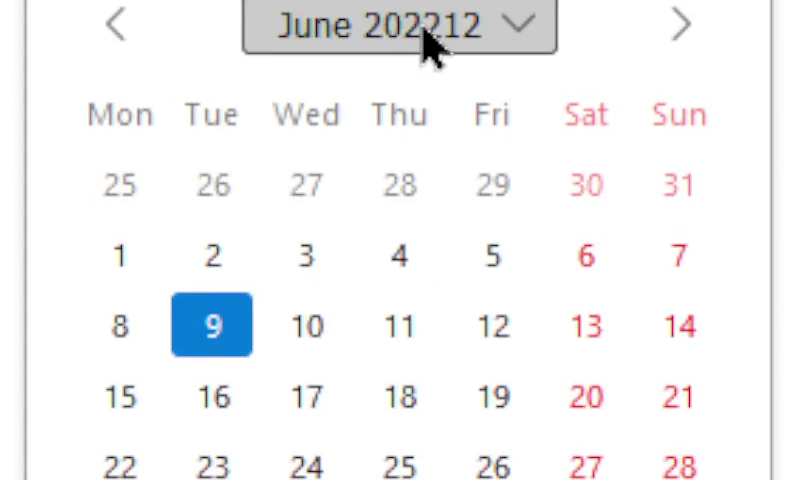
The field-sizing property is coming to Firefox 152, making it available across all major engines. It allows
you to control the sizing behavior of elements with a default preferred size, such as form elements.
…
Sometimes a new CSS feature comes along and I immediately “get it”. Like: that’s a cool new feature, I can already see how it’ll save me time, or make things simpler, or improve
accessibility, or allow me to do something new.
Other times, like this one, I initially shrug. What’s the point?, I think…
…and then later in the very same day find occasion to wish it was already mainstream. Hah!
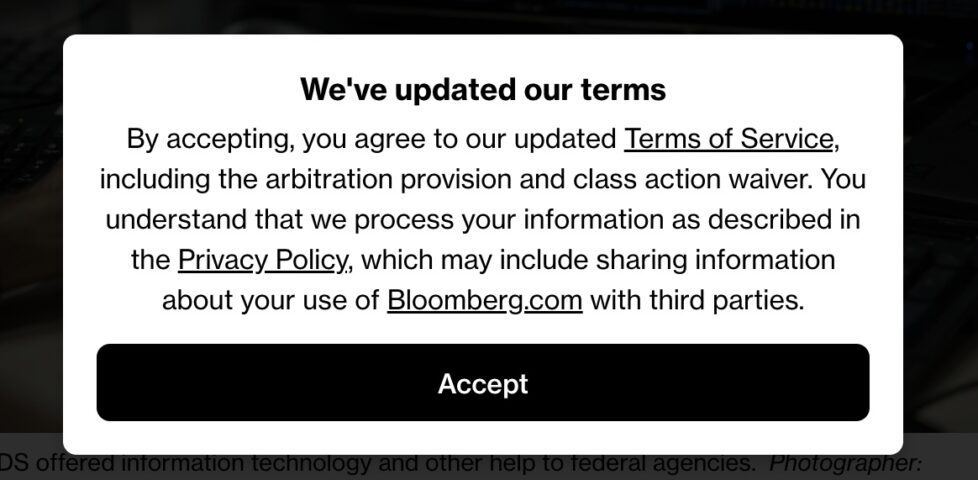
While perfectly legal, it is remarkable that to read a Bloomberg article, you must first agree to binding arbitration and waive your class action rights.
I don’t often see dialog boxes like this one. In fact, if I go to the URL of a Bloomberg.com article, I don’t see any popups: nothing about privacy, nothing about cookies,
nothing about terms of service, nothing about only being allowed to read a limited number of articles without signing up an account. I just… get… the article.
The reason for this is, most-likely, because my web browser is configured, among other things, to:
Block all third-party Javascript (thanks, uBlock Origin‘s “advanced mode”), except on domains where they’re explicitly allowed (and even then
with a few exceptions: thanks, Ghostery),
Delete all cookies 30 seconds after I navigate away from a domain, except for domains that are explicitly greylisted/allowlisted (thanks, Cookie-AutoDelete), and
But here’s the thing I’ve always wondered: if I don’t get to see a “do you accept our terms and conditions?” popup, is is still enforceable?
Obviously, one could argue that by using my browser in a non-standard configuration that explicitly results in the non-appearance of “consent” popups that I’m deliberately turning a
blind eye to the popups and accepting them by my continued use of their services1. Like: if I pour a McDonalds coffee on my lap having
deliberately worn blinkers that prevent me reading the warning that it’s hot, it’s not McDonalds’ fault that I chose to ignore their helpful legally-recommended printed warning on the cup, right?2
But I’d counter that if a site chooses to rely on Javascript hosted by a third party in order to ask for consent, but doesn’t rely on that same third-party in
order to provide the service upon which consent is predicated, then they’re setting themselves up to fail!
The very nature of the way the Internet works means that you simply can’t rely on the user successfully receiving content from a CDN. There are all kinds of reasons my browser might not
get the Javascript required to show the consent dialog, and many of them are completely outside of the visitor’s control: maybe there was a network fault, or CDN downtime, or my
browser’s JS engine was buggy, or I have a disability and the technologies I use to mitigate its impact on my Web browsing experience means that the dialog isn’t read out to me. In any
of these cases, a site visitor using an unmodified, vanilla, stock web browser might visit a Bloomberg article and read it without ever being asked to agree to their terms and
conditions.
Would that be enforceable? I hope you’ll agree that the answer is: no, obviously not!
It’s reasonably easy for a site to ensure that consent is obtained before providing services based on that consent. Simply do the processing server-side, ask for whatever
agreement you need, and only then provide services. Bloomberg, like many others, choose not to do this because… well, it’s probably a combination of developer laziness and
search engine optimisation. But my gut feeling says that if it came to court, any sensible judge would ask them to prove that the consent dialog was definitely viewed by
and clicked on by the user, and from the looks of things: that’s simply not something they’d be able to do!
tl;dr: if you want to fight with Bloomberg and don’t want to go through their arbitration, simply say you never saw or never agreed to their terms and conditions – they
can’t prove that you did, so they’re probably unenforceable (assuming you didn’t register for an account with them or anything, of course). This same recommendation applies to many,
many other websites.
Footnotes
1 I’m confident that if it came down to it, Bloomberg’s lawyers would argue
exactly this.
2 I see the plaintiff’s argument that the cups were flimsy and obviously her injuries were
tragic, of course. But man, the legal fallout and those “contents are hot” warnings remain funny to this day.
It all started when I saw no-ht.ml, Terence Eden‘s hilarious response to Salma
Alam-Naylor‘s excellent HTML is all you need to make a website. The latter is an
argument against both the silly amount of JavaScript with which websites routinely burden their users, but also even against depending on CSS. As a fan of CSS Naked Day and a firm
believer in using JS only for progressive enhancement, I’m obviously in favour.
Obviously no-ht.ml is to be taken as tongue-in-cheek, but as you’re about to see: it caught my interest and got me thinking: how could I go even further.
Terence’s site works by delivering a document with a
claimed MIME type of text/html, but which contains only the (invalid) “HTML” code
<!doctype UNICODE><meta charset="UTF-8"><plaintext> (to work around browsers’ wish to treat the page as HTML). This is followed by a block of UTF-8 plain text making use of spacing
and emoji to illustrate and decorate the content. It’s frankly very silly, and I love it.1
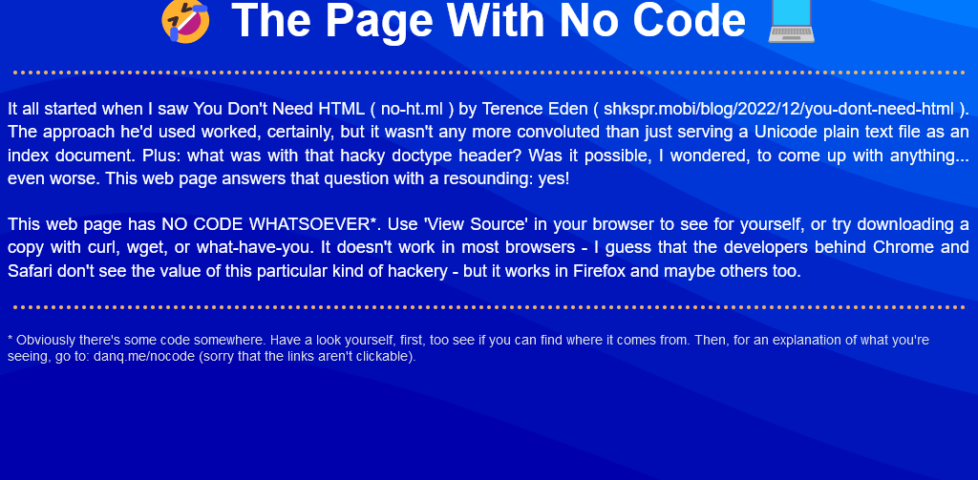
I think it’s possible to go one step further, though, and create a web page with no code whatsoever. That is, one that you can read as if it were a regular web page, but where
using View Source or e.g. downloading the page with curl will show you… nothing.
I present: The Page With No Code! (It’ll probably only work if you’re using Firefox, for reasons that will become apparent later.)
I’d encourage you to visit The Page With No Code, use View Source to confirm for yourself that it truly has no code, and see if you can work out for yourself how it manages
this feat… before coming back here for an explanation. Again: probably Firefox-only.
Once you’ve had a look for yourself and had a chance to form an opinion, here’s an explanation of the black magic that makes this atrocity possible:
The page is blank. It’s delivered with Content-Type: text/html. Your browser interprets a completely-blank page as faulty and corrects it to a functionally-blank
minimal HTML page: <html><head></head><body></body></html>.
<body> and <html> elements can be styled with CSS; this includes the ability to add
content:::before and ::after each
element. If only we could load a stylesheet then content injection is possible.
We use the fourth way to inject
CSS – a Link: HTTP header – to deliver a CSS payload (this, unfortunately, only works in Firefox). To further obfuscate what’s happening and remove the need for a round-trip, this is encoded
as a data: URI.
The stylesheet – and all the page content – is right there in the Link: header if you just care to decode it! Observe that while 5.84kB of
data are transferred, the browser rightly states that the page is zero bytes in size.
My server-side implementation of this broke in 2023 after I upgraded Nginx; my new version doesn’t support the super-long Link: header needed
to make this hack work, so I’ve updated the page to use the Link: to reference the CSS file rather than embed it via a data URI. It’s not as cool, but it at least means you can
still see the page. Thanks to Thomas Bradshaw for pointing out the problem.
Footnotes
1 My first reaction was “why not just deliver something with Content-Type:
text/plain; charset=utf-8 and dispense with the invalid code, but perhaps that’s just me overthinking the non-existent problem.
Enter the latest iteration of the Android version, Firefox Daylight, which came
out last week.
When you first run Firefox Daylight, you’re asked where you want the address bar, among other things.
First, the good: this latest version of Firefox for Android is fast. Blazingly fast. The privacy controls are clearer and easier to access. Having picture-in-picture mode
on mobile is a nice touch, as is the new generation of tracking prevention features.
But Firefox Daylight still makes me frown. And it’s a trio of smaller things that really niggle:
1. Top or bottom toolbar… but top is a second-class citizen.
In theory, I like the idea of having the address bar and its friends at the bottom of the screen where it’s more-accessible to your thumb. I’ve even tried it, independently. in years
past. But it’s too much of a mental leap for me nowadays, plus it doesn’t cleanly fit into the “scroll down and the address bar disappears” user experience that’s become commonplace.
Making bottom toolbar the default was perhaps a little radical, then, but at least Mozilla provided an option to put it back at the top. But… it’s not quite right:
Sure, I’ll move my thumb the entire height of the screen every time I want to open a new tab.
Even with the toolbar moved back to the top, some controls associated with it stay at the bottom. Want to open a new tab? You have to press the “tabs” button at the top of the
screen, then the “plus” button at the bottom of the screen, then – probably – the address bar back at the top of the screen again! You’ve just covered two complete
lengths of the screen to do something that used to require none. Not a satisfactory experience.
The old interface put the oft-used “add tab” button in the toolbar in the same place as the “tabs” button you just pressed. Much better.
2. Tab previews were more space-efficient before
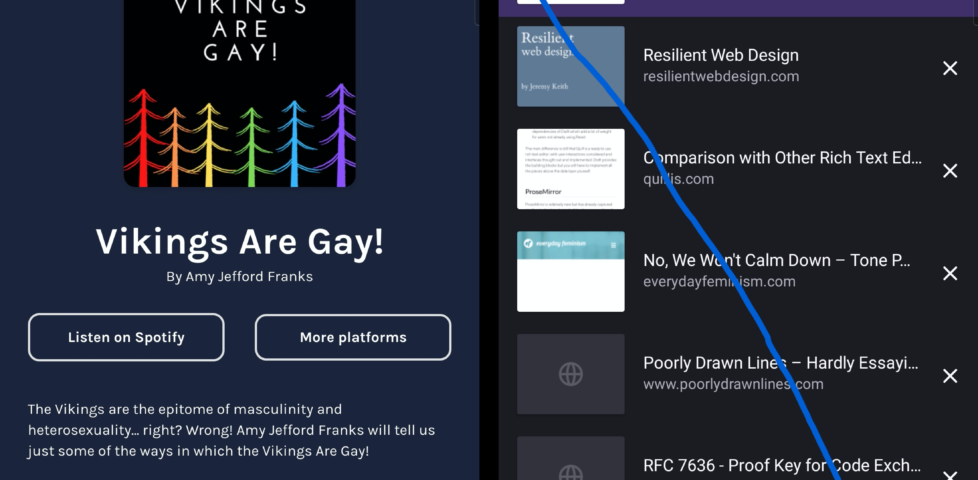
You’ve probably already spotted the other change to the “current tabs” view. Previously, open tabs were shown as mini previews with their titles above. Now they’re shown as tiny
(sometimes absent) icon-sized previews with their titles alongside. This allows the domain name to be shown, which is nice, but not nice enough to justify reducing the instant
visual recognition the previous interface provided.
It’s not even like you can fit more tabs onto a screen. The capacity is basically the same. You’re just making smaller hit targets with less recognisable graphics. Plus: previously the
most-recent tabs were at the bottom (close to where your thumb is, which was the justification for making the address bar default to the bottom); now they’re at the top, further adding
to the distance travelled.
3. Plugin support is terrible
I know first hand that implementing backwards-compatibility is hard, but breaking most plugins and then providing a list of nine or so popular/recommended ones that
still works isn’t a great experience.
No uMatrix. No Violentmonkey (or any
equivalent). No Ghostery, even! Feels like surfing the Web with one hand tied behind my back.
Feels a bit like this was released before it was ready.
For the time being, I’m using Fennec F-Droid as my primary mobile browser. It picks up exactly where Firefox for
Android left off, and it doesn’t break my workflow. I hope to switch back to regular Firefox for Android someday, but Daylight needs “finishing” first.
Debate: Does Mozilla have more influence as a Chrome rival or ally?
…
“Thought: It’s time for @mozilla to get down from their philosophical ivory tower. The web is dominated by Chromium, if they really *cared* about the web they would be contributing
instead of building a parallel universe that’s used by less than 5%?” He made it clear the viewpoint was his personal opinion, not Microsoft’s position.
Mozilla is indeed in a sticky situation, trying to improve the web when it comes to things like openness, privacy and new standards. That mission is harder with declining influence,
though, and Firefox now accounts for 5 percent of web usage, according to
analytics firm StatCounter. But without independent efforts like Firefox, and to an extent Apple’s Safari, the web will stop being an independent software foundation and become
whatever Google says it is.
And plenty of people don’t like that one bit. Indeed, Mozilla defenders see the nonprofit’s mission as even more important with Chrome’s dominance.
“I couldn’t disagree with you more. It precisely *because* Chromium has such a large marketshare that is vital for Mozilla (or anyone else) to battle for diversity,”
tweeted web developer Jeremy Keith in a response.
“‘Building a parallel universe’? That *is* the contribution.”
We need a movement of developers and enthusiasts who loudly, proudly, use @mozilla@firefox
as their primary browser. On our desktops and our laptops. We test in it, extend it, contribute to it. But we never, ever, take it for granted.
I’ve been using Firefox as my main browser for a while now, and I can heartily recommend it. You should try it (and maybe talk to your
relatives about it at Christmas). At this point, which browser you use no longer feels like it’s just about personal choice—it feels part of something bigger; it’s about the shape of
the web we want.
We need a new movement: a movement of developers, influencers, and tech enthusiasts who loudly, proudly, use Firefox as their primary web browser. We use it on our desktops. We use it
on our laptops. We use it on our phones. All of us test sites in it. Some of us write plugins for it. The bravest of us write code for it. But none of us, not one, takes it for granted.
Microsoft is officially giving up on an independent shared platform for the internet. By adopting Chromium, Microsoft hands over control of even more of online life to Google.
This may sound melodramatic, but it’s not. The “browser engines” — Chromium from Google and Gecko Quantum from Mozilla — are “inside baseball” pieces of software that actually
determine a great deal of what each of us can do online. They determine core capabilities such as which content we as consumers can see, how secure we are when we watch content, and
how much control we have over what websites and services can do to us. Microsoft’s decision gives Google more ability to single-handedly decide what possibilities are available to
each one of us.
From a business point of view Microsoft’s decision may well make sense. Google is so close to almost complete control of the infrastructure of our online lives that it may not be
profitable to continue to fight this. The interests of Microsoft’s shareholders may well be served by giving up on the freedom and choice that the internet once offered us. Google is
a fierce competitor with highly talented employees and a monopolistic hold on unique assets. Google’s dominance across search, advertising, smartphones, and data capture creates a
vastly tilted playing field that works against the rest of us.
From a social, civic and individual empowerment perspective ceding control of fundamental online infrastructure to a single company is terrible. This is why Mozilla exists. We compete with Google not because it’s a good business opportunity. We compete with Google because the health
of the internet and online life depend on competition and choice. They depend on consumers being able to decide we want something better and to take action.
Will Microsoft’s decision make it harder for Firefox to prosper? It could. Making Google more powerful is risky on many fronts. And a big part of the answer depends on what the web
developers and businesses who create services and websites do. If one product like Chromium has enough market share, then it becomes easier for web developers and businesses to decide
not to worry if their services and sites work with anything other than Chromium. That’s what happened when Microsoft had a monopoly on browsers in the early 2000s before Firefox was
released. And it could happen again.
If you care about what’s happening with online life today, take another look at Firefox. It’s radically better than it was 18 months ago — Firefox once again holds its own when it
comes to speed and performance. Try Firefox as your default browser for a week and then decide. Making Firefox
stronger won’t solve all the problems of online life — browsers are only one part of the equation. But if you find Firefox is a good product for you, then your use makes Firefox
stronger. Your use helps web developers and businesses think beyond Chrome. And this helps Firefox and Mozilla make overall life on the internet better — more choice, more security
options, more competition.
Scathing but well-deserved dig at Microsoft by Mozilla, following on from the Edge-switch-to-Chromium I’ve been going on about. Chris is right:
more people should try Firefox (it’s been my general-purpose browser on desktop and mobile ever since Opera threw in the towel and joined the Chromium hivemind in 2013, and on-and-off
plenty before then) – not just because it’s a great browser (and it is!) but also now because it’s important for the diversity and
health of the Web.
When Firefox 64 arrives in December, support for RSS, the once celebrated content syndication scheme, and its sibling, Atom, will be missing.
“After considering the maintenance, performance and security costs of the feed preview and subscription features in Firefox, we’ve concluded that it is no longer sustainable to keep
feed support in the core of the product,” said Gijs Kruitbosch, a software engineer who works on Firefox at Mozilla, in a blog post on Thursday.
…
Not a great sign, but understandable. Live Bookmarks was never strong enough to be a full-featured RSS reader, and I don’t
know about you but I haven’t really made use of bookmarks for a good few years, let alone “live” bookmarks, but the media are likely to see this (as El Reg does, in the
article) as another nail in the coffin of one of the best syndication mechanisms the Web ever came up with.
Investigating a possible new bug in @firefox 57: after installing the service worker, going to an uncached page on a site like adactio.com (@adactio), danq.me, or 3r.org.uk results in a
“NetworkError” and the offline page, even though the connection is fine…
I’ve been playing about with the beta of Firefox 4 for a little while now, and I wanted to tell you about a
feature that I thought was absolutely amazing, until it turned out that it was a bug and they “fixed” it. This feature is made possible by a handful of other new tools that are coming
into Firefox in this new version:
App tabs. You’re now able to turn tabs into small tabs which sit at the left-hand side.
Tab groups. You can “group” your tabs and display only a subset of them at once.
I run with a lot of tabs open most of the time. Not so many as Ruth, but a good number. These can
be divided into three major categories: those related to my work with SmartData, those related to my work with
Three Rings, and those related to my freelance work and my personal websurfing. Since an early beta of Firefox 4, I
discovered that I could do this:
Group all of my SmartData/Three Rings/personal tabs into tab groups, accordingly.
This includes the webmail tab for each of them, which is kept as an App Tab – so my SmartData webmail is an app tab which is in the SmartData tab group, for example.
Then – and here’s the awesome bit – a can switch between my tab groups just be clicking on the relevant app tab!
Time to do some SmartData work? I just click the SmartData webmail app tab and there’s my e-mail, and the rest of the non-app tabs transform magically into my work-related tabs:
development versions of the sites I’m working on, relevant APIs, and so on. Time to clock off for lunch? I click on the personal webmail tab, look at my e-mail, and magically all of the
other tabs are my personal ones – my RSS feeds, the forum threads I’m following, and so on. Doing some Three Rings work in the evening? I can click the Three Rings webmail tab and check
my mail, and simultaneously the browser presents me with the Three Rings related tabs I was working on last, too. It was fabulous.
Firefox 4 app tabs
The other day, Firefox 4 beta 7 was released, and this functionality didn’t work any more. Now app tabs aren’t associated with particular tab groups any longer: they’re associated with
all tab groups. This means:
I can’t use the app tabs to switch tab group, because they don’t belong to tab groups any more, and
I can’t fix this by making them into regular tabs, because then they won’t all be shown.
I’m painfully familiar about what happens when people treat a bug as a feature. Some years ago, a University Nightline were using a bug in Three Rings as a feature, and were
outraged when we “fixed” it. Eventually, we had to provide a workaround so that they could continue to use the buggy behaviour that they’d come to depend upon.
So please, Mozilla – help me out here and at least make an about:config option that I can switch on to make app tabs belong to specific tab groups again (but still be always visible).
It was such an awesome feature, and it saddens me that you made it by mistake.
It didn’t occur to me until somebody looked over my shoulder and commented on it, today, that I actually have an at-least slightly unusual layout for my Firefox window. I thought I’d share with you all the thinking behind the particular collection of add-ons and tweaks that
go into my day-to-day web browsing:
I’m a big fan of maximising the amount of screen real estate available for browsing, minimising the chrome that surrounds it. That’s why I use the LittleFox theme. It’s not the prettiest theme around, but it’s tiny, simplistic, and works with every version of Firefox I’ve ever thrown it
at. It saves space by reducing the size of icons and excess space around tabs and buttons, and it does a great job of it.
To save even more precious vertical space (and because I’m generally running at high screen resolutions, and can spare the horizontal screen space), I combine my menu bar, toolbar,
address bar and search boxes into a single toolbar. You can do this by right-clicking on the menu bar and clicking “Customize…” I drop the refresh, stop, and home buttons. I never
pressed refresh nor stop anyway, always using the shortcut keys (F5 or CTRL-R, and ESC, respectively), and I my homepage is about:blank. On computers running at lower screen resolutions
I’ve previously used the Searchbar Autosizer add-on to tuck-away
the search box when I’m not using it, but nowadays I rarely bother.
I frequently find myself with dozens of tabs open, and I loathe it when tabbed applications force me to “scroll” left and right through my tabs (I’d rather my tabs just got narrower and
narrower, until only the favicon remains), so I use about:config to change the browser.tabs.tabMinWidth
setting to 0, which, after you’ve restarted your browser, changes this behaviour.
In addition to the add-ons that can be seen in my status bar – ColorZilla (in the
bottom-left, so not visible in the screenshot above), Adblock Plus, FireGPG, Firebug (and a few extensions), Google Reader Watcher, Greasemonkey, HTML Validator, NoScript (with
noscript.firstRunRedirection set to false, to stop it’s nagging), and ShowIP, I use one further add-on to tidy up my “bookmarks toolbar”.
The Status Buttons add-on gives you the capability to drag-drop any other user
interface component into the right-hand side of the status bar: I use this to move the entire contents of the Bookmarks Toolbar down into the status bar, tucked out of the way. I remove
the titles from most of the bookmarks (I can identify these, my most-frequently-used sites, by their favicons), adding them only where there’d otherwise be ambiguity as to the purpose
of the icon.
All of these tweaks give me a huge browsing space that works the way that I want it to. I’m a heavy user of keyboard shortcuts – I pretty much only use the mouse to click hyperlinks and
the buttons in the status bar – so this kind of layout suits me very well. One of the great things about Firefox is it’s flexibility: that you can make these kinds of tweaks so easily.
And hopefully if you’re a similar kind of power user you’ll take some of these tips and be able to make use of them, too.
Have you seen the latest stupidity that the Windows Internet Explorer team have come up with? Ten Grand Is Buried Here.
The idea is that they encourage you to give up whatever browser you’re using (assuming it’s not Internet Explorer 8), calling it names (like “old Firefox” if you’re using Firefox,
“boring Safari” if you’re using Safari, “tarnished Chrome” if you’re using Chrome, and… “that browser” if you’re using Opera) and upgrade to Internet Explorer 8, and they’ll be giving
out clues on their Twitter feed about some secret website that’ll only work in IE8 at which you can register and win $10,000AUS (yes, this is an Australian competition).
After looking at the site in Firefox, Safari, Chrome, and Opera, I thought I’d give it a go in Internet Explorer 8. But it didn’t work – it mis-detected my installation of IE8 as being
IE7 (no, I didn’t have Compatability Mode on).
In the end, though, I just used User Agent Switcher to make my copy of Firefox
pretend to be Internet Explorer 8. Then it worked. So basically, all that I’ve learned is that Firefox does a better job of everything that Internet Explorer does,
including viewing websites designed to only work in Internet Explorer. Good work, Microsoft. Have a slow clap.
Downloaded your copy of Mozilla Firefox 3 yet to help them make the world record? I’ve been using Firefox 3 since the early betas and I’ve got no qualms about recommending it wholeheartedly. The
awsomebar is simply that: awesome, the speed and memory usage have become far better than the previous version, and the care and attention that have gone into the little things – like
the fact that it now asks you if you want to save passwords after you’ve seen if they were correct, not before – really do make this the best web browser I’ve ever used.