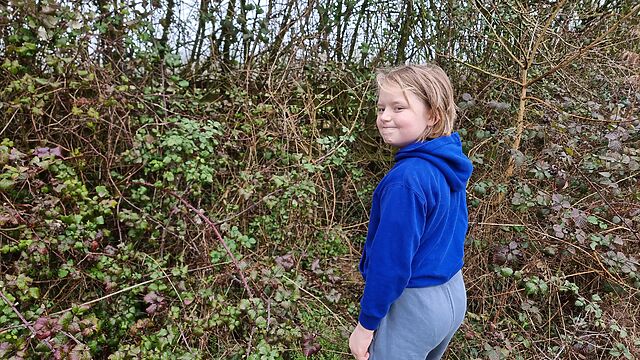
This checkin to GCAC54Z Aquarium reflects a geocaching.com log entry. See more of Dan's cache logs.
QEF for the elder child and I while on holiday. TFTC, and greetings from Oxfordshire, UK!
[13:16 local time]
This checkin to GCAC54Z Aquarium reflects a geocaching.com log entry. See more of Dan's cache logs.
QEF for the elder child and I while on holiday. TFTC, and greetings from Oxfordshire, UK!
[13:16 local time]
This is a repost promoting content originally published elsewhere. See more things Dan's reposted.
Layoutit Terra is a CSS terrain generator that leverages stacked grids and 3D transforms.
Inspectable spikes, wedges, ramps and flats are stitched together into a voxel landscape.
Inspired by Transport Tycoon and all ’90s isometric classics.
Built from the southern hemisphere with Vue, Nuxt, and lots of love ♥
+------+ +------+ /| /| |\ |\ +-+----+ | | +----+-+ | | | | | | | | | +----+-+ +-+----+ | |/ |/ \| \| +------+ +------+…
It’s not often these days that I have the experience of “I didn’t know the Web could do that‽”
Once was when I saw DHTML Lemmings, for example, at a time when adding JavaScript to a page usually meant you were doing nothing more-sophisticated than adding a tooltip/popover or switching the images in your mystery meat navigation menu. Another was when I saw Google Earth’s browser-based implementation for the first time, performing 3D manipulations of a quality that I’d previously only seen in dedicated applications.
But I got that today when I played with Layoutit! Terra (from the folks behind one of the better CSS grid layout generators). It’d be pretty cool if it were “just” a Transport Tycoon-like landscape generator and editor, but the thing that blew my mind was discovered that it’s implemented entirely in HTML and CSS… not a line of JavaScript to be seen. Even speaking as somebody who played… and then reverse-engineered… things like Blackle Mori’s CSS Puzzle Box, I can’t even begin to fathom how I’d begin to conceive of such a thing, let alone implement it.
Well done, Layitout! team.
This is a repost promoting content originally published elsewhere. See more things Dan's reposted.
Subject: “Re-Design and Promotion Strategy for Dead.Garden”
Subject: “About your Dead.Garden”
Subject: “Errors in your Dead.Garden”Dear Dead,
your website is not good enough, in fact, it is actively bad.
Don’t you know that you need Search Engine Optimization?
What are you, some kind of idiot?
Your site is currently ranked on page 1,000,000 of Google,
and if we know anything (in fact, we know everything),
this means that you are wasting not only your time,
but much more importantly
money.
We’ve had a quick look at your site
and noticed a few areas that could be improved.
We’ve discovered that your website’s UI is,
frankly,
complete ass.
Your mobile experience is bad, your CTAs should be shinier and rounder;
Maybe put a gradient here and there.
How are you ever going to get someone to buy your product
without manipulating their behaviour?You’re not selling anything?
Well then, what ARE you doing?…
A fantastic poem that feels exactly like the subtext of every one of these emails I ever receive.
My blog is for me, first and foremost; I suspect Jo feels a similar way about their digital garden. I’m not interested in making money with it, and I’m perfectly comfortable with the fact that it costs me money. These things are all fine. I don’t need an SEO merchant to tell me how they can improve it.
Anyway: go enjoy Jo’s poem.
This is a repost promoting content originally published elsewhere. See more things Dan's reposted.
or, how to fuck your shit up by ignoring obvious birthday inflammation symptoms. don’t be like me. seek help.
sorry for this barely scripted and low quality video, the next one will be worse.
special thanks to doctor jacobi for the excellent care, and to the manna charitable foundation for the flight logistics.
The ever-excellent Blackle Mori1 posted this about 18 months ago but I don’t think it got the level of attention it deserves. If if you’ve never experienced birthday inflammation or known anybody who has, it’s an eye-opening experience to hear a first-hand account of this unusual and definitely-real condition.
1 If the name’s familiar but you can’t quite place it, here’s the previous two times I’ve talked about Blackle’s work: my analysis of the construction of the Basilisk Collection, and the (now-famous) Cursed Computer Iceberg.
This is a repost promoting content originally published elsewhere. See more things Dan's reposted.
New research coordinated by the European Broadcasting Union (EBU) and led by the BBC has found that AI assistants – already a daily information gateway for millions of people – routinely misrepresent news content no matter which language, territory, or AI platform is tested.
…
Key findings:
- 45% of all AI answers had at least one significant issue.
- 31% of responses showed serious sourcing problems – missing, misleading, or incorrect attributions.
- 20% contained major accuracy issues, including hallucinated details and outdated information.
…
In what should be as a surprise to nobody, but probably still is (and is probably already resulting in AI fanboys coming up with counterpoints and explanations): AI is not an accurate way for you to get your news.
(I mean: anybody who saw Apple Intelligence’s AI summaries of news probably knew this already, but it turns out that it gets worse.)
There are problems almost half the time and “major accuracy issues” a fifth of the time.
I guess this is the Universe’s way of proving that people getting all of their news from Facebook wasn’t actually the worst timeline to live in, after all. There’s always a worse one, it turns out.
…
Separately, the BBC has today published research into audience use and perceptions of AI assistants for News. This shows that many people trust AI assistants to be accurate – with just over a third of UK adults saying that they trust AI to produce accurate summaries, rising to almost half for people under-35.
…
Personally, I can’t imagine both caring enough about a news item to want to read it and not caring about it enough that I feed it into an algorithm that, 45% of the time, will mess it up. It’s fine to skip the news stories you don’t want to read. It’s fine to skim the ones you only care about a little. It’s even fine to just read the headline, so long as you remember that media biases are even easier to hide from noncritical eyes if you don’t even get the key points of the article.
But taking an AI summary and assuming it’s accurate seems like a really wild risk, whether before or after this research was published!
I reimplemented Al Sweigart‘s “Pipe Swap” scrolling-ASCII-art in plain-text-over-HTTP by exploiting the HTTP Refresh header:
https://textplain.blog/scroll-art-viewer/pipe-swap
This was a stupid idea, but it was about the level of code sophistication that my illness-brainfog can handle today.
Today, I can overhear the two guys who are digging a trench through my garden.
Guy 1: Does this look like a gas pipe to you?
Guy 2: Dunno. But we can’t dig round it soo…
😬
Way back in the day, websites sometimes had banners or buttons (often 88×31 pixels, for complicated historical reasons) to indicate what screen resolution would be the optimal way to view the site. Just occasionally, you still see these today.
Folks who were ahead of the curve on what we’d now call “responsive design” would sometimes proudly show off that you could use any resolution, in the same way as they’d proudly state that you could use any browser1!
I saw a “best viewed at any size” 88×31 button recently, and it got me thinking: could we have a dynamic button that always shows the user’s current resolution as the “best” resolution. So it’s like a “best viewed at any size” button… except even more because it says “whatever resolution you’re at… that’s perfect; nice one!”
Turns out, yes2:
Anyway, I’ve made a website: best-resolution.danq.dev. If you want a “Looks best at [whatever my visitor’s screen resolution is]” button, you can get one there.
It’s a good job I’ve already done so many stupid things on the Web, or this would make me look silly.
1 I was usually in the camp that felt that you ought to be able to access my site with any browser, at any resolution and colour depth, and get an acceptable and satisfactory experience. I guess I still am.
2 If you’re reading this via RSS or have JavaScript disabled then you’ll probably see an “any size” button, but if you view it on the original page with JavaScript enabled then you should see your current browser inner width and height shown on the button.
This is a repost promoting content originally published elsewhere. See more things Dan's reposted.
This post advocates minimizing dependencies in web pages that you do not directly control. It conflates dependencies during build time and dependencies in the browser. I maintain that they are essentially the same thing, that both have the same potential problems, and that the solution is the snappy new acronym HtDTY – Host the Damn Thing Yourself.
…
If your resources are large enough to cause a problem if you Host the Damn Things Yourself then consider finding ways to cut back on their size. Or follow my related advice – HtDToaSYHaBRW IMCYMbT(P)WDWYD : Host the Damn Thing on a Service You Have A Business Relationship With, It May Cost You Money But They (Probably) Won’t Dick With Your Data.
…
Host the Damn Thing Yourself (HtDTY) is an excellent suggestion; I’ve been a huge fan of the philosophy for ages, but I like this acronym. (I wish it was pronounceable, but you can’t have everything.)
Andrew’s absolutely right, but I’m not even sure he’s expressed all the ways in which he’s right. Here are my reasons to HtDTY, especially for frontend resources:
So yeah: HtDTY. I dig it.
This is a repost promoting content originally published elsewhere. See more things Dan's reposted.
Scroll art is a form of ASCII art where a program generates text output in a command line terminal. After the terminal window fills, it begins to scroll the text upwards and create an animated effect. These programs are simple, beautiful, and accessible as programming projects for beginners. The SAM is a online collection of several scroll art examples.
Here are some select pieces:
- Zig-zag, a simple periodic pattern in a dozen lines of code.
- Orbital Travels, sine waves intertwining.
- Toggler, a woven triangular pattern restricted to two characters.
- Proton Stream, a rapid, chaotic lightning pattern.
There are two limitations to most scroll art:
- Program output is limited to text (though this could include emoji and color.)
- Once printed, text cannot be erased. It can only scroll up.
But these restrictions compel creativity. The benefit of scroll art is that beginner programmers can create scroll art apps with a minimal amount of experience. Scroll art requires knowing only the programming concepts of print, looping, and random numbers. Every programming langauge has these features, so scroll art can be created in any programming language without additional steps. You don’t have to learn heavy abstract coding concepts or configure elaborate software libraries.
…
Okay, so: scroll art is ASCII art, except the magic comes from the fact that it’s very long and as your screen scrolls to show it, an animation effect becomes apparent. Does that make sense?
Here, let me hack up a basic example in… well, QBASIC, why not:
Anyway, The Scroll Art Museum has lots of them, and they’re much better than mine. I especially love the faux-parallax effect in Skulls and Hearts, created by a “background” repeating pattern being scrolled by a number of lines slightly off from its repeat frequency while a foreground pattern with a different repeat frequency flies by. Give it a look!
vole.wtf’s 1% guild wasn’t the easiest club to gain membership of, but somehow keeping my phone alive for long enough to snap this screenshot was even harder.
Hey, let’s set up an account with Hive. After the security scares they faced in the mid-2010s, I’m sure they’ll be competent at making a password form, right?
Your password must be at least 8 characters; okay.
Just 8 characters would be a little short in this day and age, I reckon, but what do I care: I’m going to make a long and random one with my password safe anyway. Here we go:
I’ve unmasked the password field so I can show you what I tried. Obviously the password I eventually chose is unrelated to any of my screenshots.
Now my password must be at least 12 characters long, not 8 as previously indicated. That’s still not a problem.
Oh, and must contain at least one of four different character classes: uppercase, lowercase, numbers, and special characters. But wait… my proposed password already does contain all of those things!
The password 1111AAAAaaaa!!!! is valid… but S1dfCeg7!Ex;C$Ngban9-A is not. I guess my password is too
strong?
Composition rules are bullshit already. I’d already checked to make sure my surname didn’t appear in the password in case that was the problem (on a few occasions services have forbidden me from using the letter “Q” in random passwords because they think that would make them easier to guess… wot?). So there must be something else amiss. Something that the error message is misleading about…
A normal person might just have used the shit password that Hive accepted, but I decided to dig deeper.
Using the previously-accepted password again but with a semicolon in it… fails. So clearly the problem is that some special characters are forbidden. But we’re
not being told which ones, or that that’s the problem. Which is exceptionally sucky user experience, Hive.
At this point it’s worth stressing that there’s absolutely no valid reason to limit what characters are used in a password. Sometimes well-meaning but ill-informed
developers will ban characters like <, >, ' and " out of a misplaced notion that this is a good way to protect against XSS and
injection attacks (it isn’t; I’ve written about this before…), but banning ; seems especially obtuse (and inadequately explaining that in
an error message is just painfully sloppy). These passwords are going to be hashed anyway (right… right!?) so there’s really no reason to block any character, but anyway…
I wondered what special characters are forbidden, and ran a quick experiment. It turns out… it’s a lot:
- , . + = " £
^ # ' ( ) { } * | < >
: ` – also space
! @ $ % & ?
What the fuck, Hive. If you require that users add a “special” character to their password but there are only six special characters you’ll accept (and they don’t even include the most common punctuation characters), then perhaps you should list them when asking people to choose a password!
Or, better yet, stop enforcing arbitrary and pointless restrictions on passwords. It’s not 1999 any more.
I eventually found a password that would be
accepted. Again, it’s not the one shown above, but it’s more than a little annoying that this approach – taking the diversity of punctuation added by my password safe’s generator and
swapping them all for exclamation marks – would have been enough to get past Hive’s misleading error message.
Having eventually found a password that worked and submitted it…
…it turns out I’d taken too long to do so, so I got treated to a different misleading error message. Clearly the problem was that the CSRF token had expired, but instead they told me that the activation URL was invalid.
If I, a software engineer with a quarter of a century of experience and who understands what’s going wrong, struggle with setting a password on your site… I can’t begin to image the kinds of tech support calls that you must be fielding.
Do better, Hive.
Somebody just called me and quickly decided it was a wrong number. The signal was bad and I wasn’t sure I’d heard them right, so I followed up by replying by text.
It turns out they asked Siri to call Three (the mobile network). Siri then presumably searched online, found Three Rings, managed to connect that to my mobile number, and called me.
If Siri’s decided that I represent Three, this could work out even worse than that time Google shared my phone number.