I think the dog’s back paws were cold this evening. The giveaway was when she tucked them into a convenient nearby trouser pocket.

I think the dog’s back paws were cold this evening. The giveaway was when she tucked them into a convenient nearby trouser pocket.
I’ve found myself, unusually, with enough free time for videogaming this Christmas period. As a result I’ve played – and loved enough to play to completion – not one but two games that I’d like to recommend to you!
Egg, released last month by Terry Cavanagh, is a frustrating but satisfying 3D puzzle platformer playable for free on the Web or downloadable for a variety of platforms.
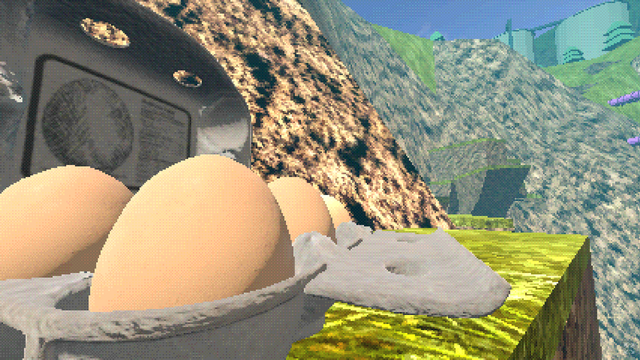
It’s not quite a “rage game”, because it’s got copious checkpoints, but it will cause at least a little frustration as you perform challenging timed jumps to deliver each of your six eggs to suitable nests hidden throughout the map. But I enjoyed it: it was never too hard, and it always felt like my hard work was paid-off in satisfying ways.
I probably spent a little over an hour lost in its retro aesthetic, and was delighted to do so: maybe you should give it a go too.
You probably don’t need me to introduce you to Dispatch, from AdHoc Studio, because the Internet has gone wild over it and rightly. Available for PlayStation and Steam, it’s a narrative-driven multi-pathed game that straddles both storytelling and strategic resource management mechanics.
And it does the best job I’ve seen at making it feel like your choices matter since Pentiment. Perhaps longer.
The story is well-written and wonderfully voice-acted: I’d have absolutely been happy to watch this “superhero workplace comedy” as a TV show! But the way it has you second-guessing your choices and your priorities every step of the way significantly adds to the experience.
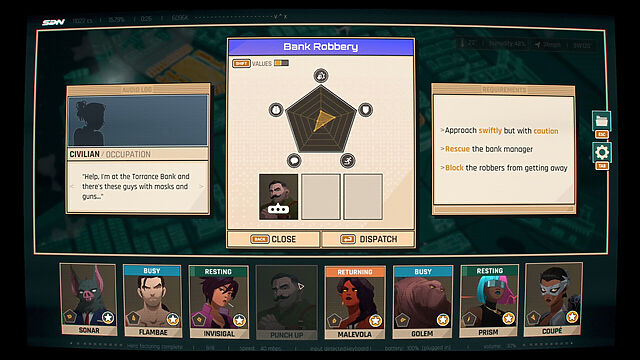
It only took about 8-10 hours of my time, spread over two or three sessions, but it’s very “episodic” so if – like me – you need to be able to dip in and out of games (when life gets in the way) it’s still a great choice. And there’s some replay-value too: I’m definitely going to run through it a second time.
So if you’ve got at-least-as-much space for videogaming in your life as I do (which isn’t a high bar), those are my two “hot picks” for the season.
Went to a West End theatre wearing my “Slamilton” t-shirt.
In this corridor, during the act break, a stranger spotted it and did a double-take.
“Is that…? wait… that’s not Hamilton!”, they said.
I seized my chance.
“It’s Slamilton,” I replied. “You know: ‘Who slams, who jams, who tells their story.'”
And then, after a pause: “What’s ‘Hamilton’???”

Boxing Day breakfast (of champions (of leftovers)).

Unusually, we had no guests this Christmas Day. This meant that my usual level of overcatering went even further than normal.
A side effect of this is that a certain little doggo was delighted and surprised by her Boxing Day breakfast of roast goose!

I asked the younger child to “help” me calculate how much Yorkshire pudding batter to make for this Christmas dinner.

“Well,” he began, “I’m going to want FIVE Yorkshire puddings, soo…”
This is a repost promoting content originally published elsewhere. See more things Dan's reposted.
…
A common rebuttal I get to this…
What about when you want to keep global styles out of your component, like with a third-party widget that gets loaded on lots of different pages?
I kind-of sort-of see the logic in that. But I also think wanting your component to not look like a cohesive part of the page its loaded into is weird and unexpected.
…
I so-rarely disagree with Chris on JavaScript issues, but I think I kinda do on this one. I fully agree that the Shadow DOM is usually a bad idea and its encapsulation concept encourages exactly the kind of over-narrow componentised design thinking that React also suffers from. But I think that the rebuttal Chris picks up on is valid… just sometimes.
When I created the Beige Buttons component earlier this year, I used the shadow DOM. It was the first time I’ve done so: I’ve always rejected it in my previous (HTML) Web Components for exactly the reasons Chris describes. But I maintain that it was, in this case, the right tool for the job. The Beige Buttons aren’t intended to integrate into the design of the site on which they’re placed, and allowing the site’s CSS to interact with some parts of it – such as the “reset” button – could fundamentally undermine the experience it intends to create!
I appreciate that this is an edge case, for sure, and most Web Component libraries almost certainly shouldn’t use the shadow DOM. But I don’t think it’s valid to declare it totally worthless.
That said, I’ve not yet had the opportunity to play with Cascade Layers, which – combined with directives like all: reset;, might provide a way to strongly
override the style of components without making it impossibly hard for a site owner to provide their own customised experience. I’m still open to persuasion!
This checkin to GC3H1WG Good'fell'as reflects a geocaching.com log entry. See more of Dan's cache logs.
A quick and damp scramble from the footpath above brought my right to the cache. SL, TFTC. Container seal has perished and logbook pretty wet; signable, but only barely.

This checkin to GC2BJTQ Noah's Cache reflects a geocaching.com log entry. See more of Dan's cache logs.
Came out for a walk with my Ruth and the kids. While Ruth sat on a rock and the kids went with their uncle up to explore a small cave above, I broke from the path to find this cache. QEF in the second host I looked at.
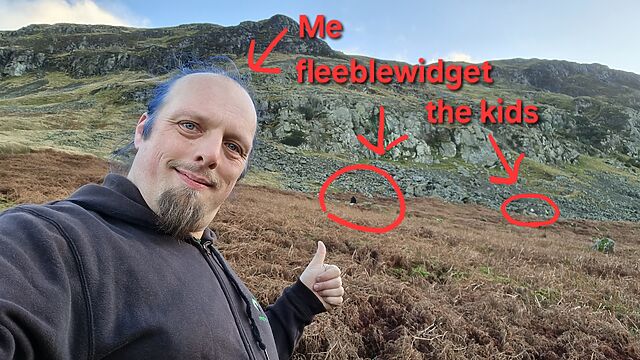
Took travel bug to move along, signed log, then went to retrieve the kids. TFTC.
This post is also available as a podcast. Listen here, download for later, or subscribe wherever you consume podcasts.
I’ve been going by the name Dan Q for almost 19 years… so like two-thirds of my adult life. I haven’t even needed to show a deed poll to anybody in over a decade1
But just sometimes, somebody asks2 “Yeah, but what does your birth certificate say?”
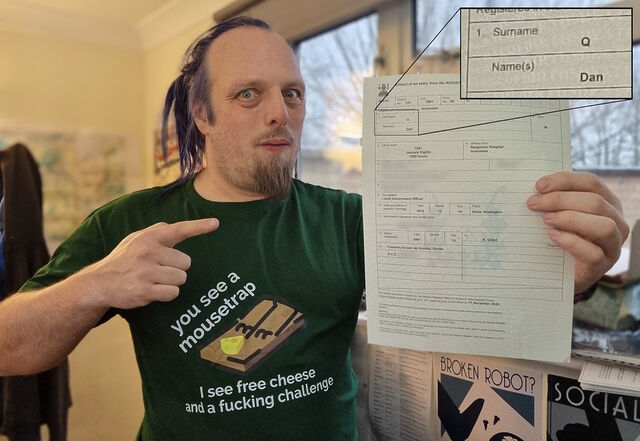
It didn’t used to say “Dan Q”, but nowadays… yes, that’s exactly what my birth certificate says.
Y’see, I was born in Scotland, and Scottish law – in contrast to the law of England & Wales4 – permits a change of name to recorded retroactively for folks whose births (or adoptions) were registered there.
And so, after considering it for a few months, I filled out an application form, wrote an explanatory letter to help the recipient understand that yes, I’d already changed my name but was just looking for modify a piece of documentation, and within a few weeks I was holding an updated birth certificate. It was pretty easy.
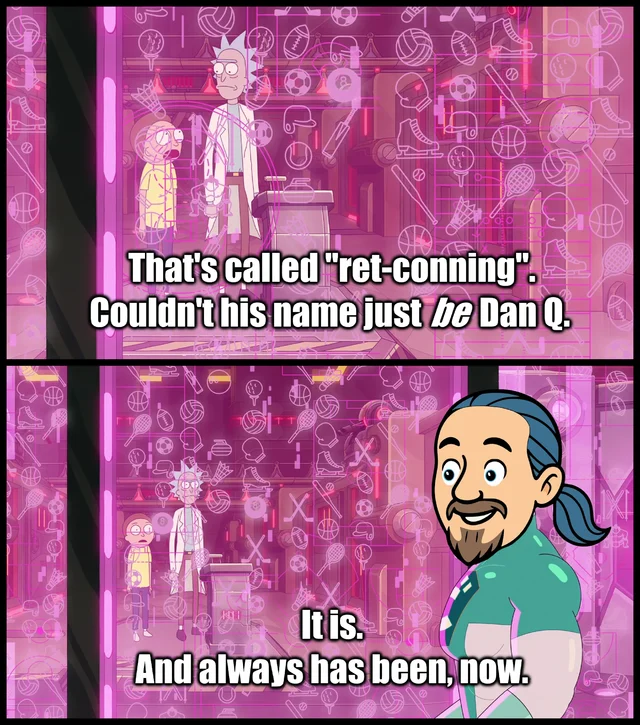
I flip-flopped on the decision for a while. Not only is it a functionally-pointless gesture – there’s no doubt what my name is! – but I was also concerned about what it implies.
Am I trying to deny that I ever went by a different name? Am I trying to disassociate myself from my birth family? (No, and no, obviously.)
But it “feels right”. And as a bonus: I now know my way around yet another way for (some) Brits to change their names. Thanks to my work at FreeDeedPoll.org.uk I get an increasing amount of email from people looking for help with their name changes, and now I’ve got first-hand experience of an additional process that might be a good choice for some people, some of the time5.
1 By the time you’ve got your passport, driving license, bank account, bills etc. in your name, there’s really no need to be able to prove that you changed it. What it is is more-important anyway.
2 Usually with the same judgemental tone of somebody who insists that one’s “real” name is the one assigned closest to birth.
3 If you’re zooming in on the details on that birth certificate and thinking “Hang on, he told me he was an Aquarius but this date would make him a Capricon?”, then I’ve got news for you about that too.
4 Pedants might like to enjoy using the comments to point out the minority of circumstances under which a birth certificate can be modified retroactively – potentially including name changes – under English law.
5 I maintain that a free, home-made deed poll is the easiest and cheapest way to change your name, as a British citizen, and that’s exactly what FreeDeedPoll.org.uk helps people produce… and since its relaunch it does its processing entirely in-browser, which is totally badass from both a hosting and a user privacy perspective.
Modern CSS is freakin’ amazing. Widespread support for nesting, variables, :has, and :not has unlocked so much potential. But I don’t yet see it used widely
enough.
Suppose I have a form where I’m expecting, but not requiring, a user to choose an option from each of several drop-downs. I want to make it more visually-obvious which drop-downs haven’t yet had an option selected. Something like this:
<select name="guess[69427976b65e3]">
  <option></option>
  <option value="1">First answer</option>
  <option value="2">Second answer</option>
  <option value="3">Third answer</option>
</select>
Suppose I want to style that <select> when the first, default, “empty” option is selected.
That could be as simple as this:
select:has(option:not([value]):checked) {
  outline: 6px dotted red;
}
What that’s saying is:
<select>
<option>
<option> does not have a value="..."
<option> is currently selected
Or in short: if the default option is selected, highlight it so the user knows they haven’t chosen a value yet. Sweet!

I can’t understate how valuable it is that we can do this in CSS, nowadays. Compared to doing it in JavaScript… CSS gives better performance and reliability and is much easier to implement in a progressively-enhanced manner.
Here’s another example, this time using a fun “dress-up Dan” feature I from a redesign of my blog theme that I’m hoping to launch in the New Year:
Every single bit of interactivity shown in the video above… from the “waving” Dan to the popup menu to the emoji-styled checkboxes to the changes to t-shirt and hair colours… is implemented in CSS.
The underlying HTML is all semantic, e.g. the drop-down menu is a <details>/<summary> pair (with thanks to Eevee for
the inspiration); its contents are checkbox and radiobutton <input>es; the images are SVGs that use CSS variables (another killer feature these years!) to specify
colours (among other things), and virtually everything else… is CSS.
Consider this:
:root {
  /* Default values for Dan's t-shirt, hair, and beard colours used throughout the site: */
  --dan-tshirt: #c3d4d7;
  --dan-hair: #3b6f8f;
  --dan-beard: #896a51;

  /* ...more variables... */
}

/* When the page contains a "checked" checkbox, update some variables: */
:root:has(#dan-tshirt-color-white:checked)  { --dan-tshirt: #c3d4d7; }
:root:has(#dan-tshirt-color-purple:checked) { --dan-tshirt: #7429a8; }
/* ... */
:root:has(#dan-hair-color-natural:checked)  {   --dan-hair: #896a51; }
:root:has(#dan-hair-color-blue:checked)     {   --dan-hair: #3b6f8f; }

/* When "dye beard" is checked, copy the hair colour: */
:root:has(#dan-dye-beard-toggle:checked)    {  --dan-beard: var(--dan-hair); }
:root CSS variables, based on the status of user-controlled elements like checkboxes within the document, unlocks amazing options for interactivity. It
also works in smaller scopes like HTML Web Components, of course, for encapsulated functionality.
If you’re still using JavaScript for things like this, perhaps it’s time you looked at how much CSS has grown up this last decade or so. CSS gives you performance benefits, less fragility, and makes it easier for you to meet your accessibility and usability goals.
You can still enrich what you create with JavaScript if you like (I’ve got a few lines of JS that save those checkbox states to localStorage so they persist
through page loads, for example).
But a CSS-based approach moves more of your functionality from the “nice to have” to “core” column. And that’s something we can all get behind, right?
This is a repost promoting content originally published elsewhere. See more things Dan's reposted.
Waiting for the ideal time to finally do that thing you’ve been procrastinating on? Greg’s clever new micro-site will help you decide the perfect time to do it (and no, it doesn’t necessarily just say “now!”).
I’m not sure which of our children was last in this bath, but the configuration in which they’ve left their toys makes me feel as though I’m the subject of some kind of waterfowl-related shunning.
Perhaps they finally got wind or my heretical opinions on the God of Ducks (may he throw us bread) and they’ve collectively decided to disassociate from me?

A few pockets of the morning’s freezing fog still cling to the hedgerows as the dog and I set out on a chilly West Oxfordshire morning walk.

Obviously I wasn’t planning on going to the US anytime soon, but if I did… they might struggle with my visa application when I put every “email address I’ve used for the last 10 years” on, because I actively use a variety of catch-all domains/subdomains.
I’ve probably missed some addresses (e.g. to which I’ve only ever received spam that’s since been deleted), but a conservative estimate of the number of personal email addresses which I’ve sent mail from or to would be… 7,669 email addresses. 🤣
 RSS
RSS Spotify
 Pocket Casts
 Apple Podcasts
 YouTube