Do What You’re Bad At [Video]

This post is also available as an article. So if you'd rather read a conventional blog post of this content, you can!

This video accompanies a blog post of the same title. The content is basically the same – if you prefer videos, watch this video. If you prefer blog posts, go read the blog post. If you’re a superfan, try both and spot the differences. You weirdo.

Also available on YouTube or on Facebook.

Do What You’re Bad At

This post is also available as a video. If you'd prefer to watch/listen to me talk about this topic, give it a look.

This blog post is also available as a video. Would you prefer to watch/listen to me tell you about how I’ve learned to enjoy doing what I’m bad at?

There are a great number of things that I’m bad at. One thing I’m bad at (but that I’m trying to get better at) is being more-accepting of the fact that there are things that I am bad at.

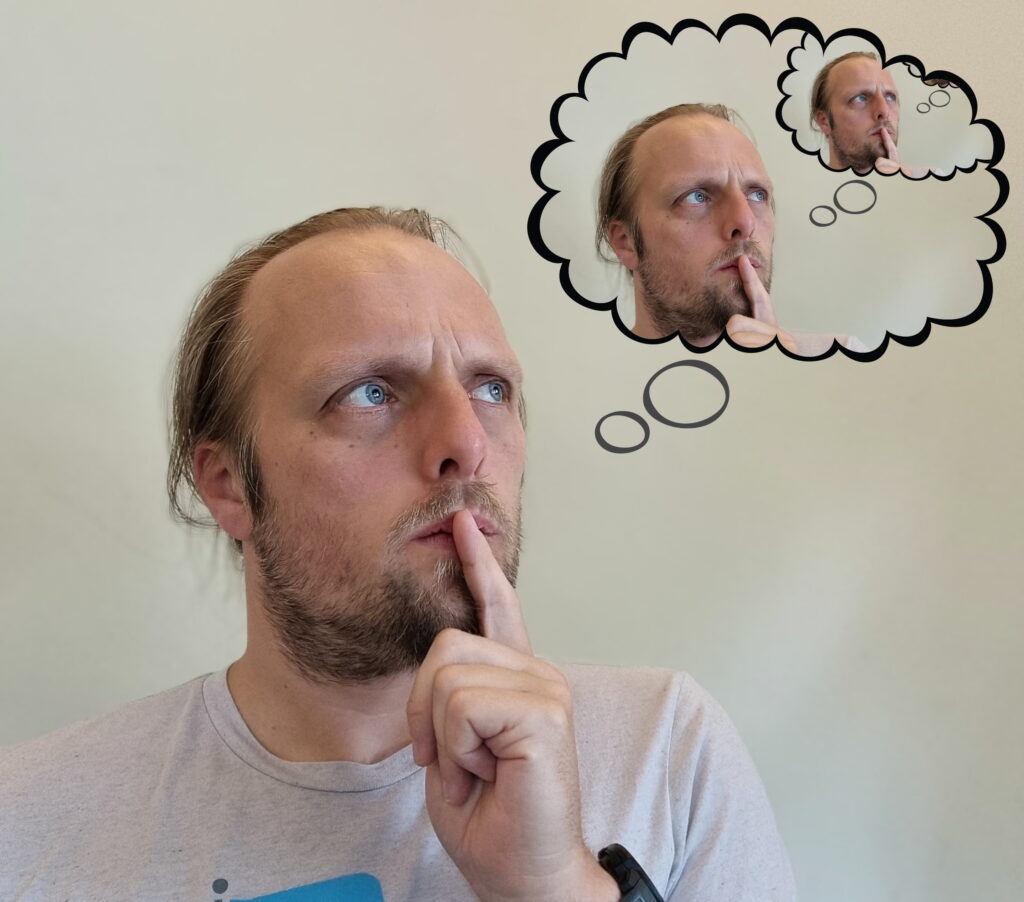
Against a pale background, Dan, deep in thought and with a finger to his lips, staring into space. A stylised thought bubble above him shows that he is thinking about himself thinking about himself thinking about himself, and so on (implied to infinity).
I’ve also been thinking about how I’m bad at thinking about how I’m bad at thinking about how I’m bad at thinking about…

I’m pretty bad in a pub quiz. I’m bad at operating my pizza oven without destroying cookware. I’m especially bad at learning languages. I’m appallingly bad at surfing. Every time my work periodically leans in that direction I remember how bad I am at React. And I’ve repeatedly shown that I’m bad at keeping on top of blogging, to the extent that I’ve periodically declared bankruptcy on my drafts folder.

So yeah, pretty bad at things.

But hang on: that assessment isn’t entirely true.

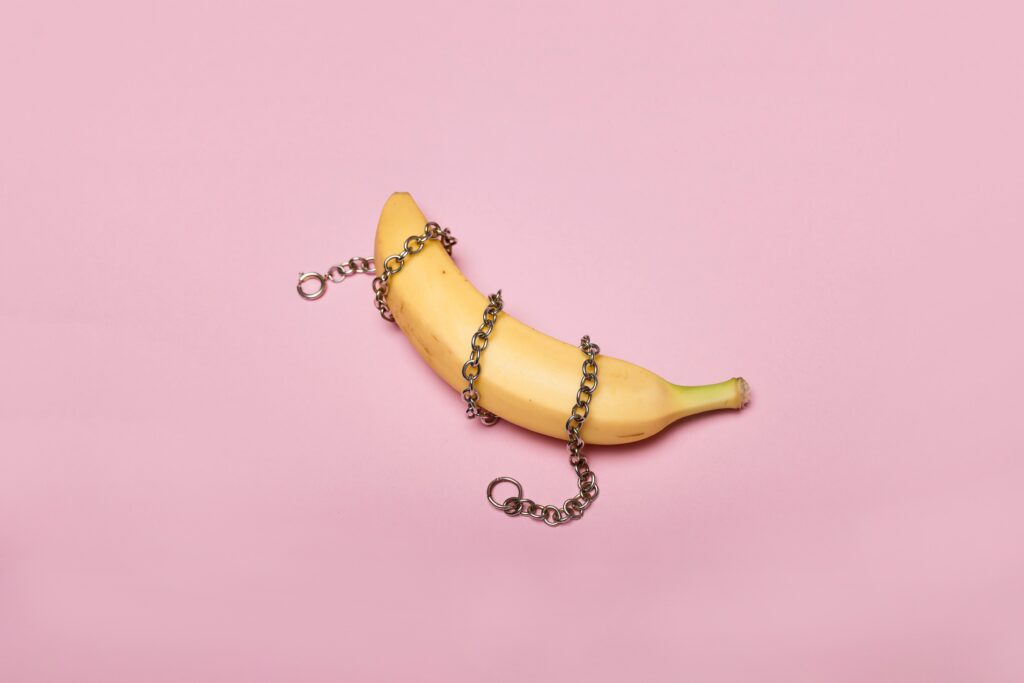
Photograph showing a yellow banana on a pink background. The banana has a silver chain wrapped around it three times. Photo courtesy Deon Black.
I’m also particularly bad at choosing suitable stock photos for use in blog posts.

Being Bad

As a young kid, I was a smart cookie. I benefited from being an only child and getting lots of attention from a pair of clever parents, but I was also pretty bright and a quick learner with an interest in just about anything I tried. This made me appear naturally talented at a great many things, and – pushed-on by the praise of teachers, peers, and others – I discovered that I could “coast” pretty easily.

But a flair for things will only carry you so far, and a problem with not having to work hard at your education means that you don’t learn how to learn. I got bitten by this when I was in higher education, when I found that I actually had to work at getting new information to stick in my head (of course, being older makes learning harder too, as became especially obvious to me during my most-recent qualification)!

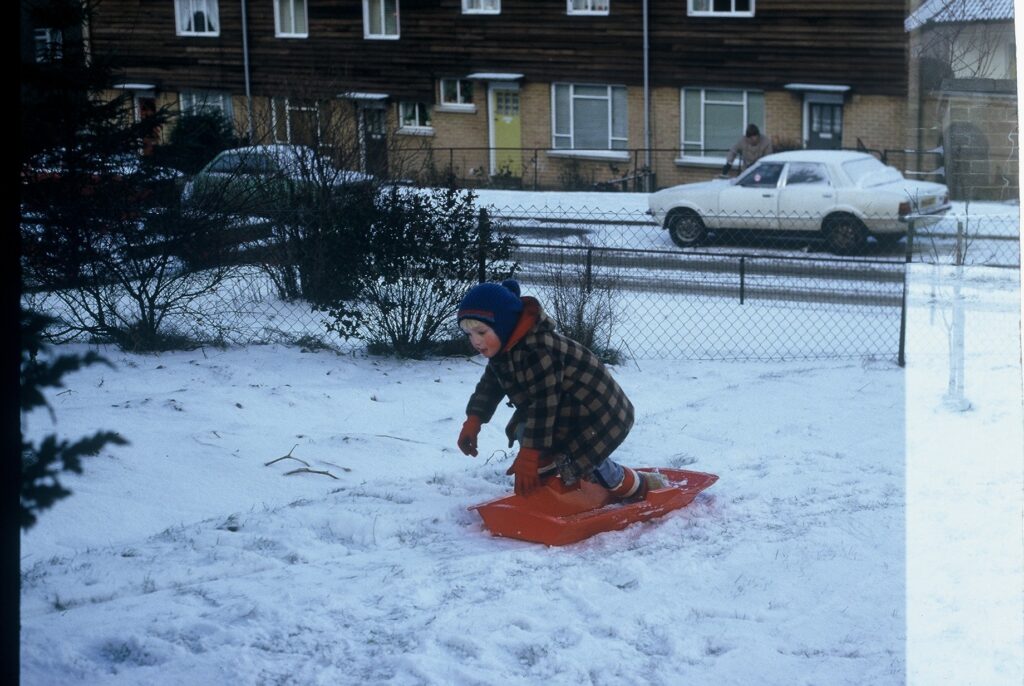
Dan, aged around 4, dressed in a duffel coat, bobble hat and gloves, kneeling on a red plastic sledge in a snow-filled garden. The garden is bordered by a wire fence, and in the background a man can be seen scraping icee off a car.
Ignore the fact that you’ve now seen me trying to sledge uphill and just accept that I was a clever kid (except at photography), okay?

A side-effect of these formative experiences is that I grew into an adult who strongly differentiated between two distinct classes of activities:

  1. Things I was good at, either because of talent or because I’d thoroughly studied them already. I experienced people’s admiration and respect when I practised these things, and it took little effort to stay “on top” of these fields, and
  2. Things I was bad at, because I didn’t have a natural aptitude and hadn’t yet put the time in to learning them. We don’t often give adults external reinforcement for “trying hard”, and I’d become somewhat addicted to being seen as awesome… so I shied away from things I was “bad at”.

The net result: I missed out on opportunities to learn new things, simply because I didn’t want to be seen as going through the “amateur” phase. In hindsight, that’s really disappointing! And this “I’m bad at (new) things” attitude definitely fed into the imposter syndrome I felt when I first started at Automattic.

Being Better

Leaving the Bodleian after 8½ years might have helped stimulate a change in me. I’d carved out a role for myself defined by the fields I knew best; advancing my career would require that I could learn new things. But beyond that, I benefited from my new employer whose “creed culture” strongly promotes continuous learning (I’ve vlogged about this before), and from my coach who’s been great at encouraging me towards a growth mindset.

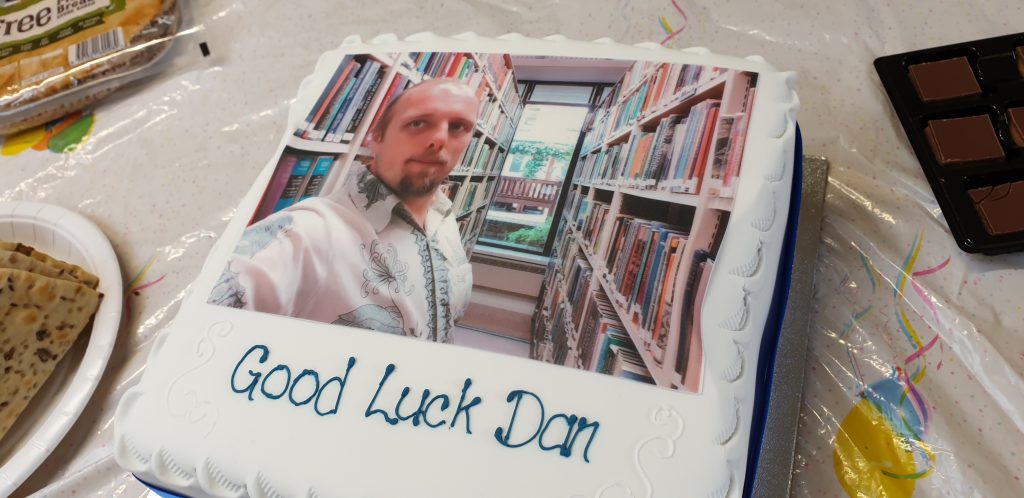
A cake with icing printed with a picture of Dan in a library. Beneath are iced the words "Good Luck Dan".
“Good Luck Dan”, my Bodleian buddies said. But perhaps they should’ve said “Keep Learning Dan”.

But perhaps the biggest stimulus to remind me to keep actively learning, even (especially?) when it’s hard, might have been the pandemic. Going slightly crazy with cabin fever during the second lockdown, I decided to try and teach myself how to play the piano. Turns out I wasn’t alone, as I’ve mentioned before: the pandemic did strange things to us all.

I have no real experience of music; I didn’t even get to play recorder in primary school. And I’ve certainly got no talent for it (I can hear well enough to tell how awful my singing is, but that’s more a curse than a blessing). Also, every single beginners’ book and video course I looked at starts from the assumption that you’re going to want to “feel” your way into it, and that just didn’t sit well with the way my brain works.

Animation showing Dan, wearing a black t-shirt and tracksuit bottoms, playing an upright piano.
90% of what I do in front of a piano might be described as “Dan Mucks About (in B Minor)”, but that’s fine by me.

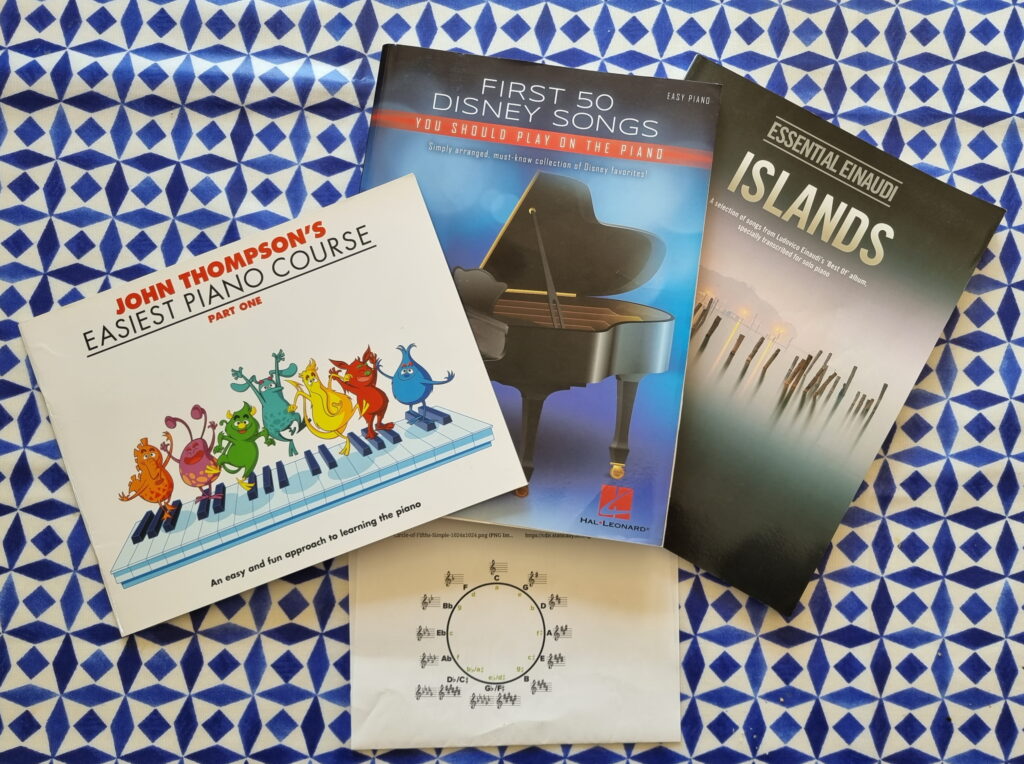
I wanted a theoretical background before I even sat down at a keyboard, so I took a free online course in music theory. Then I started working through a “beginners’ piano” book we got for the kids. Then I graduated to “first 50 Disney songs”, because I know how virtually all of them sound well enough that I’d be able to hear where I was going wrong. Since then, I’ve started gradually making my way through a transcription of Einaudi’s Islands. Feeling like I’d got a good handle on what I was supposed to be doing, I then took inspiration from a book JTA gave me and started trying to improvise.

Most days, I get no more than about 10 minutes on the piano. But little by little, day by day, that’s enough to learn. Nowadays even my inner critic perfectionist can tolerate hearing myself play. And while I know that I’ll probably never be as good as, say, the average 8-year-old on YouTube, I’m content in my limited capacity.

Three books on a blue-and-white tablecloth: John Thompson's Easiest Piano Course (Part One), First 50 Disney Songs, and Essential Einaudi - Islands. Beneath them sits a simplified diagram showing the circle of fifths.
Let’s start at the very beginning. (A very good place to start.)

If I’m trying to cultivate my wonder syndrome, I need to stay alert for “things I’m bad at” that I could conceivably be better at if I were just brave enough to try to learn. I’m now proudly an “embarrassingly amateur” pianist, which I’m at-long-last growing to see as better than a being non-pianist.

Off the back of that experience, I’m going to try to spend more time doing things that I’m bad at. And I’d encourage you to do the same.

× × × × ×

Octave Compass

This is a repost promoting content originally published elsewhere. See more things Dan's reposted.

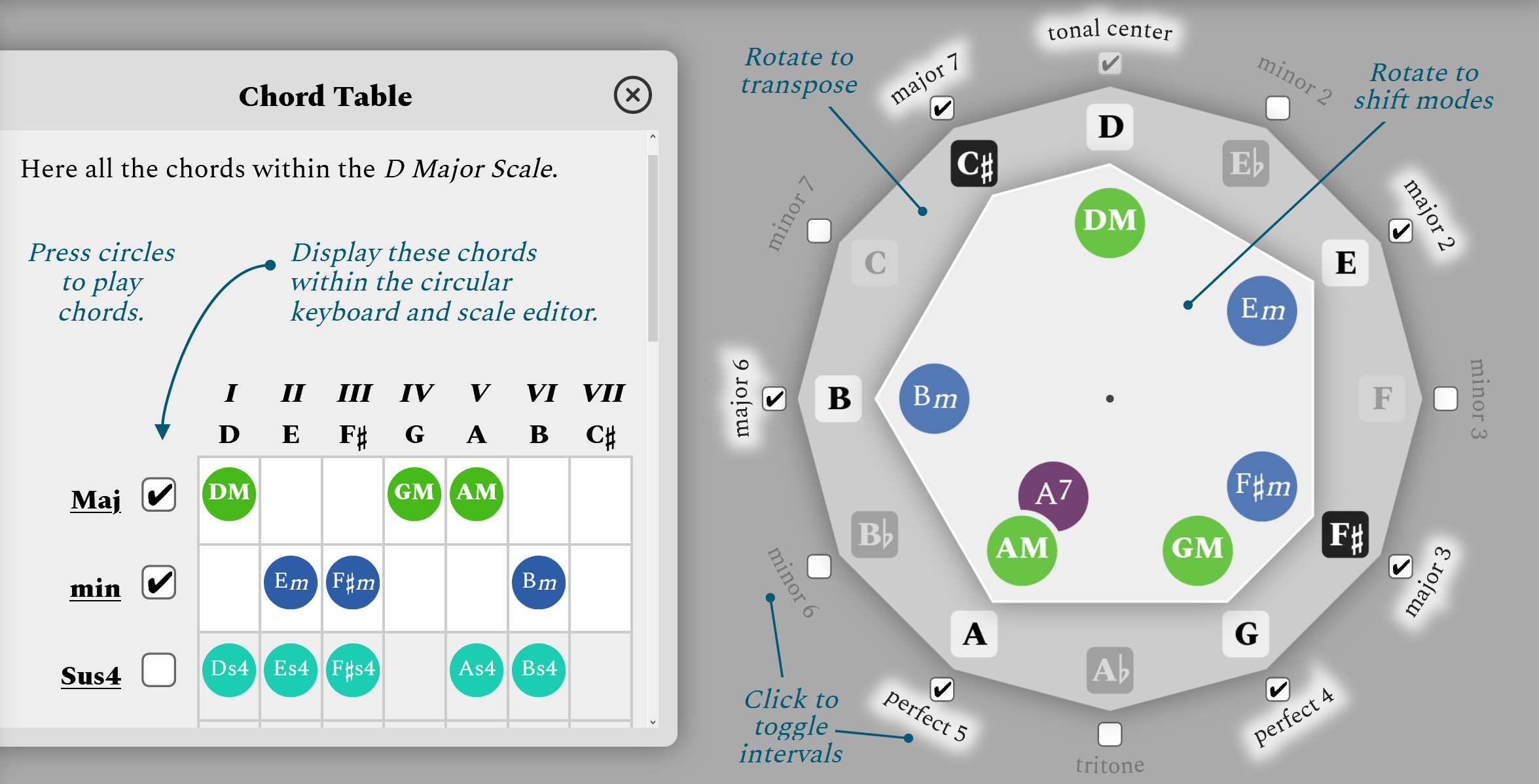
Octave Compass showing the scale and chords of D Major

This is cool. Twist the outside dial to transpose the tonal centre of your key. Twist the inner dial to shift the mode of the scale. Turn on- or off- individual tones to shift into more-exotic modes. Use triangles to illustrate the triads of your major, minor, and sustained chords, or add the sixth or seventh with the help of a trapezoid.

The amateur music theorist in me continually struggles to visualise what and why a key is what it is. This kind of thing helps. Plus, what a cool software toy!

Downloading a YouTube Music Playlist for Offline Play

Now that Google Play Music has been replaced by YouTube Music, and inspired by the lampshading the RIAA did recently with youtube-dl, a friend asked me: “So does this mean I could download music from my Google Play Music/YouTube Music playlists?”

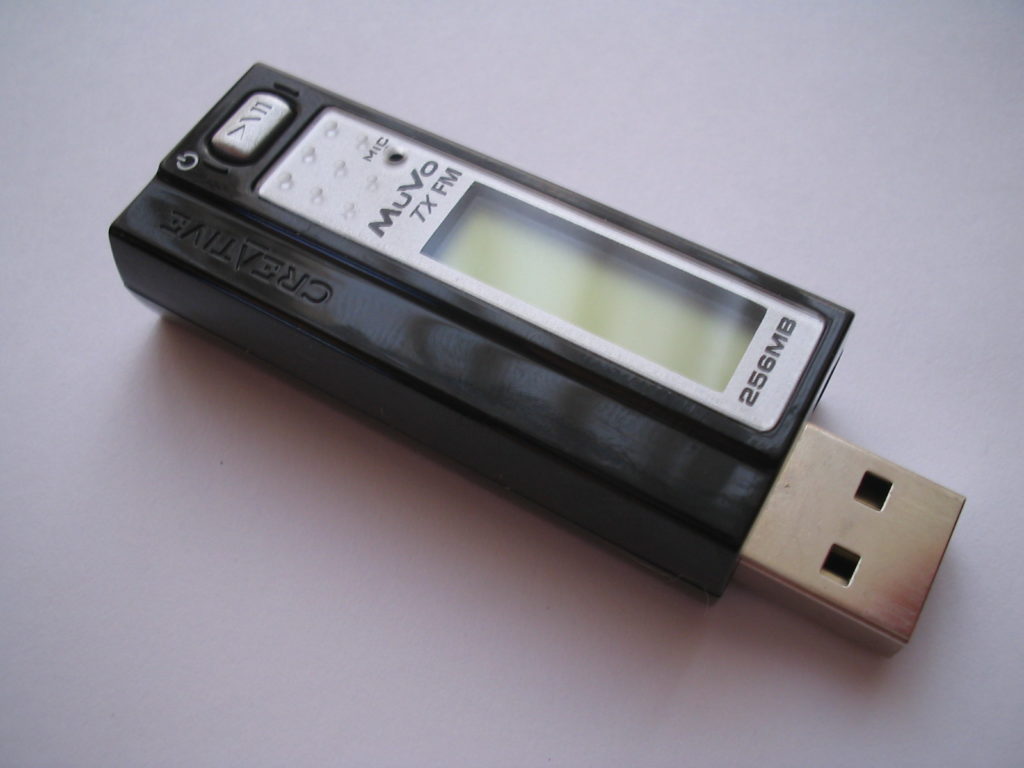
A Creative MuVo MP3 player (and FM radio), powered off, on a white surface.
My friend still uses a seriously retro digital music player, rather than his phone, to listen to music. It’s not a Walkman or a Minidisc player, I suppose, but it’s still pretty elderly. But it’s not one of these.

I’m not here to speak about the legality of retaining offline copies of music from streaming services. YouTube Music seems to permit you to do this using their app, but I’ll bet there’s something in their terms and conditions that specifically prohibits doing so any other way. Not least because Google’s arrangement with rights holders probably stipulates that they track how many times tracks are played, and using a different player (like my friend’s portable device) would throw that off.

But what I’m interested in is the feasibility. And in answering that question, in explaining how to work out that it’s feasible.

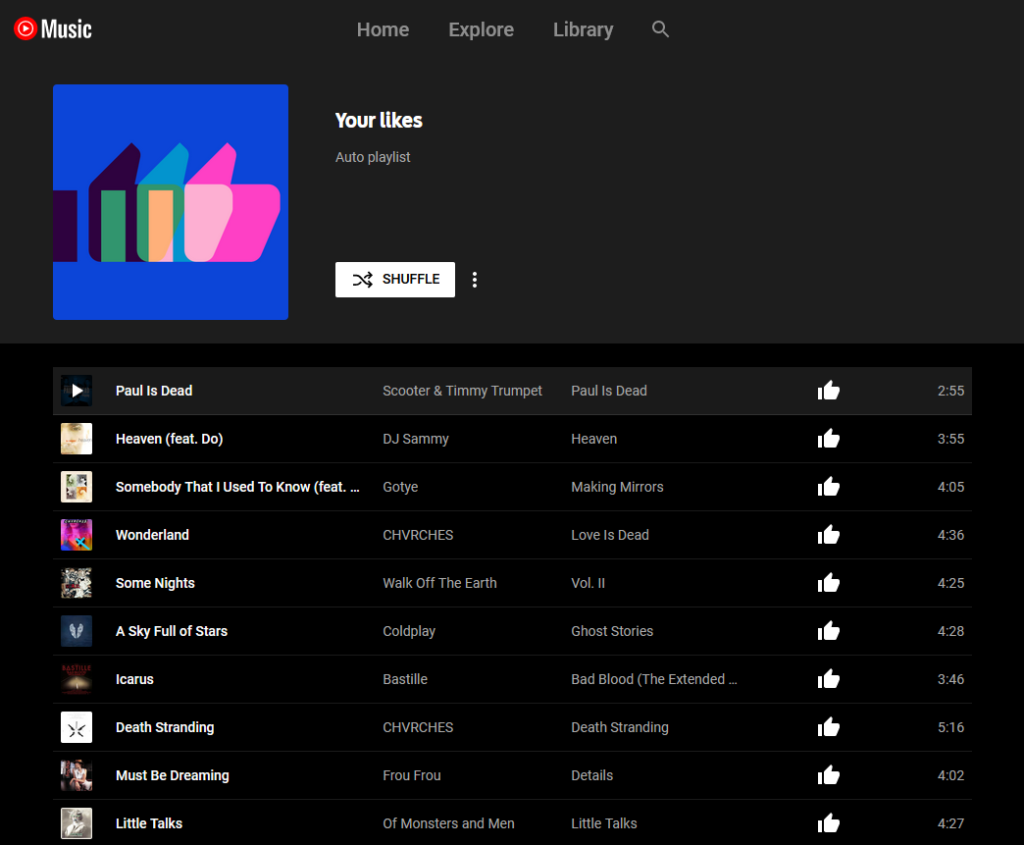
A "Your likes" playlist in the YouTube Music interface, with 10 songs showing.
The web interface to YouTube Music shows playlists of songs and streaming is just a click away.

Spoiler: I came up with an approach, and it looks like it works. My friend can fill up their Zune or whatever the hell it is with their tunes and bop away. But what I wanted to share with you was the underlying technique I used to develop this approach, because it involves skills that as a web developer I use most weeks. Hold on tight, you might learn something!

youtube-dl can download “playlists” already, but to download a personal playlist requires that you faff about with authentication and it’s a bit of a drag. Just extracting the relevant metadata from the page is probably faster, I figured: plus, it’s a valuable lesson in extracting data from web pages in general.

Here’s what I did:

Step 1. Load all the data

I noticed that YouTube Music playlists “lazy load”, and you have to scroll down to see everything. So I scrolled to the bottom of the page until I reached the end of the playlist: now everything was in the DOM, I could investigate it with my inspector.

Step 2. Find each track’s “row”

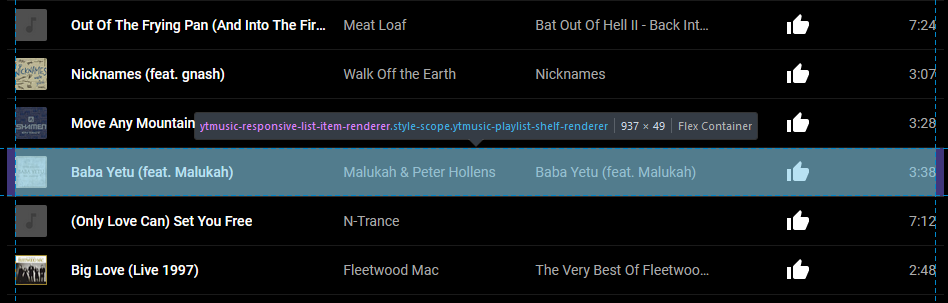
Using my browser’s debugger “inspect” tool, I found the highest unique-sounding element that seemed to represent each “row”/track. After a little investigation, it looked like a playlist always consists of a series of <ytmusic-responsive-list-item-renderer> elements wrapped in a <ytmusic-playlist-shelf-renderer>. I tested this by running document.querySelectorAll('ytmusic-playlist-shelf-renderer ytmusic-responsive-list-item-renderer') in my debug console and sure enough, it returned a number of elements equal to the length of the playlist, and hovering over each one in the debugger highlighted a different track in the list.

A browser debugger inspecting a "row" in a YouTube Music playlist. The selected row is "Baba Yeta" by Peter Hollens and Malukah, and has the element name "ytmusic-responsive-list-item-renderer" shown by the debugger.
The web application captured right-clicks, preventing the common right-click-then-inspect-element approach… so I just clicked the “pick an element” button in the debugger.

Step 3. Find the data for each track

I didn’t want to spend much time on this, so I looked for a quick and dirty solution: and there was one right in front of me. Looking at each track, I saw that it contained several <yt-formatted-string> elements (at different depths). The first corresponded to the title, the second to the artist, the third to the album title, and the fourth to the duration.

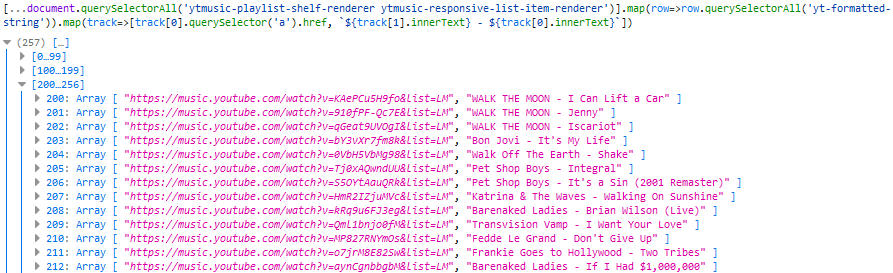
Better yet, the first contained an <a> element whose href was the URL of the piece of music. Extracting the URL and the text was as simple as a .querySelector('a').href on the first <yt-formatted-string> and a .innerText on the others, respectively, so I ran [...document.querySelectorAll('ytmusic-playlist-shelf-renderer ytmusic-responsive-list-item-renderer')].map(row=>row.querySelectorAll('yt-formatted-string')).map(track=>[track[0].querySelector('a').href, `${track[1].innerText} - ${track[0].innerText}`]) (note the use of [...*] to get an array) to check that I was able to get all the data I needed:

Debug console running on YouTube Music. The output shows an array of 256 items; items 200 through 212 are visible. Each item is an array containing a YouTube Music URL and a string showing the artist and track name separated by a hyphen.
Lots of URLs and the corresponding track names in my friend’s preferred format (me, I like to separate my music into folders by album, but I suppose I’ve got a music player with more than a floppy disk’s worth of space on it).

Step 4. Sanitise the data

We’re not quite good-to-go, because there’s some noise in the data. Sometimes the application’s renderer injects line feeds into the innerText (e.g. when escaping an ampersand). And of course some of these song titles aren’t suitable for use as filenames, if they’ve got e.g. question marks in them. Finally, where there are multiple spaces in a row it’d be good to coalesce them into one. I do some experiments and decide that .replace(/[\r\n]/g, '').replace(/[\\\/:><\*\?]/g, '-').replace(/\s{2,}/g, ' ') does a good job of cleaning up the song titles so they’re suitable for use as filenames.

I probably should have it fix quotes too, but I’ll leave that as an exercise for the reader.

Step 5. Produce youtube-dl commands

Okay: now we’re ready to combine all of that output into commands suitable for running at a terminal. After a quick dig through the documentation, I decide that we needed the following switches:

  • -x to download/extract audio only: it defaults to the highest quality format available, which seems reasomable
  • -o "the filename.%(ext)s" to specify the output filename but accept the format provided by the quality requirement (transcoding to your preferred format is a separate job not described here)
  • --no-playlist to ensure that youtube-dl doesn’t see that we’re coming from a playlist and try to download it all (we have our own requirements of each song’s filename)
  • --download-archive downloaded.txt to log what’s been downloaded already so successive runs don’t re-download and the script is “resumable”

The final resulting code, then, looks like this:

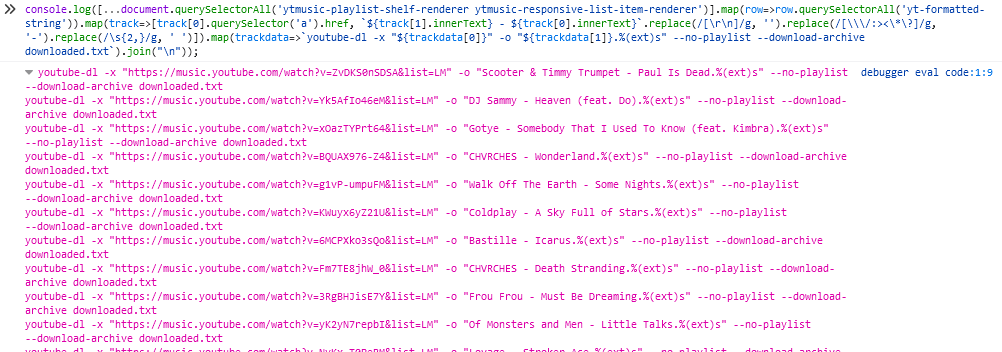
console.log([...document.querySelectorAll('ytmusic-playlist-shelf-renderer ytmusic-responsive-list-item-renderer')].map(row=>row.querySelectorAll('yt-formatted-string')).map(track=>[track[0].querySelector('a').href, `${track[1].innerText} - ${track[0].innerText}`.replace(/[\r\n]/g, '').replace(/[\\\/:><\*\?]/g, '-').replace(/\s{2,}/g, ' ')]).map(trackdata=>`youtube-dl -x "${trackdata[0]}" -o "${trackdata[1]}.%(ext)s" --no-playlist --download-archive downloaded.txt`).join("\n"));

Code running in a debugger and producing a list of youtube-dl commands to download a playlist full of music.
The output isn’t pretty, but it’s suitable for copy-pasting into a terminal or command prompt where it ought to download a whole lot of music for offline play.

This isn’t an approach that most people will ever need: part of the value of services like YouTube Music, Spotify and the like is that you pay a fixed fee to stream whatever you like, wherever you like, obviating the need for a large offline music collection. And people who want to maintain a traditional music collection offline are most-likely to want to do so while supporting the bands they care about, especially as (with DRM-free digital downloads commonplace) it’s never been easier to do so.

But for those minority of people who need to play music from their streaming services offline but don’t have or can’t use a device suitable for doing so on-the-go, this kind of approach works. (Although again: it’s probably not permitted, so be sure to read the rules before you use it in such a way!)

Step 6. Learn something

But more-importantly, the techniques of exploring and writing console Javascript demonstrated are really useful for extracting all kinds of data from web pages (data scraping), writing your own userscripts, and much more. If there’s one lesson to take from this blog post it’s not that you can steal music on the Internet (I’m pretty sure everybody who’s lived on this side of 1999 knows that by now), but that you can manipulate the web pages you see. Once you’re viewing it on your computer, a web page works for you: you don’t have to consume a page in the way that the author expected, and knowing how to extract the underlying information empowers you to choose for yourself a more-streamlined, more-personalised, more-powerful web.

× × × × ×

Mouth Dreams is so stupid and so good

This is a repost promoting content originally published elsewhere. See more things Dan's reposted.

For the sake of our own sanity, if nothing else, we wanted to take a minute to dig into the most wonderfully dumb song on the entire album—although technically it’s two songs, since tracks 13 and 14, “Fredhammer” and “Limp Wicket,” both share a single unifying sound: Limp Bizkit’s ode to heartbreak, “Nookie”.

Together, these two tracks cover so much of what makes Cicierega so great, from the unexpected sample choices, to the step-stuttering repetition of lyrics, to the moment when you realize he’s snuck the Seinfeld baseline into the middle of the song. There’s also the fact that the whole thing works irritatingly well, from Durst rapping over the “Sledgehammer” horns, to the undeniably triumphant feel of the “Yub nubs” kicking in.

I confess to a genuine and unironic love of Mouth Moods (and, to a lesser extent, Neil Cicierega’s other Mouth* work). I don’t know if I enjoy Mouth Dreams even more, but it’s certainly a close thing.

William Hughes succinctly describes what makes Mouth Dreams so good. I promise you that if you start down this rabbit hole you’ll soon be lost (what does it all mean? what are the secret messages hidden in the spectrogram output? why, just why?), but in the most wonderful way. You can listen to the entire album on Soundcloud.

Winamp Skin Museum

This is a repost promoting content originally published elsewhere. See more things Dan's reposted.

Winamp Skins Museum

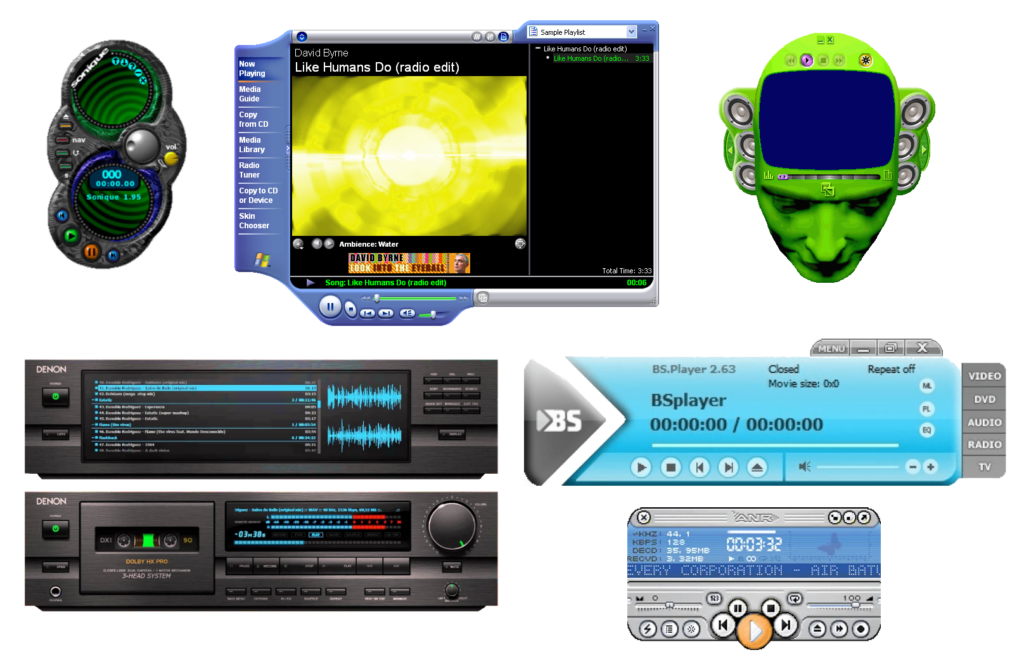
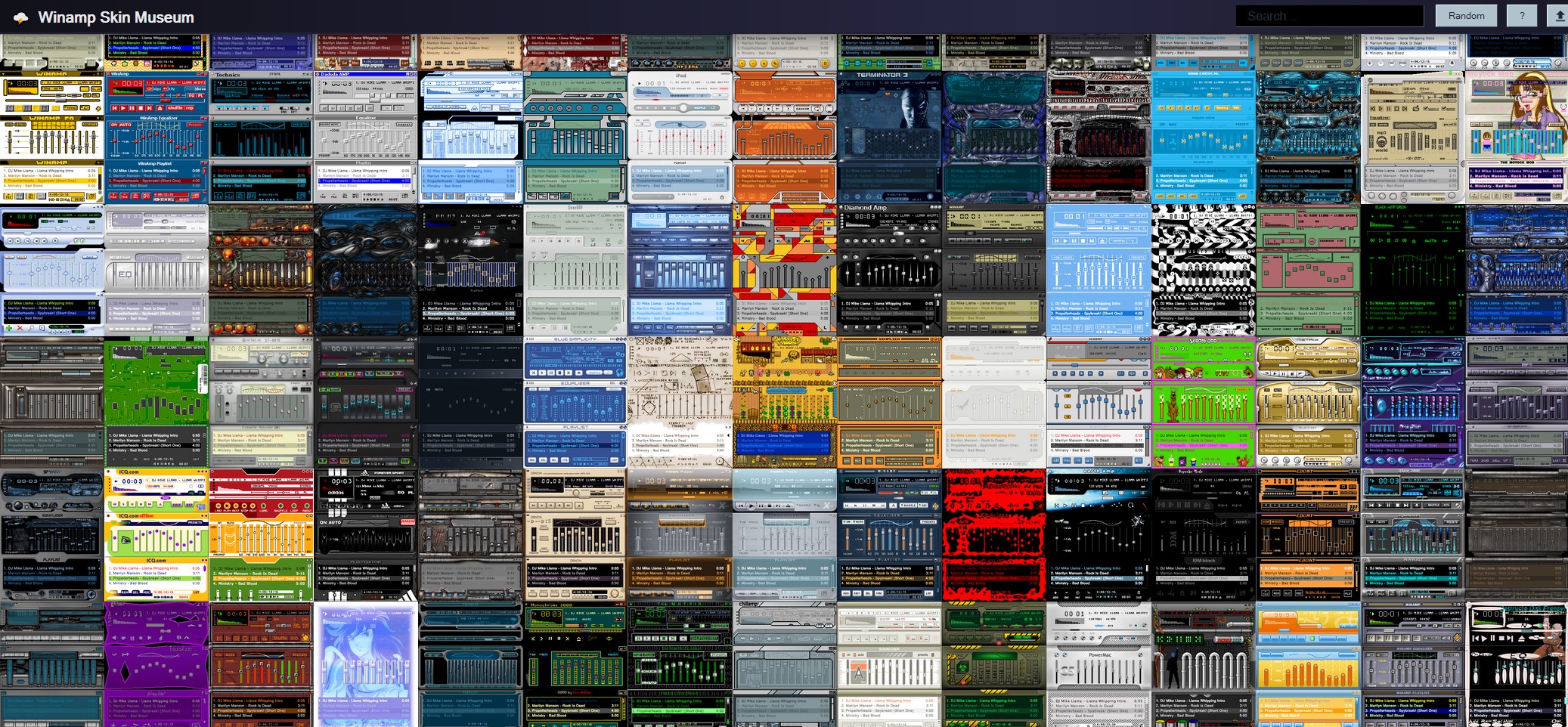
Remember Winamp (especially Winamp 1/2, back when it was awesome)? Remember Winamp skins?

Webamp does.

This is not only a gallery of skins, they’re all interactive! Click into one and try it out. It really whips the llama’s ass.

The Unexpected Solace in Learning to Play Piano

This is a repost promoting content originally published elsewhere. See more things Dan's reposted.

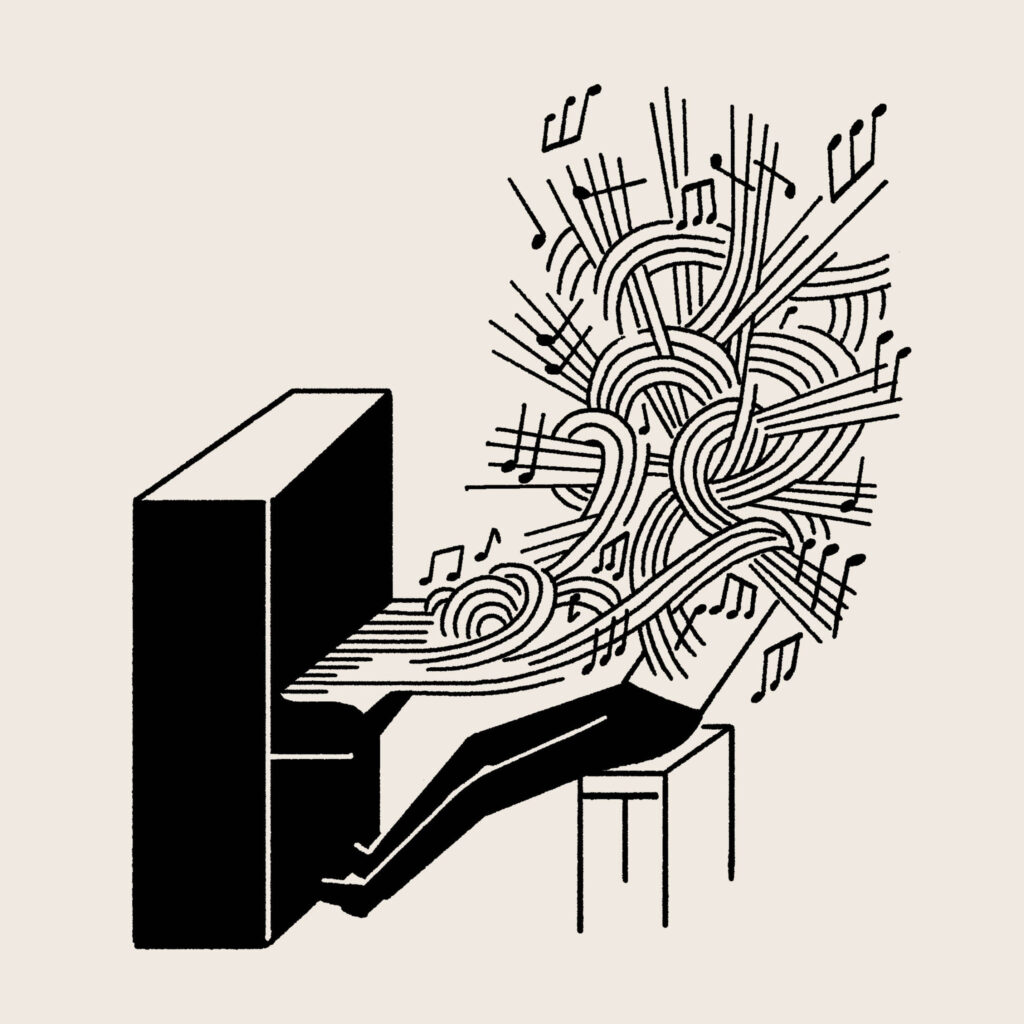
…while I practice, I have to simultaneously read, listen, think, translate. Every synapse of my brain is so utterly overwhelmed, there is no capacity left to think about the world out there.

When Christoph Niemann published this piece about learning to play the piano during the most-lockdown-y parts of the Coronavirus lockdown, it rang a chord with me (hah!). I, too, have experimented with learning to play the piano this spring/summer, and found a similar kind of Zen-like focussed calm emerge out of the frustration of staring at a piece of sheet music and wondering why I couldn’t for the life of me get me fingers to remember to do when they got to that point.

I started out with – after following some random links off the back of finishing the last bit of work for my recent masters degree – a free course in music theory by the OU, because I figured that coming in from a theoretical perspective would help with the way my brain thinks about this kind of thing. I supplemented that with a book we got for the kids to use to learn to play, and now I’ve now graduated to very gradually hunt-and-pecking my way through Disney’s back catalogue. I can play Go The Distance, Colors of the Wind and most of Can You Feel The Love Tonight barely well enough that I don’t feel the need to tear my own ears off, so I guess I’m making progress, though I still fall over my own hands every time I try to play any bloody thing from Moana. 20 minutes at a time, here and there, and I’m getting there. I don’t expect to ever be good at it, but I’m enjoying it nonetheless.

But anyway: this piece in the NYT Magazine really spoke to me, and to hear that somebody with far more music experience than me can struggle with all the same things I do when getting started with the piano was really reassuring.

Dune (2020)

This is a repost promoting content originally published elsewhere. See more things Dan's reposted.

Oh my god I’m so excited. I’m afraid they might fuck up the story even more than David Lynch did in 1984 (not that I don’t love that film, too, but in a very different way than the books). I mean: I’d have hoped a modern adaptation would have a bigger part for Chani than it clearly does. And I know nothing at all about the lead, Timothée Chalamet. If only there was something I could do about these fears?

I must not fear. Fear is the mind-killer. Fear is the little-death that brings total obliteration. I will face my fear. I will permit it to pass over me and through me. And when it has gone past I will turn the inner eye to see its path. Where the fear has gone there will be nothing. Only I will remain.

Yeah, that’s the kind of thing.

The supporting cast look excellent. I think Josh Brolin will make an awesome Gurney Halleck, Jason Momoa will rock Duncan Idaho, and I’m looking forward to seeing Stephen McKinley Henderson play Thufir Hawat. But if there’s just one thing you should watch the trailer for… it’s to listen to fragments of Hans Zimmer’s haunting, simplistic choral adaptation of Pink Floyd’s Eclipse.

Bodley and the Bookworms – Scan and Deliver

This is a repost promoting content originally published elsewhere. See more things Dan's reposted.

You know that strange moment when you see your old coworkers on YouTube doing a cover of an Adam and the Ants song? No: just me?

Still good to see the Bodleian put a fun spin on promoting their lockdown-friendly reader services. For some reason they’ve marked this video “not embeddable” (?) in their YouTube settings, so I’ve “fixed” the copy above for you.

Lindsey Stirling/Johnny Rzeznik String Session

This is a repost promoting content originally published elsewhere. See more things Dan's reposted.

One of the last “normal” things I got to do before the world went full lockdown was to attend a Goo Goo Dolls concert with Ruth, and so to see two musicians I enjoy team up to perform a song and share some words of hope and encouragement for a better future beyond these troubled times… feels fitting and inspiring.

Also awesome to see that Stirling’s perhaps as much a fan of Live in Buffalo as I am.

Fun diversion: I never know how to answer the question “what kind of music do you like?”, because I increasingly (and somewhat deliberately) find that I enjoy a wider and wider diversity of different genres and styles. But perhaps the right answer might be: “I like music that makes me feel the way I feel when I hear Cuz You’re Gone recorded from the Goo Goo Dolls’ concert in Buffalo on 4 July 2004, specifically the bit between 4 minutes 10 seconds and 4 minutes 33 seconds into the song, right at the end of the extended bridge. It’s full of anticipatory energy and building to a wild crescendo that seems to mirror the defiance of both the band and the crowd in the face of the torrential rain that repeatedly almost brought an end to the concert. Music that makes me feel like that bit; that’s the kind of music I like. Does that help?”

When you’re in the club and you’re hungry… (Misheard Lyrics… Round Two!)

This is a repost promoting content originally published elsewhere. See more things Dan's reposted.

My mother has long argued that a large category of popular music, second only to those on the subjects of sex and drugs, are about food. This so-called corpus of food songs is, I’m pretty confident, mostly based on mishearing lyrics, but I think she’d have a friend in the fabulous Bec Hill who’s this month made a follow-up to her video When You Listen to the Radio When You’re Hungry. And it’s even better (and to my delight, paella still manages to make a cameo appearance).

Unfortunately Warner Music Group don’t seem to have a sense of humour and you might find that you can’t watch her new video on YouTube. But thankfully that’s not how the Internet works (somebody should tell them!) and if proxying isn’t the best solution for you then you can just watch her new video on the BBC’s Facebook page instead.