Me: Alright, let’s write a blog post about CSS.
🧠: Okay, but we need to make an entire design system first.
Me: That seems very complicated.
🧠: How long could it possibly take? 10 minutes?
Tell me about it.
I started a blog post about pedestrian crossings months ago and somewhere along the way I got bogged down with implementing a web component that uses 16-bit pixel art people
and cars to simulate and compare the relative throughput efficiencies of different timing systems and HELP I WENT TOO DEEP THIS WAS SUPPOSED TO BE A SIMPLE BLOG POST.
It’s been a long journey for our 9-year-old over the last four years, but today he is – going many others, mostly older and larger than him! – finally trying out for his recommended
black belt in taekwondo. 🥋 🤞
Checked up on this cache, this morning, as I was in the neighbourhood. It’s looking healthy, with dry contents including a sharpened pencil for logging plus a couple of tradables that
have turned up.
If you come find it soon then I hope the weather is as delightful for you as it was for us, today!
Folks at work have been encouraging to make more use of generative AI in my workflow1;
going beyond my current “fancy autocomplete” use and giving my agents more autonomy. My experience of such “vibe coding” so far has been… mixed2,
but I promised I’d revisit it.
One thing that these models are usually effective at is summarisation3. This is valuable if you’re faced with a large and unfamiliar
codebase and you’re looking to trace a particular thing but you’re not certain where it is or what it’ll be called. While they’re not always fast, these tools can
at least work in the background, which allows the developer to get on with something else while the agent trawls logs, code, and configuration to find and explain a
fuzzily-defined thing.
Recently, I had a moment which I thought might be such an instance… but it didn’t turn out quite the way I expected. Here’s the story4:
The broken dev env
I’d been drafted into an established and ongoing project to provide more hands, following a coworker’s departure last week. This project touches parts of our (sprawling,
microsevices-based) infrastructure that I hadn’t looked at before, so there was a lot I didn’t yet know.
I picked an issue that had belonged to my former colleague that QA had rejected and set out to retrace their steps: to replicate the problem that the QA engineers had identified and in
doing so learn more about the underlying process. I spun up my development environment and tried to follow the steps.
The process failed… but much earlier than QA had said it would. Clearly my development environment was at fault, or at least not representative of their setup.
But I couldn’t even get as far as their problem before my frontend barfed out an error message. Sigh! Probably there’s some configuration I’ve missed somewhere in the myriad
microservices, or else the data I’m testing with isn’t a fair reflection on what they’re doing as-standard.
Following some staff changes, I have no teammates on this side of the Atlantic who could help me decipher this: a “quick question on Slack” wouldn’t solve this one until hours
from now. It was time to start debugging!
But… maybe Claude could help? It’s got access to almost all the same code, logs, tools and browser windows I do. I started typing:
✨ What’s up next, Dan?
In my development environment for https://service.dev/asset/new, when I click “Save”, I see the error “Oops, something went wrong.”
Why?
Context is key
It’s quite possible that Claude would have gone away, had a “think”, done some tests, and then come back to me with a believable answer. It might even have been correct, and I’d have
been able to short-cut my way back to productivity (and I’d have time to make a mug of coffee and finish reading my emails while it did so). Then, I’d just have to check that it was
right, make the change, and get on with things.
But I realised that it’d probably work faster (and cheaper, and using less energy) if it had slightly more context from the get-go, so I elaborated. The first thing I’d
want to know if I were debugging this is what was actually happening behind the scenes. I dipped into my browser’s Network debugger and extracted the relevant output, adding it to my
prompt:
✨ What’s up next, Dan?
In my development environment for https://service.dev/asset/new, when I click “Save”, I see
the error “Oops, something went wrong.” Why?The payload POSTed to the server is { content: 'test1', audience: [ 'one' ], status: 'draft' } and
the response is a HTTP 500 with the following stack trace: pasted 94 lines
That’s more like it, now I could let it get on with its work. But wait…
Rubberducking
There’s a concept in computer programming called “rubberducking”. The name comes from an anecdote in The Pragmatic Programmer about a developer who, when stuck on a problem, would
explain the code line-by-line to a rubber duck. The thinking is that talking-through a problem, even to someone (or something) who doesn’t understand it, can lead the speaker to
insights they were otherwise missing.
I’ve done it myself many, many times: recruiting a convenient colleague or friend and talking them through the technical problem I was faced with, and inviting them to ask me to go
into greater detail if I seemed to be skimming over anything, and I can promise that it can work.
The panel above is part of a series in which a sorceress called Cepper who’s
coerced by her university into using Avian Intelligence (“AI”) – a robotic parrot5 that her headmaster insists is the future of magic. She experiments with it, finds it
occasionally useful but more-often frustrating, attempts to implement her own local version but find that troublesome in different ways, and eventually settles on using
an inanimate rubber duck instead. I get it, Cepper!
Let’s put that distraction aside for a moment and get back to the story of my broken development environment.
Clues in the stack trace
The top entry in the stack trace was an unsuccessful call to a different microservice, so I figured I’d pull its logs too, in order to further help direct
the AI in the right direction6:
✨ What’s up next, Dan?
In my development environment for https://service.dev/asset/new, when I click “Save”, I see
the error “Oops, something went wrong.” Why?The payload POSTed to the server is { content: 'test1',
audience: [ 'one' ], status: 'draft' } and the response is a HTTP 500 with the following stack trace: pasted 94 linesThe stack
trace suggests that a call is being made to the dojo backend service, where the following error log looks relevant: pasted 9
lines
I haven’t tried it, but I’m pretty confident that the LLM, after much number-crunching and a little warming-up of some datacentre somewhere, would get to the answer. But again, I found
something niggling inside me: the second-from top line in the dojo logs suggested that a connection was being made to a further, deeper microservice.
I should pull its logs too, I figured.
The final puzzle piece
As an aide mémoire – in a way I’ve taken to doing when taking notes or when talking to AI – I first typed what I was going to provide. This is
useful if, for example, somebody distracts me at a key moment: it means you’ve got a jumping-off point predefined by my past self:
✨ What’s up next, Dan?
In my development environment for https://service.dev/asset/new, when I click “Save”, I see
the error “Oops, something went wrong.” Why?The payload POSTed to the server is { content: 'test1',
audience: [ 'one' ], status: 'draft' } and the response is a HTTP 500 with the following stack trace: pasted 94 linesThe stack
trace suggests that a call is being made to the dojo backend service, where the following error log looks relevant: pasted 9
lines. It’s calling osiris, which says:
I dipped into the directory for
osiris, and before I even got to the logs I spotted a problem: that microservice was on an old feature branch. How odd! I switched to the main branch and… everything
started working.
The entire event took only a few minutes. I’d find some information, type it into Claude’s input field, realise that more information could be valuable, and repeat.
By the time I’d finished describing the problem, I’d discovered the solution. That’s the essence of successful rubberducking. I didn’t need the AI at all.
All I needed was the illusion of something that might be able to help if I just talked through what I was thinking.
I don’t know what the moral is, here.
I wonder if I’d have been as effective had I just typed into my text editor. I suppose I would have, but I wonder if I’d have been motivated to do so in the first place? I’ve tried
rubberducking before by talking to an imaginary person, but I’ve never tried typing to one7; maybe I should start?
Footnotes
1 I’m pretty sure every engineering department nowadays has it’s rabid fanboys, but I’m
pleased that for the most part my colleagues take a more-pragmatic and realistic outlook: balancing the potential benefits of LLM-assisted coding with its many shortfalls,
downsides, and risks.
3 So long as what you’ve got them summarising is something you can later verify!
4 I’ve taken huge liberties with the strict factual accuracy to make this more-readable as
well as to to not-expose things I probably oughtn’t. So before you swoop in to criticise my prompt-fu (not that I asked you, but I know there’s somebody out there who’s thinking about
doing this right now), please note that none of the text in this page are what I actually wrote to the AI; it’s a figurative example.
6 I’d had an experience just the previous week in which it’d gone off on completely the
wrong track, attempting to change code in order to “fix” what was ultimately a configuration or data problem, and so I thought it might be useful to give it some rails to follow, to
start with.
7 Except insofar as this AI agent is an “imaginary person”, which it possibly already a
step-too-far in implying personhood for my liking!
Imagine my surprise when the geohound and I are out for a walk from Appleton to find the Rainbow Bridge cache, to receive a notification of a new cache series at Northmoor. All we need
to do is extend our walk a short way, I figure, and we can claim an FTF!
But it was not to be! By the time the little doggo’s legs could carry her this far, we’d been pipped to the post. STF it is, then, after the joint victory just half an hour ahead of us.
And with that, it’s time for the pupper and I to turn around and head back to Appleton. Hopefully we can return to do the rest of this series sometime soon! TFTC.
Our taeget cache got the geopup and I: I’ve coated under this bridge, I think, but never found an excuse to go over it into today.
The doggo is running out of steam and the afternoon looks likely to be too hot for her, but we’ll make a quick run at one of the new Nortmoor Loop series before we turn back. Might even
score a FTF!
What a beautiful spot for a geocache, which the geopup and I quickly found in the second host we checked. Then, we enjoyed a delightful few minutes of peace, sitting on the riverbank,
before continuing our morning’s adventure.
The geohound wouldn’t let me search as long as I’d have liked, and my GPS must’ve been off because I couldn’t really find anything that matched the hint description. One for another
day, perhaps.
Man, I have missed having a battlestation to work at these last few months. It’s nice to sit at one again, even if it’s only a ‘chicory
battlestation’.
The “regular” house’s Internet connection finally switched-off last night, so I zipped around this morning and moved my NAS across to the Chicory House.
This was a challenging selfie to take.
Unfortunately, Gigaclear haven’t yet managed to fulfil their promise to reassign our static IP address to our new line, so this was swiftly followed
by some DNS reconfiguration, sigh!
Old-school computing has a term “molly guard”: it’s the little plastic safety cover you have
to move out of the way before you press some button of significance.
Anecdotally, this is named after Molly, an engineer’s daughter who was invited to a datacenter and promptly pressed a big red button, as one would.
Then she did it again later the same day.
…
This article from UX expert Marcin Wichary is intended to be a vehicle to talk about the thoughtful design that goes into “reverse molly guards”: pieces of user interface that
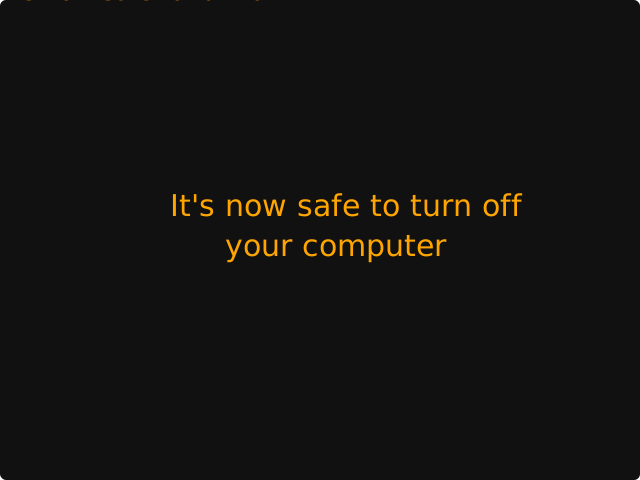
will proceed by themselves if you do nothing, but can be stopped by user interaction. He provides the example of MacOS’s “Are you sure you want to restart your computer?”
dialog, which includes a countdown to automatically going ahead with the restart in 60 seconds unless told not to.
From my perspective, though: this was the first time I’ve ever come across the term “molly guard”, and I love it (especially with its accompanying anecdote).
I’ve seen them all over the place, though. In fact, I’d love to share with you a particularly-aggressive molly guard I implemented into Three Rings a couple of years ago:
A problem we occasionally faced in Three Rings was administrators – especially new administrators, gaining lots of powers for the first time – managing to delete entire
rotas, without realising that this would delete all of the shifts (and the signups) within those rotas too. This is a hard operation to un-do, so we added a basic molly guard:
an “are you sure?” interstitial page that explained exactly how much damage would be done.
But it didn’t work well enough! We watched users who would see a blocker and rush straight to the big, red, delete button on the other side of all the warnings. I guess
that the dark patterns that are now everywhere in software have trained users to click-through every wall that gets in their way as fast as possible and with the minimum
interaction. But now that “training” was working against the safety of charity data!
So we came up with something stronger:
Now, the interstitial page not only says what the scale of the damage is… it asks the user to repeat it back to them. Looking at that screenshot, you’ll see
that the first line says that 2,056 will be deleted… and then the last line contains a text box to type that number back in again (this page only appears if it looks like
a lot of “real” data will be deleted; otherwise we use the old page so as not to scare off people who are throwing together temporary test rotas).
If you read the page, it’s easy to answer the question. But if you just rush to the red button… you’re stuck. You’ll be given a user interface nudge to tell you to fill the box, but
until you first line of the page, you won’t be able to answer it.
This molly guard works: since it was implemented, we’ve never had an instance of an accidentally-deleted rota that required us to pull data from the backups on
behalf of a charity.
But it’s possible we’ve swung too far the other way and caused some collateral damage to usability: we’ve twice had technical support queries from users who couldn’t work out
what they had to type into the box!
This is an acceptable outcome, we decided: it gives us the chance to check that they really mean what they were asking to do (of the two queries: one user did, the other meant
to do something else) and point them in the direction the number they need. It works!
Anyway, the key thing I wanted to share was that great article by Marcin Wichary with some great photos of various hardware and software molly guards (and reverse molly guards) for your
amusement.
I’d not come across David Revoy before today, but he’s apparently being doing art and comics since 2014. The Mini Fantasy Theatre series started a couple of years ago, but
is totally getting added to my RSS reader. Almost everything’s bilingual English/French too, if that’s something that interests you.
Navigating around the dark patterns of modern UX certainly feels like a dungeon delve, sometimes. Now we just need the episode in which the adventurer has difficulty
unsubscribing from requests from their patron…