BeepAlive – keeping my soundbar from going to sleep

My living room TV is attached to an ageing Windows box that we use as a media centre and middleweight gaming1 PC. To better fill the room with sound (I hate those tinny flat speakers they like to put into TVs these days!), the TV is also attached to a soundbar.

Line-art illustration showing a computer attached to a 4K TV, in turn attached to a speaker.

The problem is that the soundbar keeps shutting itself down. If it doesn’t receive any signals for ~20 minutes, it enters sleep mode2. It automatically turns itself on when the TV turns on, but it turns itself off all by itself.

This is annoying, because if we pause what we’re watching for a conversation or something, the soundbar switches itself off, even though the computer and television are still switched-on. It’s doubly-annoying because we then have to get up and walk over to it to switch it back on again, because the dog ate the remote3.

But what if I could solve this… with software?4

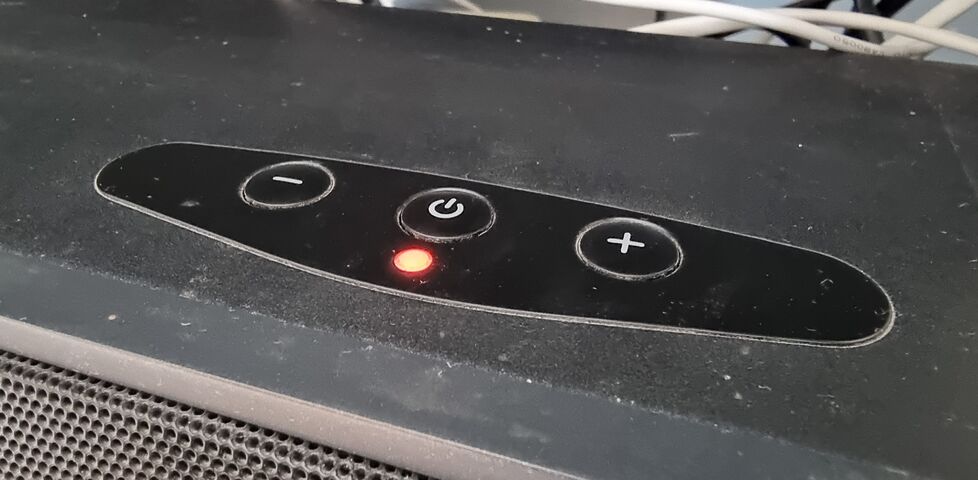
Top surface of a TV soundbar showing plus, minus, and power buttons, and a red LED.
LED’s gone red again?5 Sigh. Whose turn is it to get up and press the button?

My solution is BeepAlive, a little Go program that runs in a Windows system tray and makes a very quiet noise once every 9 minutes. I’ve tuned the noise so that it’s quiet enough that I can’t hear it unless I’m specifically listening for it… but loud enough that it the soundbar sees that there are still audio signals coming in, so it doesn’t go to sleep.

Now, so long as the media centre computer and TV remain powered-on, the soundbar stays awake. And that’s how a hacky engineer like me can solve a hardware problem with a software tool.

Footnotes

1 Mostly the gaming’s done by the kids, and they’re likely-as-not to use the Switch or Steam Deck instead… or, when we’re not at the Chicory House, Bee, the Bazzite-powered gaming rig I set up in the playroom… but in principle it’s equipped for gaming. I guess we sometimes fire a Jackbox Party Pack on it when we have guests?

2 It doesn’t even seem to save any power to be in sleep mode: my power checker tool says it draws basically the same amount whichever mode it’s in!

3 It’s triply-annoying because our soundbar is the only infrared-controlled device in our house that doesn’t follow the IrDA standard, which makes it incredibly difficult for me to automate switching it on from the TV remote, our Flic hub, any “universal remote” etc. I managed to pull off a replay using my Flipper Zero, but that’s not a solution I want to put into the hands of the kids (or anywhere that the dog might eat it). I suppose I could buy a replacement remote, but I don’t feel like giving any more money to a company that turned their nose up at IrDA.

4 Okay, so technically I solved this with software a few years ago, but I misplaced the software and it, frankly, wasn’t very good. My thinking is that by doing it better, and open-sourcing it, I’ll be able to find it when I need it next. And as a bonus, it might just maybe help somebody else, someday.

5 At our regular house, rather than the Chicory House, the soundbar lives above the TV, close to the ceiling, and it’s hard to even see the annoying LED. So I mounted a tiny mirror, about a quarter of the size of a fingernail, to the ceiling above it to improve its visibility from the sofa. Now that’s a hardware solution!

×